Initiating a Chat with a User
다운로드
포커스 모드
폰트 크기
Description
Staff can re-initiate a chat session with a user through the service record or directly by UserID.
Notes:
Only support staff can initiate contact with users via the application/client channel. Other messaging channels are not supported.
Restart a Session through Service Records
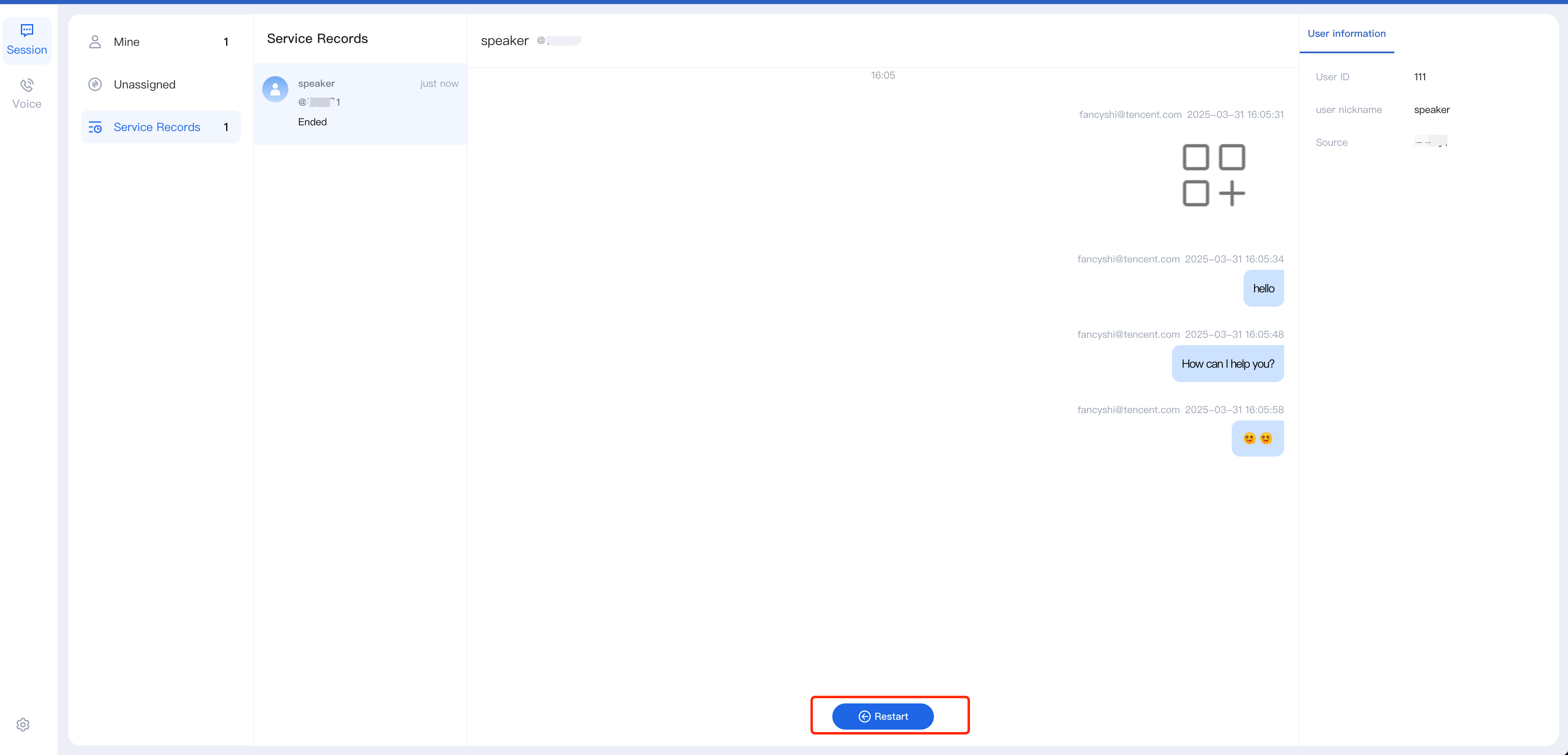
Staff can access closed sessions from the Service Records in the Workspace. Click Restart below the chat record to open a new session window with the user.
Proactively Contact the User by UserID
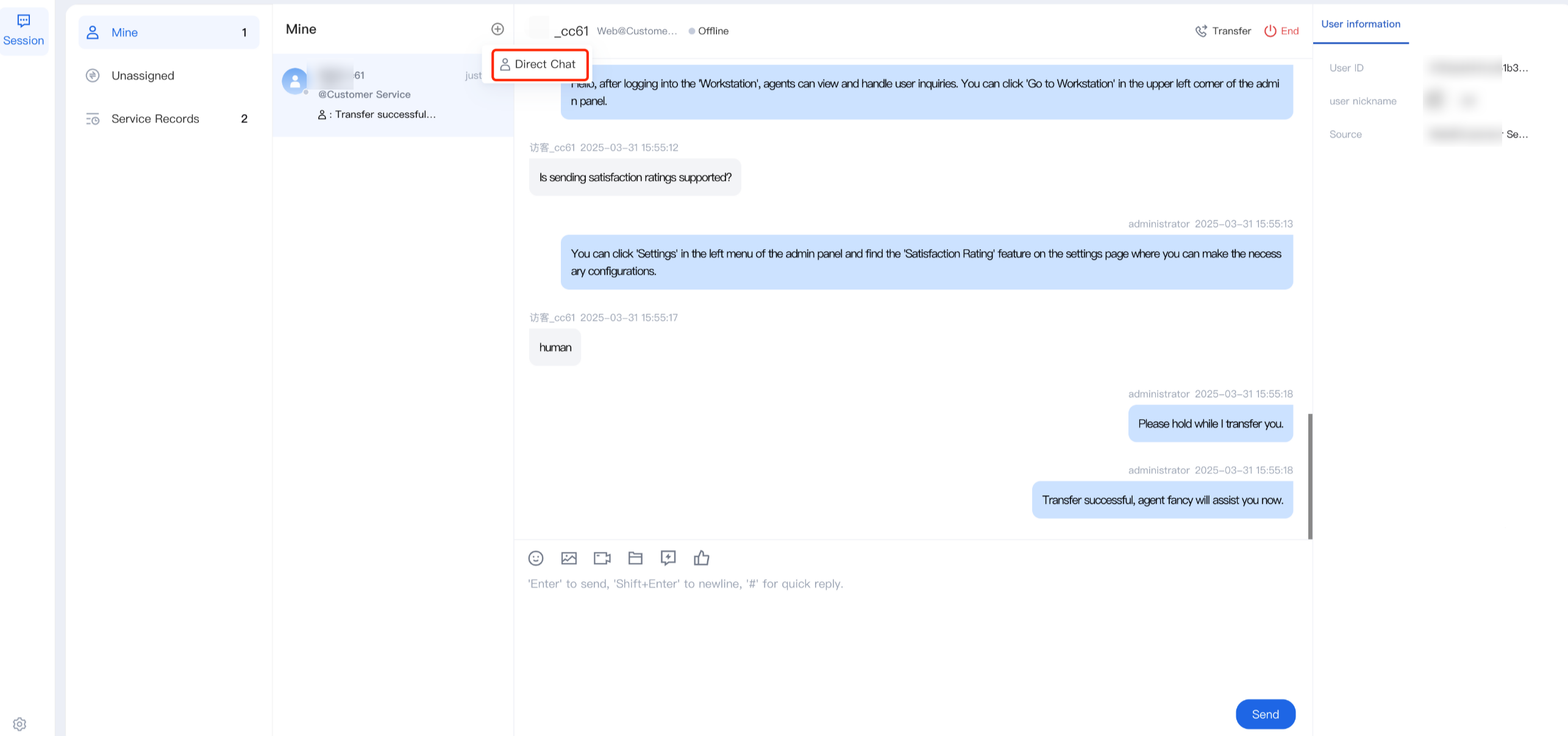
Step 1: Staff can click Direct chat in the upper left corner of the workspace.
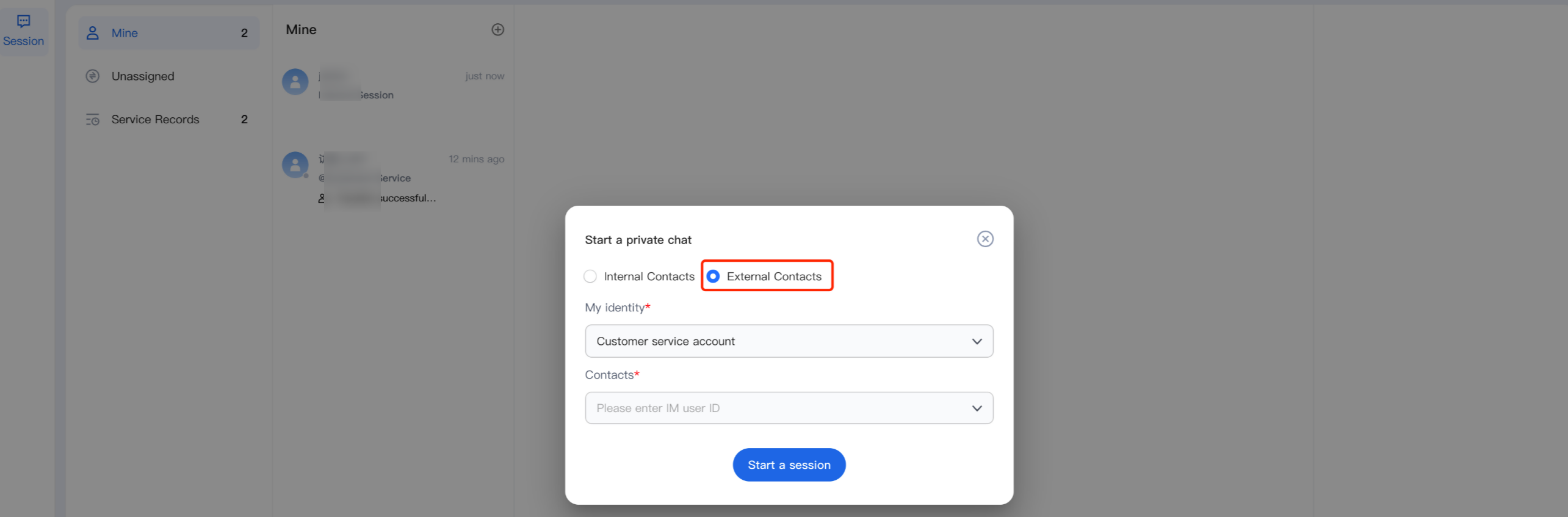
Step 2: In the pop-up window, select External Contact, search for the IM UserID, and choose the user. Click Start a session to open a new session window with the user.
피드백