Deleting VPCs
다운로드
포커스 모드
폰트 크기
When a VPC is no longer in use and has no other resources (Peering Connections, ClassicLink, NAT Gateway, VPN Gateway, Direct Connect Gateway, CCN, and private connection) except empty subnets, routing tables, and network ACLs, it can be deleted.
Note:
An empty subnet refers to a subnet that does not use any IPs; that is, when there are only empty subnets, routing tables, and network ACLs in a VPC, the VPC can be deleted; when there is IP use in a subnet, the VPC cannot be deleted.
Directions
1. Log in to the VPC console.
2. Select the region of the VPC at the top of the VPC page.
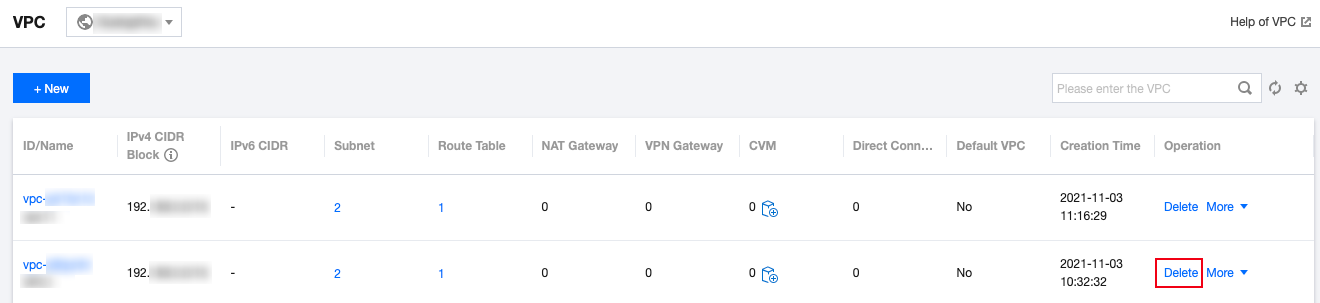
3. In the VPC list, locate the VPC to delete, click Delete in the Operation column, and confirm the deletion.
피드백