Deleting a Routing Table
다운로드
포커스 모드
폰트 크기
You can delete the route table that is not associated with any subnet. You can only delete custom route tables, not the default route table which is automatically generated by the system.
Directions
1. Log in to the VPC console, and select Route Tables.
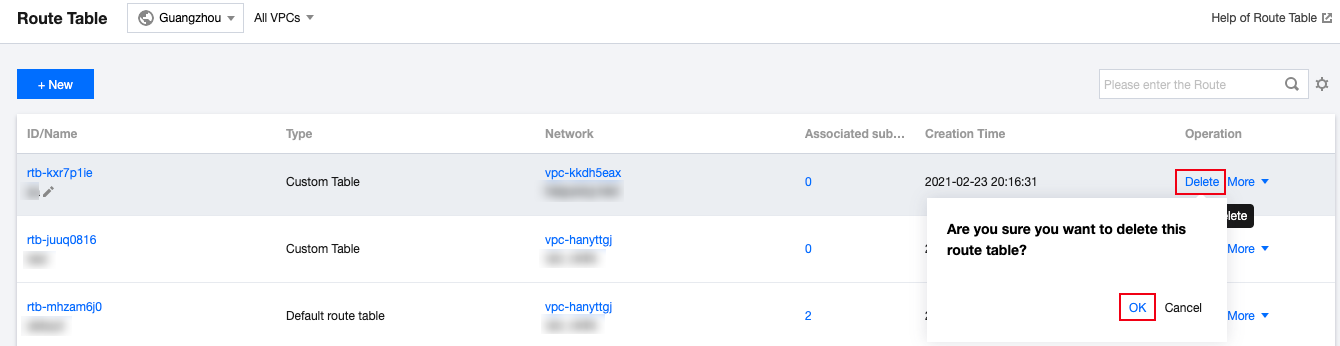
2. In the list, select the route table to delete. Click Delete in the Operation column.
피드백