To ensure that your business can run stably on a continuous basis and avoid service interruptions caused by instance expiration, it is recommended that you promptly renew your yearly/monthly subscription instances before they expire. Tencent Cloud provides two renewal options: manual renewal and auto-renewal. Please choose the method that best suits your business scenarios to complete the renewal.
Renewal Method
Description Item
Auto-Renewal
Manual Renewal
Definition
In this billing mode, the system automatically charges for the next renewal cycle before the instance expires.
In this billing mode, users proactively initiate renewal operations as needed before the instance expires to flexibly extend the instance's validity period.
Features
Offers flexible renewal cycle settings, supporting monthly or yearly auto-renewal.
Supports enabling or disabling the auto-renewal feature at any time.
Supports flexible selection of the renewal period based on business scenarios.
Supports completing renewal operations in the console or through the API.
Billing Rules
Sufficient balance: The system automatically deducts the fee for the next renewal cycle within 7 days before the instance expires.
Insufficient balance: Within 7 days before expiration, the system pushes an insufficient balance notification every other day until the renewal is completed.
Renewal result: Upon successful deduction, the system automatically extends the instance's expiration time.
Expiration reminder: Within 7 days before the instance expires, the system pushes a reminder notification every other day about the impending resource expiration.
Renewal result: Upon successful payment, the instance's expiration time will be extended accordingly.
Use Cases
Suitable for instances that require long-term stable operation, such as production environments and core business scenarios. This mode can prevent service interruptions caused by forgetting to renew.
Suitable for temporary projects, short-term testing tasks, or scenarios with specific budget management requirements.
Note:
If an instance expires without a successful renewal and remains overdue beyond both the grace period and retention period, it will be released. For details on the overdue payment handling mechanism, see Overdue Payments.
Enabling Auto-Renewal for Newly Purchased Instances
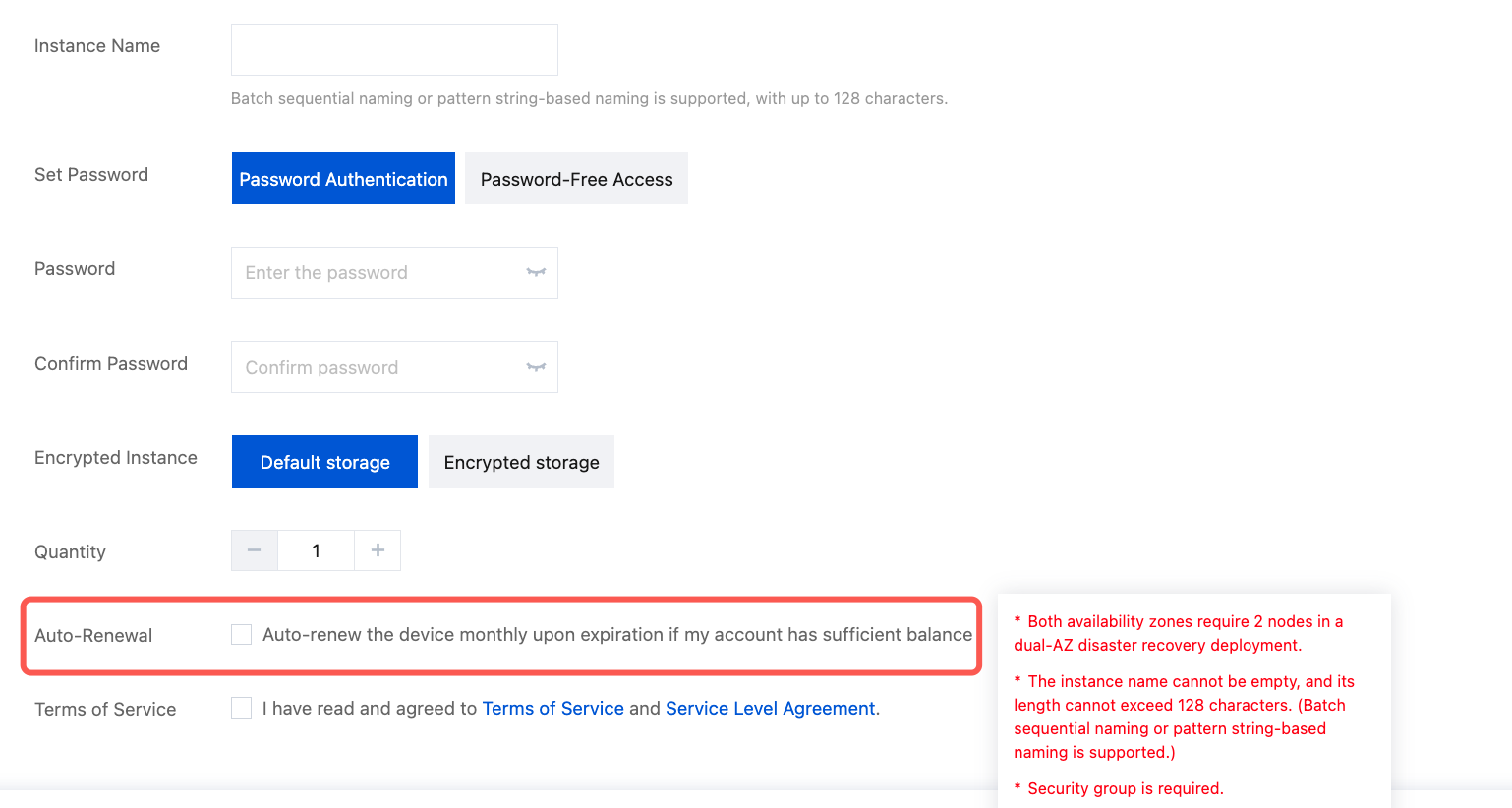
1. Log in to the MongoDB purchase page to create an instance. In the Auto Renewal configuration item, select Auto-renew on a monthly basis after expiration if the account balance is sufficient to enable auto-renewal. The following figure shows the specific location. For detailed operations, see Creating a MongoDB Instance. After the instance is created successfully, a
2. In the left sidebar, choose MongoDB > Replica Set Instance or Shard Instance. The operations for replica set instances and sharded cluster instances are similar.
3. At the top of the instance list page, select the region.
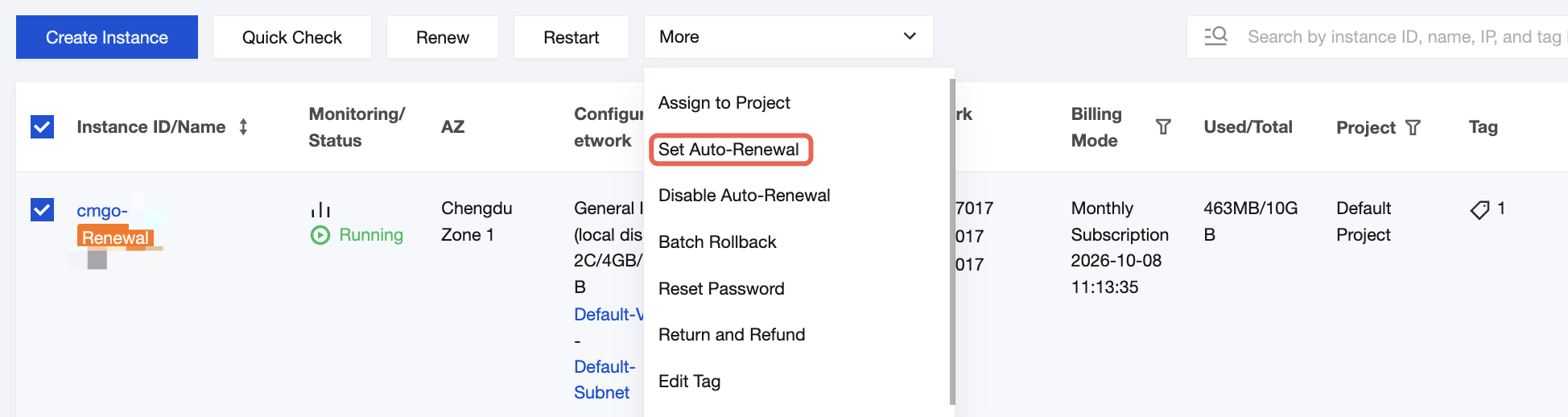
4. In the instance list, select the instances for which you want to enable auto-renewal (multiple selections are supported). Then, choose Set Auto Renewal from the More Operations dropdown list above the list to enable auto-renewal.
2. In the left sidebar, choose MongoDB > Replica Set Instance or Shard Instance. The operations for replica set instances and sharded cluster instances are similar.
3. At the top of the instance list page, select the region.
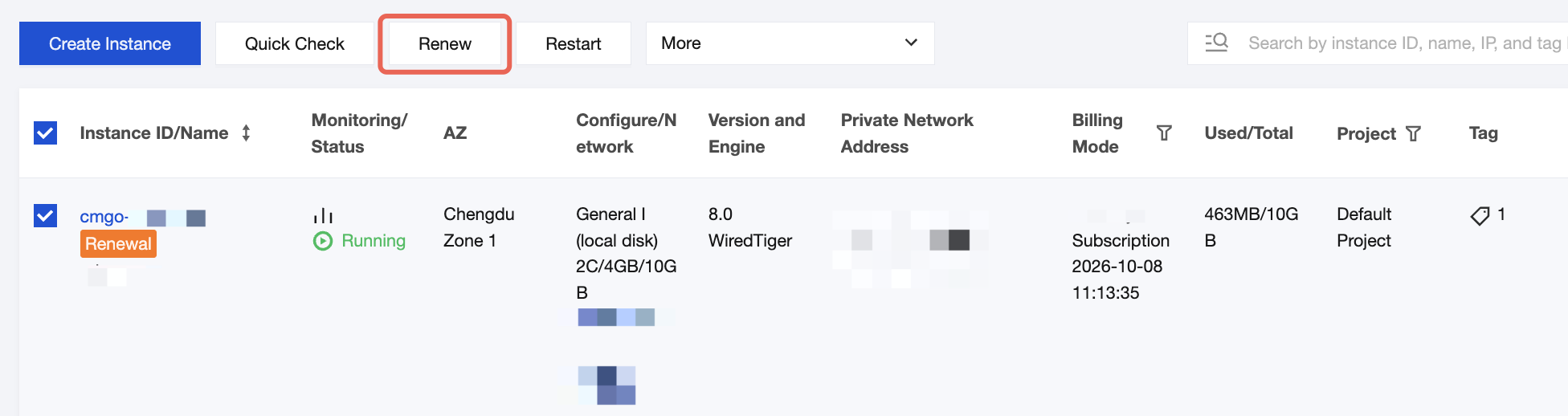
4. In the instance list, select the instances to be renewed (multiple selections are supported), and click Renew above the instance list.
5. In the Renew Selected Instances pop-up window, configure the following settings.
Click View Details to view the information of the instances to be renewed.
In Renewal Period, select the renewal duration. The maximum supported period is 3 years.
In Total Fee, confirm the billing amount for the renewal. Click OK.
6. On the Confirm Product Information page, after confirming that the renewal information is correct, click Pay Now in the lower-right corner to pay the renewal fee. The renewal is complete after the payment is successfully deducted.
Canceling Automatic Renewal
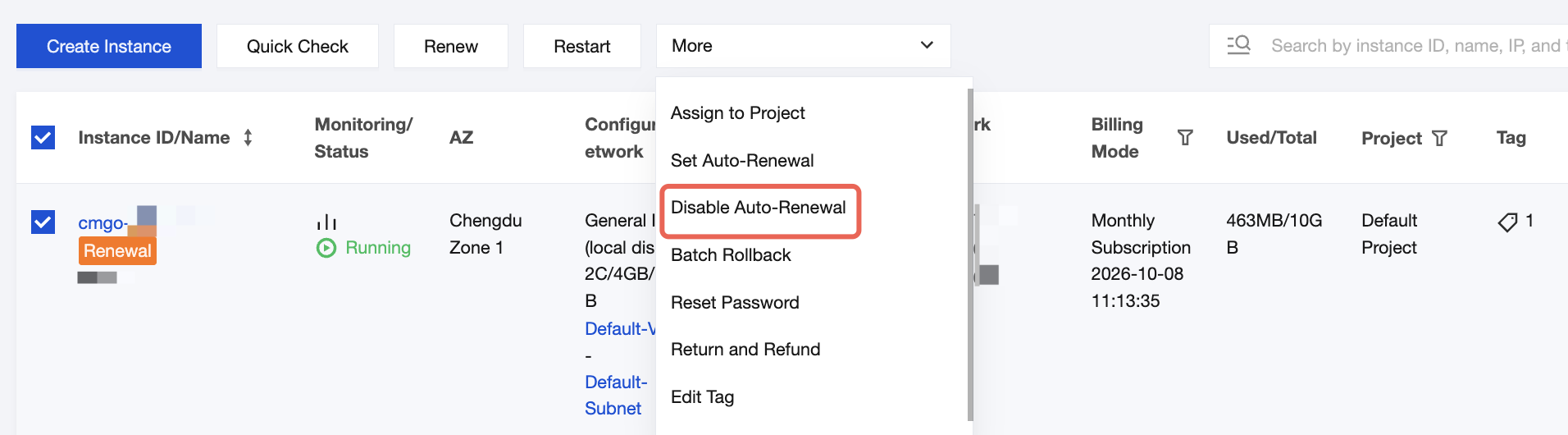
In the instance list, select the instances for which you want to disable auto-renewal (multiple selections are supported). Then, choose Disable Auto Renewal from the More Operations dropdown list above the list to disable auto-renewal.
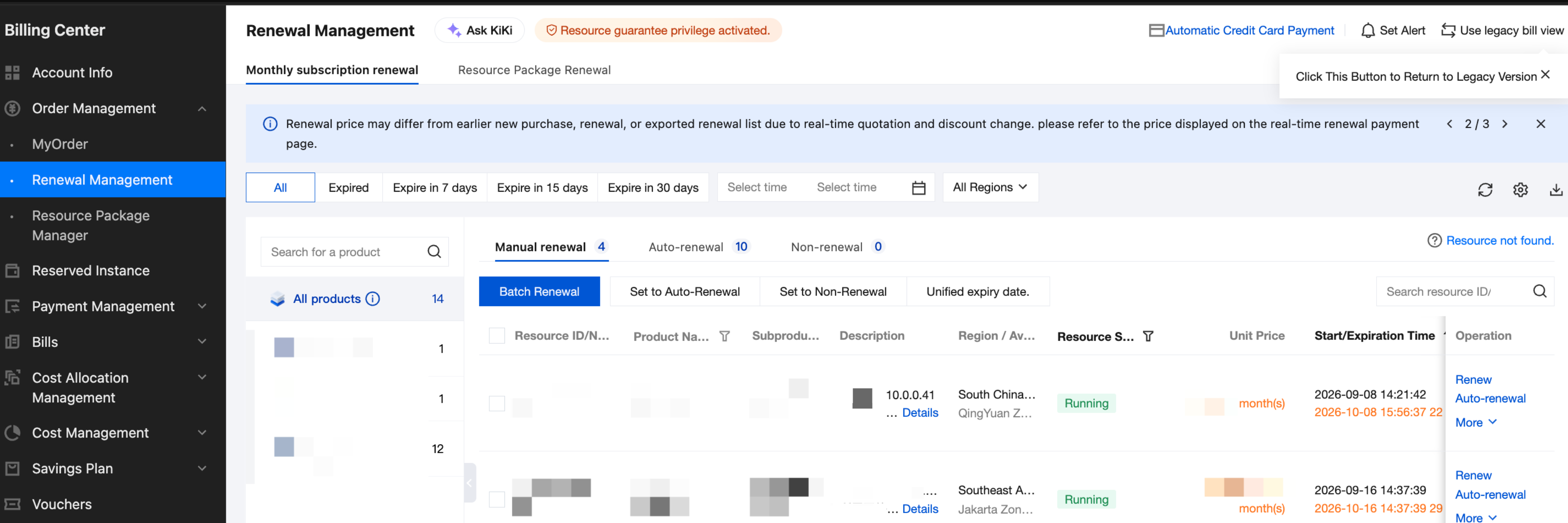
2. Select Renewal Management to query resources that have expired, or will expire within 7 days, 15 days, or 30 days under the account, as shown in the following figure. After selecting a specific product, you can manage the renewal of its instance resources, such as renewing them or setting them to auto-renewal. For detailed operations, see Renewal Management.