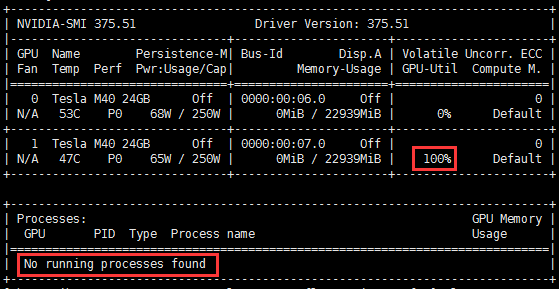
When using a GPU instance, if you use nvidia-smi to view the GPU status in the system, the GPU usage may be displayed as 100% while no processes are using GPU, as shown below:
Possible Causes
This may be caused by the ECC Memory Scrubbing mechanism used when the instance loads the NVIDIA driver.
Solution
Run the nvidia-smi -pm 1 command in the instance system to get the GPU Driver into the Persistence mode.
Instructions
1. Log in to the GPU instance and run the following command:
nvidia-smi -pm 1
2. Run the following command to check GPU usage:
nvidia-smi
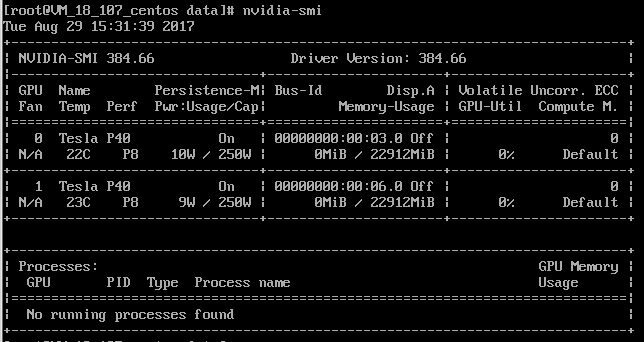
You will see the GPU usage is normal, as shown below: