The GME SDK has been upgraded to v2.9. To implement this upgrade, perform the following steps in your Xcode project:
Upgrade Directions
1. Download the SDK
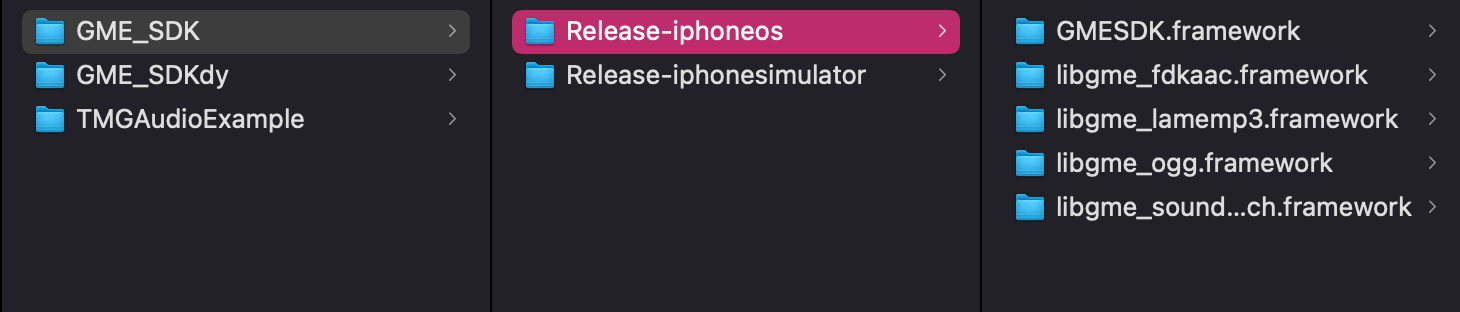
In the new version, the dynamic libraries of the SDK are split into the following files:
libgmefdkaac.framework
libgmeogg.framework
libgmelamemp3.framework
libgmesoundtouch.framework
Make sure that the downloaded SDK contains these files. After downloading, put them together with GMESDK.framework in the project directory. Release-iphoneos is the SDK file used for real devices, while Release-iphonesimulator is the SDK file used for simulators.
2. Import the SDK into the project
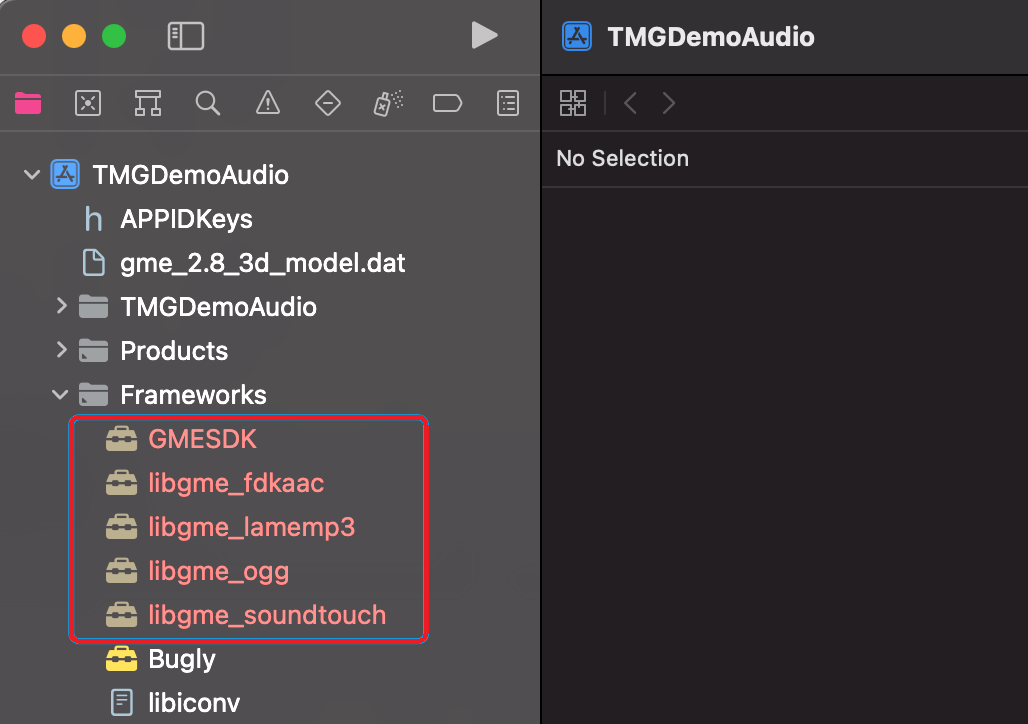
Import all frameworks into the project as shown below:
3. Configure frameworks and sign
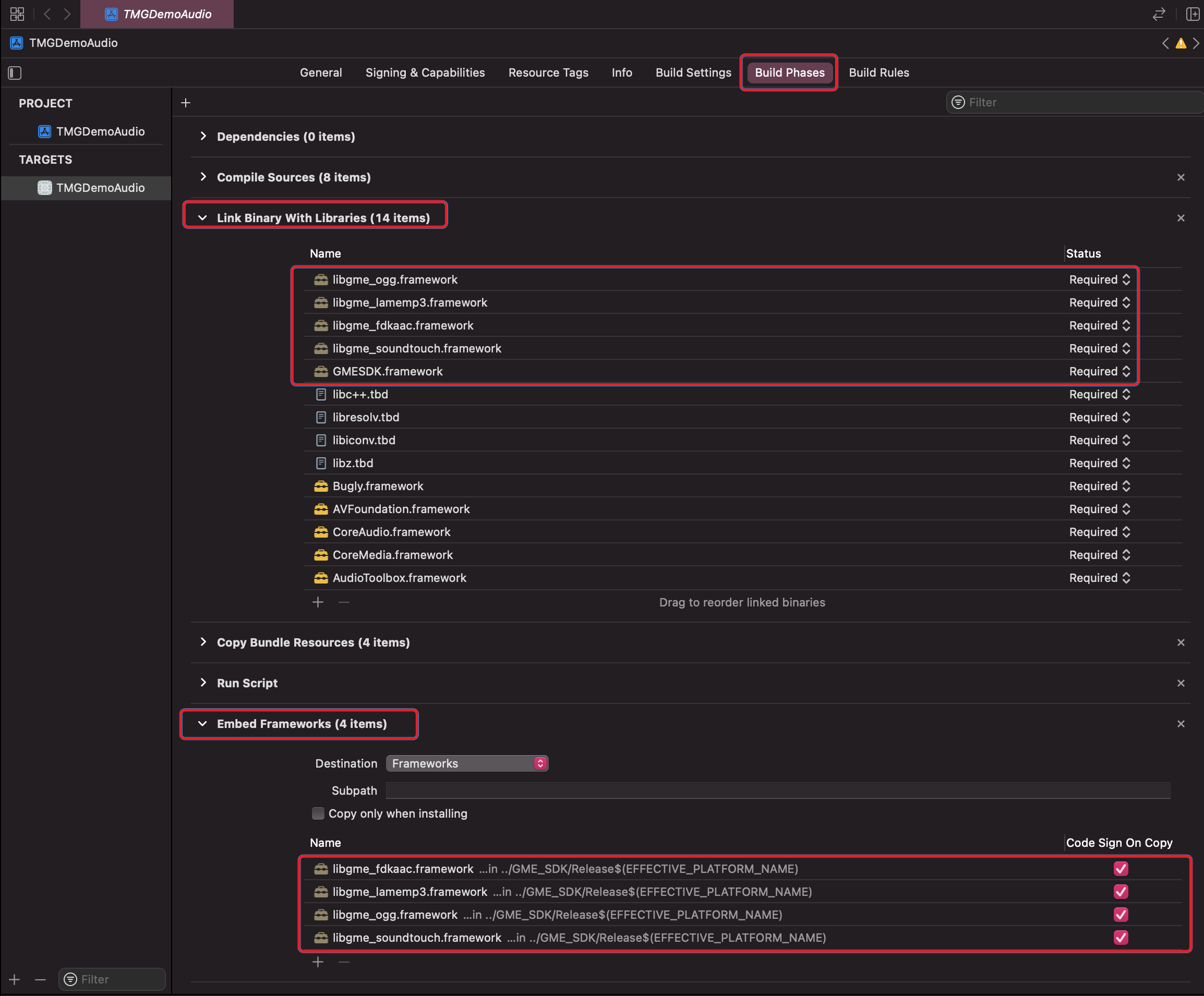
1. In the Xcode project, click Build Phases, expand Link Binary With Libraries, and import all GME frameworks.
2. Expand Embed Framework, import all GME frameworks, and select Code Sign On Copy.
4. Modify the rpath
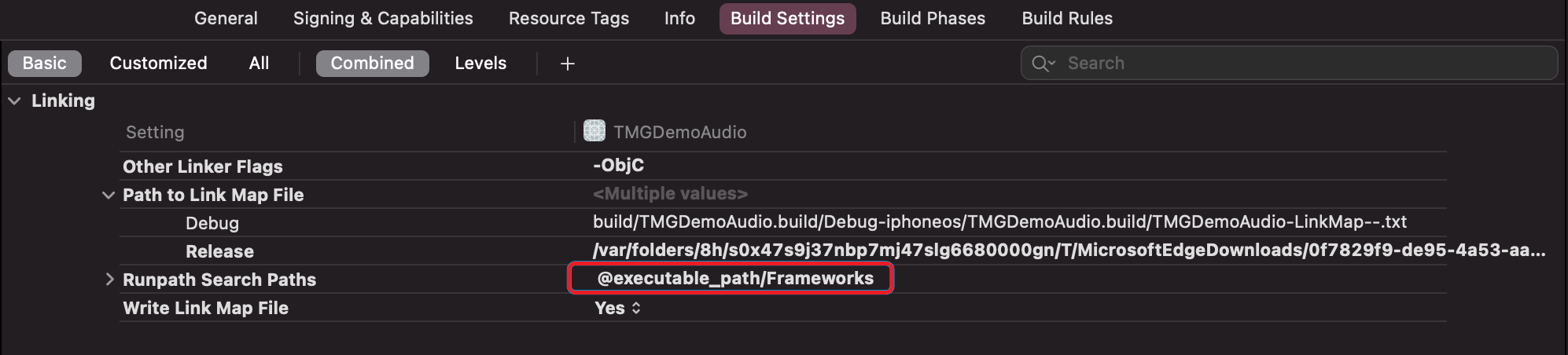
You need to add @executable_path/Frameworks in the rpath. If it has already been added, there is no need for modification.