Security Overview
다운로드
포커스 모드
폰트 크기
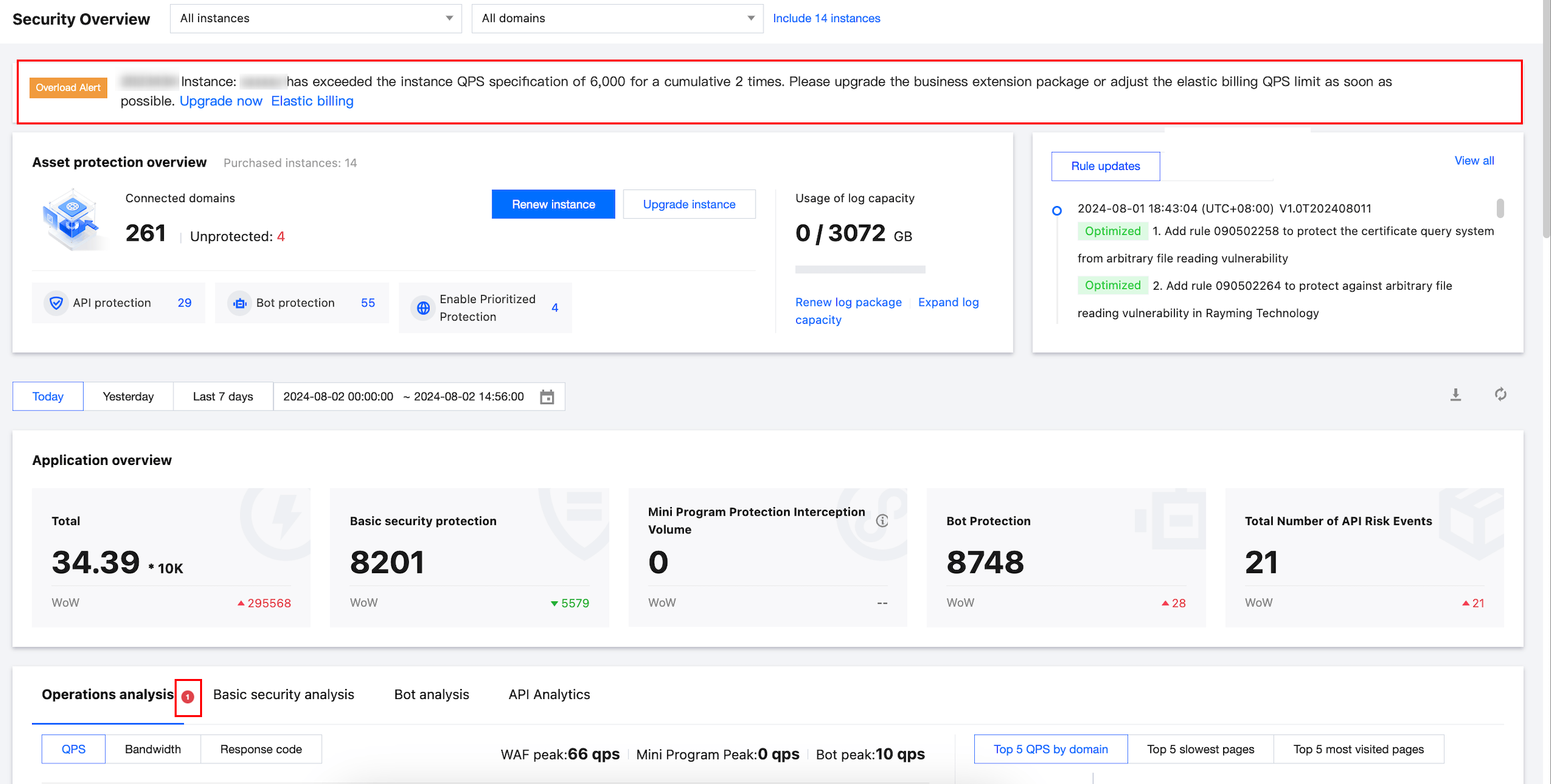
The Security Overview page allows you to browse modules such as WAF instance information, attack overview, and security analysis under the current account.
Security Overview
1. Log in to the WAF console, select Security overview in the left sidebar, and go to the Security Overview page.
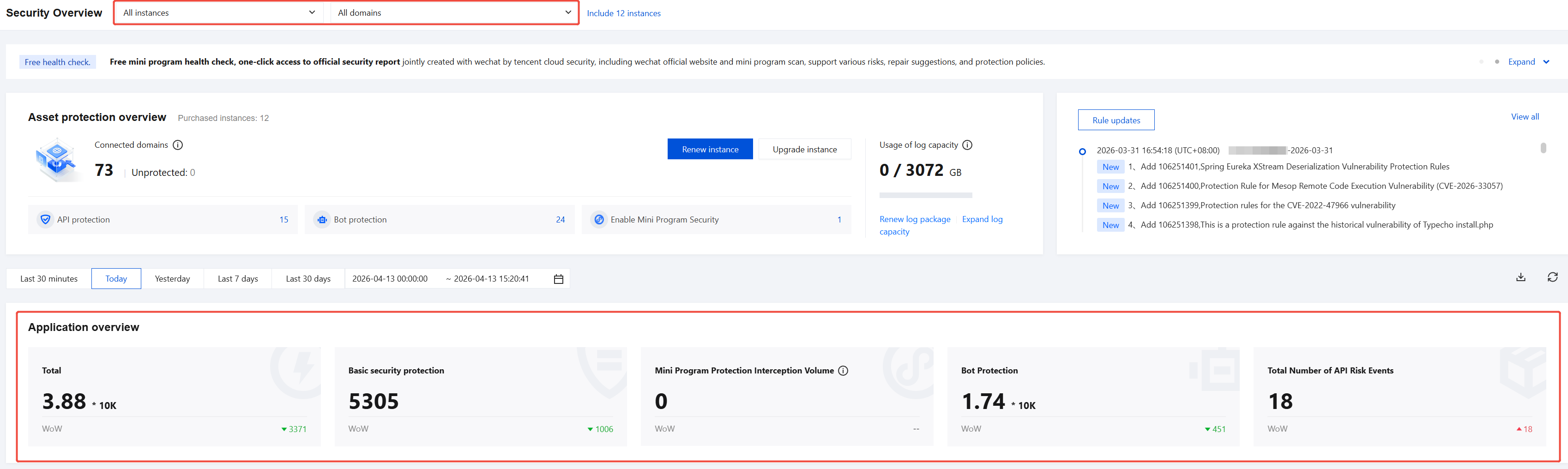
2. On the Security Overview page, select the corresponding domain in the top-left corner to view its security overview information.

Instance Overview
On the Security Overview page, select the corresponding domain in the top-left corner, click Include x instances, to view the expiration information of purchased instances under the current account.

Rule Updates
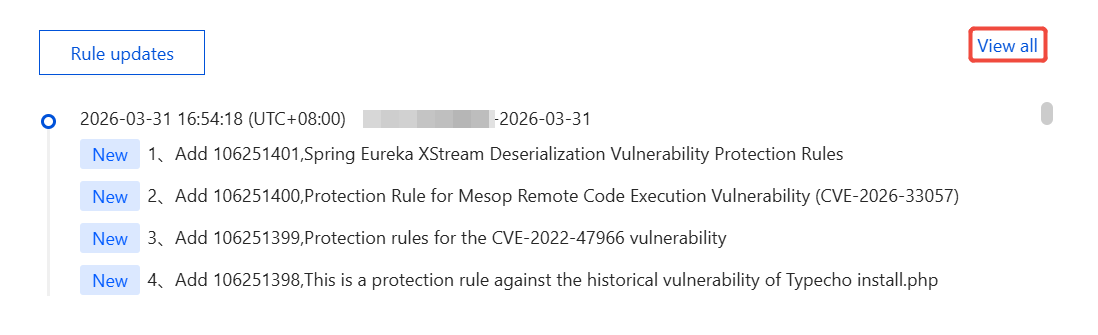
On the security overview page, in the rules update dynamics module, click View all in the top-right corner to view the Web rules library currently supported by WAF.
Attack Overview
All Domains
1. When the Security Overview is set to all domains, the Attack Overview statistics display aggregate attack data, and the statistical period can be displayed by filtering.
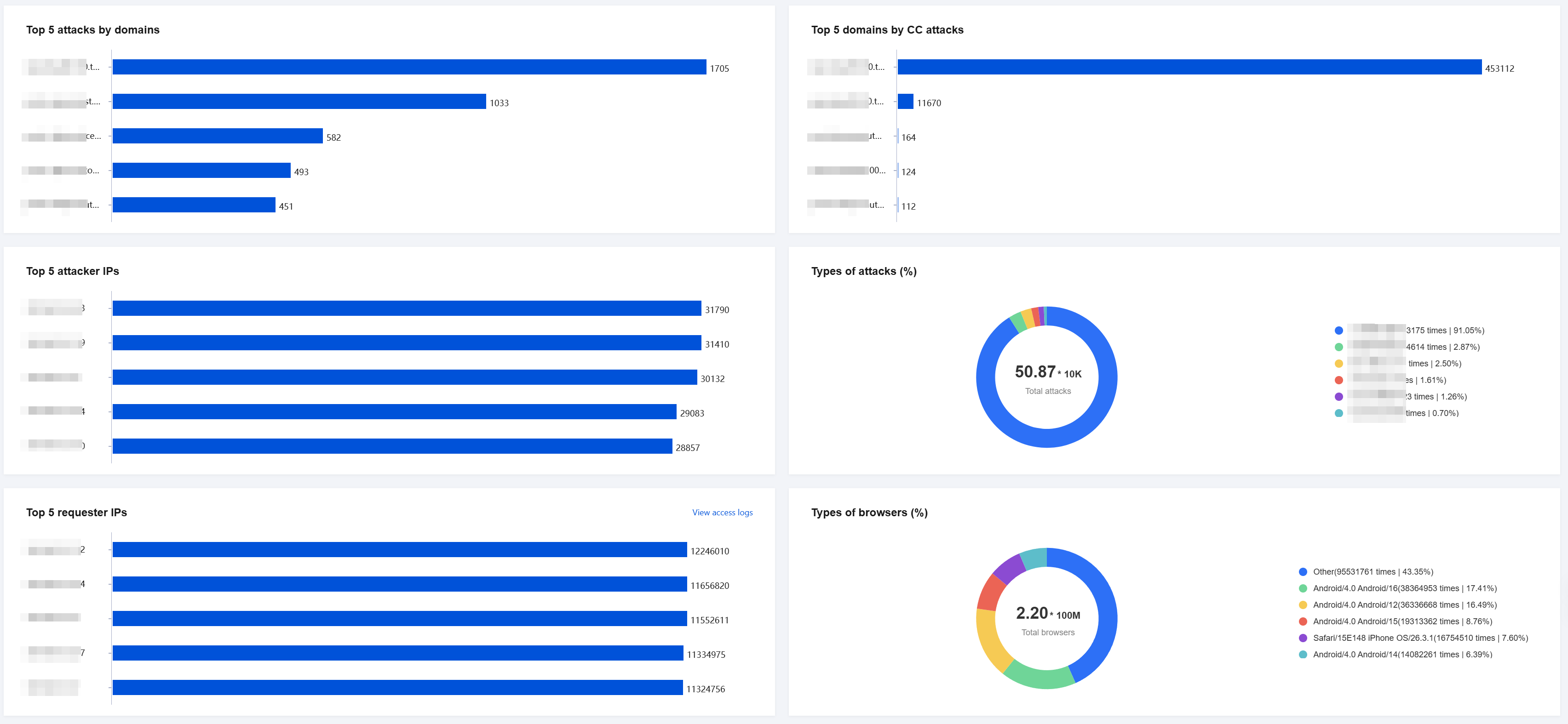
2. Additionally, at the bottom of the page, you can view information such as Top 5 attacks by domains, Top 5 attacker IPs, Top 5 domains by CC attacks, and so on.
Field description:
Top 5 attacks by domains: Displays the top 5 domains with the most attacks across all instances.
Top 5 attacker IPs: Displays the top 5 IP addresses with the most attacks across all instances.
Top 5 domains by CC attacks: Displays the top 5 domains with the most attacks across all instances.
Top 5 requester IPs: Displays the top 5 IP addresses with the most access across all instances.
Distribution of attacker IPs: Displays the regions where attack sources are distributed across all instances.
Types of attacks (%): Displays the distribution of attack types across all instances.
Types of browsers (%): Displays the distribution of browser types across all instances.
Single Domain
1. When the Security Overview is set to a single domain, the Attack Overview statistics display the number of attacks on that specific domain, and the statistical period can be displayed by filtering.

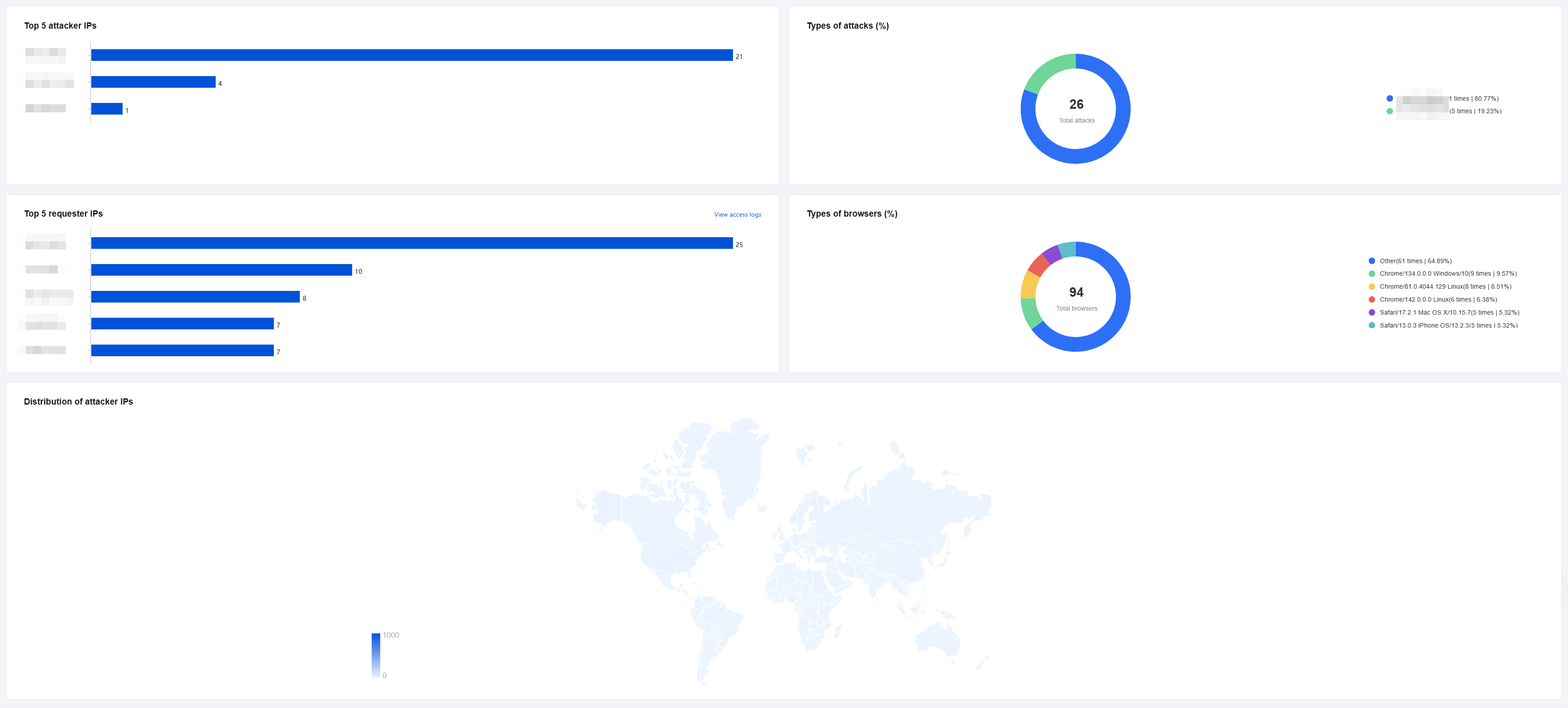
2. Additionally, at the bottom of the page, you can view information such as Top 5 attacker IPs, Top 5 requester IPs, Distribution of attacker IPs, and so on.
Field description:
Top 5 attacker IPs: Displays the top 5 IP addresses with the most attacks across all instances.
Top 5 requester IPs: Displays the top 5 IP addresses with the most access across all instances.
Distribution of attacker IPs: Displays the regions where attack sources are distributed across all instances.
Types of attacks (%): Displays the distribution of attack types across all instances.
Types of browsers (%): Displays the distribution of browser types across all instances.
View Security Analysis
Operations analysis: Describes the QPS, bandwidth, and response code details for the currently selected domain during the statistical period. On the right side, it displays TOP statistics for responses and access frequency during this period.
Note:
Cloud-Native WAF: Bandwidth not displayed.

If the actual peak service QPS exceeds the user instance specification value or 80% of the specification value, the QPS trend analysis page will display the corresponding WAF instance specification value.
If all resources are selected, the trend charts of the most recent 3 overloaded instances and their QPS specification values will be displayed by default.
If a single WAF instance resource is selected, the instance specification value and corresponding overage alarm events will be displayed by default. For detailed calculation methods of WAF instance QPS specification values, see Sandbox Isolation Status.
Basic security analysis: Describes the number of Web attacks on the currently selected domain during the statistical period.

BOT analysis: Describes the BOT information for the current domain during the statistical period. Click to go to View bot analytics to view traffic information for BOT and business security.

API Analysis: Describes the API assets, API risk details, and trends for the current domain during the statistical period. The right side displays the proportion of API risk events at different levels. Click View API Analytics to access statistical reports on API security traffic.

피드백