Configuration Management
Download
Modo Foco
Tamanho da Fonte
Overview
Setats provides flexible system configuration management capabilities, allowing users to adjust cluster runtime parameters based on business needs. Through proper configuration optimization, you can significantly improve cluster performance, stability, and reliability.
After you adjust the configuration of the Setats service, it must be restarted to take effect. Restarting the service affects jobs.
Operation Steps
Log in to the SCS console. In Compute Resources, select a compute cluster. Then, on the cluster's Stream-Lake Engine Setats Tag page, create a Setats service. For details, refer to Creating a Stream-Lake Engine Setats Service.
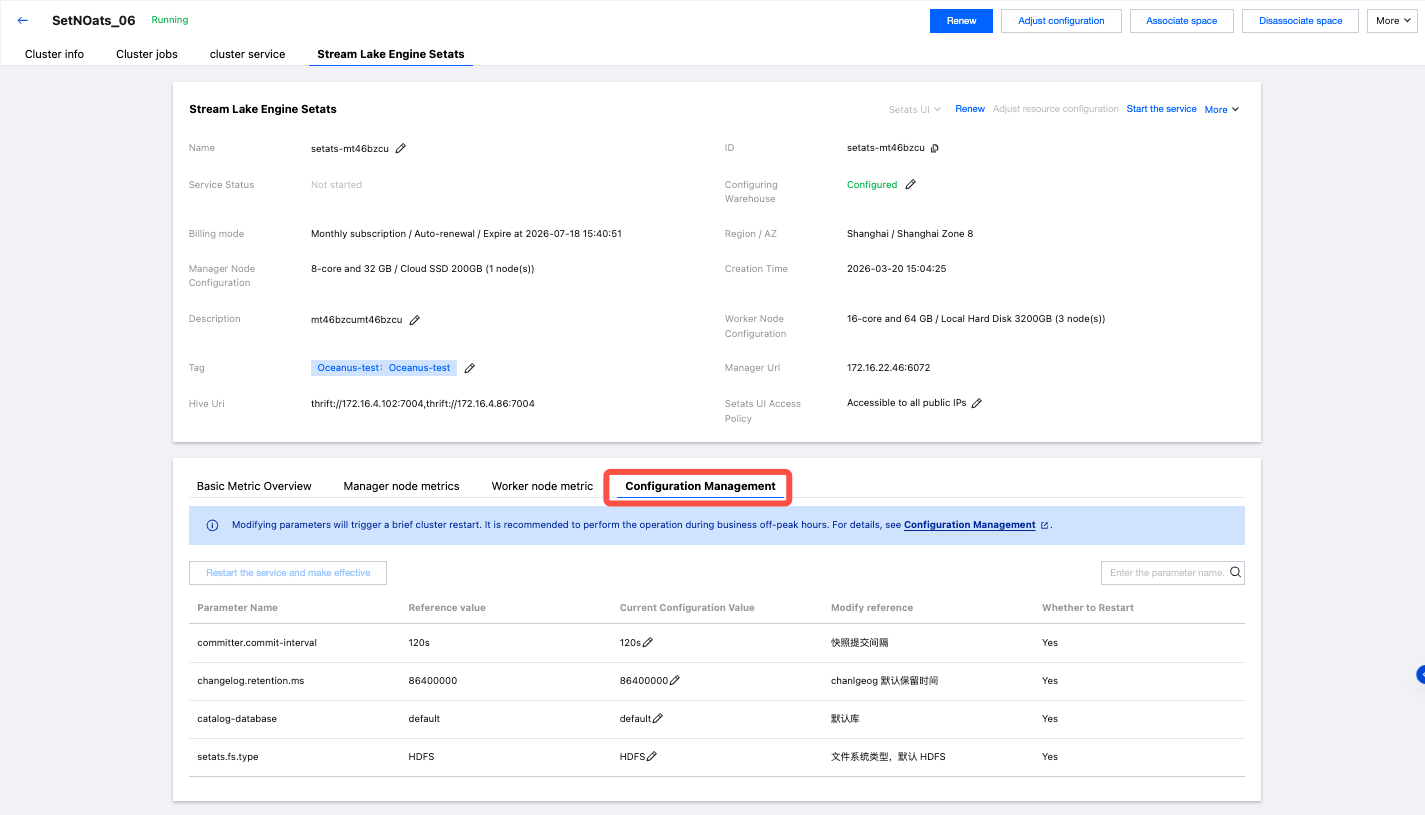
After creating a Setats cluster, you can select Configuration Management on the Stream-Lake Engine Setats Tag page of the compute cluster in Compute Resources > .
Select a metric and modify its configuration value.
Restart the service to take effect and confirm to perform the operation.
Configuration Information Reference
Parameter Name | Reference Value | Current Configuration Value | Modification Reference | Whether to Restart |
committer.commit-interval | 120s | 120s | Snapshot commit interval | Yes |
changelog.retention.ms | 86400000 | 86400000 | Default retention period for changelog | Yes |
catalog-database | default | default | Default database | Yes |
setats.fs.type | HDFS | HDFS | File system type, default HDFS | Yes |
Ajuda e Suporte
Esta página foi útil?
Você também pode entrar em contato com a Equipe de vendas ou Enviar um tíquete em caso de ajuda.
comentários