When the CVM and the TDSQL Boundless instance are in the same VPC and the same region, use the private network for connection. The private network connection offers low latency and high transmission speed.
A CVM that resides in the same VPC as the database instance has been prepared.
Connecting from the Linux Command Line
This document uses the CentOS 7.2 64-bit system in Tencent CVMs as an example. See Purchasing Method for purchasing CVMs.
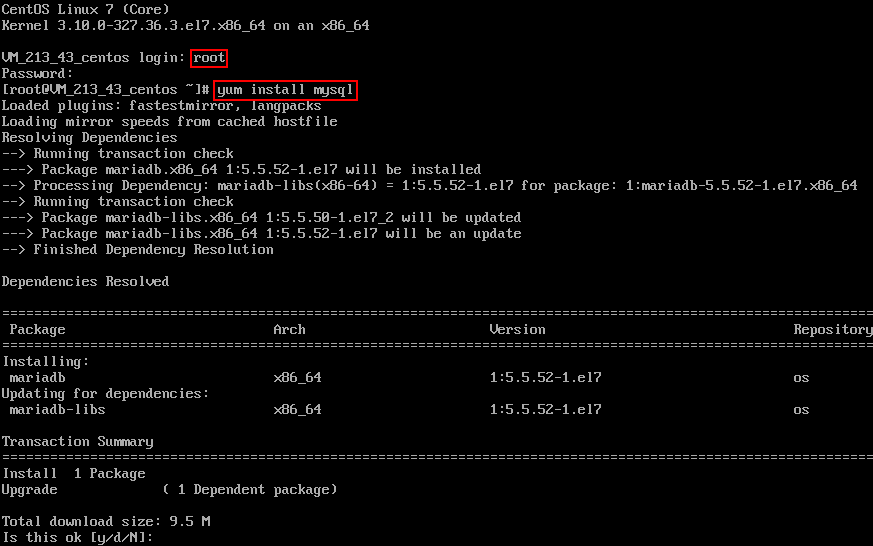
1. Log in to Linux, enter the command yum install mysql, and use yum, the package management software that comes with CentOS, to download and install the MySQL client from the Tencent Cloud mirror source.
2. When command lines show "complete", MySQL is installed.
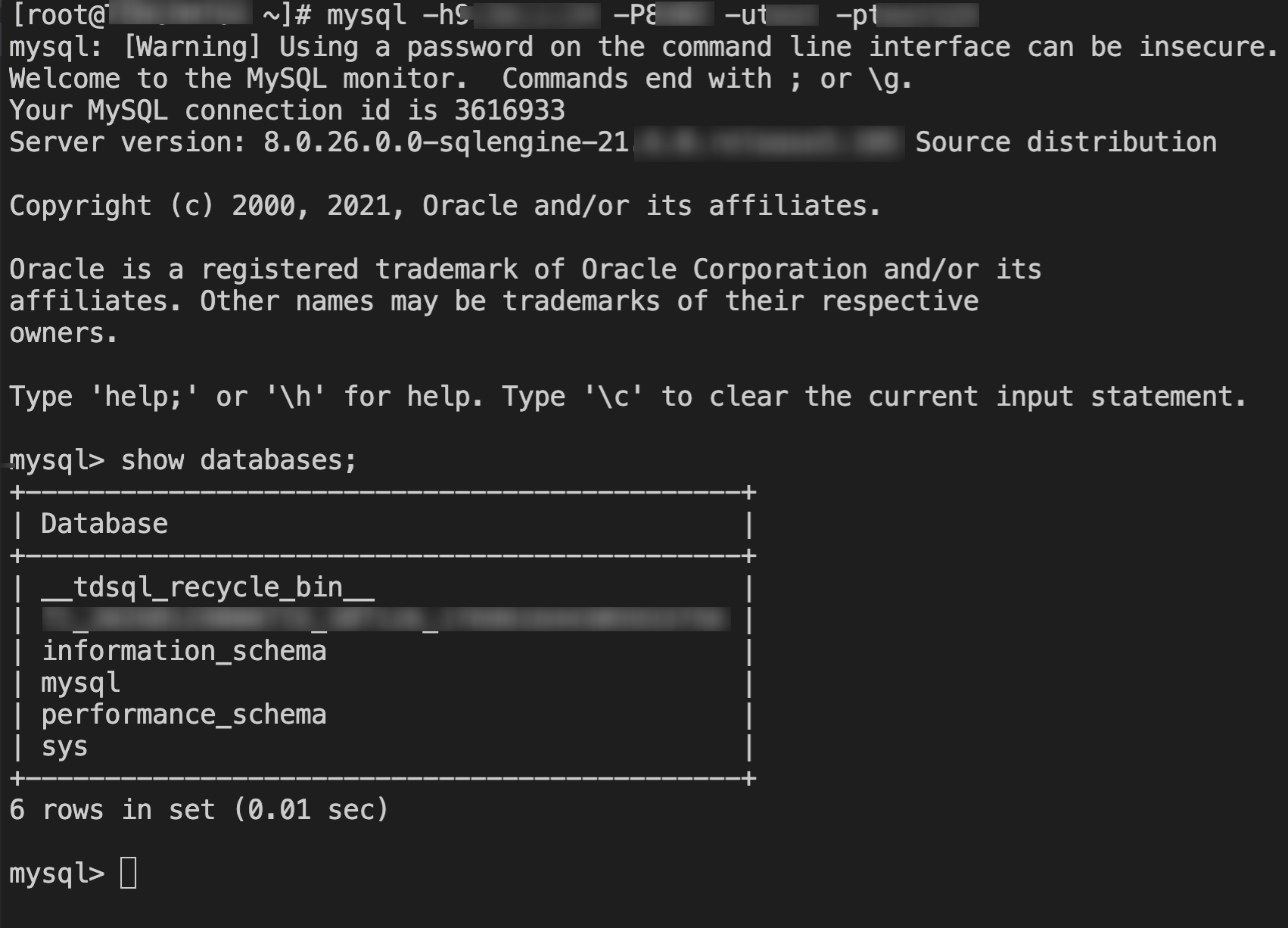
3. Enter the command mysql -h private_network_address -P port -u username -p to connect to the database. You can then proceed with table sharding operations.
The following figure uses show databases; as an example.
Connecting from the Windows Command Line
1. Open the Windows command line and enter the following command in the correct path of MySQL.
mysql -hprivate_network_address -Pport number -uusername -p
Enter password: ********** (enter the password).
2. After you enter the relevant code correctly, the following information is displayed, indicating successful connection to the database. Next, you can proceed with related operations in the database.
Welcome to the MySQL monitor. Commands end with ; or \\g.
Connecting from a Windows Client
1. Download a standard SQL client, such as MySQL Workbench or SQLyog. This document uses SQLyog as an example.
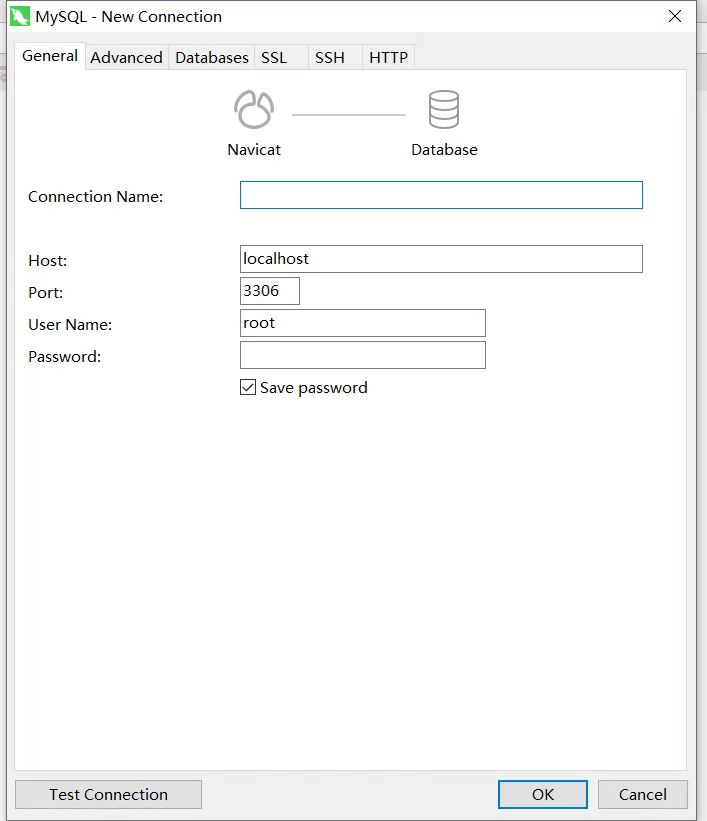
2. Open SQLyog, select File > New Connection, enter the corresponding host address, port number, username, and password, and click Connect.
Host: Enter the private network address obtained earlier.
User Name: Enter the created account name.
Password: Enter the corresponding password of the account. If you forget your password, you can go to the console to modify it.
Port: Enter the port corresponding to the address.
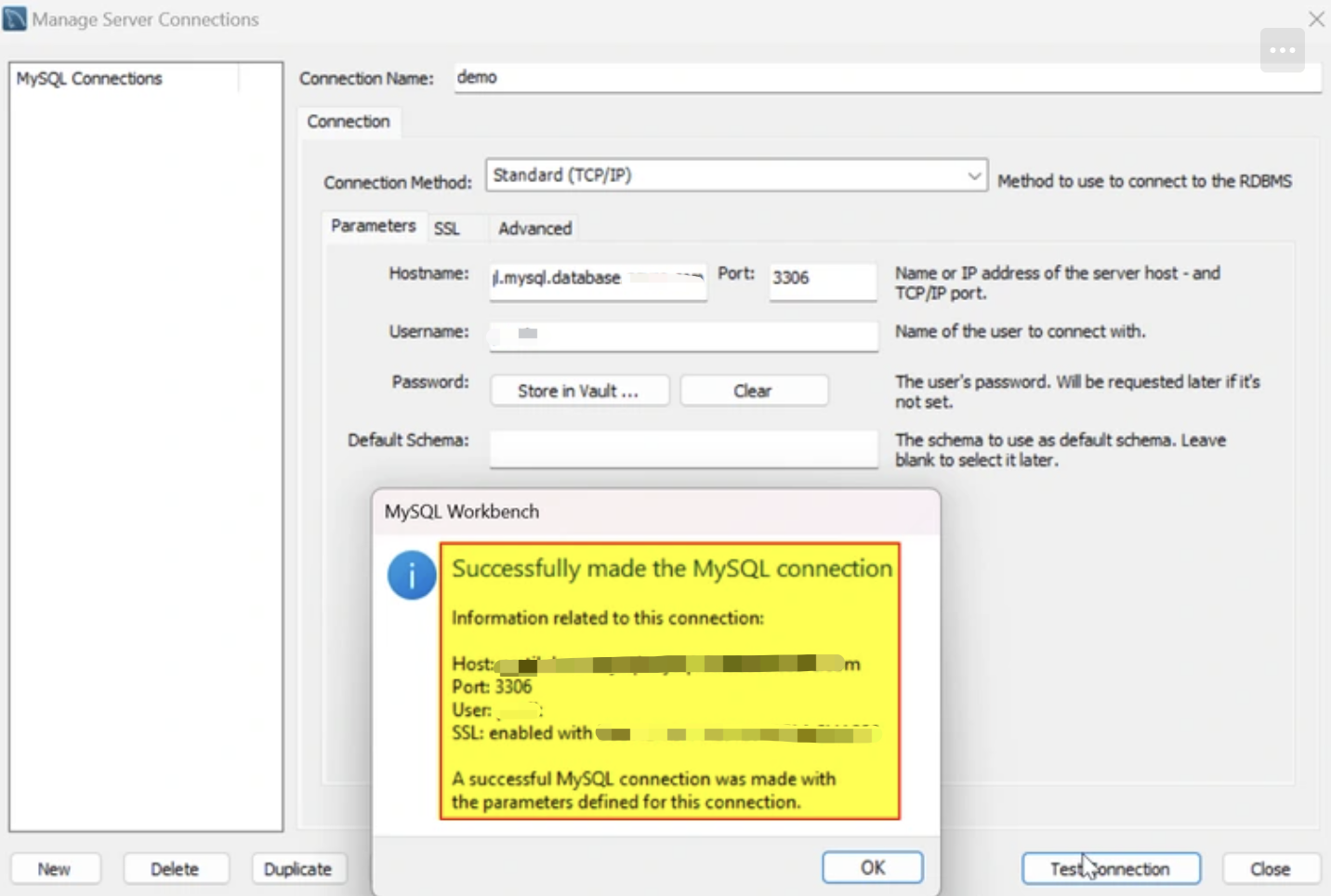
3. The connection success page is shown in the figure below. On this page, you can perform relevant operations within the database.
JDBC Driver Connection
TDSQL Boundless supports program-driven connections. This document uses Java connecting with the JDBC Driver for MySQL (Connector/J) as an example.
1. Download a JDBC jar package at MySQL's official website. Import it to the library referenced by Java.
2. Call JDBC codes as follows:
public static final String url ="private network address";
public static final String name ="com.mysql.jdbc.Driver"; //Call the JDBC driver.