Multi-Node HA
Download
Modo Foco
Tamanho da Fonte
Database High Availability (HA) aims to ensure continuous service delivery even when some nodes fail, achieved through redundant design and automatic failure recovery mechanisms. The read-only analysis instance achieves high availability via multi-node deployment. It distributes database instances across multiple physical nodes and incorporates mechanisms such as data sync, failure detection, and traffic switching to guarantee business continuity. This document describes the principles behind how the read-only analysis instance implements high availability, along with related operations and management.
Implementation Principles
Redundant Architecture
A read-only analysis instance supports the deployment of 1 to 6 nodes. When the number of nodes is greater than one, these nodes operate as peers and collectively handle query traffic. If a node within the read-only analysis instance fails, the system can automatically redirect SQL traffic to the "surviving" nodes—specifically, to the other normally functioning nodes within the same instance—thereby preventing service unavailability due to a single point of failure.
Fault Detection and Failover
Heartbeat Mechanism: Among the nodes of a read-only analysis instance, periodic heartbeat detection is used to probe the "alive" status of nodes. If a node fails to respond within the timeout period (the detection interval is 3 seconds), a failure determination is triggered.
Automatic Failover: When a node failure is detected by periodic heartbeat, the system performs two consecutive "alive" probes on the node (the probing takes about 10 seconds). If the node continues to fail these liveness probes, the system removes the faulty node from the read-only analysis instance within 1 to 5 seconds. It then waits for the faulty node to recover or be automatically rebuilt before adding it back to the instance.
Load Balancing
The multiple nodes in a read-only analysis instance serve you through a CLB (load balancing) mechanism. All nodes can properly handle business traffic, thereby improving the concurrent execution performance of your business.
Note:
The current load balancing capability of the nodes operates at the connection level. If your business primarily uses long-lived connections, it is recommended to reconnect to the database from all clients after multiple nodes are configured to achieve a more balanced distribution of connections.
Adjusting the Number of Nodes
Note:
Currently, a read-only analysis instance rebuilds its nodes by default by pulling data from the read-write instance. Therefore, it is recommended that you perform the node addition operation during off-peak hours.
1. Log in to the TDSQL Boundless console. In the Instance List, click the target Instance ID to go to the Instance Details page.
2. In the Instance Architecture Diagram area, click the Instance ID of the Read-Only Analysis Engine to go to the read-only analytical engine details page.
3. On the read-only analysis instance details page, go to the Node Management tab and click Node Change.

4. Add or delete nodes as needed. After confirming the cost, click OK.
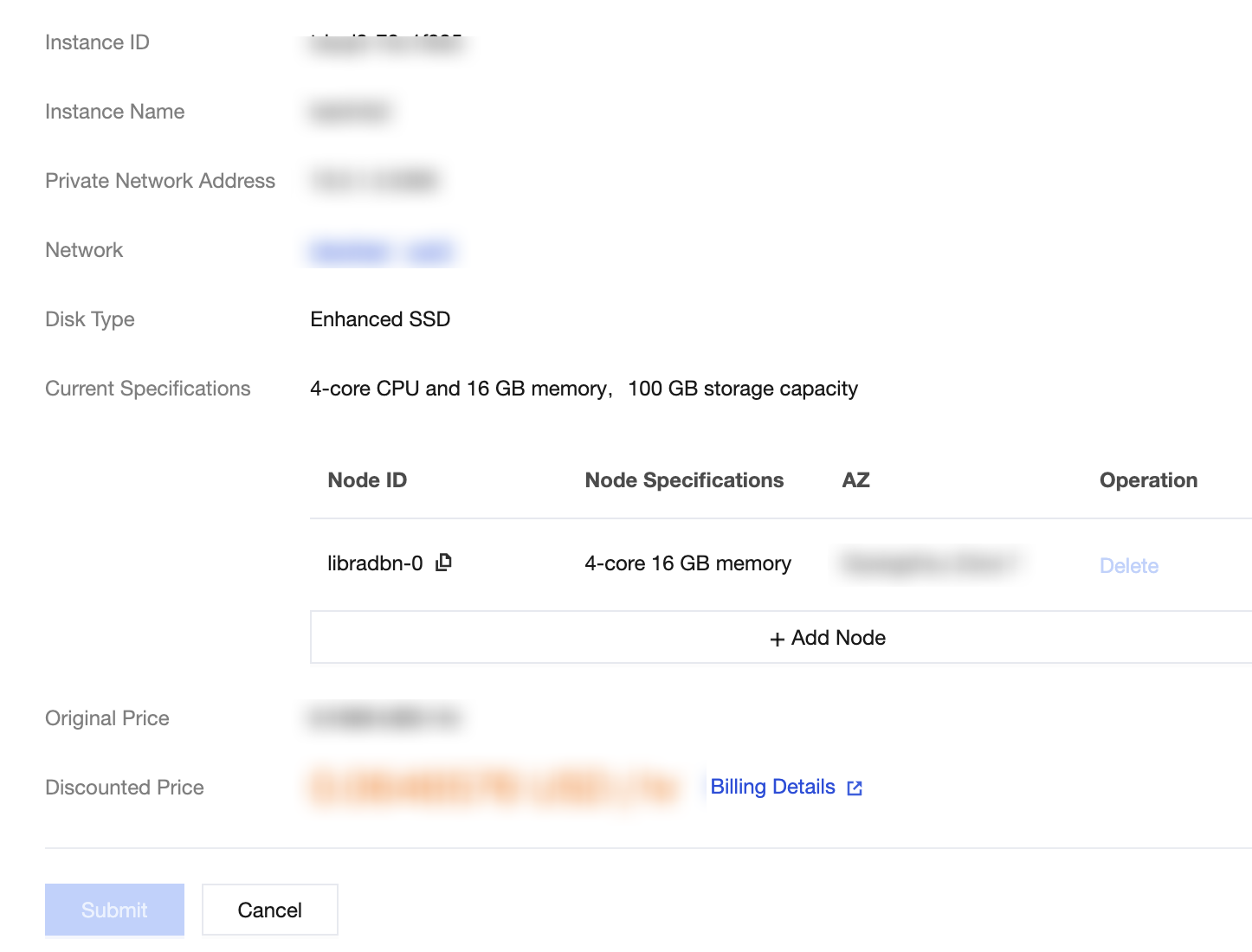
Add Node: To add a node, click Add Node. This operation adds one node to the current read-only analysis instance. A read-only analysis instance supports a maximum of 6 nodes.
Delete: To delete a node, click Delete. If you delete the wrong node by mistake, you can click Restore before clicking OK.
Note:
The specifications and AZ of a node are consistent with those of the read-only analysis instance.
A read-only analysis instance must retain at least one node. Deleting all nodes is not supported.
5. After completing the operation, you can return to the instance list. When the node status is displayed as running, you can use it normally.
Ajuda e Suporte
Esta página foi útil?
Você também pode entrar em contato com a Equipe de vendas ou Enviar um tíquete em caso de ajuda.
comentários