This document mainly describes the notes on exporting the iOS project so that the iOS developers can easily debug and integrate the APIs for Game Multimedia Engine (GME).
Export Configuration
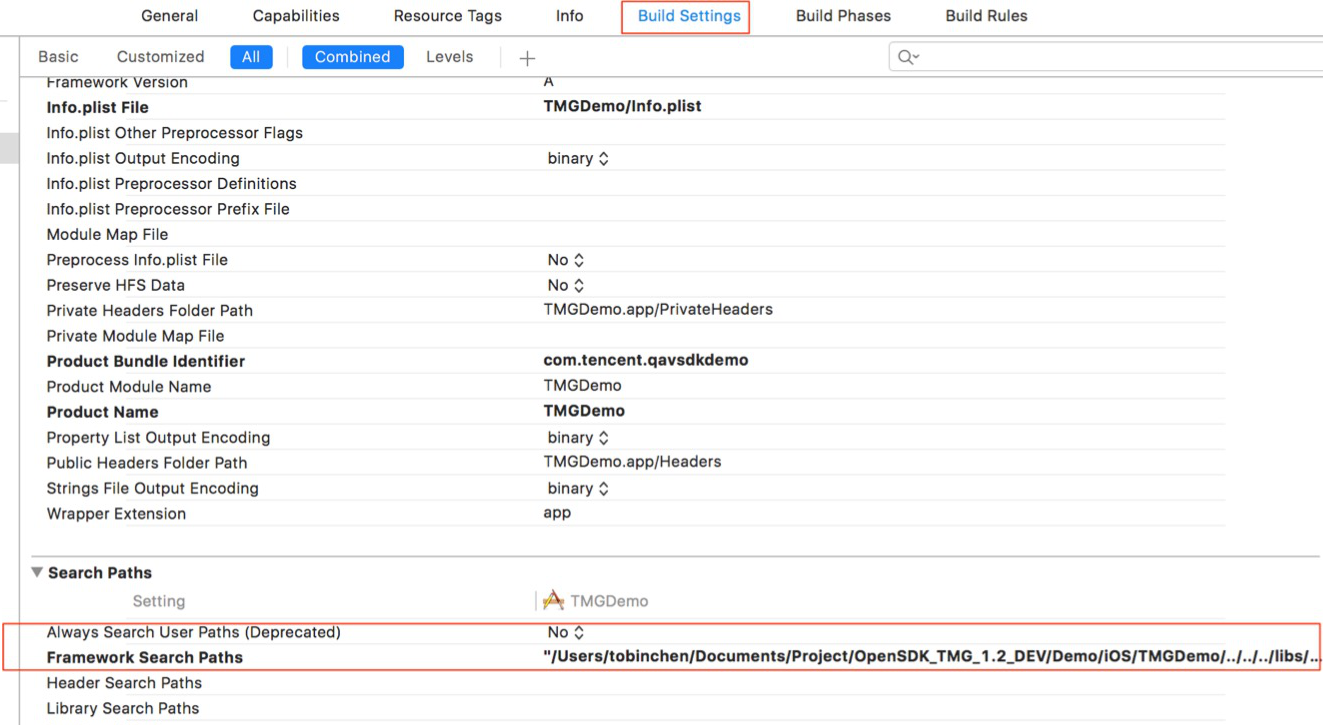
1. Add the following dependent library to Xcode > Link Binary With Libraries > Build Setting as needed, and set Framework Search Paths to point to the directory where the SDK resides, as shown below:
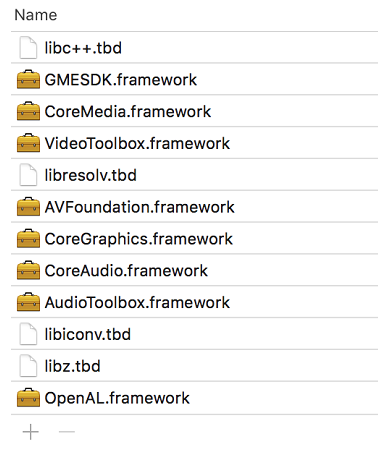
2. Add dependent libraries as shown below:
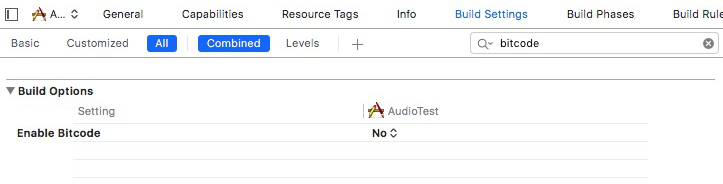
3. Bitcode should be supported by all class libraries that the project depends on. Bitcode is not supported by the SDK, so it can be disabled. To disable Bitcode, you only need to search for Bitcode under Targets > Build Settings and set the corresponding option to NO.
4. The GME SDK for iOS requires the following permissions:
Required background modes: Allows running in the background (optional).
Microphone Usage Description: Allows access to microphone.
GME 2.9 or Later
If the accessed SDK is on v2.9 or later, you need to configure it as instructed in iOS Project Upgrade Guide.