To minimize the package size, you may opt to download the SDK-required .so libraries (present in Android, absent in iOS), model resources, and material resources (such as filters and stickers) via the internet.
Android
iOS
SDK Integration
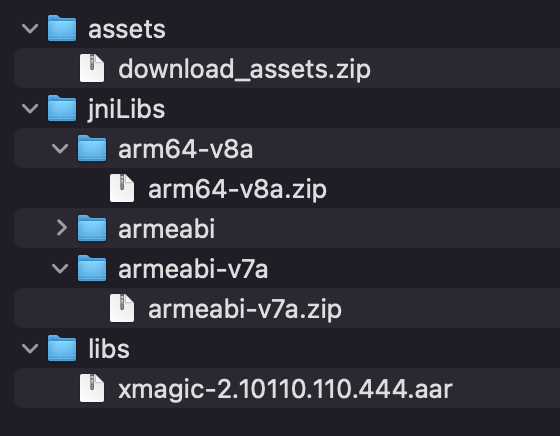
Download SDK, decompress it, and then find the .zip compressed package in the "SDK" directory and decompress it again. You will see the following files. Compress the model files in assets and the so file compressed package in jniLibs on your server, and then download and use them online. Copy xmagic-xxxx.aar under libs to the android/app/libs folder, and add api fileTree(dir: "libs", include: ['*.aar']) in dependencies of app/build.gradle
Dynamic Loading of Shared Objects
Download the compressed shared object (SO) package to the application installation directory and extract it. Subsequently, invoke the setLibPathAndLoad method of the TencentEffectApiAndroid object to load the SO.
/**
* @param libPath is the folder path used to store the .so files, for example: xxx/xxx/arm64-v8a or xxx/xxx/armeabi-v7a.
**/
Future<bool>setLibPathAndLoad(String libPath);
Dynamic Model Loading
Download the model files to the application installation directory and extract them. Invoke the TencentEffectApiAndroid object's addAiMode to copy the model files to a specified directory.
/**
* @param inputDir The path of the folder to be copied, referring to the "Light3DPlugin", "LightCore", "LightHandPlugin", "LightBodyPlugin", "LightSegmentPlugin" folders.
* @param resDir This path should be consistent with the path set by the setResourcePath method.
* @param callBack Callback for the result of the copy, 0 indicates a successful copy.
Materials must be downloaded by the user, saved to the SD card or the installation directory, and unzipped. When utilizing the materials, invoke the setEffect method, specifying the material path in the resPath parameter.
Note:
1. If you are utilizing the panel from the demo, the panel by default employs the path configured via setResourcePath combined with the path specified in the json configuration. Therefore, when using the panel and dynamically downloading materials, it is necessary to download the materials to the path designated by setResourcePath + json configuration file.
2. The term "materials" here refers to filter resources and sticker resources.
SDK Integration
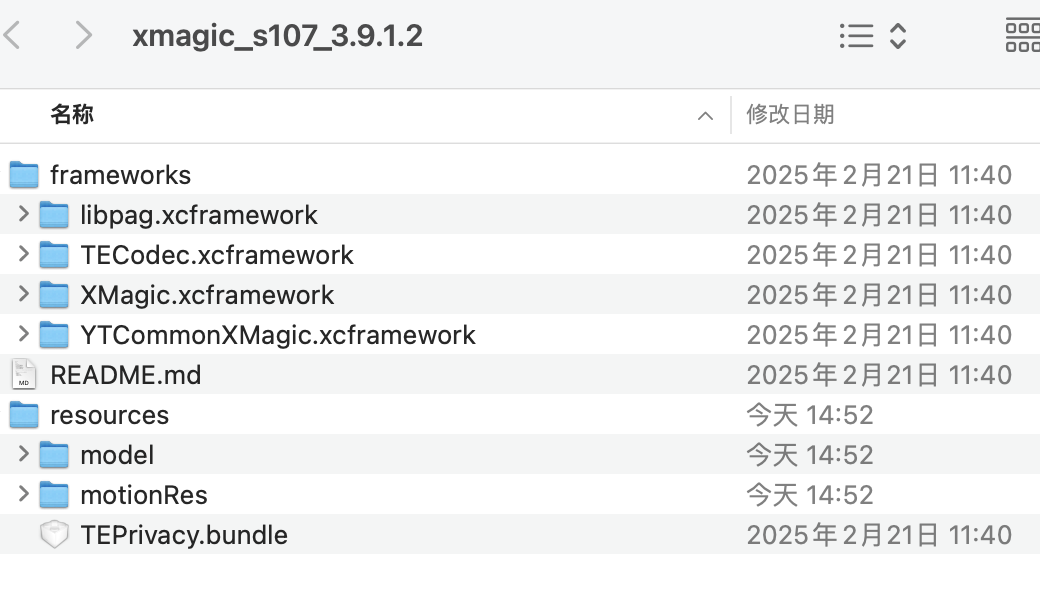
Download the SDK, and extract it. As illustrated below, frameworks contains the SDK, while under resources, model refers to the model files, and motionRes encompasses materials for testing purposes.
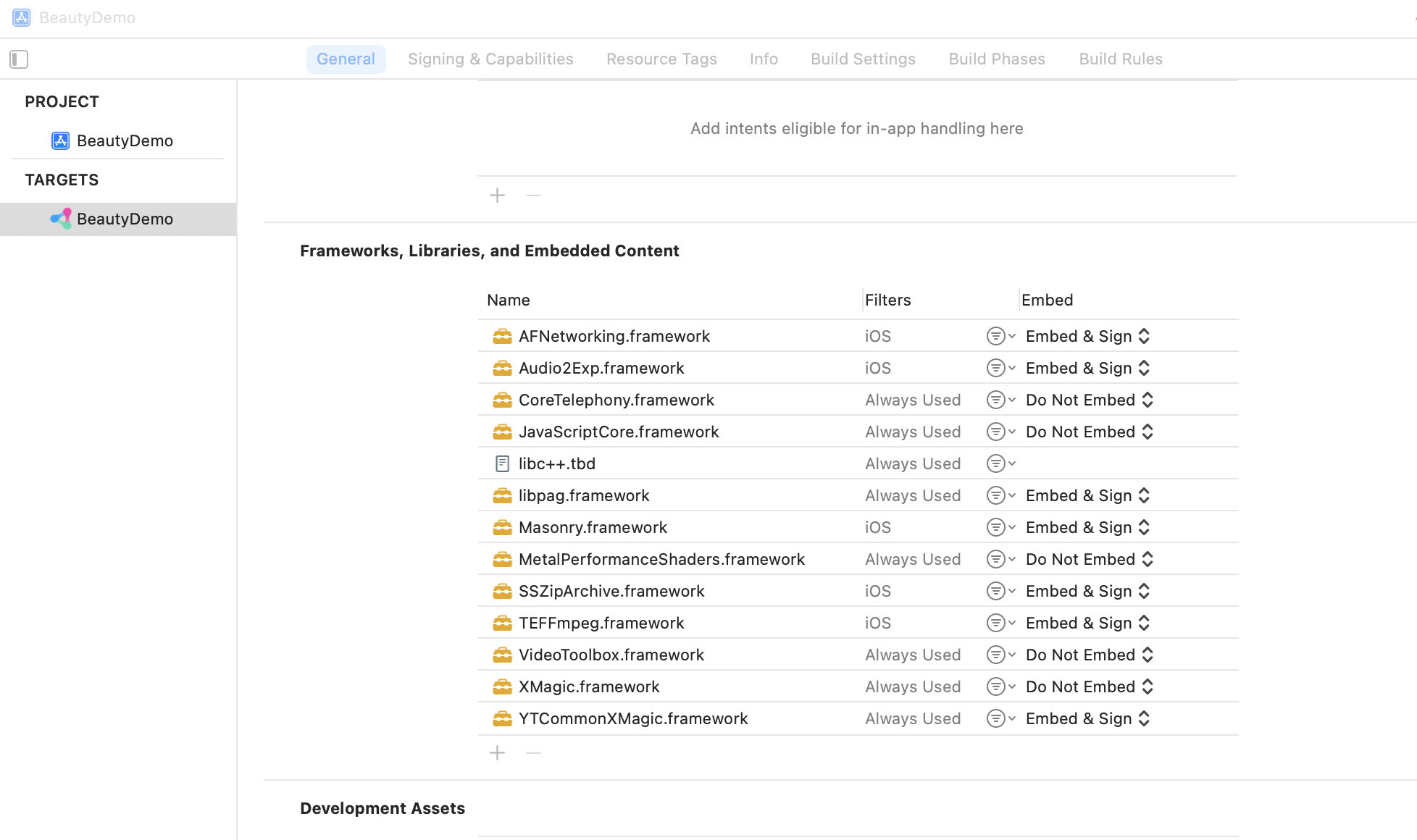
Launch your Xcode project and incorporate the xcframework from the frameworks folder into the actual project. Select the target you wish to run, navigate to the General section, and expand the Frameworks, Libraries, and Embedded Content section by clicking on it. Then, click the "+" icon below to add the necessary libraries.
Depending on your needs, you may also add other utility libraries such as Masonry.framework (a layout library) and SSZipArchive (a file decompression library).
Dynamic Model Loading
Download the model files to the sandbox, and extract them (for example, to the sandbox path Document/Xmagic). By setting this path when using setResourcePath, the beautification features can utilize the downloaded model files upon initialization.
Dynamic Material Loading
Download the material files independently, download and extract them to the sandbox, and use the setEffect method when employing the materials, filling in the resPath parameter with the material path.
Note:
1. If you are using the panel from the demo, the panel in the demo by default uses the path set by setResourcePath combined with the path configured in the json. Therefore, when using the panel and dynamically downloading materials, you need to download the materials to the path specified by setResourcePath + json configuration file.
2. The materials referred to here include filter resources and sticker resources.
Node:
Model files must be processed prior to the activation of the beautification features, while .so files require handling before authentication, thus they should be addressed at the earliest opportunity.