Scenarios
The CFW toggle provides the Inter-VPC Firewall toggle feature. It establishes a firewall to carry the access traffic between different VPCs and provides access control rules and a log audit system.
The current version of the Inter-VPC Firewall supports the protection of Direct Connect gateways. Based on firewall instances, it also supports the CCN multi-route cloud networking mode. When a Direct Connect gateway establishes connections with cloud-based VPC assets via CCN, the Inter-VPC Firewall can inspect the traffic from these connections.
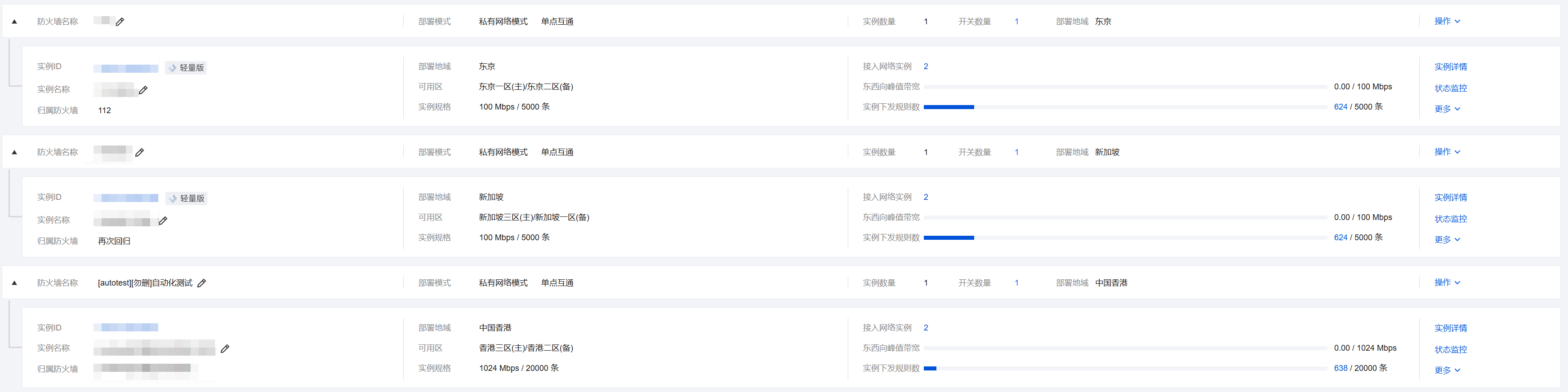
This document describes how to create a firewall, view bandwidth usage and specification information, view network topology, and manage firewall toggles on the Inter-VPC Toggles page.
Architecture Overview
Before using this feature in the system, you need to have a general understanding of the composition of Inter-VPC Firewall.
An Inter-VPC Firewall consists of multiple firewall instances, each responsible for connecting to a different VPC and establishing network connections between the VPCs and the firewall.
The Inter-VPC Firewall operates by modifying VPC routes to steer traffic to the firewall. Whether firewall instances can communicate with each other depends on whether a reachable routing path exists between the VPCs connected to different instances. The firewall does not establish connections within the basic network. The method for the firewall to establish network connections can be implemented by modifying the next hop in a VPC route table or by using CCN multi-route tables.
Engine Upgrade
The Inter-VPC Firewall adopts a private deployment model, with its firewall engine dedicated to the tenant. Therefore, you need to manually perform engine updates. For specific upgrade steps, see Firewall Engine Upgrade. Description of Abnormal Scenarios for Inter-VPC Firewall
The Inter-VPC Firewall involves automatic background modifications to your routing policy when the toggle is enabled or disabled, which may cause network jitter during a very brief period. To avoid impacting your business, please schedule Inter-VPC Firewall toggle operations appropriately. For batch or frequent toggle operations, it is recommended to perform them during late-night hours when business traffic is low.
Note:
The Internet Firewall toggle does not have similar issues.
The Inter-VPC Firewall Toggle is built on the Peering Connection (or CCN) between VPCs. If you modify (or delete) the configuration of the Peering Connection (or CCN), the Firewall Toggle will automatically undergo corresponding modifications (or deletion). To avoid impacting your business, CFW only immediately applies modifications (or deletion) to toggles in the disabled state.
Note:
If your cloud assets undergo changes (or deletions), the Internet Firewall toggle will automatically synchronize within a short period (approximately 5 minutes).
If there is no working route between VPCs, the firewall toggle cannot be enabled.
With the CFW toggle enabled, manually modifying the corresponding VPC route table in the VPC console is a high-risk operation. Since CFW cannot synchronize route changes, this may cause firewall failure and network connection interruption. With the CFW toggle disabled, you can switch between other Peering Connection (or CCN) routes between VPCs as needed. However, do not enable routes with "Firewall" in the remarks, as this may cause network connection interruptions and Firewall Toggle malfunction.
Related Information
If you need to configure the corresponding Firewall Toggle for your public IP addresses and associated cloud assets, refer to Internet Border Firewall Toggle for instructions. To perform traffic management and security protection for private network assets, or to configure network traffic forwarding based on SNAT or DNAT, see NAT Firewall Toggle. If you encounter issues related to inter-VPC firewalls, see the Inter-VPC Firewall documentation.