Purchase Guide
Unduh
Mode fokus
Ukuran font
Note:
If you are using Tencent eSign for the first time, you can register an account by logging into the Tencent eSign website. After registration, you will receive a 30-day free trial and 5 SES contract envelopes.
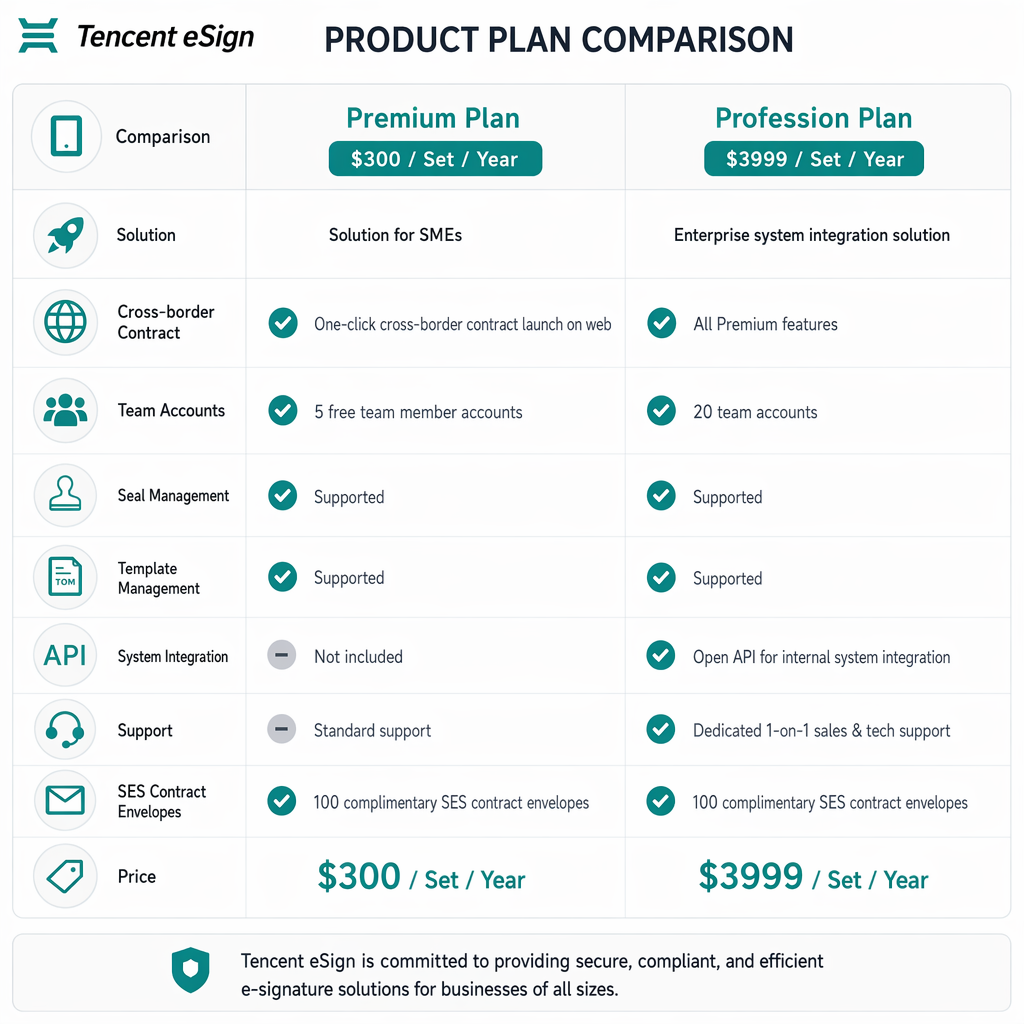
Edition Introduction
Comparison Item | Premium Plan | Profession Plan |
Solution | Solution for SMEs | Enterprise system integration solution |
Cross-border Contract | One-click cross-border contract launch on web | All Premium features |
Team Accounts | 5 free team member accounts | 20 team accounts |
Seal Management | Supported | Supported |
Template management | Supported | Supported |
System integration | Not included | Open API for internal system integration |
Support | Standard support | Dedicated 1-on-1 sales & tech support |
SES Contract Envelopes | 100 complimentary SES contract envelopes | 100 complimentary SES contract envelopes |
Price | $300 / Set / year | $3999 / Set / year |
Package
You can choose from the following package types as needed:
Package Type | Description | Price |
Contract envelope | Contract envelope quota | $300 / 100 units |
Team member | Team member account quota | $100 / 1 unit |
eKYC identity verification | eKYC identity verification quota | $10 / 10 times |
Purchase Procedure
1. Go to Tencent eSign to register and log in to your account. For details, see Account Registration.
2. After logging in, if you have the administrator role for your enterprise, you can choose Admin > Billing Overview.
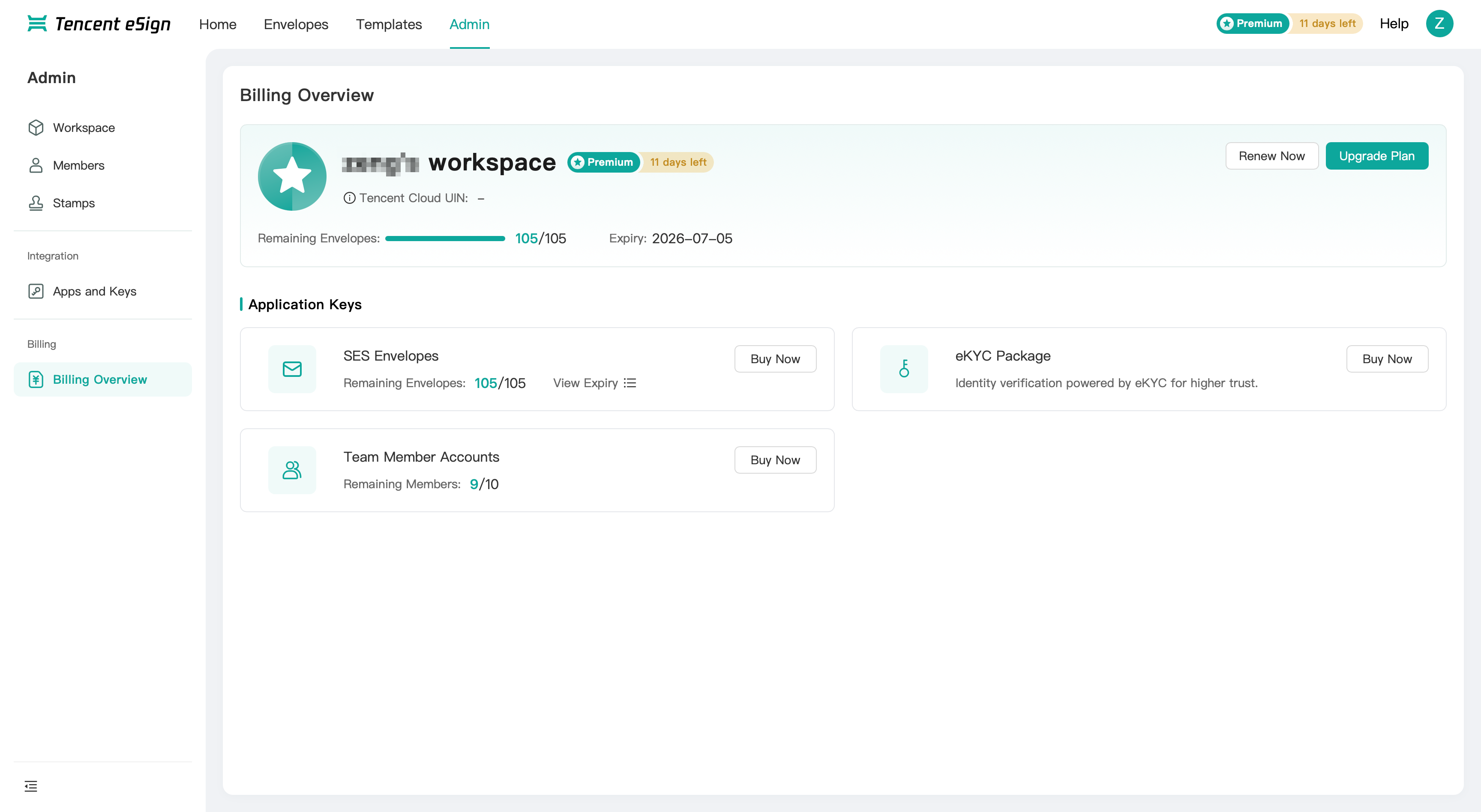
3. Click Renew Now, Upgrade Plan or Buy Now to be redirected to the purchase page.
Note:
On this page, if you do not have a Tencent Cloud account, you need to register one for purchase. For the registration process, see Register a Tencent Cloud Account.
4. After logging into your account, you can make selections on the Tencent eSign Purchase Page.
Attention:
You must purchase an edition before you can use the service. If you do not have an edition, directly purchased envelope quotas cannot be used normally.
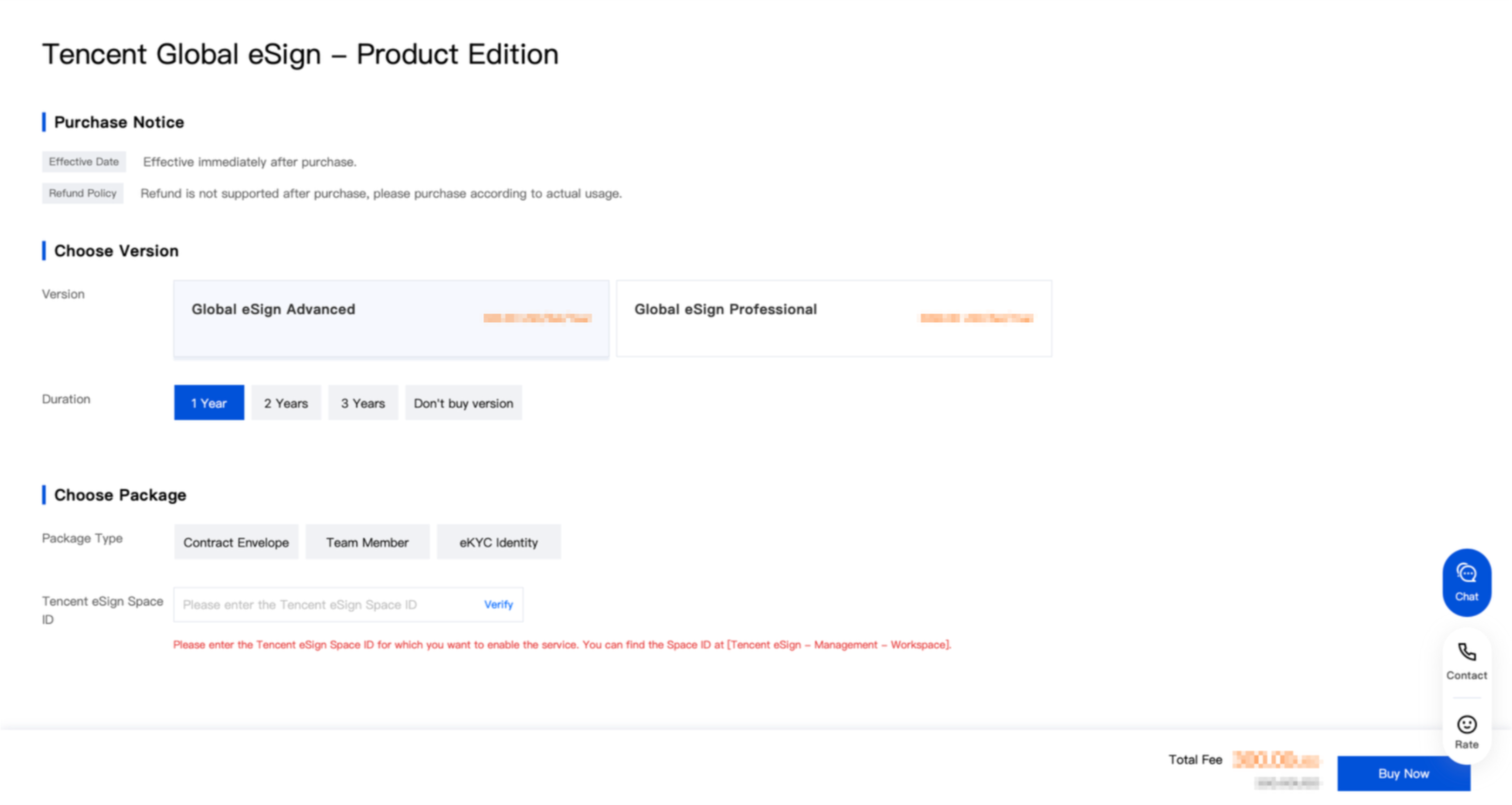
Select Edition: Tencent eSign currently offers two editions: the Overseas Sign Premium Plan and the Overseas Sign Professional Plan. For detailed descriptions, see Edition Introduction.
Edition | Unit Price |
Overseas Sign Premium Plan | $300 / Set / Year |
Overseas Sign Profession Plan | $3999 / Set / Year |
Select Duration: You can select a purchase duration of 1 year, 2 years, or 3 years. If you do not wish to purchase an edition at this time, you can select Do Not Purchase Edition.
Select Package: You can select from the following package types as needed.
Package Type | Description |
Contract Envelope | Contract envelope quota |
Team Member | Team member account quota |
eKYC Identity | eKYC identity verification quota |
Enter the Tencent eSign Workspace ID for the service you want to activate and click Verify. You can obtain the ID from Tencent eSign > Management > Workspace.
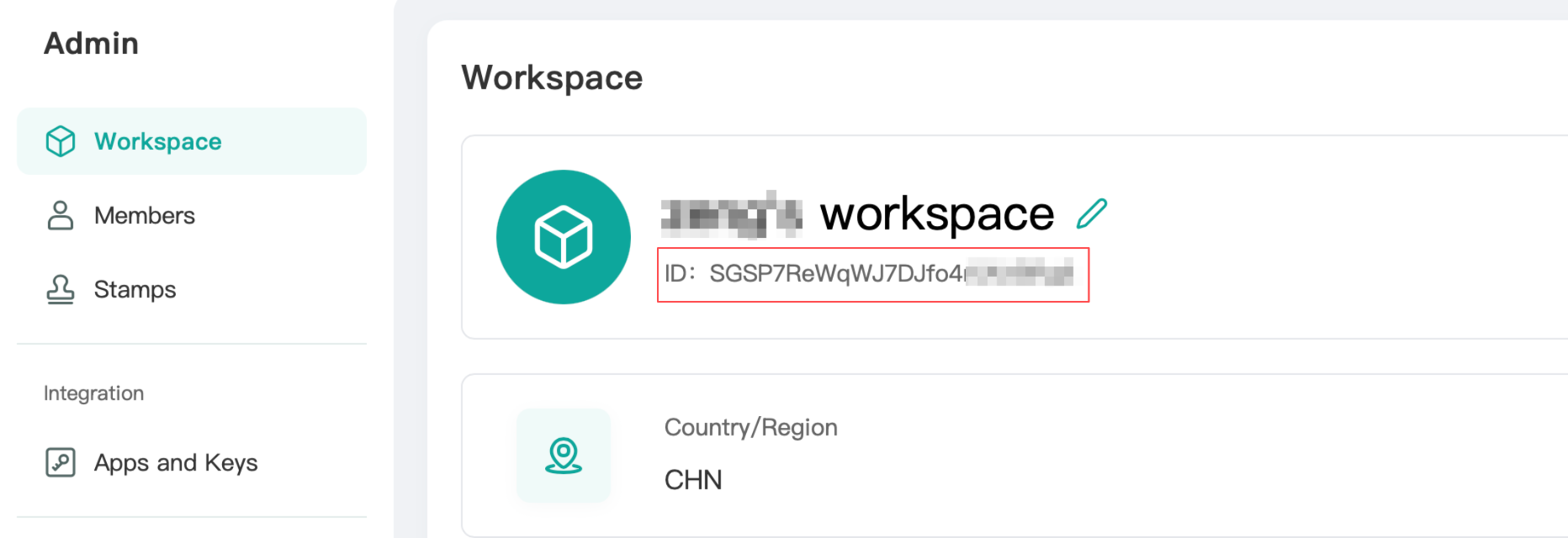
5. After verification is passed, click Buy Now on the purchase page to go to the order confirmation and payment stage.
6. After payment is successful, you can go to the Tencent eSign > Admin > Billing Overview page to view the products you have purchased. For a detailed description of this page, see Billing Overview.
Refund
Please purchase according to your usage. Online refunds are not currently supported for purchases.
Bantuan dan Dukungan
Apakah halaman ini membantu?
Anda juga dapat Menghubungi Penjualan atau Mengirimkan Tiket untuk meminta bantuan.
masukan