Using a Cache to Accelerate Access
Download
Focus Mode
Font Size
Scenarios
This document describes how to implement the following common caching scenarios using the Proxy Cache plugin on a cloud-native gateway.
Enabling the Proxy Cache plugin for a specified API
Viewing a specified cache using admin api
Deleting a specified cache using admin api
Prerequisites
The gateway instance has been purchased. For details, see Create Gateway.
Operation Steps
Scenario 1: Enabling the Proxy Cache Plugin for a Specified API
1. Log in to the TSF console.
2. Select Cloud Native Gateway in the left sidebar and click the target instance to go to the instance details.
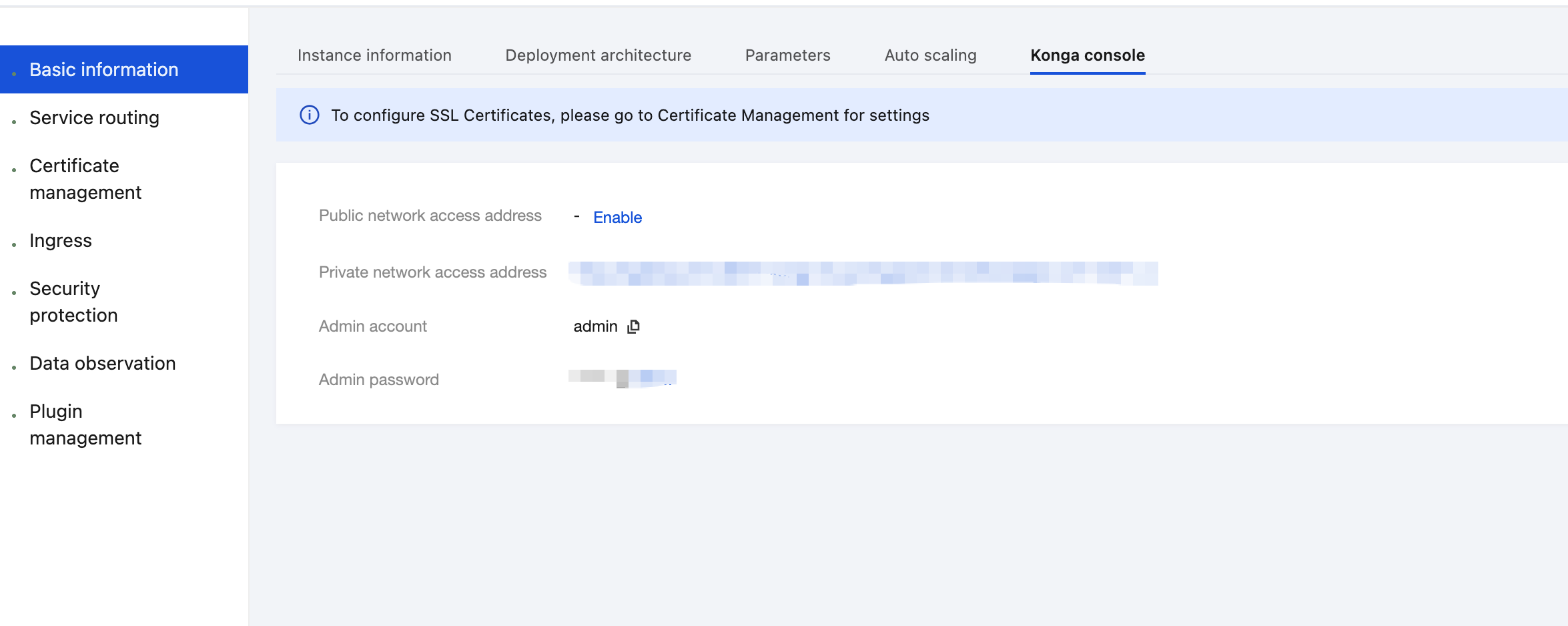
3. On the Basic Information page, click the Konga console Tag to view the management console login method.
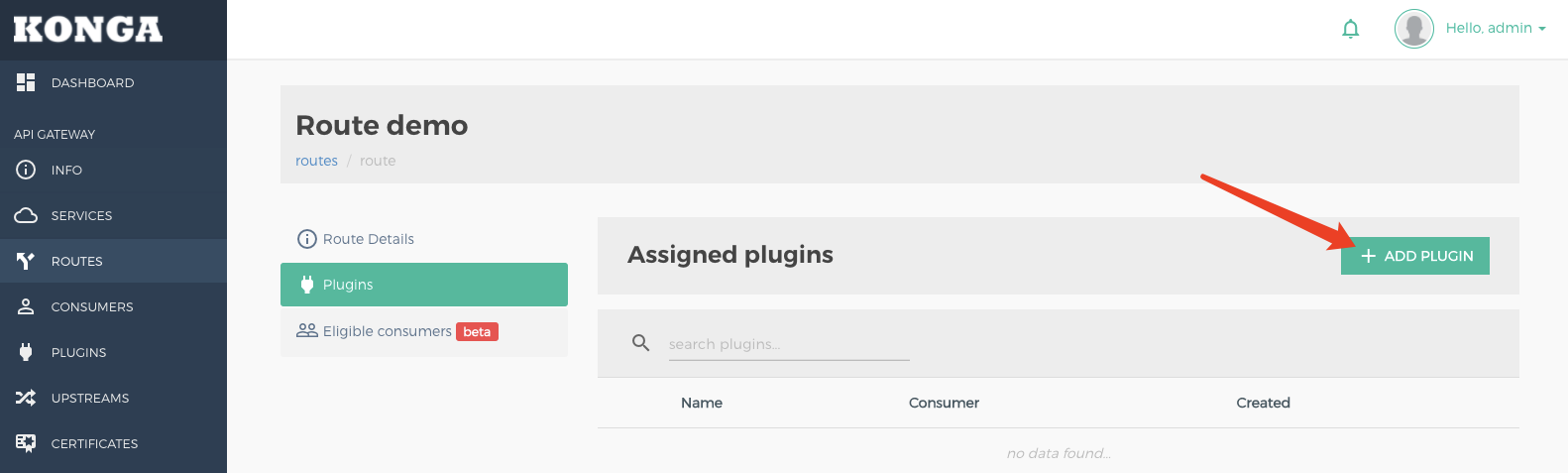
4. Log in to the cloud-native gateway management console, go to the Route details page that needs to be cached, click the Add Plugin button to create a plugin, and select the Proxy Cache plugin under the Traffic Control group.
5. In the plugin configuration, enter the following configuration, press Enter, and save.
strategy: memory // Cache storage policy (required). Currently, only the memory mode is supported.response code: 200 // List of backend response codes that can be cached. It is recommended that normal response codes (such as 200) be entered to prevent abnormal response content from being cached.request method: GET // Request methods that can be cached.content type: application/json; charset=utf-8 // Backend response Content-Type that can be cached. Note that the value should fully match the response header. For example, "application/json" and "application/json; charset=utf-8" do not match.cache ttl: 60 // Cache duration in seconds.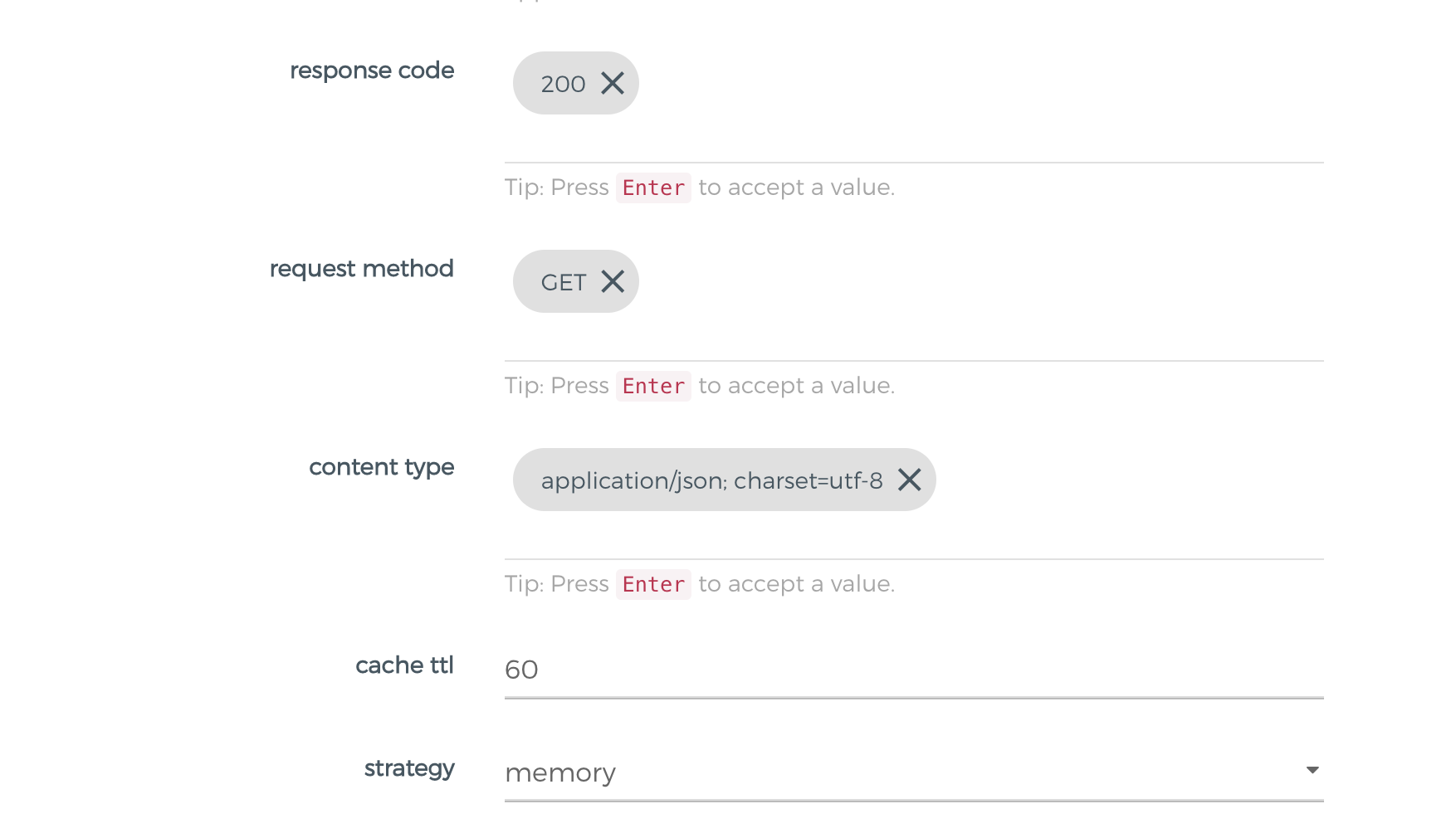
6. If caching needs to be performed by parameters, the following parameters need to be configured:
vary query params: name, department // List of query parameter names used as the cache keys, which is empty by default.vary headers: x-cache-header // List of header parameter names used as the cache keys, which is empty by default.
7. Initiate an API request and verify that the cache takes effect.
For the first request with the API URL set to
GET /cache/it, the cache does not exist, the request is sent to the backend service, and the response header X-Cache-Status is set to Miss.HTTP/1.1 200 OKContent-Type: application/json; charset=utf-8Content-Length: 335X-Cache-Key: 6fb1b6a4440980c758b0eff31177a41dX-Cache-Status: MissDate: Tue, 26 Apr 2022 16:04:19 GMTX-Kong-Upstream-Latency: 948X-Kong-Proxy-Latency: 321Via: kong/2.4.1
When a request with the API URL set to
GET /cache/it is sent again within the cache time to live (TTL), the cache hits, and the response header X-Cache-Status is set to Hit.HTTP/1.1 200 OKServer: openrestyContent-Type: application/json; charset=utf-8X-Cache-Key: 6fb1b6a4440980c758b0eff31177a41dAge: 2X-Cache-Status: HitDate: Tue, 26 Apr 2022 16:09:23 GMTVary: Accept-EncodingContent-Length: 335X-Kong-Upstream-Latency: 0X-Kong-Proxy-Latency: 0Via: kong/2.4.1
When the
name parameter is included in vary query params:For the first request with the API URL set to
GET /cache/it?name=john, the cache does not exist, the request is sent to the backend, and the response header X-Cache-Status is set to Miss.When a request with the API URL set to
GET /cache/it?name=john is sent again within the cache TTL, the cache hits, and the response header X-Cache-Status is set to Hit.When a request with the API URL set to
GET /cache/it?name=tom is sent within the cache TTL but with a different name parameter, the response header X-Cache-Status is set to Miss because the name parameter differs.Scenario 2: Viewing a Specified Cache Using admin api
1. Enable admin api through the proxy method. (It is recommended that security authentication be enabled.)
2. Call the Proxy Cache API
GET /proxy-cache/:cache_key to query the cached content of a specified cache key.The cache key is obtained from the response header
X-Cache-Key of the API request.When the cache does not exist,
404 is returned.When the cache exists,
200 is returned, and the response body is as follows:{"ttl": 60,"req_body": "","headers": {"Date": "Wed, 27 Apr 2022 03:09:39 GMT","X-Cache-Status": "Miss","ETag": "W/\\"14f-3sRRcm7jenKggj3qhgagNHIwiqw\\"","Vary": "Accept-Encoding","connection": "keep-alive","set-cookie": "sails.sid=s%3AT_YQH4rJgm2TYpJ5o6Ql1nH-vlA6pR19.JR3bgC6WfzWO1OqDPwzaNn%2FXX6PcGdg2vTaT6d1BbfQ; Path=/; HttpOnly","content-length": "335","content-type": "application/json; charset=utf-8","X-Cache-Key": "6fb1b6a4440980c758b0eff31177a41d"},"body": "<cached response body>","status": 200,"timestamp": 1651028979,"version": 1,"body_len": 335}
Must-Knows
The cached content includes the response body and response headers (excluding Hop-By-Hop headers).
To dynamically control the caching behavior on the client through the
Cache-Control request header, enable the cache-control configuration item in the plugin.Description of the
X-Cache-Status response header:Miss: The request matches the cache policy but does not hit the cache.Hit: The request hits the cache.Bypass: The request does not meet the matching condition set by the cache plugin.Refresh: The cache does not expire. However, the request bypasses the cache due to Cache-Control in the request header.References
Help and Support
Was this page helpful?
You can also Contact sales or Submit a Ticket for help.
Help us improve! Rate your documentation experience in 5 mins.
Feedback