申请 Fairplay 证书
下载
聚焦模式
字号
要使用苹果的 FairPlay Streaming(FPS)DRM,内容服务提供商需要从苹果申请获得 FPS 部署包,并需要将下面文件上传到 SDMC 授权服务器。
FPS 证书文件(
.der 或 .cer)私钥文件(
.pem)私钥密码文件(
.txt)应用密钥(ASK)文件(
.txt)操作步骤
步骤1:注册 Apple 开发人员账户并请求部署包
1. 进入 Apple 账号注册网站 进行账号注册。
2. 打开 FairPlay Streaming 官网,在 Deployment credentials 章节单击 Request FairPlay Streaming credentials approval,并使用您的 Apple 开发者账号登录。
3. 如果您根据输入表单申请部署包,在 Apple 确认后,您将收到一个包含 FPS 凭证创建指南文档的包。
注意
在申请过程中,您将会被询问是否已完成密钥服务器模块(KSM)的实现和测试,对此可以回答:
I am using a 3rd party DRM company and the company has already built and tested KSM
步骤2:创建私钥和证书签名请求(CSR)
根据开发包中的指导文档,创建私钥(
privatekey.pem)文件和证书签名请求(certreq.csr)文件。下面介绍了指南中证书签名请求部分的 OpenSSL 方法。注意
必须在执行此过程的 PC 或服务器环境上安装 OpenSSL。
1. 创建私钥文件(privatekey.pem):
1.1 运行以下命令以生成私钥。
openssl genrsa -aes256 -out privatekey.pem 1024
1.2 输入私钥密码,并记下它以供以后使用(密码应少于32个字符)。
2. 创建证书签名请求文件:
2.1 运行以下命令,可以修改
-subj 参数的内容以符合您的组织。openssl req -new -sha1 -key privatekey.pem -out certreq.csr -subj "/CN=SubjectName/OU=OrganizationalUnit/O=Organization/C=US"
2.2 输入 上一步 中的私钥密码。
步骤3:在 Apple Developer Portal 上创建 FPS 证书
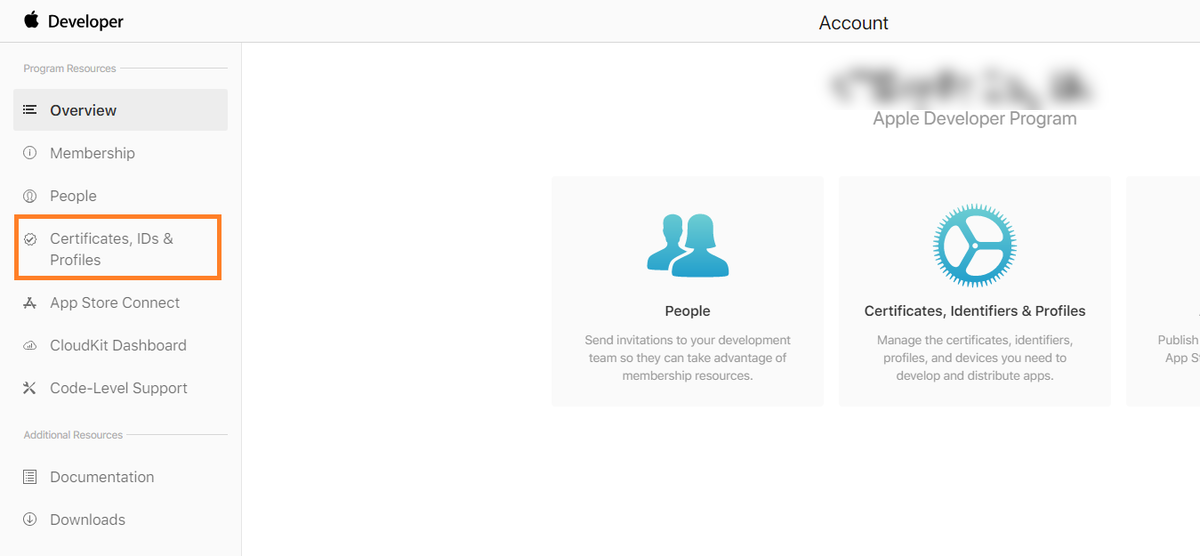
1. 登录 Apple Developer Portal,然后进入 Certificates, IDs, & Profiles。
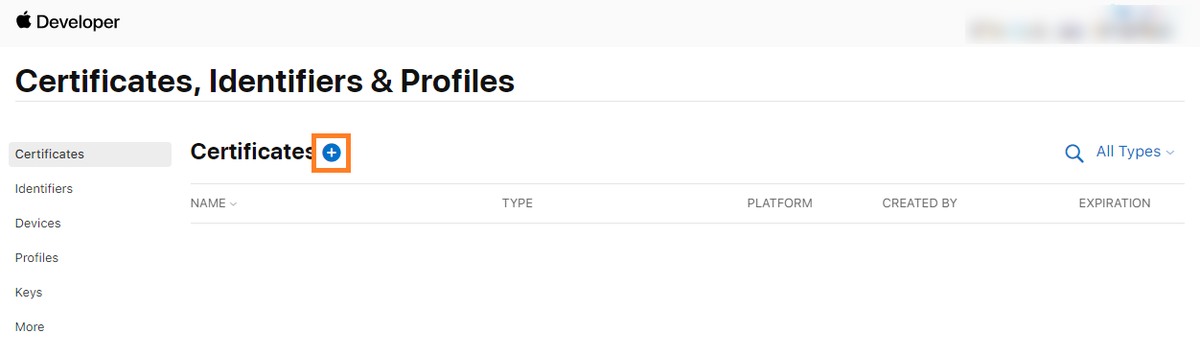
2. 单击菜单上的 +,跳转到 Create a New Certificate 页面。
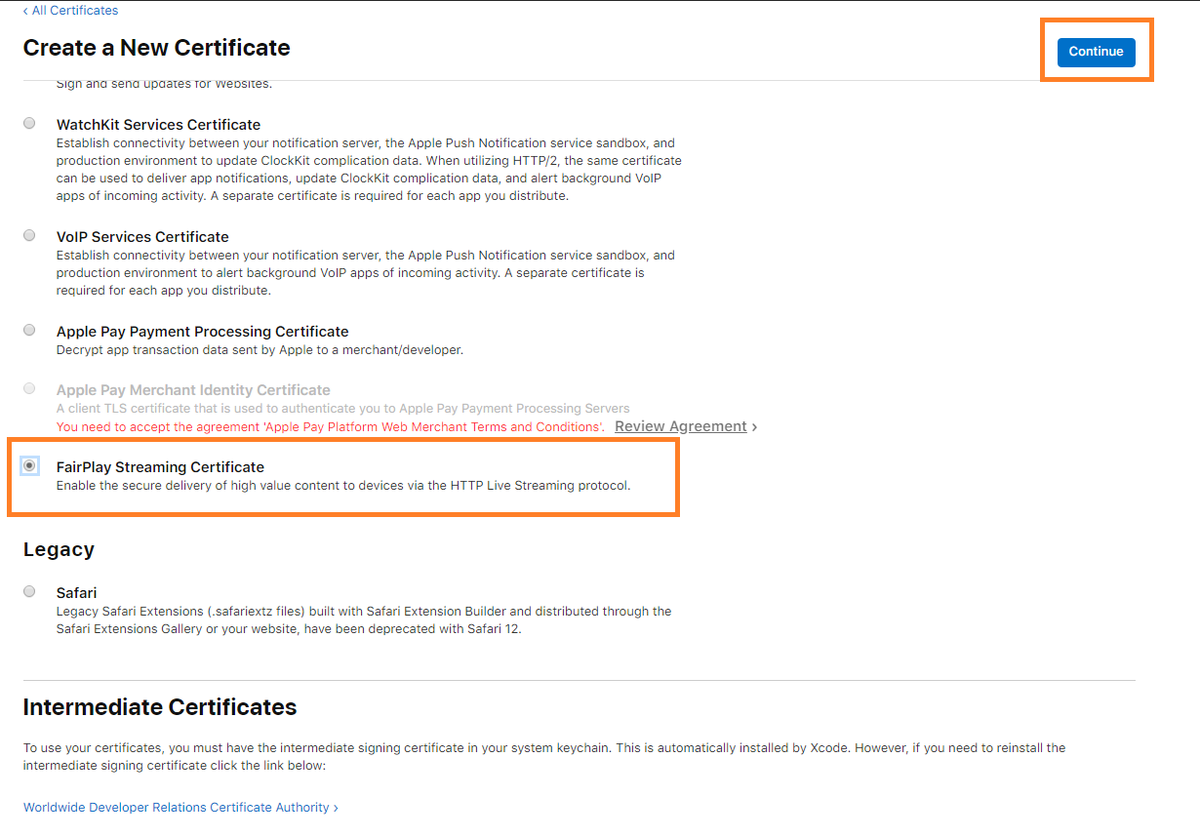
3. 选择 FairPlay Streaming Certificate,然后单击 Continue。
4. 单击 Choose File,选择上面步骤中创建的
certreq.csr 文件,然后单击 Continue。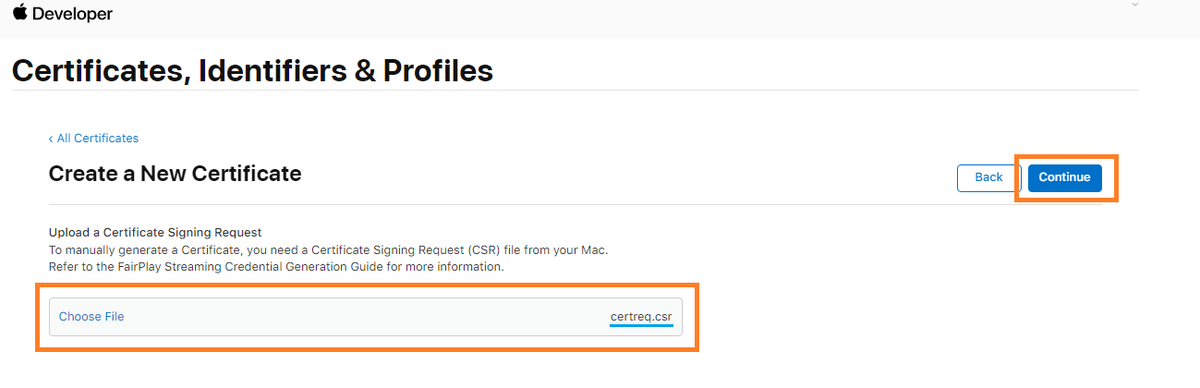
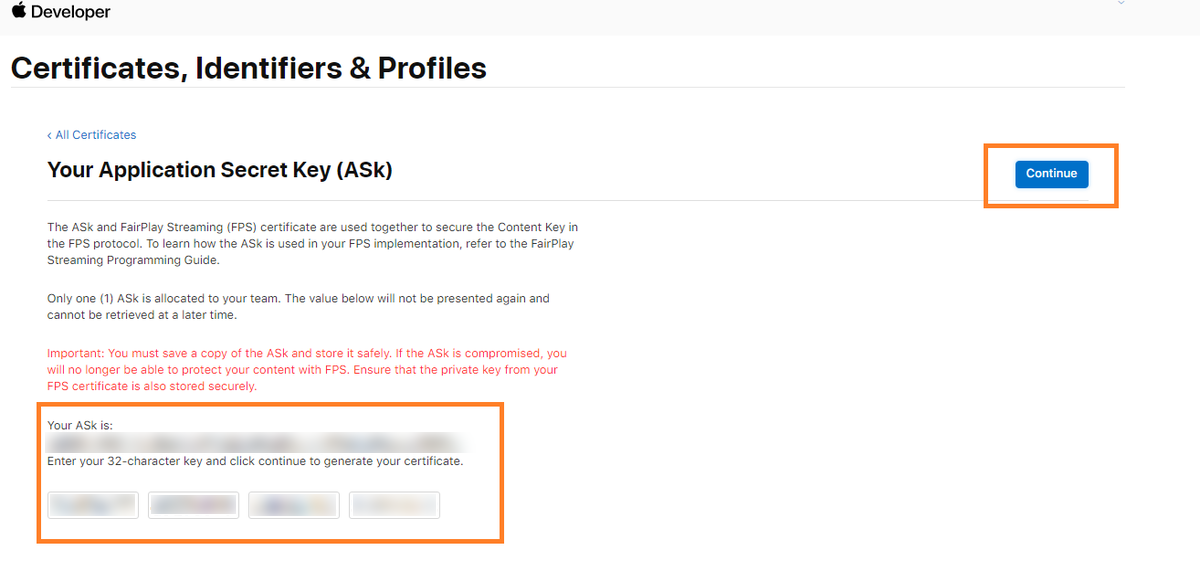
5. 复制 Application Secret Key (ASK) 字符串,单独保存到一个文件中。然后再复制到下面的空格处,然后单击 Continue。
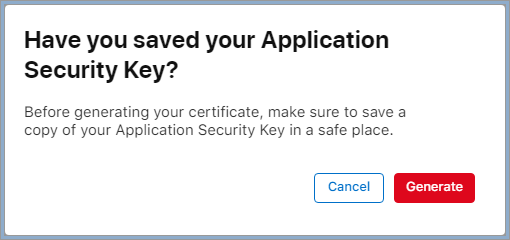
6. 此时,将会出现一个弹出窗口,确认您是否已单独保存了 ASK 字符串到文件中;如果已确认保存,单击 Generate。
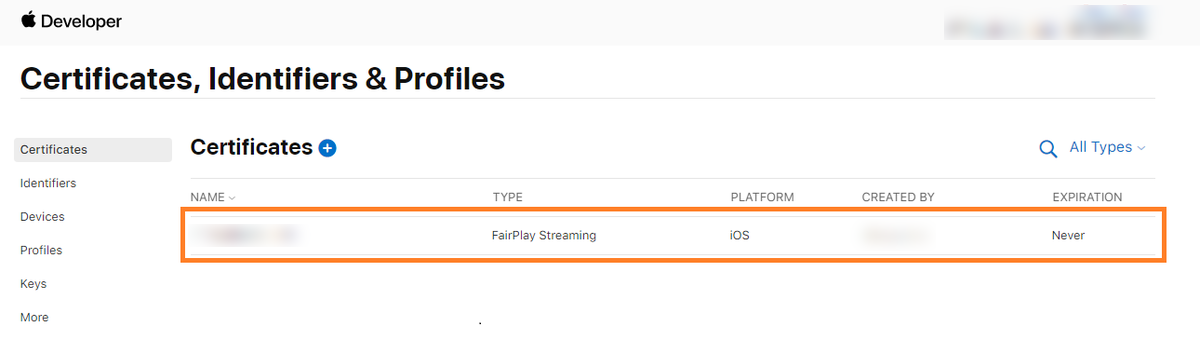
7. 完成上述步骤后, 使用 FairPlay Streaming type 创建的证书将显示在 Certificate 列表中。
8. 单击 Download 保存 FPS 证书文件(
fairplay.cer)。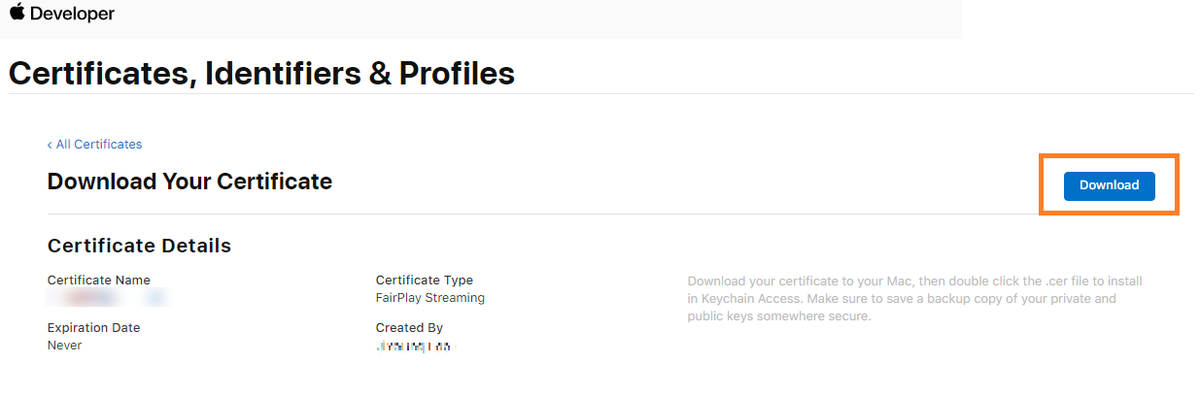
步骤4:通过华曦达(SDMC)控制台上传 FPS 证书文件
1. 登录 SDMC DRM 控制台,然后进入 DRM 设置菜单。
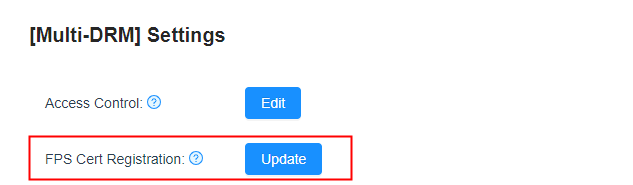
2. 进入 DRM 设置 > 设置菜单,进入到 FPS 证书注册,单击更新按钮进行证书上传。
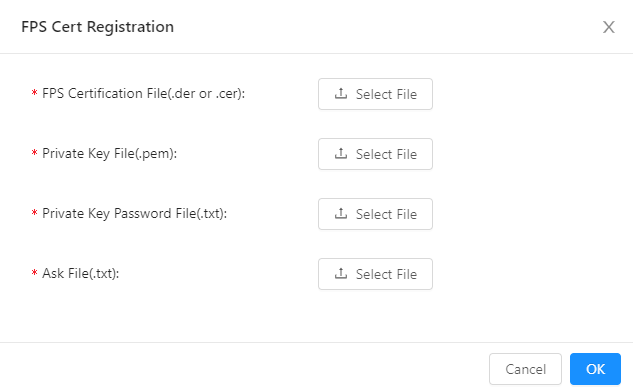
3. 上传 FPS 证书文件、私钥文件、私钥密码文件和 ASK 文件,然后单击 OK 进行上传。
说明
文档反馈