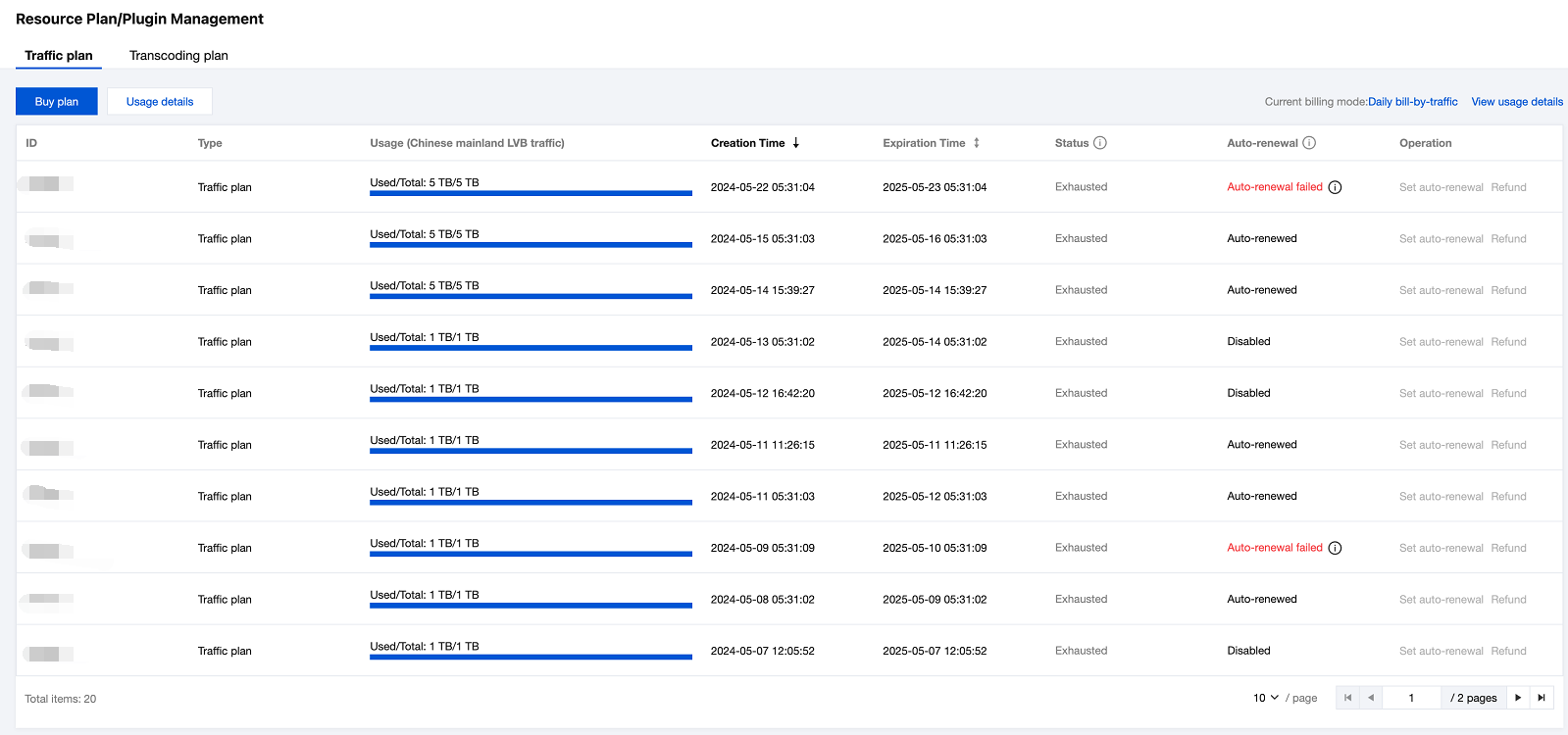
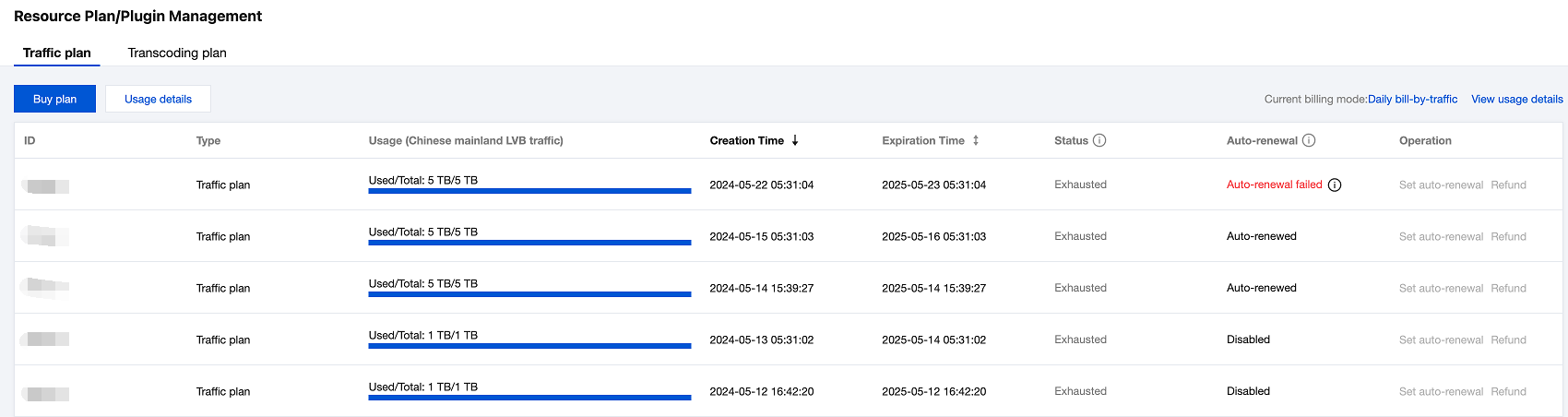
Your traffic/bandwidth, standard transcoding, and Top Speed Codec (TSC) transcoding usage with CSS is billed in the pay-as-you-go mode by default. If you are billed monthly, your bills will be generated on the first day of each month. You can view your billing details in Message Center > Internal Message.
You can also buy packages to avoid service suspension caused by overdue payments.
Prepaid Packages
For prepaid packages, the console supports self-service purchase and renewal or automatic renewal (auto-renewal upon depletion or expiration) , which are described in detail as follows:
Self-Service Purchase and Renewal
Self-service renewal means users can purchase packages in the console as needed. The detailed steps are as follows:
1. Log in to the CSS console and select package on the left sidebar.
2. Click Buy package to go to the purchase page. Select the packages you want to renew and make the payment.
A traffic package deducts your usage of LVB downstream traffic inside the Chinese mainland at a ratio of 1:1. It can also deduct usage of LVB downstream traffic outside the Chinese mainland, LEB downstream traffic inside and outside the Chinese mainland, as well as upstream traffic inside and outside the Chinese mainland at different ratios. Outside the Chinese mainland, the deduction ratio varies with region. All deductions occur only in the daily bill-by-traffic mode.
A TSC transcoding package can deduct TSC transcoding durations (LVB or LEB) in the daily billing mode.
Automatic Renewal (Auto-Renewal upon Depletion or Expiration)
Tencent CSS supports automatic renewal (auto-renewal upon depletion or expiration) for live streaming traffic packages and live transcoding packages (including standard transcoding and TSC transcoding). When the feature is enabled and your Tencent Cloud account balance is sufficient, the system will automatically purchase a new package with the same specifications after the original one is depleted or expires .
Renewal Instructions
Automatic renewal can be enabled only for packages in the Unused , In use , or Frozen state.
"Depletion" in auto-renewal upon depletion or expiration refers to the depletion of all valid packages of the same type, but not just the one with auto-renewal enabled. CSS traffic packages and CSS traffic packages (LEB special) are of the same type, while standard transcoding packages and TSC transcoding packages are of different types.
To prevent over-usage caused by special situations like business attacks, up to 20 packages of each type can be renewed per day when automatic renewal is enabled. Exceeding this limit will be considered abnormal usage, resulting in the auto-renewal status changing to renewal failure and no further automatic renewals.
The renewal price for a package is based on the list price for that package. For details, see Prepaid Packages.
Free packages provided by CSS do not support automatic renewal.
Ensure your Tencent Cloud account has sufficient balance to pay for renewal orders. Insufficient balance will lead to renewal failure, and automatic renewal will no longer be executed.
Renewal Rules
1. For the same type of resources, automatic renewal can be set for only one package. For example, if a 500 GB live streaming traffic package with automatic renewal enabled and a 100 GB live streaming traffic package are purchased at the same time, setting automatic renewal for the 100 GB traffic package will disable renewal for the 500 GB traffic package.
2. For a package with automatic renewal (auto-renewal upon depletion or expiration) enabled, if all packages of the same type are depleted or expired , a package of the same specification will be automatically renewed on the next day before bill settlement,Validity period: 1 year.
Example: If a 500 GB live streaming traffic package with automatic renewal enabled and a 100 GB live streaming traffic package are purchased at the same time, the specifications of the example are shown in the table below.
Traffic Package
Validity Period
Expiration Time
Auto-Renewal Status
500 GB live streaming traffic package
1 year
March 15, 2023
Auto-renewal upon depletion or expiration
100 GB live streaming traffic package
1 year
April 15, 2023
No renewal
Scenario 1: Resource depleted before expiration
When the usage for February 15, 2023 (daily settlement rule: Usage of the day is settled on the next day, with a usage of 1200 GB for the day) is settled on February 16, 2023 (before package expiration), 500 GB traffic package and 100 GB traffic package have their quotas fully deducted. At this time, if your Tencent Cloud account balance is sufficient, the system will automatically renew a 1-year 500 GB traffic package. The remaining usage is 100 GB (1200 GB - 500 GB - 100 GB - 500 GB) , so the system will automatically renew another 1-year 500 GB traffic package.
Scenario 2: Expiration before resource depletion
When the usage for April 15, 2023 (daily settlement rule: Usage of the day is settled on the next day) is settled on April 16, 2023, automatic renewal is enabled for the 500 GB live streaming traffic package , and this package and all similar packages are not depleted but have expired. At this time, if your Tencent Cloud account balance is sufficient, the system will automatically renew a 1-year 500 GB traffic package.
Note:
In auto-renewal mode, after all effective packages of the same type are used up within the validity period, the newly renewed package before bill settlement on the next day can be used to deduct the usage exceeding the package quota on previous day.
In auto-renewal mode, there is a slight delay in the actual deduction time of packages.
If a package is depleted or has expired and automatic renewal fails, the usage that cannot be deducted in the renewal of the package will be settled on a pay-as-you-go basis. To prevent such situations, select an appropriate specification of package based on your actual usage and enable renewal upon depletion or expiration. If you have any questions, submit a work order.
Renewal Reminder
Self-Renewal Reminder
Package Type
Daily Trigger Count
Trigger Reminder Conditions
Expiration Reminder
Volume-based Reminder
Live Streaming Traffic Package
1
Any package expiration time is 30 days, 15 days, 7 days, or 1 day from the current time.
If the remaining usage of any package is 15% higher than the threshold before deduction but 15% lower than the threshold after the fee of the previous day is deducted during settlement on the next day.
Live transcoding package (including standard transcoding and TSC transcoding)
1
Note:
If multiple packages have insufficient balance to trigger a renewal reminder on the same day, only one reminder message will be sent.
If multiple packages have insufficient remaining days to trigger a renewal reminder on the same day, a reminder message will be sent only for the package with the shortest validity period.
Auto-Renewal Reminder upon Depletion or Expiration
The system will monitor the usage of various types of packages in your account every day. When any type of package is depleted or has expired and the auto-renewal feature is triggered, a renewal (successful/failed) message will be pushed to you on the next day.
The system will combine information about each type of package with automatic renewal enabled every day (including Package Type , Package ID , Package Specifications , Renewal Status ) into one renewal message.
For depleted packages, no expiration reminder will be triggered upon expiration.