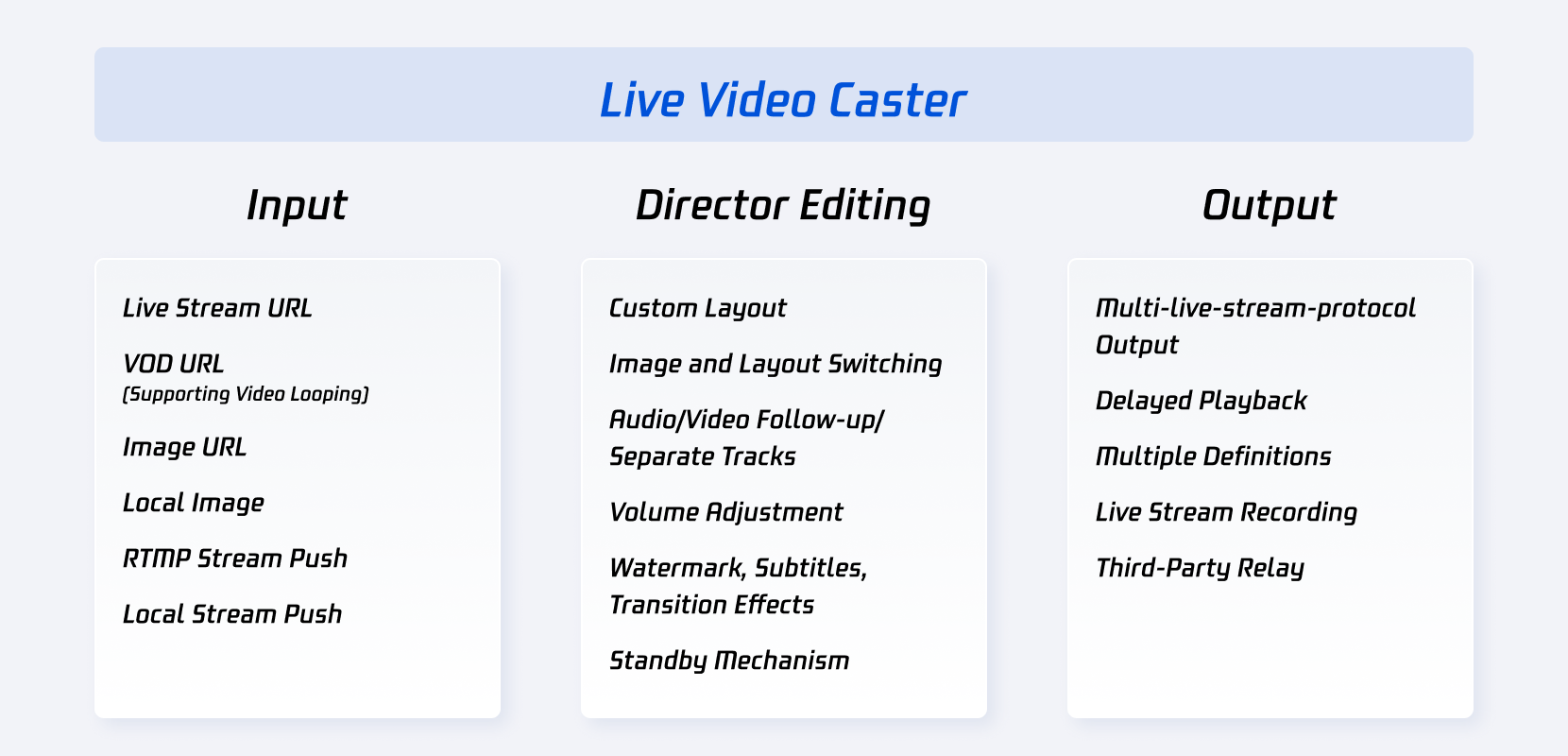
The Cloud Streaming Services console offers the Live Video Caster (LVC) service. This guide describes the features and main application scenarios of LVC.
Product Architecture
Live Video Caster Features
Category
Feature
Description
Input sources, up to 24 inputs supported
Live stream
Live stream pull:
Pull from live stream URLs: You can add the URL of an ongoing live stream in the LVC console to pull streams from the URL. Supported protocols are RTMP, HLS, and HTTP-FLV.
As for encoding formats, only H.264 encoding is supported for video, and AAC is supported for the audio.
Live push:
RTMP push: It refers to pushing media files to the LVC system using the RTMP protocol.
As for encoding formats, only H.264 encoding is supported for video, and AAC is supported for the audio.
VOD
VOD URL:
It supports not only media files stored in Tencent Cloud COS but also files stored by other providers.
It supports the MP4, HLS and FLV formats (the FLV format is recommended).
The console will automatically play the files in the list in a loop.
As for encoding formats, only H.264 encoding is supported for video, and AAC is supported for the audio.
Image
Image URL:
The JPEG, JPG, PNG, and BMP image formats are supported.
The URL is configured to LVC, with the image size not exceeding 1920*1080 pixels.
Local Images: The PNG, JPG, and JPEG images can be uploaded, with the size not exceeding 5 MB.
Local stream push
Local Camera: The local camera can be used as an input source, supporting resolutions of 1920 x 1080, 1280 x 720, 640 x 480, and 640 x 360.
Screen Sharing: The input can be a shared screen (an application window or desktop). Supported resolutions include 1920 x 1080, 1280 x 720, 640 x 480, and 640 x 360.
Dynamic Overlays
The system supports overlaying dynamic overlays onto live streams, enabling effects such as adding advertisements, scoreboards, and character introductions to the live stream visuals.
Output
Output as a live stream
The RTMP, HLS, and HTTP-FLV output stream protocols are supported.
Relay
Output streams can be pushed to other vendors using the RTMP protocol. The push address must be in the following format: rtmp://domain/app/stream?arg1=xxx.
Recording
All live recording capabilities are supported (MP4, HLS and FLV format recording, custom recording durations, and so on).
Audio/video processing
Video layout
You can customize a video layout by combining any inputs.
Feature components
Watermark names can be added, and watermark positions can be accurately adjusted. Watermarks and text can be overlaid.
Standby content
LVC can automatically switch to a standby video or image you specify when the main input source is not available.
Audio processing
The volume for each input stream in the output flow can be adjusted. Separation of audio and video is supported. For example, when video source 1 is being played, you can choose to play the audio of video source 2.
Director processing
Pre-monitor, main monitor
The layout of pre-monitor images and switching from pre-monitoring to main monitor are supported.
Delayed playback
Playback with delay of up to 300 seconds is supported. That is, the output stream can lag behind the main monitor by up to 300 seconds.
Documentation
LVC is mainly used in scenarios such as gaming and e-sports, e-commerce live streams, online education, live events, and so on. For more details, see the application scenarios.
LVC has powerful and cost-effective cloud capabilities, including backup mechanisms, stream mixing, and more. For more details, see Product Features.