Renewal Instructions
Download
Mode fokus
Ukuran font
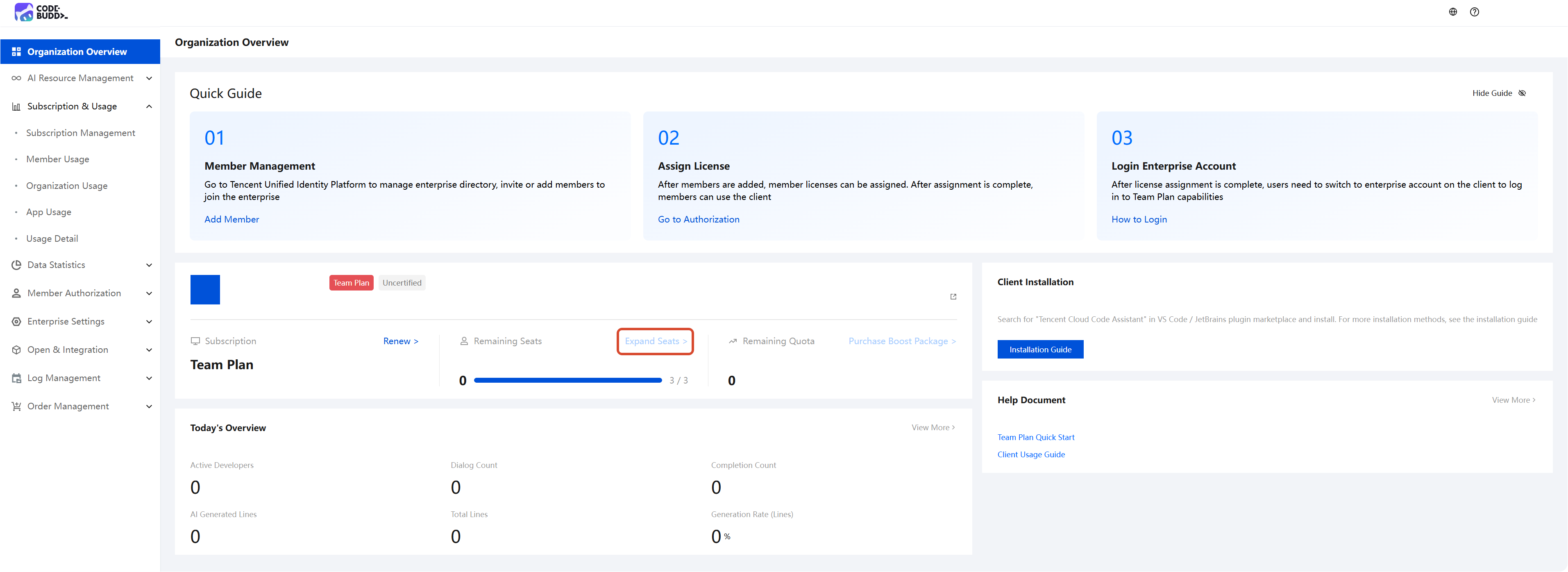
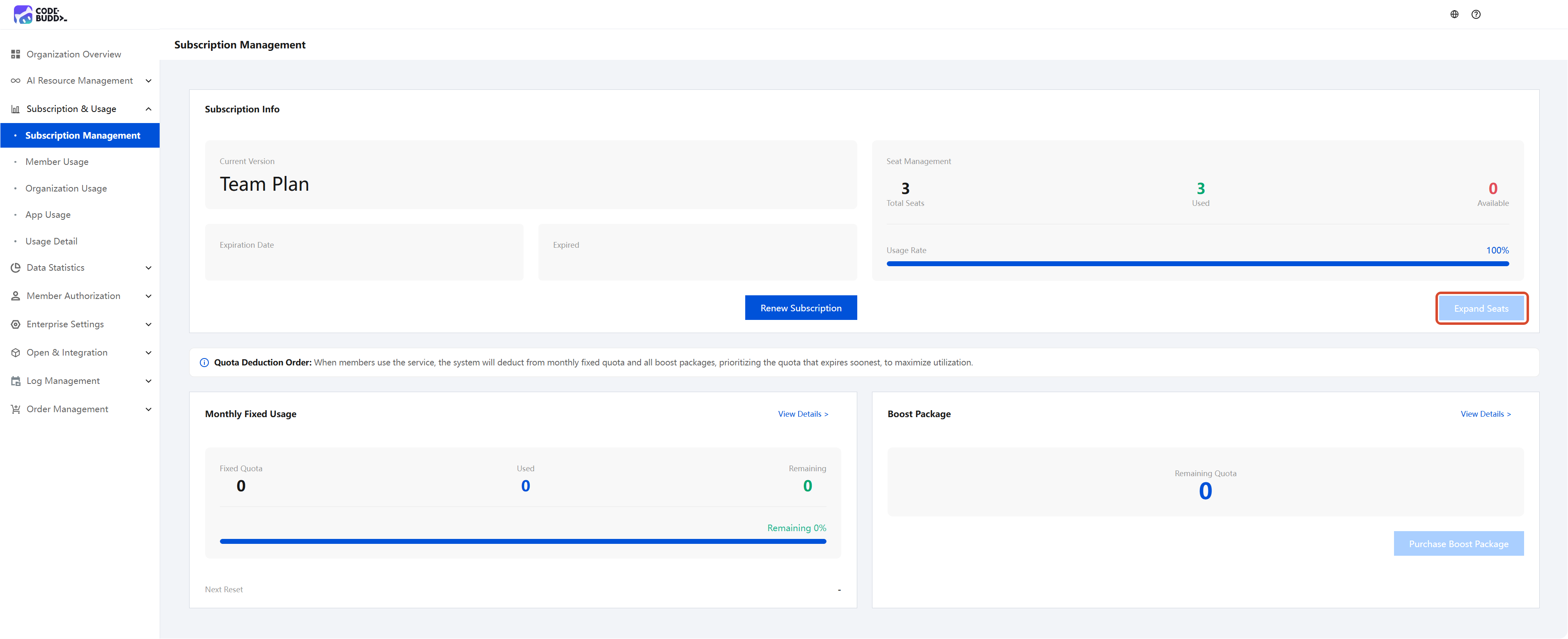
1. Log in to the Enterprise Management Console. In either the Organization Overview or Subscriptions & Usage > Subscription Management section, click Expand Seats to initiate scaling. The system will then automatically redirect you to the scaling purchase page.
Attention:
Use the Tencent Cloud account associated with your purchased enterprise to perform the scaling operation. (You can view the Tencent Cloud account in the Overview section.) If the account is incorrect, log in again.
2. Go to the scaling purchase page and fill in the required information:
Confirm the enterprise information and the super administrator's mobile phone number.
Confirm the expiration date, which cannot be changed during scaling. If you need to renew your subscription, you can do so after the scaling operation is completed. For details, see the Renewal Instructions.
Select the number of scaling licenses. The minimum purchase quantity is one license.
Note:
During the subscription period, each license is granted 2000 points/month. After scaling, you will immediately receive Number of Licenses × 2000 × Remaining Days in the Current Billing Cycle / Total Days in the Calendar Month points. The fixed monthly capacity will be reset accordingly.
Scaling costs are calculated based on the subscription cycle. For any portion less than one month from the order date, the usage and cost will be prorated according to the remaining duration. Starting from the next subscription cycle, quota points will be issued in full.
Upon successful order placement, the points quota is immediately issued and becomes available for use.
Scenario 1: The customer's subscribed Ultimate Edition will expire on June 14, 2026. When 19 days remain in the package, the customer places an order to purchase 2 licenses. Then:
This scaling operation will be billed for one subscription cycle.
You will immediately receive 2 × 2000 × 19 / 31 = 2451 points (each seat is granted 2000 points/month).
The points granted this month will be reset on the 14th of the next month (19 days from now). If you anticipate not being able to fully utilize these points before the reset, it is recommended that you wait until the next reset cycle begins before performing the scaling operation, in order to obtain a longer points usage period.
Scenario 2: The customer subscribed to a 3-month Ultimate Edition on May 15, 2026, and scaled out 2 seats on May 28, 2026. This means the customer placed an order to purchase 2 licenses when 2 months and 19 days remained in the package. Then:
This scaling operation will be billed for 2.6 subscription cycles.
You will immediately receive 2 × 2000 × 19 / 31 = 2451 points (each seat is granted 2000 points/month).
The points granted this month will be reset on June 15, 2026 (19 days from now). If you anticipate not being able to fully utilize these points before the reset, it is recommended that you wait until the next reset cycle begins before performing the scaling operation, in order to obtain a longer points usage period.
3. After the purchase is completed, return to the Enterprise Console. In Organization Overview > Remaining Seats, confirm whether the license quantity has been correctly increased.
Bantuan dan Dukungan
Apakah halaman ini membantu?
Anda juga dapat Menghubungi Penjualan atau Mengirimkan Tiket untuk meminta bantuan.
masukan