Accessing HTTP Services with a Cloud-Native Gateway
Unduh
Mode fokus
Ukuran font
This document quickly guides you on how to access APIs whose backend service is of the HTTP type in Cloud Native Gateway.
Overview
You need to complete the following steps sequentially:
1. Create a Cloud Native Gateway.
2. Define backend service information.
3. Configure routing rules for the service.
4. Call the API.
Operation Steps
Step 1: Creating a Cloud Native Gateway Instance
Go to the Cloud Native Intelligent Gateway console, refer to Create a Gateway, and create a Cloud Native Intelligent Gateway.
Step 2: Defining Backend Service Information
1. Click the ID of the created gateway instance to enter the instance details page.
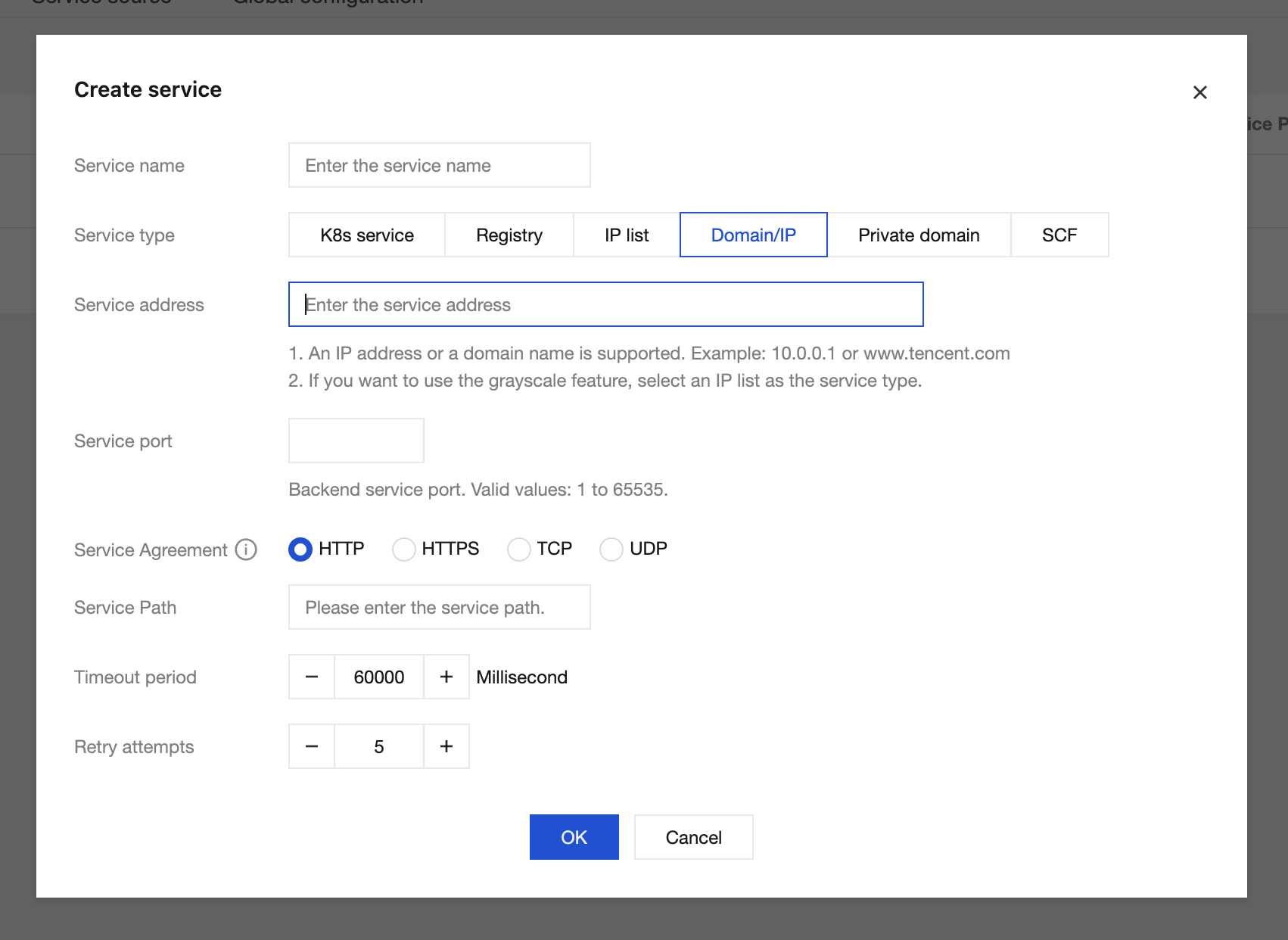
2. In the left sidebar, choose Service & Route > Service. Then, in the service list, click New.
3. After configuring the relevant parameters in the New Service window, click OK. This step specifies which backend service the Cloud Native Gateway forwards requests to after receiving them from the Client. The backend service in this example can be any accessible address on Tencent Cloud or the Internet.
Step 3: Configuring Routing for the Backend Service
1. After the backend service is added, click the backend service name to enter the Service & Route > Route page.
2. Click Create, configure the routing information, and then click Next. At least one of the request method, request path, or Host must be configured.
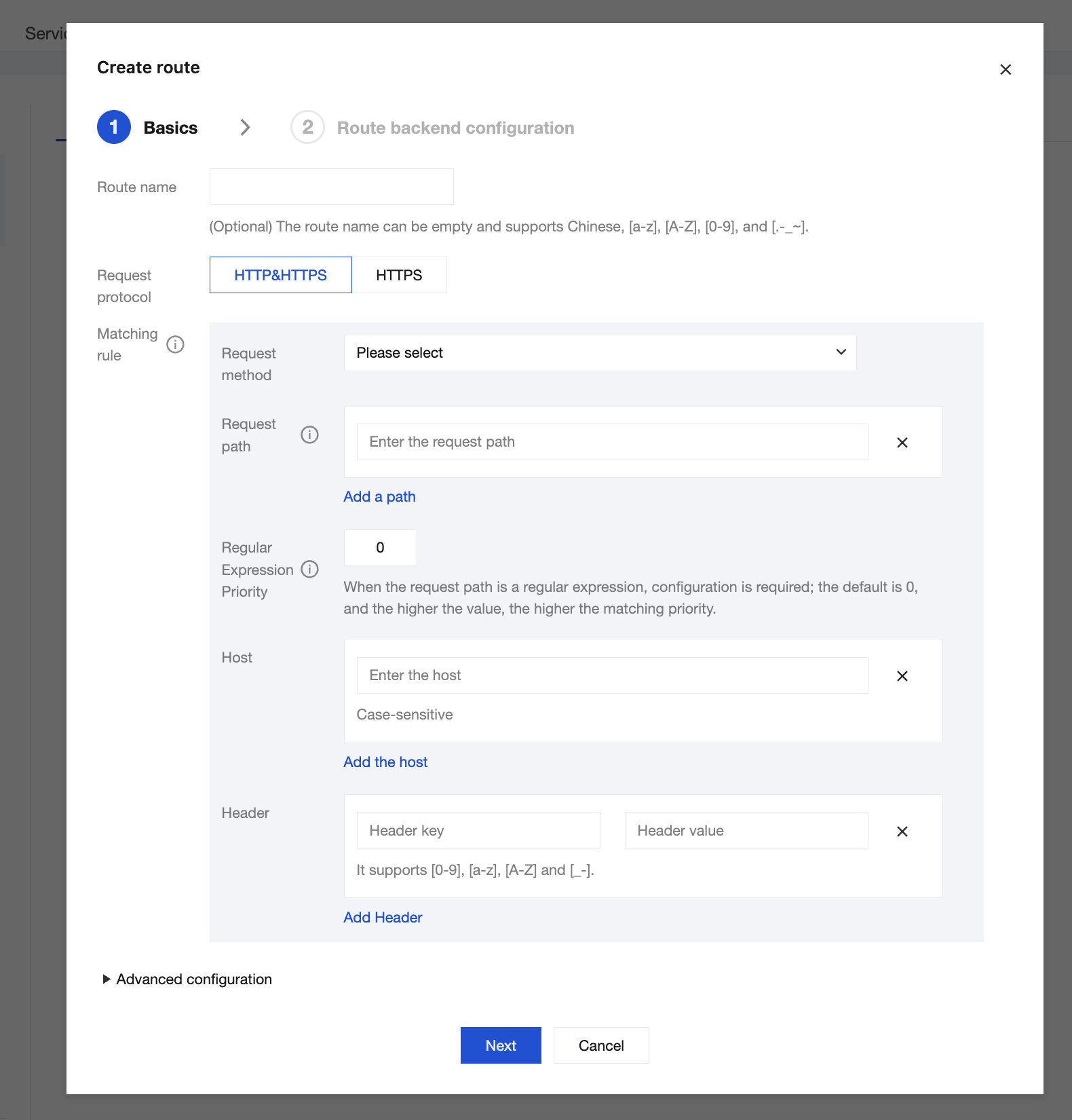
3. Configure the backend information for the route. After confirming that the backend service information is correct, click OK to complete the route creation. Route Priority Detection (Optional): When multiple routes exist under the same service, you can use route priority detection to confirm the matching order of requests and avoid route conflicts.
Step 4: Accessing the Route
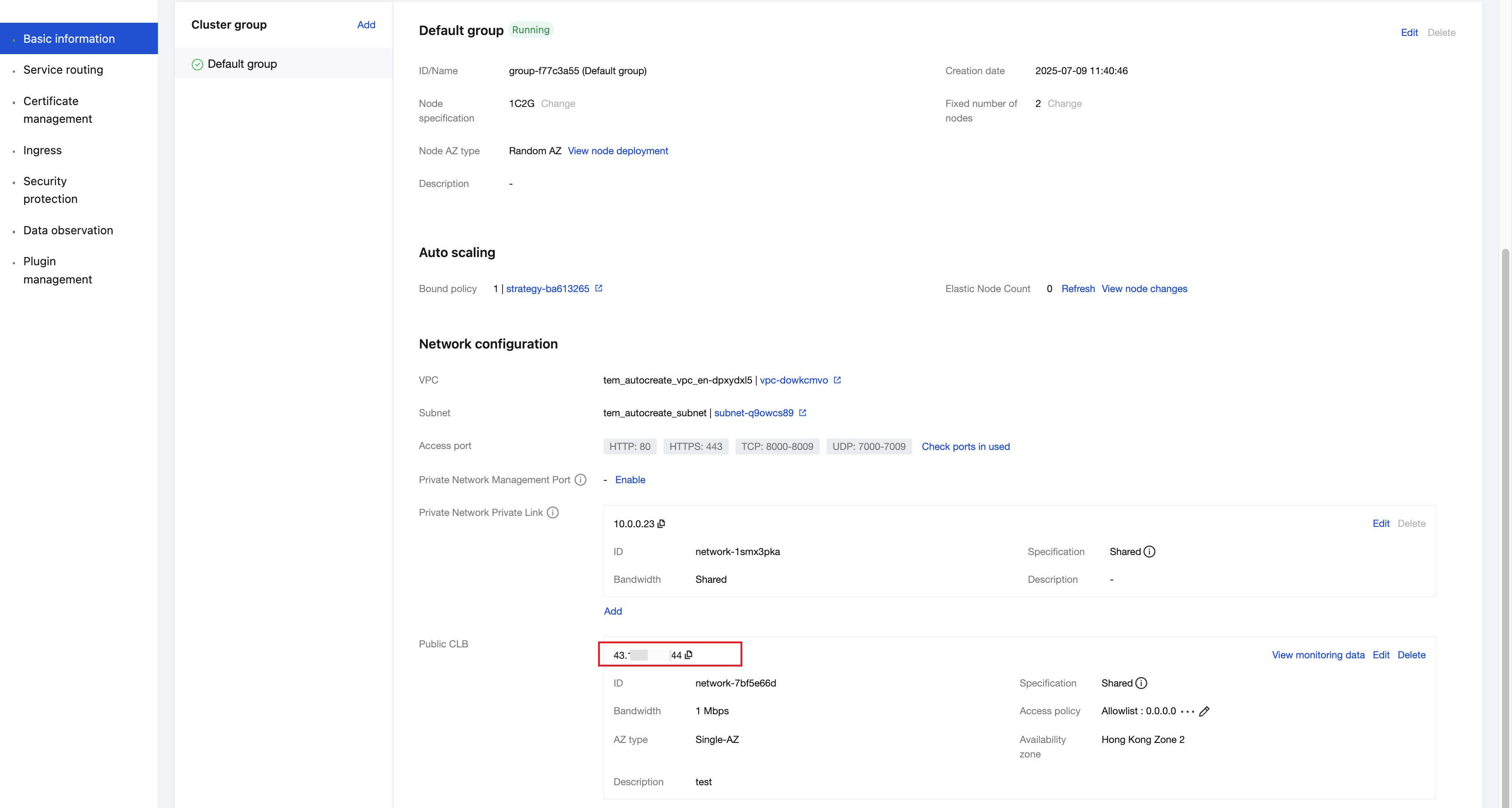
1. Go to the Basic Information page of the Cloud Native Gateway and obtain the CLB IP address.
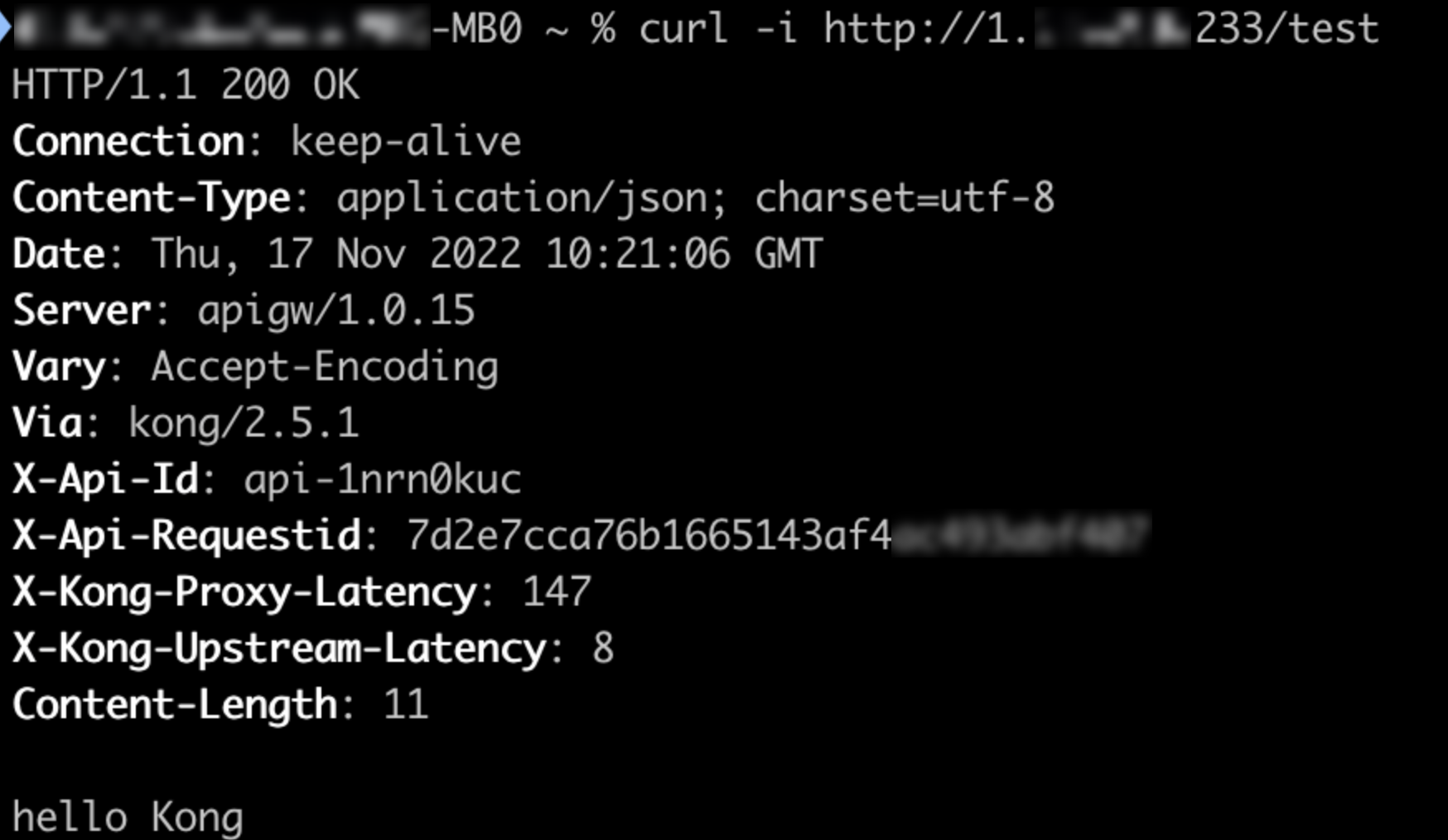
2. Use the CLB IP address and the configured route path to access the API. Execute a curl command to test. You can then access the backend service through the Cloud Native Intelligent Gateway.
curl http://<CLB IP>/<Route Path>
Bantuan dan Dukungan
Apakah halaman ini membantu?
Anda juga dapat Menghubungi Penjualan atau Mengirimkan Tiket untuk meminta bantuan.
masukan