Using the Rewrite Plugin to Modify Requests or Responses
Unduh
Mode fokus
Ukuran font
Terakhir diperbarui: 2026-09-22 18:34:45
Diterjemahkan oleh AI
Scenarios
This document describes how to implement the following common request/response transformation scenarios on a cloud native gateway using Kong plugins:
Rewriting the header/query/body in the request phase
Rewriting the header/body in the response phase
Prerequisites
The gateway instance has been purchased. For details, see Create Gateway.
The service (Service) and route (Route) have been configured.
Extension Descriptions
Plugin name: TSE PROXY REWRITE
Plugin group: Transformations
Overview: This module rewrites client requests and responses, supporting the use of Nginx built-in variables.
Specific capabilities:
Adding, editing, or deleting query/header parameters in the request or response phase
Adding, editing, or deleting body parameters in the request or response phase when content-type is application/json, multipart/form-data, or application/x-www-form-urlencoded
This module supports rewriting requests/responses using NGINX variables.
Plugin Configurations
Configuration Item
Required
Configuration Description
Header parameter
No
Multiple entries can be configured, and each entry includes the effective phase, operation type, key, and value.
Effective phase: The request and response phases are supported.
Operation type: Addition, deletion, and editing are supported.
Key-value: Enter the header parameter name and value of the request/response.
Nginx variables can be included in the format of $var, such as $remote_addr $balancer_ip.
Query parameter
No
Multiple entries can be configured, and each entry includes the effective phase, operation type, key, and value.
Effective phase: The request phase is supported.
Operation type: Addition, deletion, and editing are supported.
Key-value: Enter the query parameter name and value of the request.
Nginx variables can be included in the format of $var, such as $remote_addr $balancer_ip.
Body
No
Multiple entries can be configured, and each entry includes the effective phase, operation type, key, and value.
Effective phase: The request and response phases are supported.
Operation type: Addition, deletion, and editing are supported.
Key-value: Enter the name and value of the body parameter when content-type is application/json, multipart/form-data, or application/x-www-form-urlencoded.
Note:
When the operation type is editing, a key and a value are added if the specified parameter does not exist, and the existing value is replaced if the specified parameter already exists.
Operation Steps
Scenario 1: Adding Header Parameters in the Response Phase
2. Select Cloud Native Gateway in the left sidebar and click the target instance to go to the instance details.
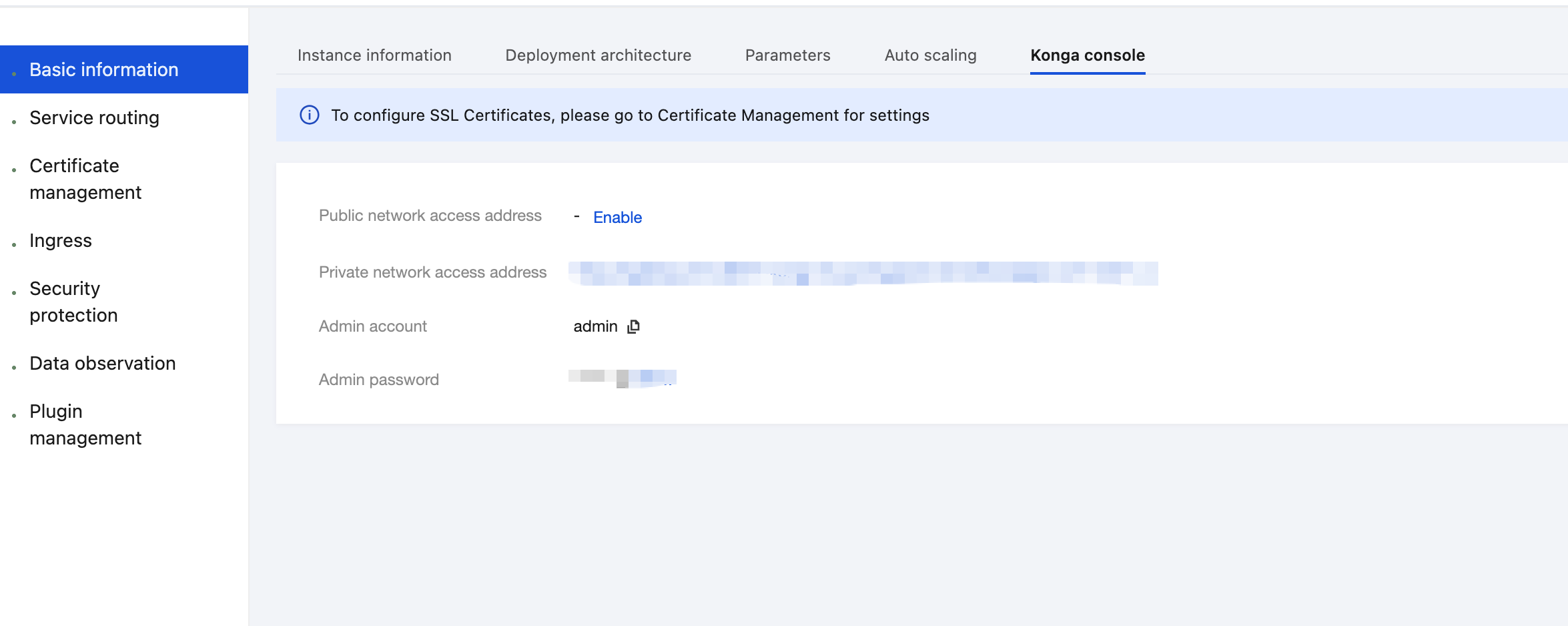
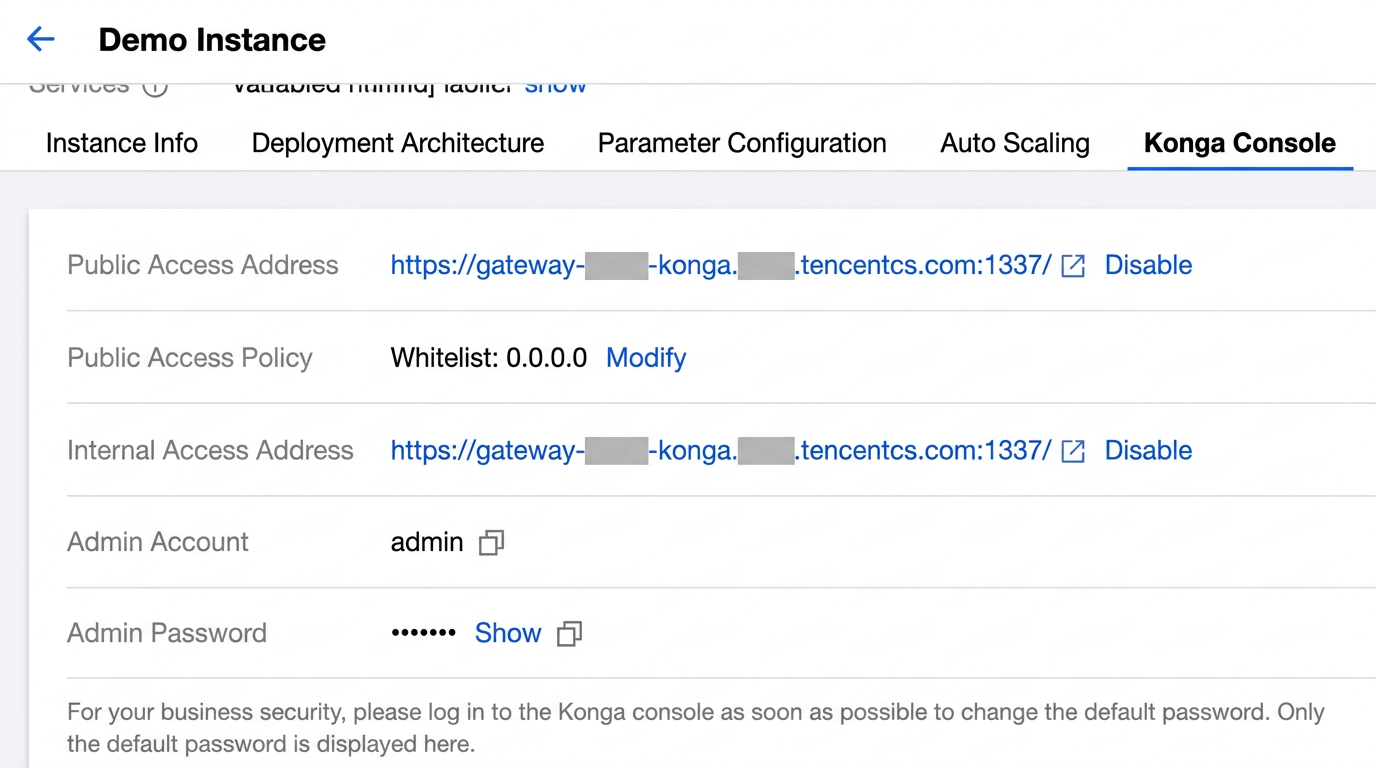
3. On the Basic Information page, click the Konga console Tag to view the management console login method.
4. Click the public network access address to go to the Konga console.
5. Go to the details page of the Service that requires traffic mirroring configuration, click Add Plugin to add a plugin, and select the TSE PROXY REWRITE plugin under the Transformations group.
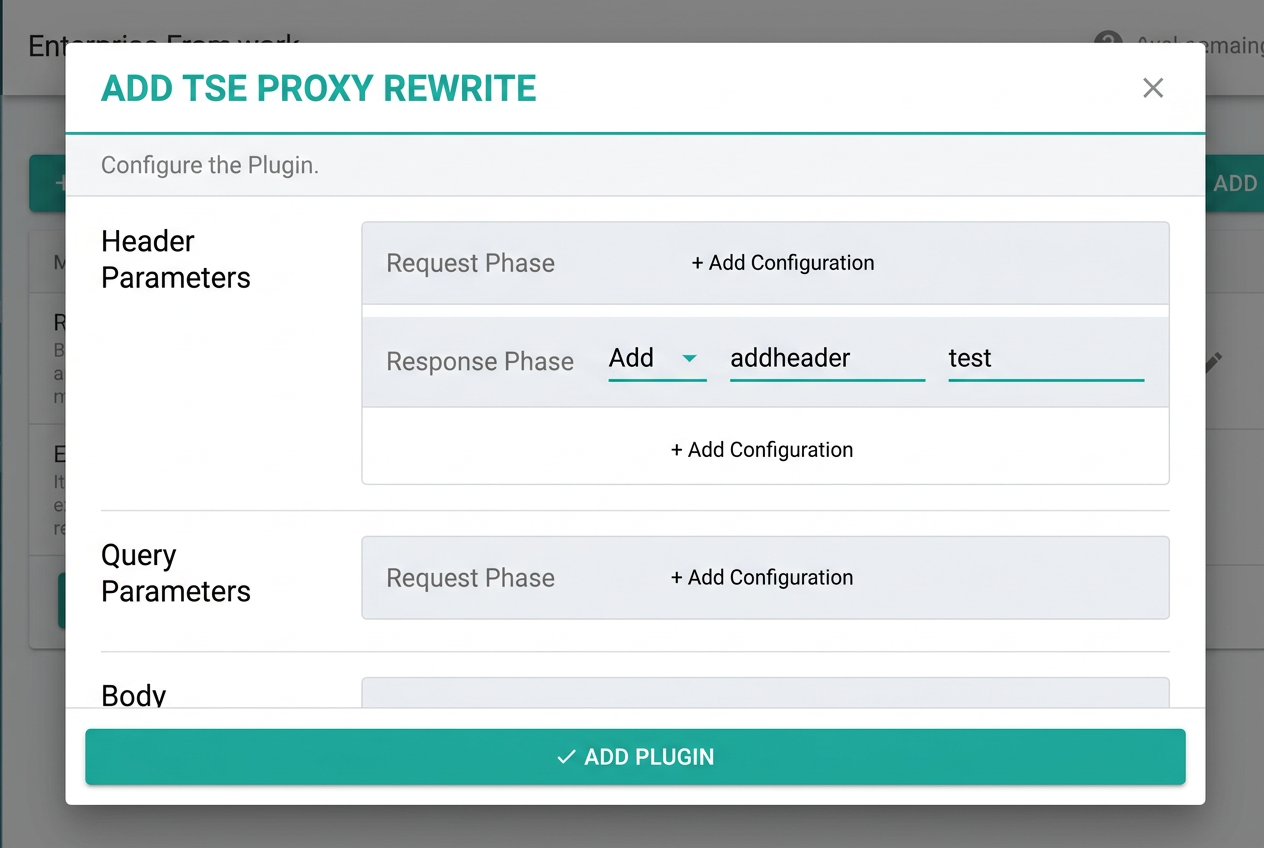
6. Specify the following parameters in the plugin to add a Header parameter during the response phase.
7. Initiate an API request and check whether the backend service response contains the newly-added Header parameter.
HTTP/1.1 200 OK
Addheader: test
Connection: keep-alive
Content-Length: 20
Content-Type: application/octet-stream
Date: Thu, 22 Dec 2022 06:31:11 GMT
Server: nginx/1.20.1
Via: kong/2.5.1
X-Kong-Proxy-Latency: 30
X-Kong-Upstream-Latency: 66
this is testservice
Scenario 2: Rewriting a Query Parameter in the Request Phase
2. Select Cloud Native Gateway in the left sidebar and click the target instance to go to the instance details.
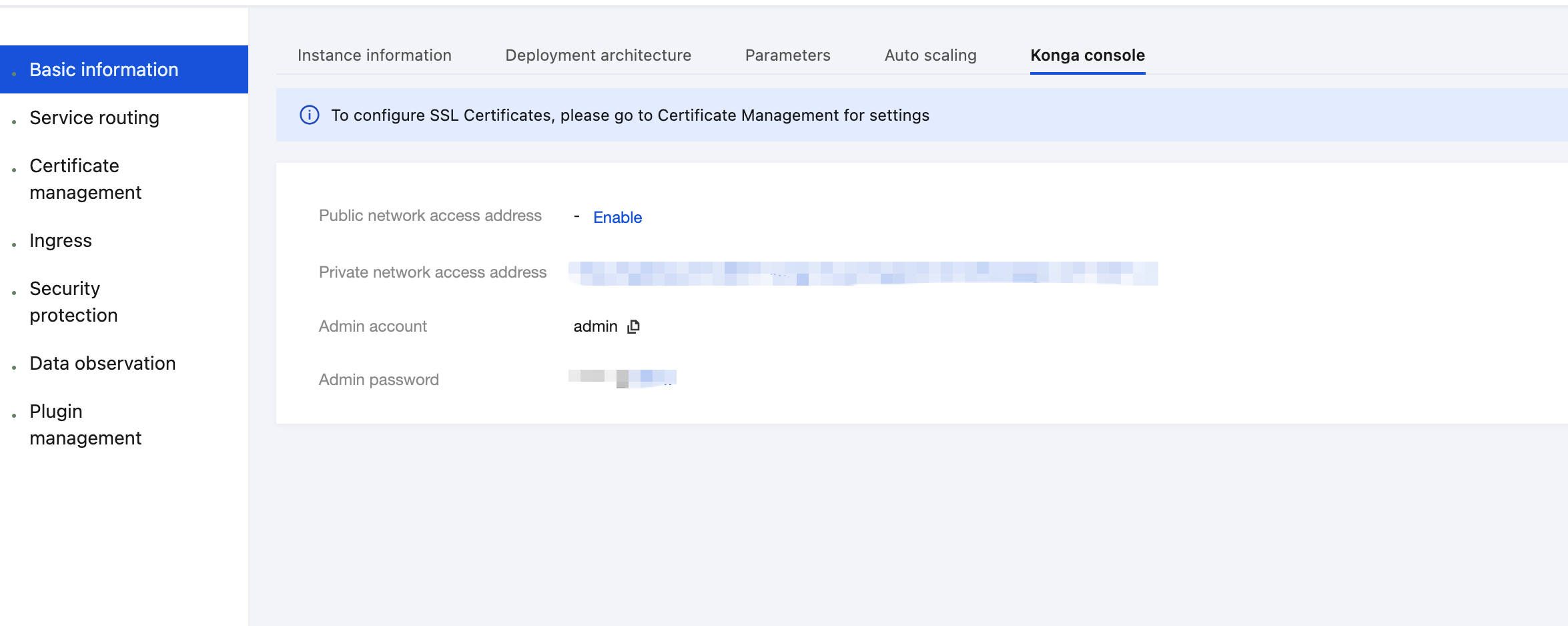
3. On the Basic Information page, click the Konga console Tag to view the management console login method.
4. Click the public network access address to go to the Konga console.
5. Go to the details page of the Service that requires traffic mirroring configuration, click Add Plugin to add a plugin, and select the TSE PROXY REWRITE plugin under the Transformations group.
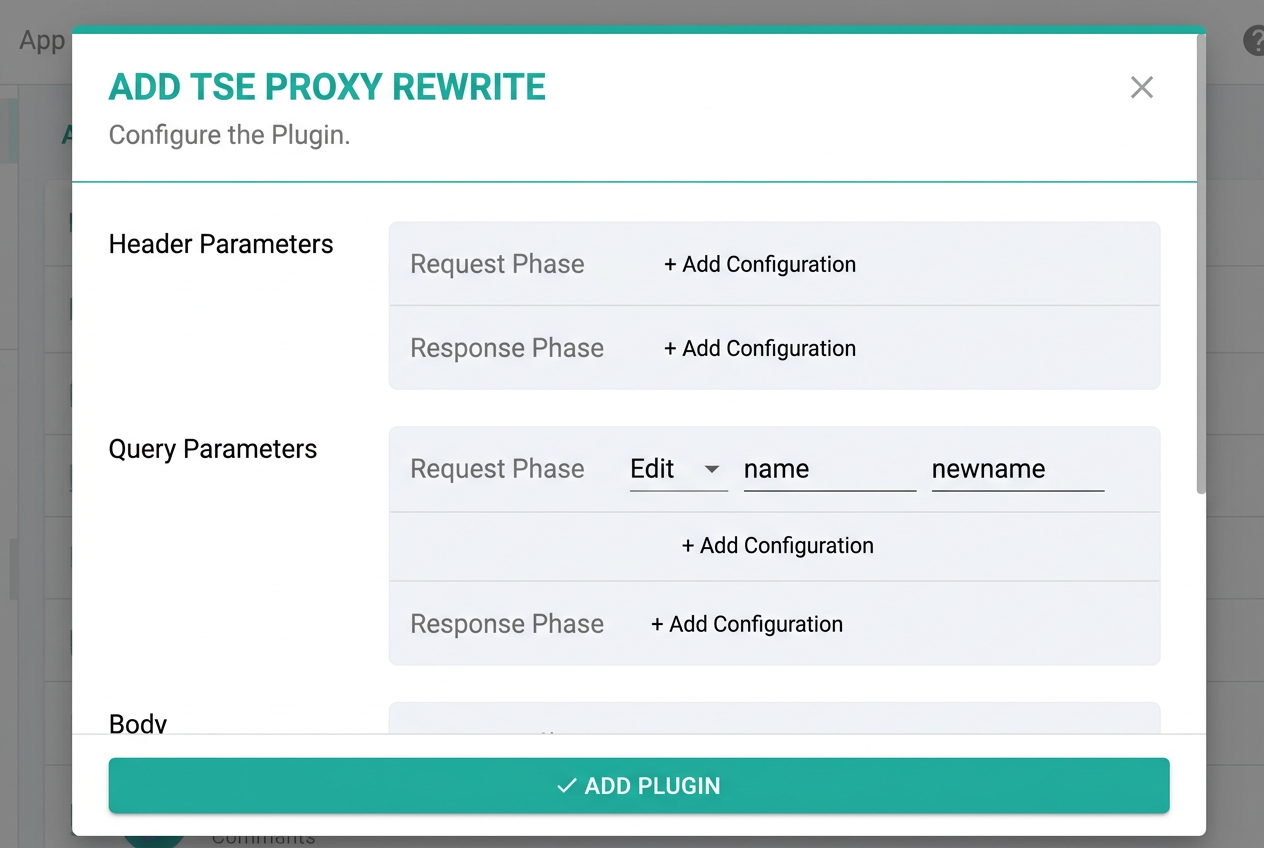
6. Specify the following parameters in the plugin to rewrite the Query parameter during the request phase.
7. Initiate an API request and check whether the backend service receives the rewritten query parameter.
Scenario 3: Adding a Body Parameter in the Response Phase
2. Select Cloud Native Gateway in the left sidebar and click the target instance to go to the instance details.
3. On the Basic Information page, click the Konga console Tag to view the management console login method.
4. Click the public network access address to go to the Konga console.
5. Go to the details page of the Service that requires traffic mirroring configuration, click Add Plugin to add a plugin, and select the TSE PROXY REWRITE plugin under the Traffic Control group.
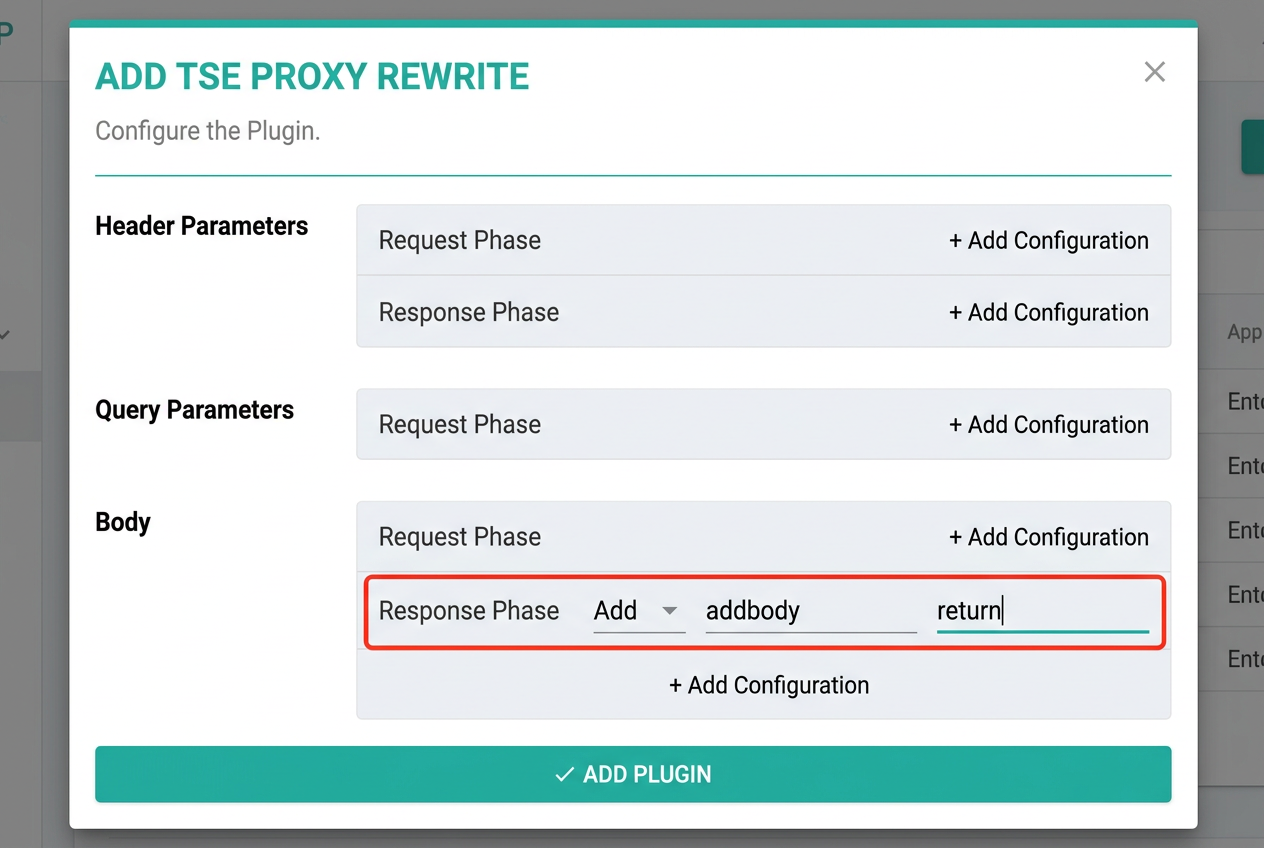
6. Specify the following parameters in the plugin to add a Body parameter during the response phase.
Note:
To operate the body parameter, the request should include the Content-Type header. The body parameter can be rewritten only when Content-Type is application/json, multipart/form-data, or application/x-www-form-urlencoded.
7. Initiate an API request and check whether the backend service receives the newly-added body parameter.
HTTP/1.1 200 OK
Connection: keep-alive
Content-Type: application/json
Date: Thu, 22 Dec 2022 06:53:43 GMT
Server: nginx/1.20.1
Via: kong/2.5.1
X-Kong-Proxy-Latency: 22
X-Kong-Upstream-Latency: 63
Content-Length: 54
{"myreturn":"this is test service","addbody":"return"}