tencent cloud

Game Multimedia Engine

Product Introduction
Overview
Strengths
Features
Scenarios
Compliance
Console Guide
Usage Querying
Activating Services
Getting Started
Quick Integration of SDK
Quick Integration of Sample Project
Basic Feature Development Guide
Authentication Key
Voice Chat Role Configuration
Sound Quality
Client API
SDK for Unity
SDK for Unreal Engine
Cocos2D SDK
SDK for Windows
SDK for iOS
SDK for Android
SDK for macOS
H5 SDK
Electron SDK
SDK for Flutter
SDK Version Upgrade Guide
Error Codes
Toolchain
Server APIs
History
Introduction
API Category
Usage APIs
Recording APIs
Making API Requests
Voice Chat APIs
Application APIs
Data Types
Error Codes
FAQ
Product Features
Troubleshooting Guide
Billing
Sample Project Usage
General
Authentication
Voice Chat Room Entry Failure
Sound and Audio
Network
Speech-to-text Conversion
Program Export
Service Agreement
Service Level Agreement
Kebijakan GME
Perjanjian Privasi dan Keamanan Data
Kebijakan Privasi

iOS Project Upgrade Guide

PDF
Mode fokus
Ukuran font
Terakhir diperbarui: 2024-01-18 15:11:45

Overview

The GME SDK has been upgraded to v2.9. To implement this upgrade, perform the following steps in your Xcode project:

Upgrade Directions

1. Download the SDK

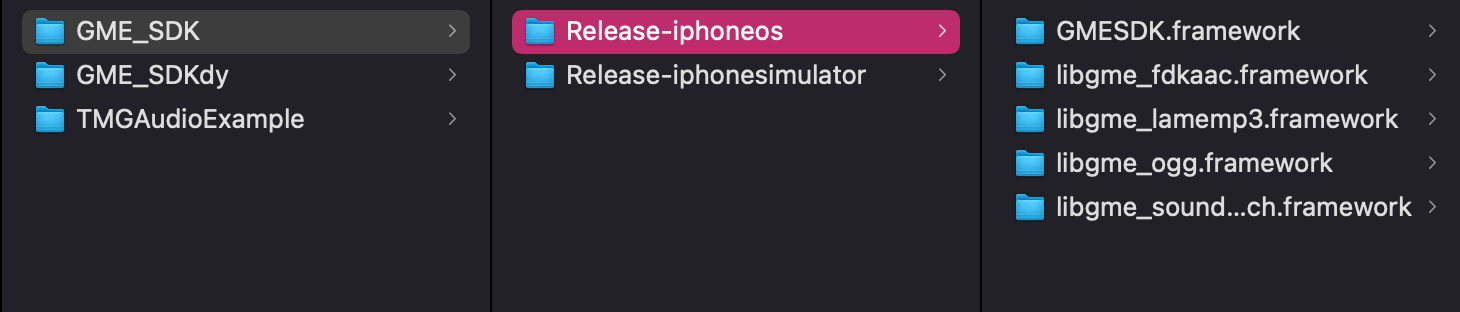
In the new version, the dynamic libraries of the SDK are split into the following files:
libgmefdkaac.framework
libgmeogg.framework
libgmelamemp3.framework
libgmesoundtouch.framework
Make sure that the downloaded SDK contains these files. After downloading, put them together with GMESDK.framework in the project directory. Release-iphoneos is the SDK file used for real devices, while Release-iphonesimulator is the SDK file used for simulators.


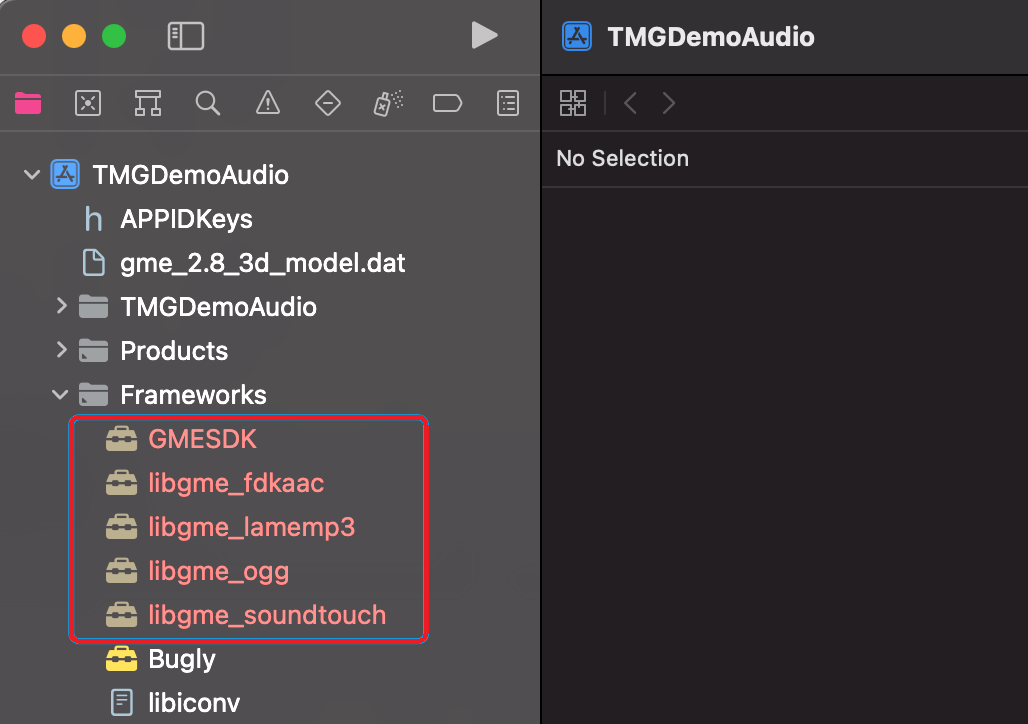
2. Import the SDK into the project

Import all frameworks into the project as shown below:


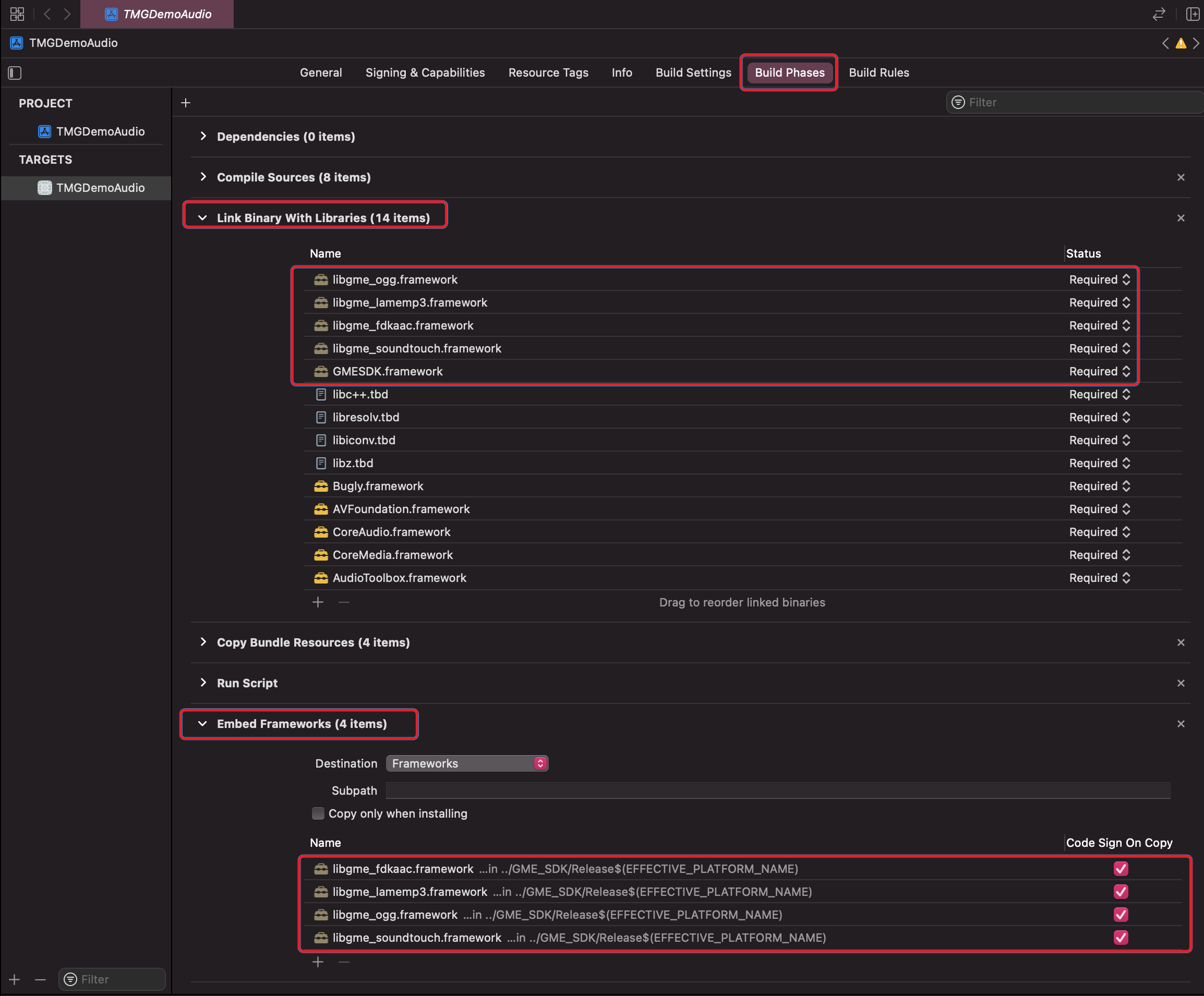
3. Configure frameworks and sign

1. In the Xcode project, click Build Phases, expand Link Binary With Libraries, and import all GME frameworks.
2. Expand Embed Framework, import all GME frameworks, and select Code Sign On Copy.


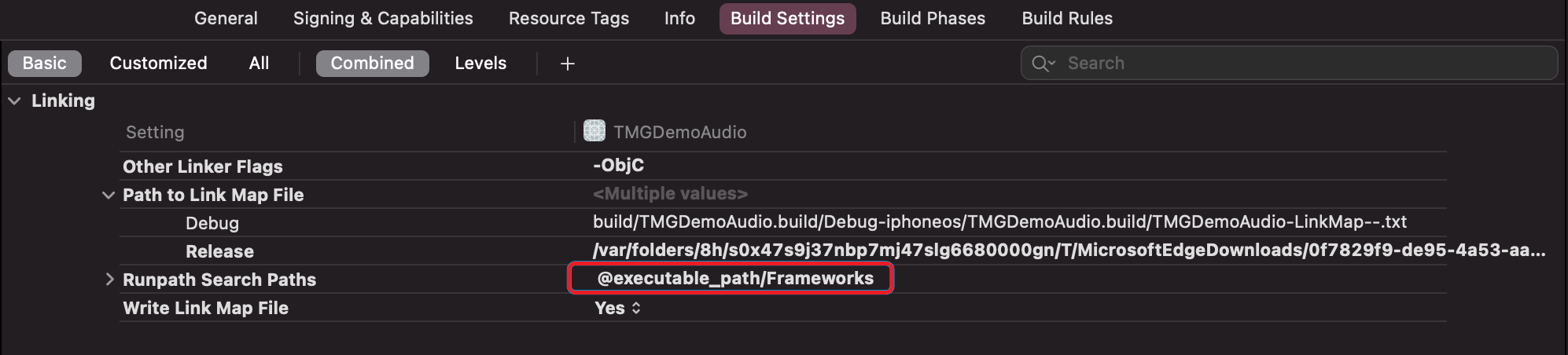
4. Modify the rpath

You need to add @executable_path/Frameworks in the rpath. If it has already been added, there is no need for modification.
Bantuan dan Dukungan

Apakah halaman ini membantu?

masukan