TDSQL for MySQL can roll back data to any time point in the last 30 days based on the retention of backups and logs. With the database rollback feature, system loss can be minimized.
The rollback feature of TDSQL for MySQL doesn’t affect a production instance and can directly roll back data to a new pay-as-you-go instance created by Tencent Cloud. This new rollback instance is a standard one, and you can configure it based on your needs.
Limits
During the rollback and creation of a temp instance, some management features of the production instance in Tencent Cloud console will be unavailable, and these features will become available after the operation is completed.
The binlogs may be forcibly sharded during the rollback operation, and files smaller than 100 MB in size will be backed up separately.
The newly purchased instance after rollback will have the parameter information of the production instance in Tencent Cloud console (such as account, and database parameters, etc.). Therefore, you must pay attention to account management.
Instance Rollback
1. Log in to TDSQL for MySQL Console, click the instance ID, and enter the instance management page.
2. On the instance management page, select the Backup and Restoration > Rollback Instance tab and click Create Rollback Instance.
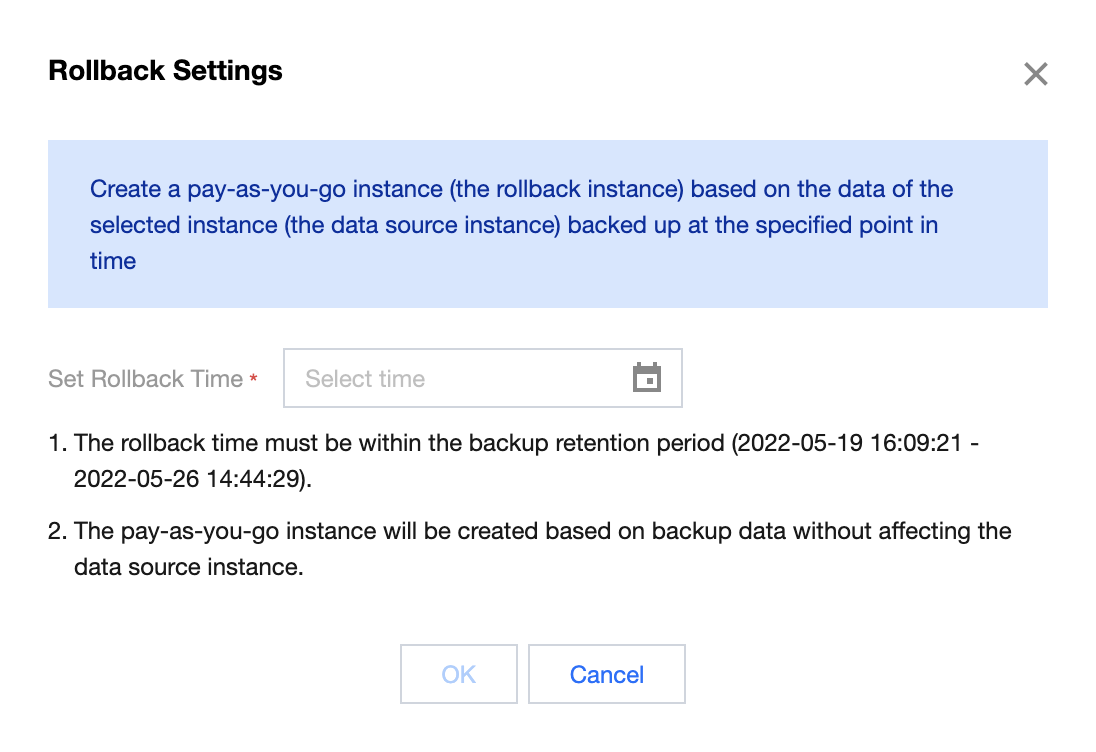
3. In the pop-up window, set the rollback time and click OK.
4. On the instance purchase page, adjust configuration based on your needs, click Buy Now, and wait for instance rollback to be completed.
5. After the rollback is completed, you can view the generated rollback instance on the Backup and Restoration > Rollback Instance page or in the instance list.