TDSQL for MySQL comes with the transparent data encryption (TDE) feature. Transparent encryption means that the data encryption and decryption are transparent to users. TDE supports real-time I/O encryption and decryption of data files. It encrypts data before it is written to disk, and decrypts data when it is read into memory from disk, which meets the compliance requirements of static data encryption.
This document describes how to enable data encryption and encrypt/decrypt data in the console.
Prerequisites
The TDE feature is currently supported only for Percona 5.7 in Hong Kong (China) and MySQL 8.0.24.
KMS must be activated in advance or as prompted when TDE is enabled.
KMS key permissions must be granted in advance or as prompted when TDE is enabled.
Notes
After KMS is activated, KMS fees may be incurred as detailed in Purchase Method.
TDE cannot be disabled once enabled.
If disaster recovery read-only instances are created, TDE cannot be enabled.
After TDE is enabled, disaster recovery read-only instances cannot be created.
After TDE is enabled, the database instances cannot be restored from a backup file. We recommend you restore them as instructed in Rolling Back Database.
TDE enhances the security of static data while compromising the read-write performance of encrypted databases. Therefore, use it based on your actual needs.
After TDE is enabled, more CPU resources will be consumed, and about 5% of the performance will be compromised.
Directions
1. Log in to the TDSQL for MySQL console and click an instance ID or Manage in the Operation column to enter the instance management page.
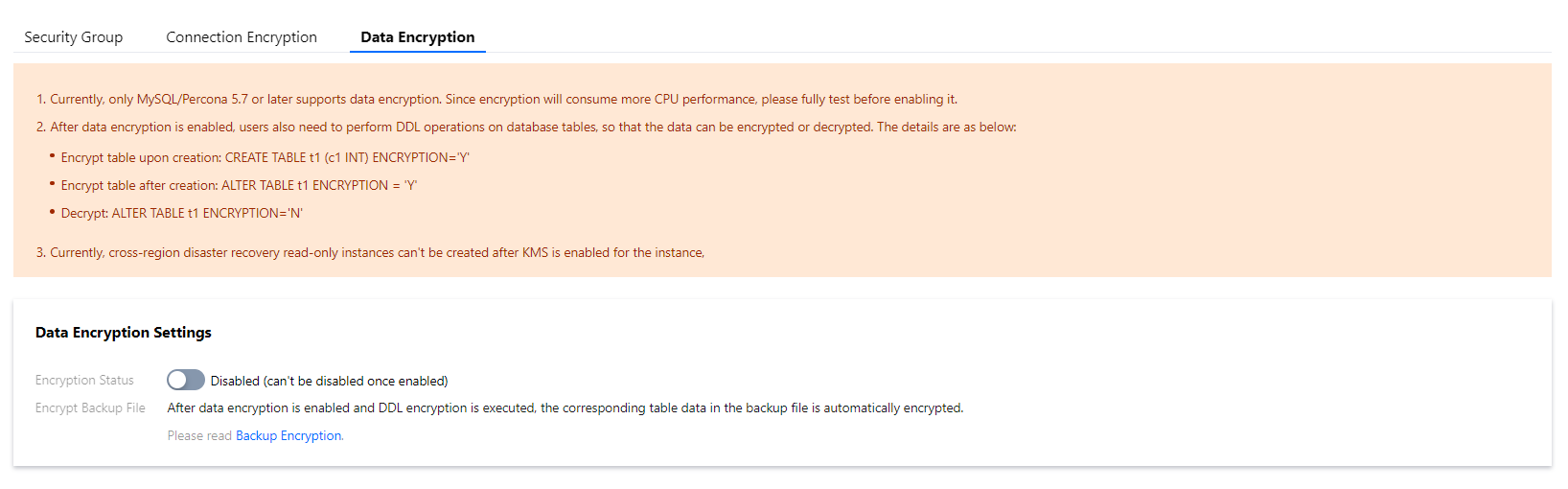
2. On the instance management page, select Data Security > Data Encryption and toggle on Encryption Status.
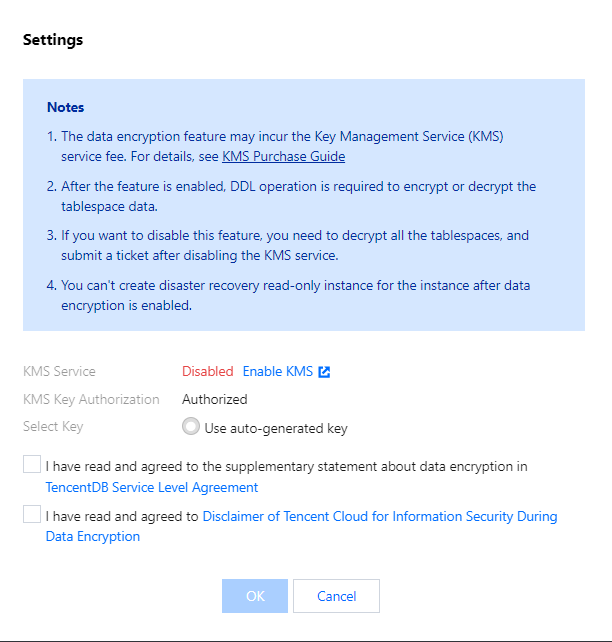
3. In the pop-up dialog box, activate KMS, grant the KMS key permissions, select a key, and click OK.
4. After data encryption is enabled, you must perform DDL operations on database tables to encrypt or decrypt data as instructed below: