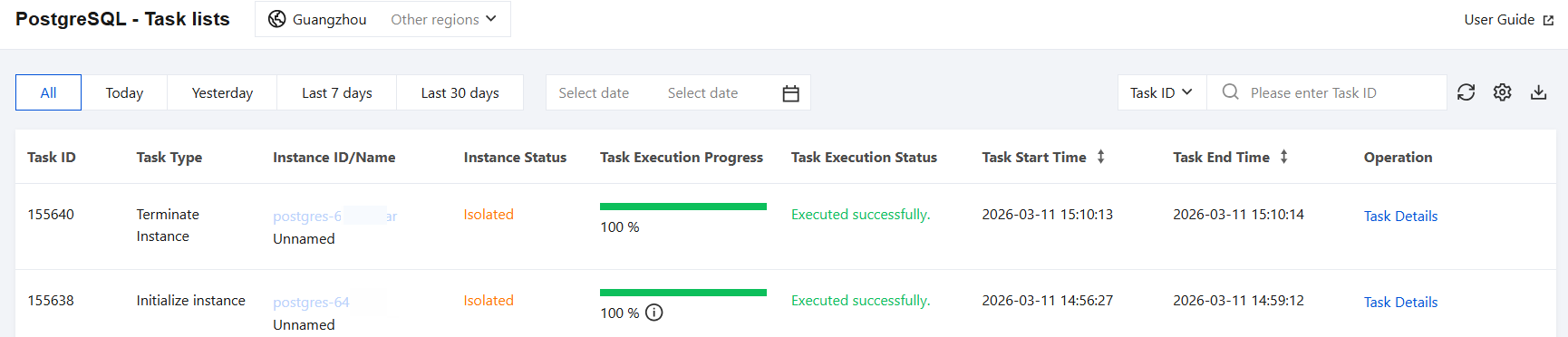
You can view the details of executed tasks through the TencentDB for PostgreSQL console, making it convenient for you to understand the progress of tasks operating on instances. This article introduces how to view the task list through the console and manage tasks.
Task Types
Through the task list, you can view task types including: instance initialization, adjust instance configuration, restart instance, upgrade minor version, upgrade major version, pre-check for major version upgrade, enable public network, disable public network, create read-only group, change read-only group for read-only instance, add read-only instance to read-only group, remove read-only instance from read-only group, clone instance, database table rollback, add network, delete network, enable audit, disable audit, instance AZ change, parameter configuration, destroy instance, decommission instance, physical migration, primary/secondary switchover, and so on.
2. In the left sidebar, click Task List to enter the task list page.
3. Select the corresponding region at the top.
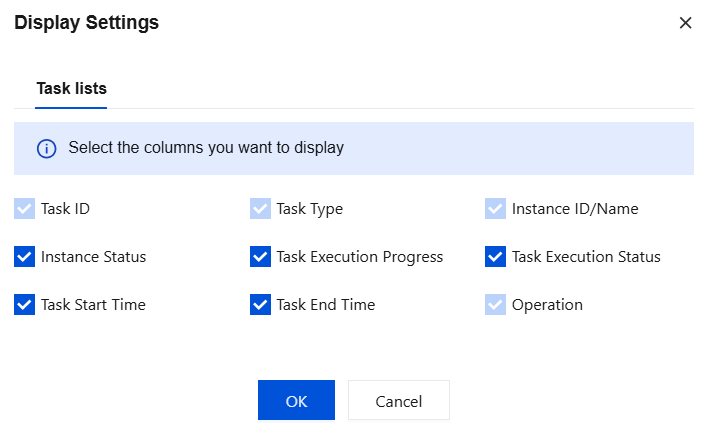
4. You can click the
button after the search box to customize the default fields displayed in the list.
Search Tasks
The system supports querying through the following methods:
In the top-left corner, use quick buttons to select a specified time or set a custom time range to filter tasks that started within that period. The task list supports querying tasks within the past 180 days.
In the top-right corner, search for tasks by Task ID or instance ID. This type of search only supports exact match search.
Downloading Task Data
Go to the task list page, click the download button
after the search box, and choose to download data on the current page or data under the current query conditions. The file will contain all field data. The download file format is csv, and the file name is Tencent Cloud_PostgreSQL_Task List_YYYY-MM-DD_HH_MM_SS.csv.
Viewing Task Details
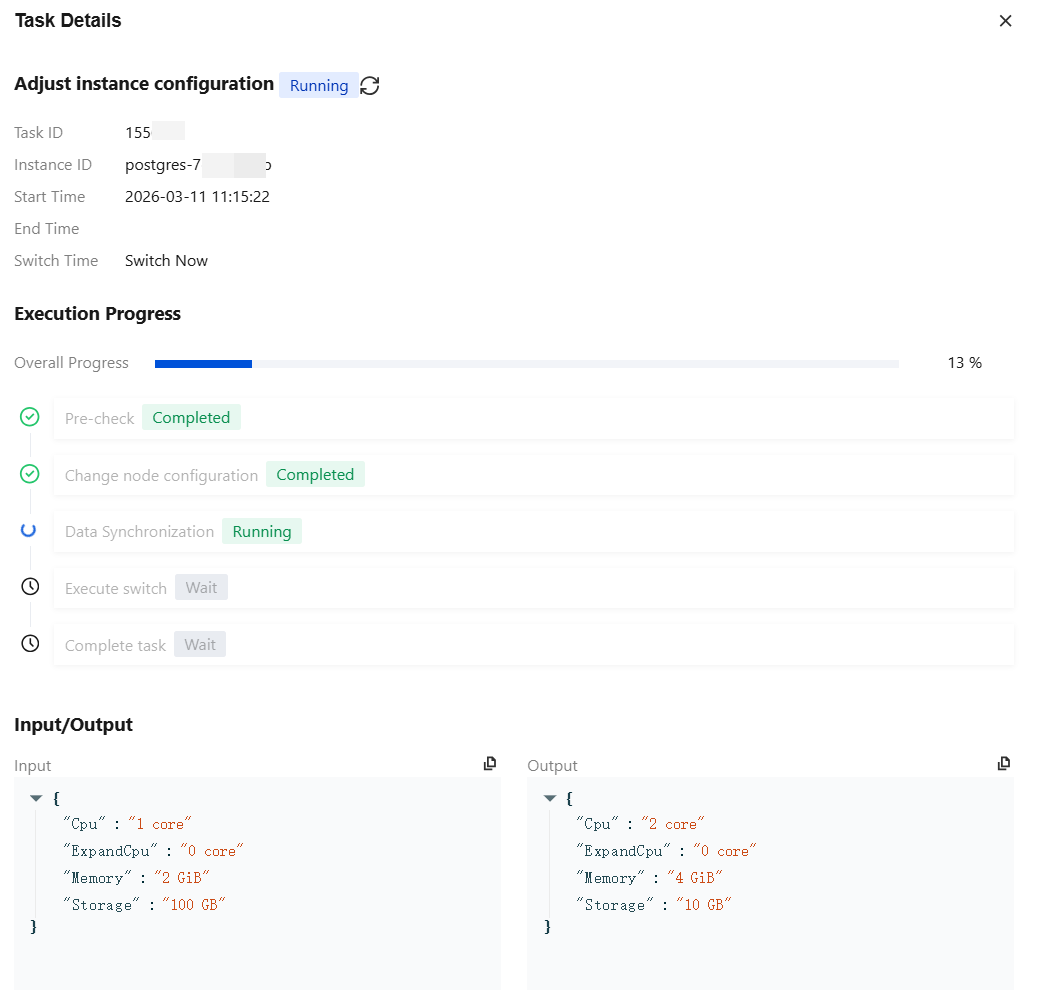
Go to the task list page, locate the specified task item, and click Task Details in the Operation column.
As shown in the figure above, for tasks such as adjusting instance configurations, the system provides configuration information before and after task execution in the task details for your reference, where input is the configuration information before task execution, and output is the configuration information after task execution. The following table will explain the input and output of each task one by one for you.
Task type
Input
Output
Adjusting the Instance Configuration
{
"Cpu":"2 core"//CPU configuration before instance adjustment.
"Memory":"4 GiB"//Memory configuration before instance adjustment.
"Storage":"10 GB"//Storage space configuration before instance adjustment.
}
{
"Cpu":"2 core"//CPU configuration after instance adjustment.
"Memory":"4 GiB"//Memory configuration after instance adjustment.
"Storage":"20 GB"//Storage space configuration after instance adjustment.
"Message":"success"//Task-specific return, success represents success. For other statuses, see specific information.
}
Changing the read-only group for a read-only instance
{
"NewROGroupId":"pgrogrp-3p21ssox"//Target read-only group ID
"OldROGroupId":"pgrogrp-dct9wsml"//Source read-only group ID
"ROInstanceId":"pgro-a9qea3c9"//Read-only instance ID
}
{
"NewROGroup":{//Target read-only group details.
"ROGroupId":"pgrogrp-3p21ssox"
"ROGroupIp":"10.0.0.2"
"ROGroupName":"1"
"ROGroupPort":5432
}
"OldROGroup":{//Source read-only group details.
"ROGroupId":"pgrogrp-dct9wsml"
"ROGroupIp":"10.0.0.6"
"ROGroupName":"2"
"ROGroupPort":5432
}
"ROInstance":{//Read-only instance details.
"ROInstanceId":"pgro-a9qea3c9"
"ROInstanceIp":[
0:"10.0.0.17"
]
"ROInstanceName":"Unnamed"
"ROInstancePort":5432
}
}
Adding a read-only instance to a read-only group
{
"ReadOnlyGroupId":"pgrogrp-3p21ssox"//Target read-only group ID
"ReadOnlyInstanceId":"pgro-82nkylkb"//Read-only instance ID
}
{
"ROGroup":{//Target read-only group details.
"ROGroupId":"pgrogrp-3p21ssox"
"ROGroupIp":"10.0.0.2"
"ROGroupName":"1"
"ROGroupPort":5432
}
"ROInstance":{//Read-only instance details.
"ROInstanceId":"pgro-82nkylkb"
"ROInstanceIp":[
0:"10.0.0.10"
]
"ROInstanceName":"Unnamed"
"ROInstancePort":5432
}
}
Removing a read-only instance from a read-only group
{
"ROGroupId":"pgrogrp-3p21ssox"//Source read-only group details.
"ROInstanceId":"pgro-a9qea3c9"//Read-only instance ID
}
{
"ROGroup":{//Source read-only group details.
"ROGroupId":"pgrogrp-3p21ssox"
"ROGroupIp":"10.0.0.2"
"ROGroupName":"1"
"ROGroupPort":5432
}
"ROInstance":{//Read-only instance details.
"ROInstanceId":"pgro-a9qea3c9"
"ROInstanceIp":[
0:"10.0.0.17"
]
"ROInstanceName":"Unnamed"
"ROInstancePort":5432
}
}
Adding a network
{
"DBInstanceId":"postgres-6s1kuw28"//Instance ID
"IsAssignVip":false//Whether the assigned VIP is registered. All are false here.
"SubnetId":"subnet-piadji8r"//Subnet ID.
"Vip":""//The VIP that is about to be assigned. All are empty here.
"VpcId":"vpc-fz41fhgo"//VPC ID
}
{
"DBInstanceId":"postgres-6s1kuw28"//Instance ID
"DBInstanceNetInfo":{//Details of the newly added network.
"Address":""
"Ip":"10.0.10.15"
"Port":5432
"Status":"opened"
"NetType":"private"
"VpcId":"vpc-fz41fhgo"
"SubnetId":"subnet-piadji8r"
"ProtocolType":"postgresql"
}
}
Deleting a network
{
"DBInstanceId":"postgres-6s1kuw28"//Instance ID
"SubnetId":"subnet-piadji8r"//Subnet ID.
"Vip":"10.0.10.15"//The VIP to be deleted
"VpcId":"vpc-fz41fhgo"//VPC ID
}
{
"DBInstanceId":"postgres-6s1kuw28"//Instance ID
"DBInstanceNetInfo":{//Details of the deleted network.
"Address":""
"Ip":"10.0.10.15"
"Port":5432
"Status":"closed"
"NetType":"private"
"VpcId":"vpc-fz41fhgo"
"SubnetId":"subnet-piadji8r"
"ProtocolType":"postgresql"
}
}
Parameter configuration
{
"Name":"max_connections"//Modify the parameter name.
"ExpectedValue":"2040"//Modify the parameter target value.
}
{
"max_connections":{//Parameter name.
"message":"this parameter must be modified on the master node first and reboot"//Prompt information for reference.
"modify_after_value":"2040"//Target value of the parameter.
"modify_before_value":"2048"//Original value of the parameter.