Enabling Instance Termination Protection
ダウンロード
フォーカスモード
フォントサイズ
Scenarios
Normally, when you no longer need an instance, you can terminate it via the console or API. To prevent accidental termination, you can enable termination protection. Once enabled, the instance cannot be terminated via the console or API. If you have confirmed that the instance needs to be terminated, you can disable termination protection before performing the termination.
By enabling termination protection, you can safeguard instances containing your business data from accidental termination. This document describes how to enable and disable instance termination protection via the console.
Notes
Instance termination protection is disabled by default for both new and existing instances. You can enable it as needed.
Instance termination protection does not take effect for system-level termination. For example, pay-as-you-go instances are terminated due to overdue payments after the instances are shut down, and yearly/monthly subscription instances are terminated upon expiration and after the instances are in the recycle bin for over 7 days.
Operation Steps
Enabling Instance Termination Protection
1. Log in to the TencentDB for PostgreSQL console.
2. You can enable instance termination protection for single or multiple instances based on your needs:
Enable instance termination protection for a single instance:
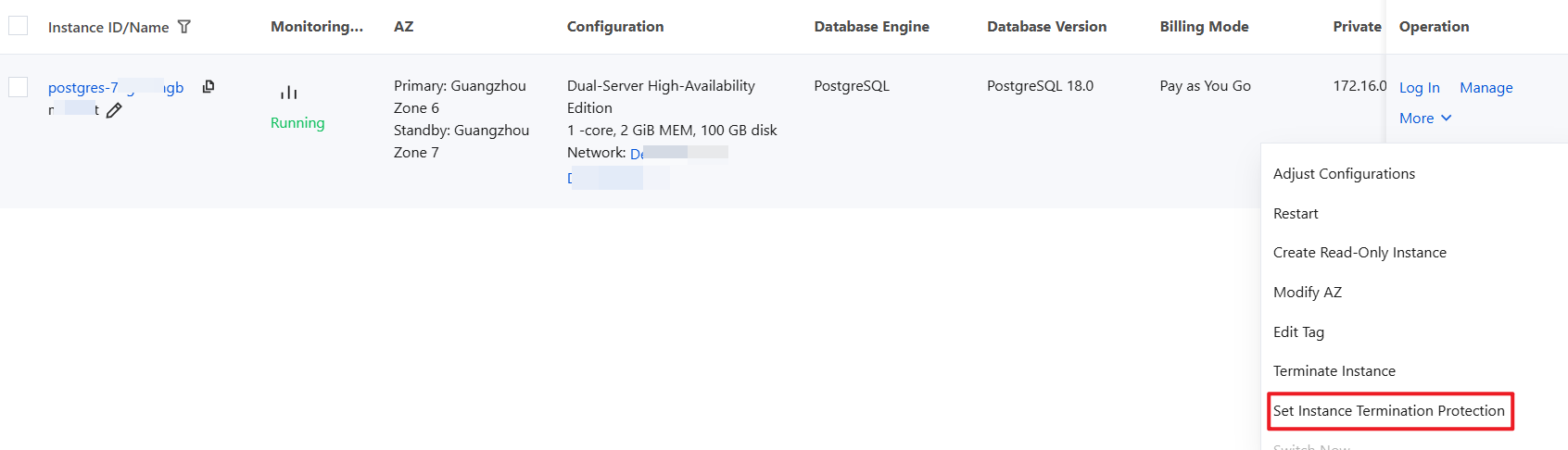
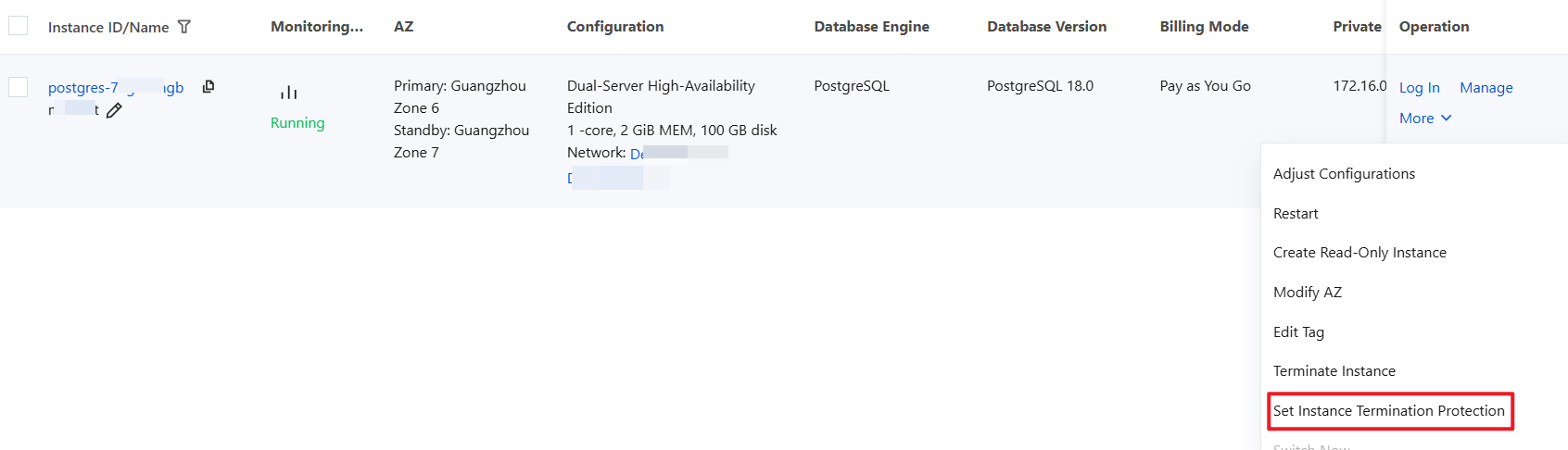
List View: Locate the instance for which you want to enable termination protection in the instance list. In the Operation column, choose More > Set Instance Termination Protection.
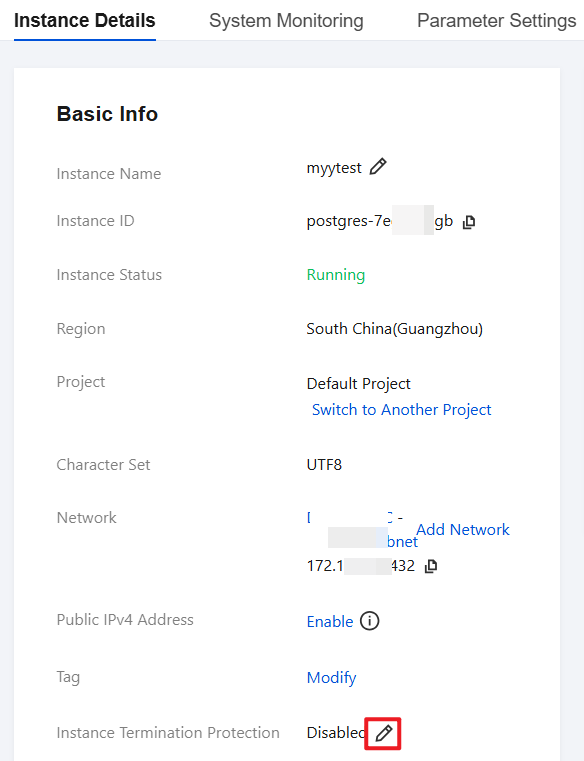
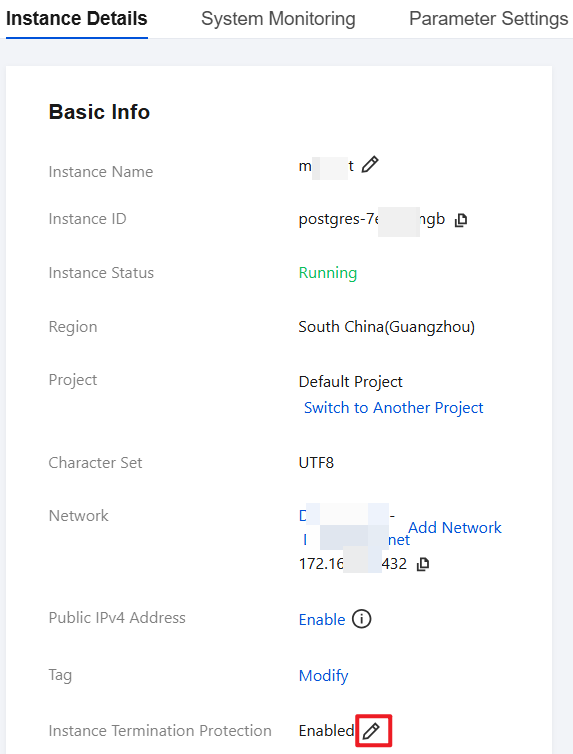
Tab View: Choose Instance Details > Basic Info > Instance Termination Protection. As shown below:
Enable termination protection for instances in batches:
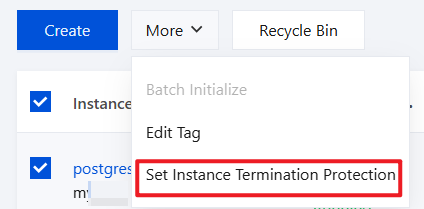
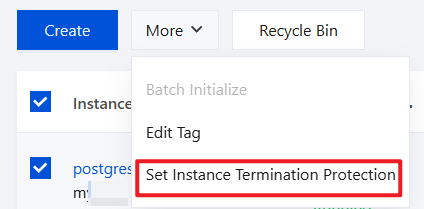
On the "Instance List" page, select the instances for which you want to enable termination protection, then choose More > Set Instance Termination Protection at the top of the list. As shown below:
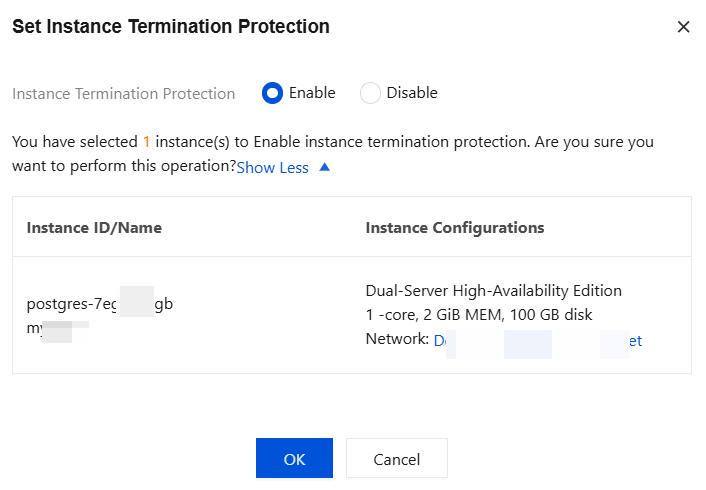
3. In the pop-up Set Instance Termination Protection window, select Enable, then click OK to enable instance termination protection.
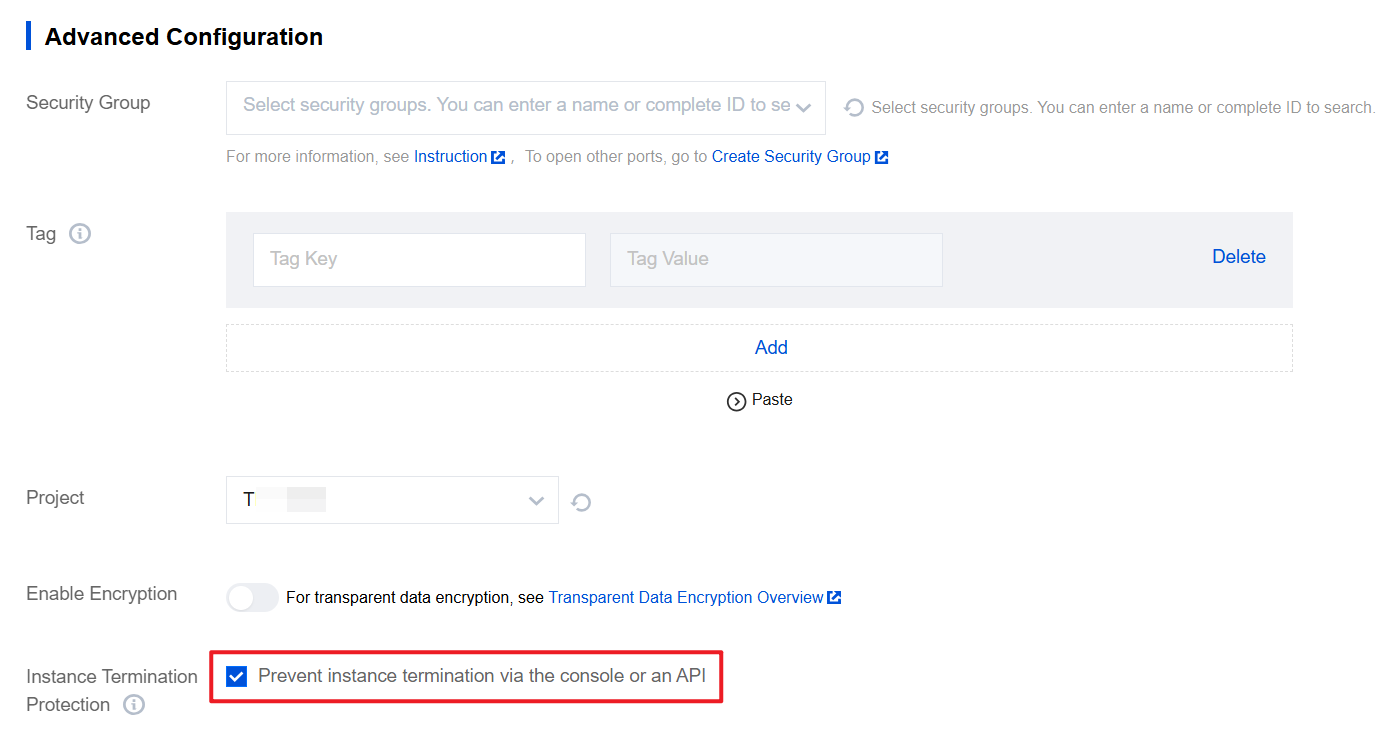
When purchasing a new instance, select Advanced Configuration > Instance Termination Protection > Prevent instance termination via the console or an API. As shown below:
Disabling Instance Termination Protection
If you have confirmed that the instance can be terminated, perform the following steps to disable instance termination protection before terminating the instance:
1. Log in to the TencentDB for PostgreSQL console.
2. You can disable termination protection for single or multiple instances based on your needs:
Disable termination protection for a single instance:
List View: Locate the target instance in the instance list. In the Operation column, choose More > Set Instance Termination Protection.
Tab View: choose Instance Details > Basic Info > Instance Termination Protection. As shown below:
Batch disable instance termination protection:
On the "Instance List" page, select the instances for which you want to disable termination protection, then choose More > Set Instance Termination Protection at the top of the list. As shown below:
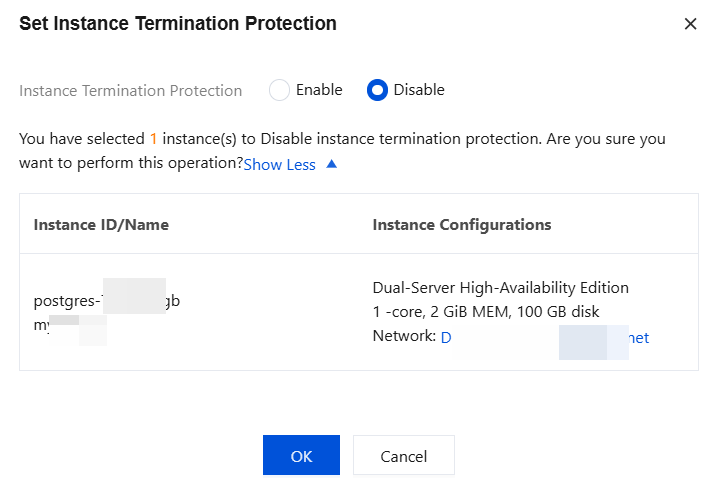
3. In the pop-up Set Instance Termination Protection window, select Disable, then click OK to disable instance termination protection.
フィードバック