Data consistency check compares table data between the source and target databases through Data Transfer Service (DTS) during data synchronization, providing comparison results and inconsistency details to help users quickly verify synchronization results. The data consistency check task is run independently and does not affect the normal business of the source database or the DTS tasks.
Note:
The consistency check is only for auxiliary data verification. Users are still required to perform data verification by themselves to ensure that the synchronization results meet the requirements.
Must-Knows and Constraints
1. The data consistency check task may increase the load on the source database instance. Therefore, it is recommended to perform these operations during off-peak hours.
2. Constraint comparison of checks:
Full verification: For tables without primary keys/unique keys, checks are supported if the number of rows is less than 10,000. Checks are skipped if the number of rows exceeds 10,000.
Row count check: No primary or unique key required for tables.
Sample-based verification: Checks are skipped for tables without primary keys.
3. The current check task does not detect DDL operations. If users perform DDL operations on the source database during synchronization, inconsistent check results may occur. Users are required to re-initiate the check task to obtain accurate comparison results.
4. During data consistency checks, DTS enforces a 10-minute timeout limit for single queries on the source or target database. A single query refers to the query performed for each chunk check and the query for the row quantity check. If a single query exceeds 10 minutes (for example, when querying large tables on the source), the check task will fail.
5. Data checks are supported only for unidirectional and bidirectional synchronization. They are not supported in complex topologies, such as many-to-one, one-to-many, ring, or star synchronization.
6. Configuring synchronization tasks as follows may result in inconsistent check results. Be aware of this when creating a check task.
If the data initialization type is not set to full data initialization, data inconsistency between the source and target may occur, ultimately leading to inconsistent check results.
If Conflict Ignore is enabled for primary key conflicts, data inconsistency between the source and the target may occur when conflicts arise, which will eventually lead to inconsistent data check results.
7. Limitations on independent check restrictions.
If table renaming operations have been performed on tables during data synchronization tasks, the following interaction restrictions apply when independent checks are created later.
7.1 Table renaming is configured in the synchronization link: When an independent check is performed, if you set Check Object to Custom, you need to select table objects one by one and cannot select the entire database. Otherwise, the tables that have been renamed previously will be excluded from the check.
8. If the synchronization task modifies synchronization configurations during the incremental check process, the incremental check will fail, requiring the check task to be re-initiated.
9. Incremental checks require the configuration for synchronization tasks to include incremental data synchronization.
10. Only one incremental check can be initiated at a time for each synchronization task.
Creating a Data Consistency Check Task
Automatic Creation
You can enable the data consistency check task when creating a DTS synchronization task. The data consistency check task is automatically triggered once the subsequent task proceeds to the incremental synchronization step.
Note:
The consistency check task configured in this example is a full check, which means it verifies the complete data of the selected objects.
On the Set Consistency Check page, select Enable data consistency verification, configure the parameters, and then click Next.
Configuration Item
Parameter
Description
check option
Verification Scope
Full check: Compare the full data in the synchronization task.
Structure check: Compare the structures of data objects in the synchronization task.
Continuous incremental check: Compare the incremental data generated after the initiation of the continuous incremental check task.
Verification Benchmark
Source: Use data from the source as the check benchmark.
Verification Parameters
Thread Count
The value range is 1–8. Select an appropriate value according to the actual situation. Increasing the number of threads can accelerate the consistency check speed, but it will also increase the load on the source and target databases.
Verified Object option
Check Object
All sync objects: The check scope includes all objects selected for the synchronization task.
Custom: Select specific objects from the selected synchronization objects for checking.
Manual Creation
You can create a data consistency check task for an existing DTS synchronization task.
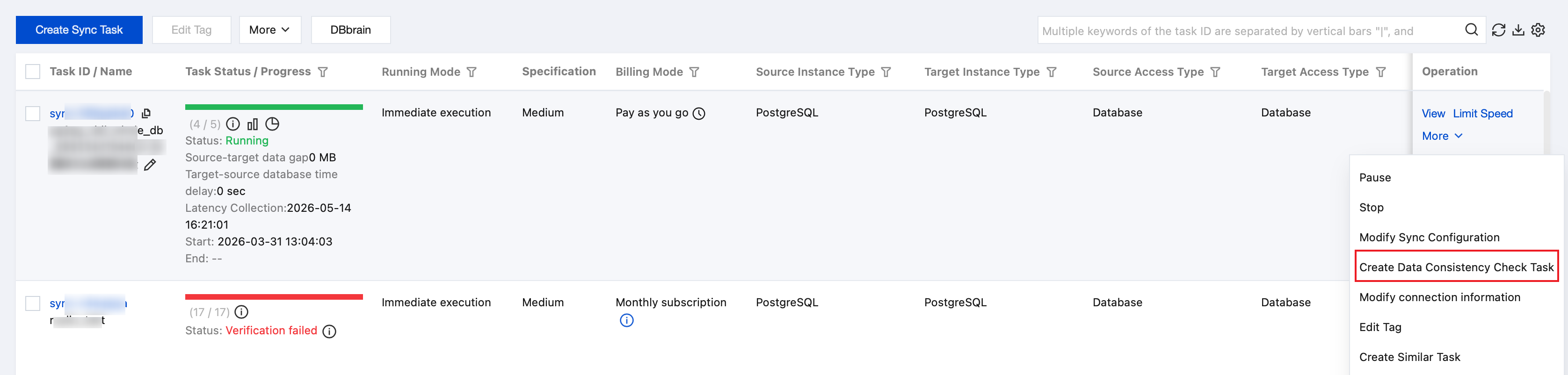
2. On the Data Sync page, select the synchronization task to be checked, and choose More > Create Data Consistency Check Task in the Operation column.
Note:
Data consistency checks can only be created when the synchronization task reaches the incremental synchronization step. If the button is grayed out on the page, it indicates that the DTS task status does not meet the requirements, such as the task not having reached the incremental synchronization step, task failure, or task termination.
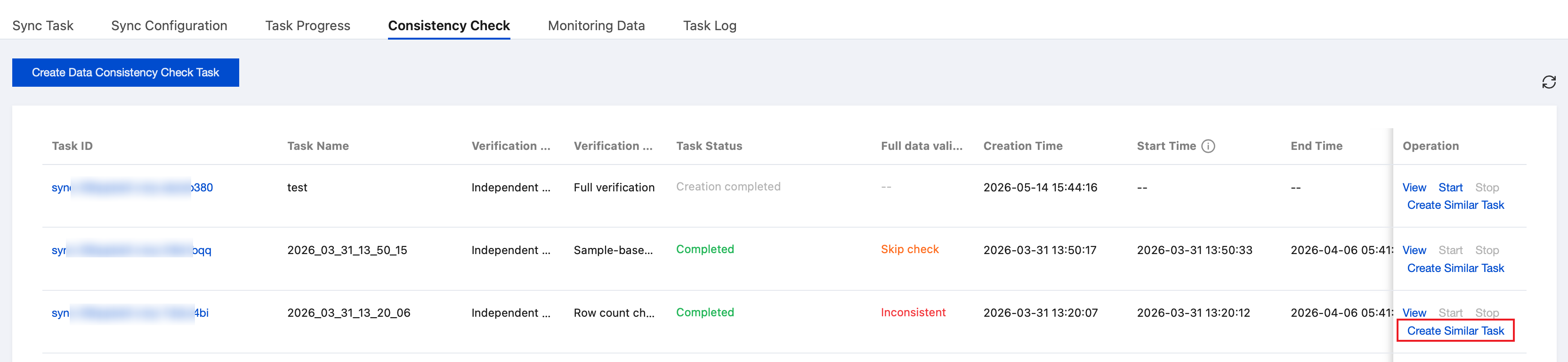
3. On the Consistency Check page, click Create Data Consistency Check Task.
Note:
If a consistency check task already exists, you can click Create Similar Task in the Operation column and configure the related parameters.
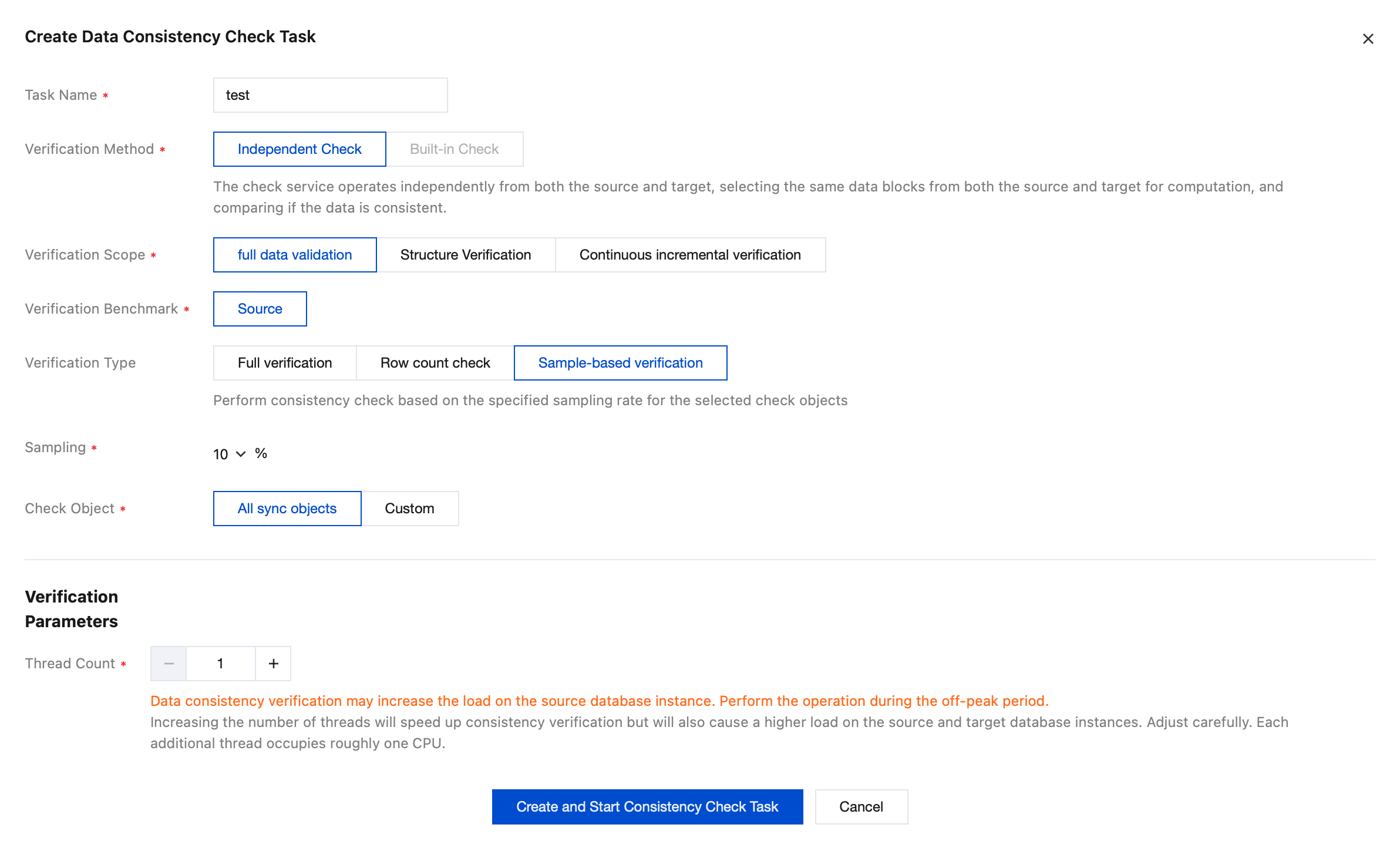
4. In the pop-up dialog box, click Create and Start Consistency Check Task after configuring the data consistency check parameters.
Parameter
Description
Task Name
Name of the created consistency check task.
Verification Method
Independent Check: The check service operates independently of the DTS task and selects identical data blocks from the source and target databases for comparison. Checks cannot be initiated after the DTS task ends.
Verification Scope
Full data validation: All data in the source and target databases is compared when a check task is initiated.
Structure validation: Only the most basic table structures in the source and target databases are checked. Others, such as indexes, constraints, and comments on the tables, are not checked.
Continuous incremental validation: Compare the incremental data generated after the initiation of the continuous incremental check task. Tables without primary keys will not be checked.
Verification Benchmark
Source: Use data from the source as the check benchmark.
Verification Type
Full verification: Perform a complete data consistency check on the selected check objects.
Row count check: Compare only the number of rows in the selected check objects.
Sample-based verification: Perform a consistency check on the selected check objects based on a certain sampling ratio.
Sampling
Configure the sampling ratio, which can be 10%, 20%, 30%, 40%, 50%, 60%, 70%, 80%, or 90%.
Note:
This parameter needs to be configured only when Verification Type is set to Sample-based verification.
Check Object
All sync objects: The check scope includes all objects selected for the synchronization task.
Custom: Select specific objects from the selected synchronization objects for checking.
Thread Count
The value range is 1–8. Select an appropriate value according to the actual situation. Increasing the number of threads can accelerate the consistency check speed, but it will also increase the load on the source and target databases.
Viewing the Data Consistency Check Results
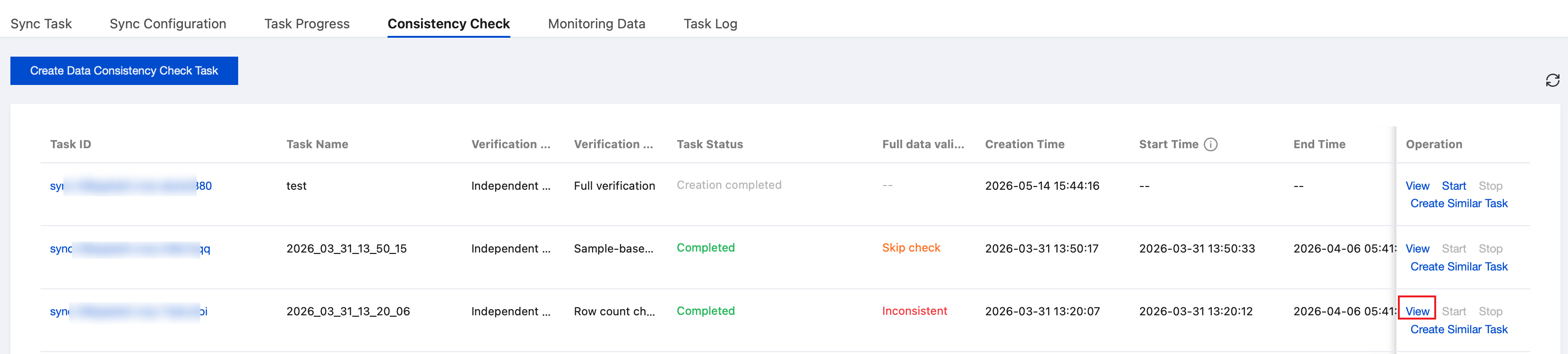
1. On the Consistency Check page, click View to view the check results.
2. View the check results.
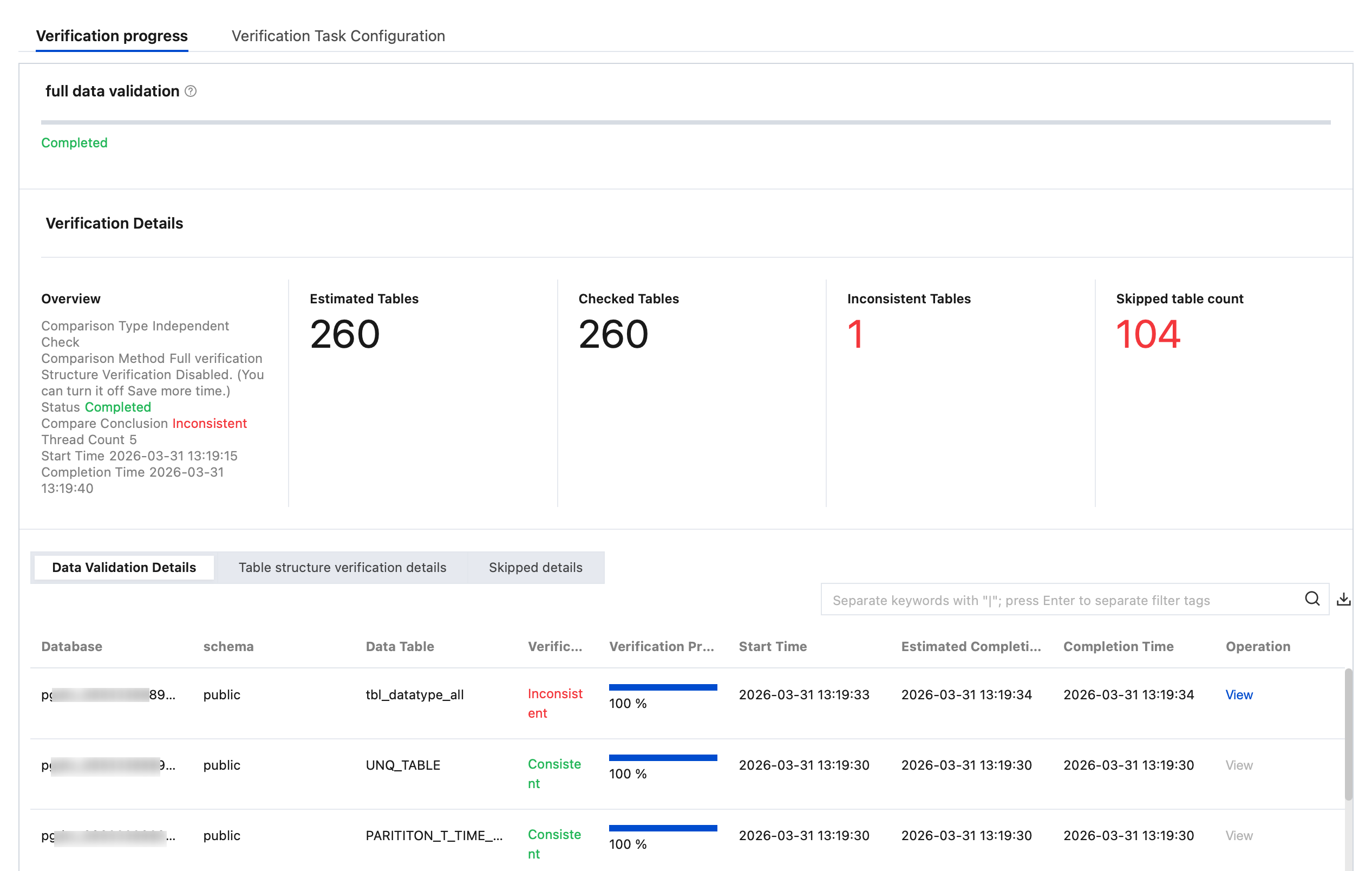
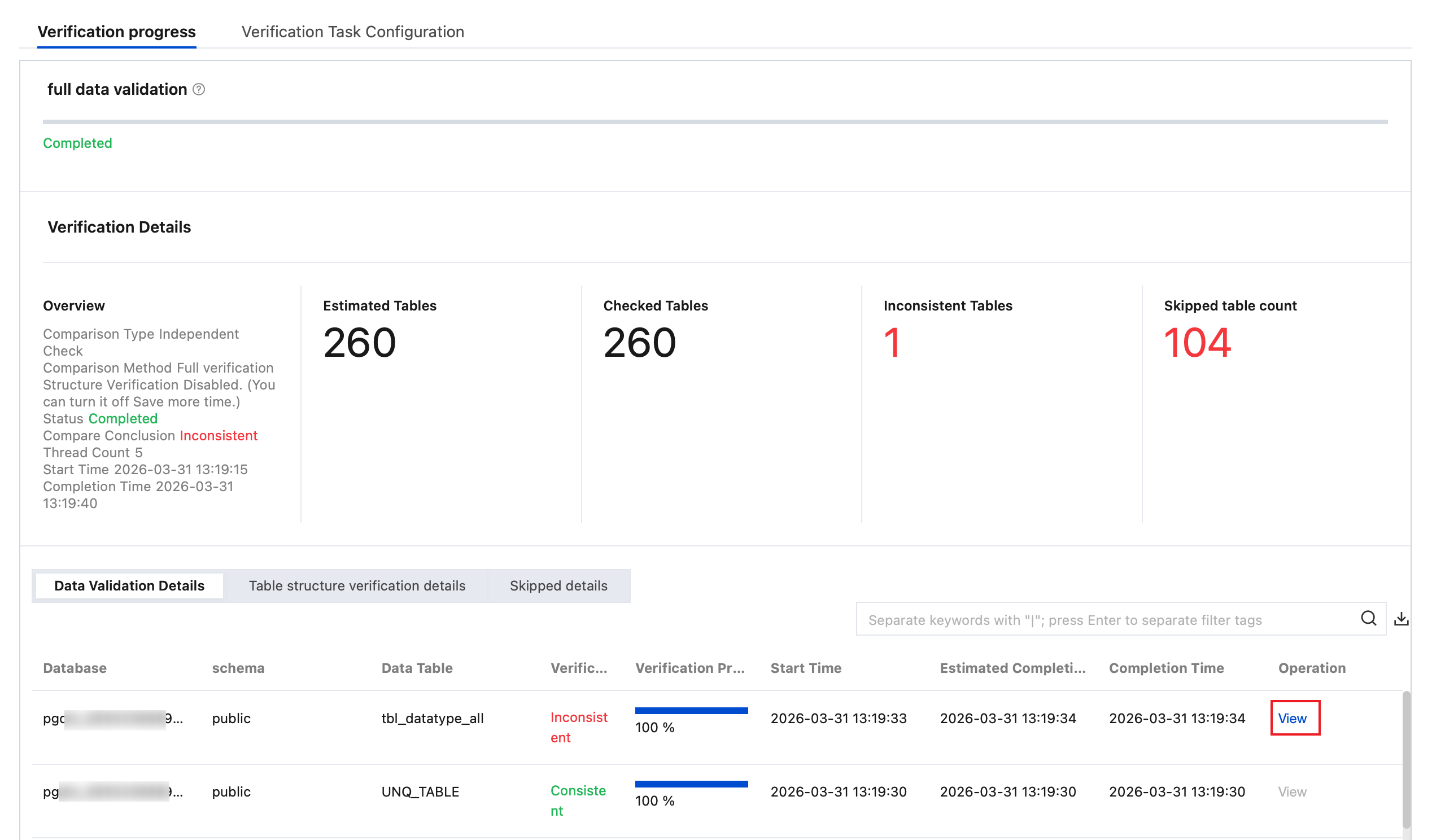
Full data verification: View Estimated Tables, Checked Tables, Inconsistent Tables, Skipped tables count, Number of Source Database Rows, and Number of Target Database Rows.
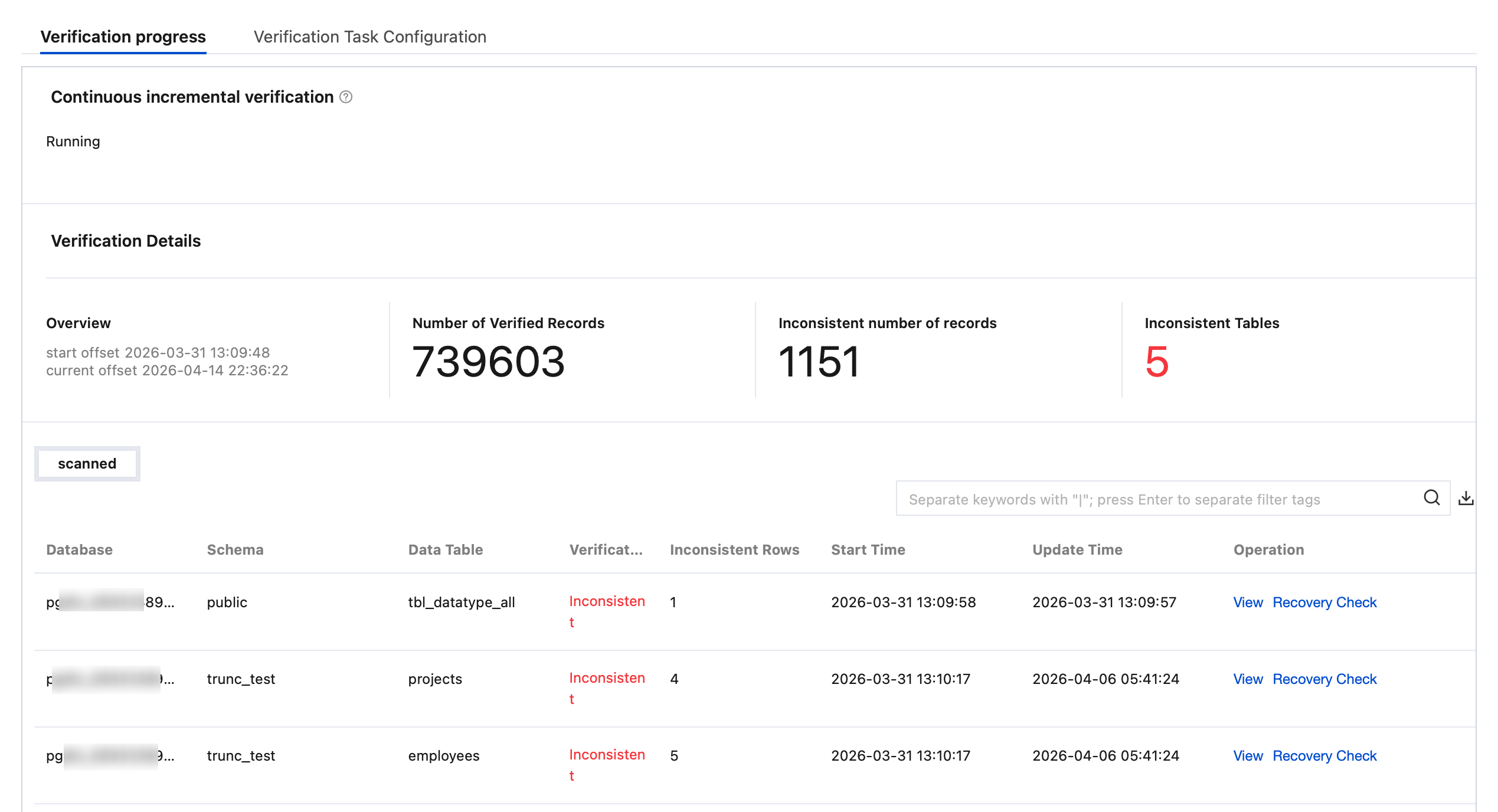
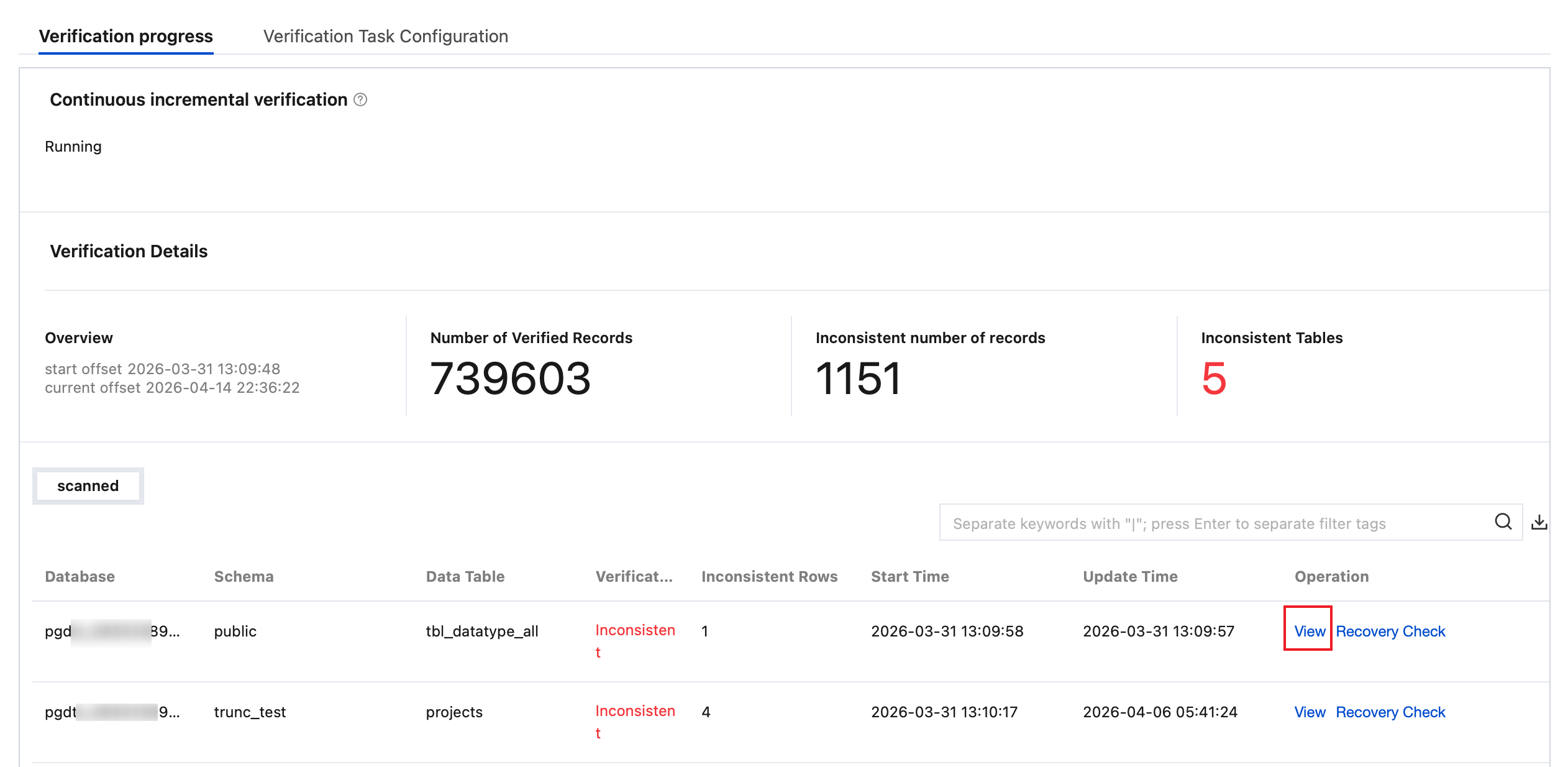
Continuous incremental verification: View Number of Verified Records, Inconsistent number of records, and Inconsistent Tables.
3. View inconsistency details.
Full data verification
You can view Data Validation Details, Table structure verification details, and Skipped details.
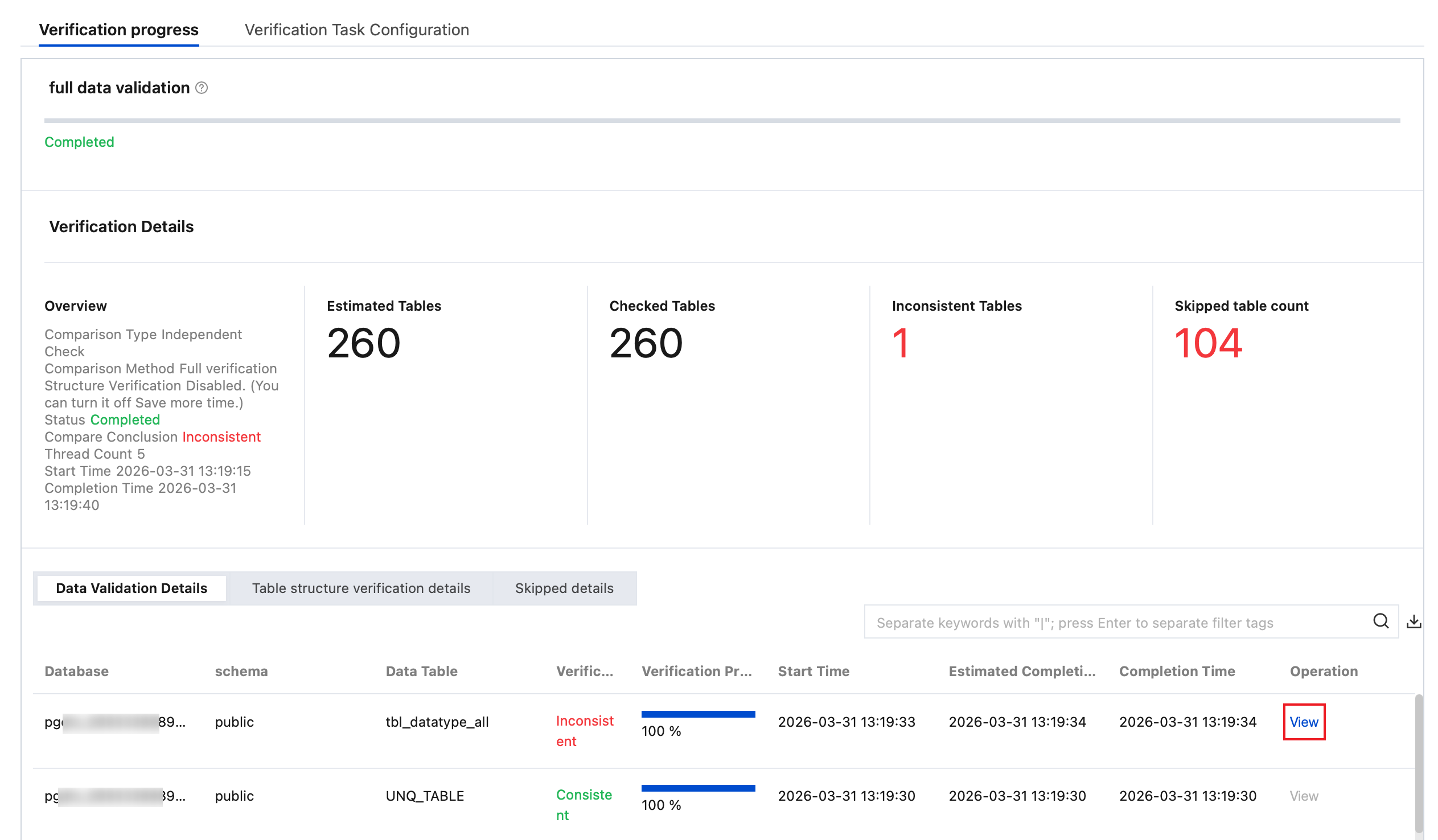
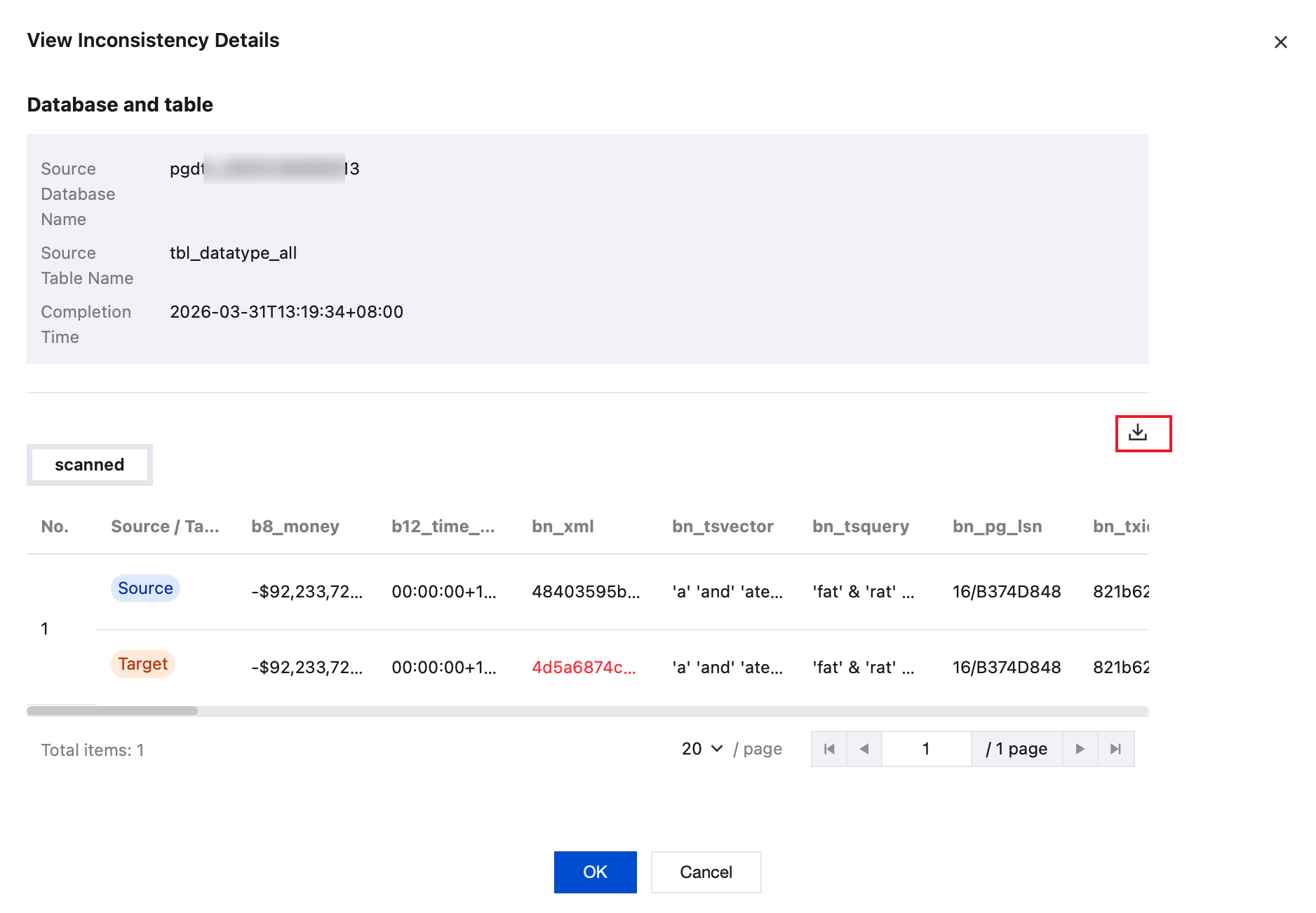
3.1.1 In the Data Validation Details, section, click View after the corresponding table to view inconsistent data details.
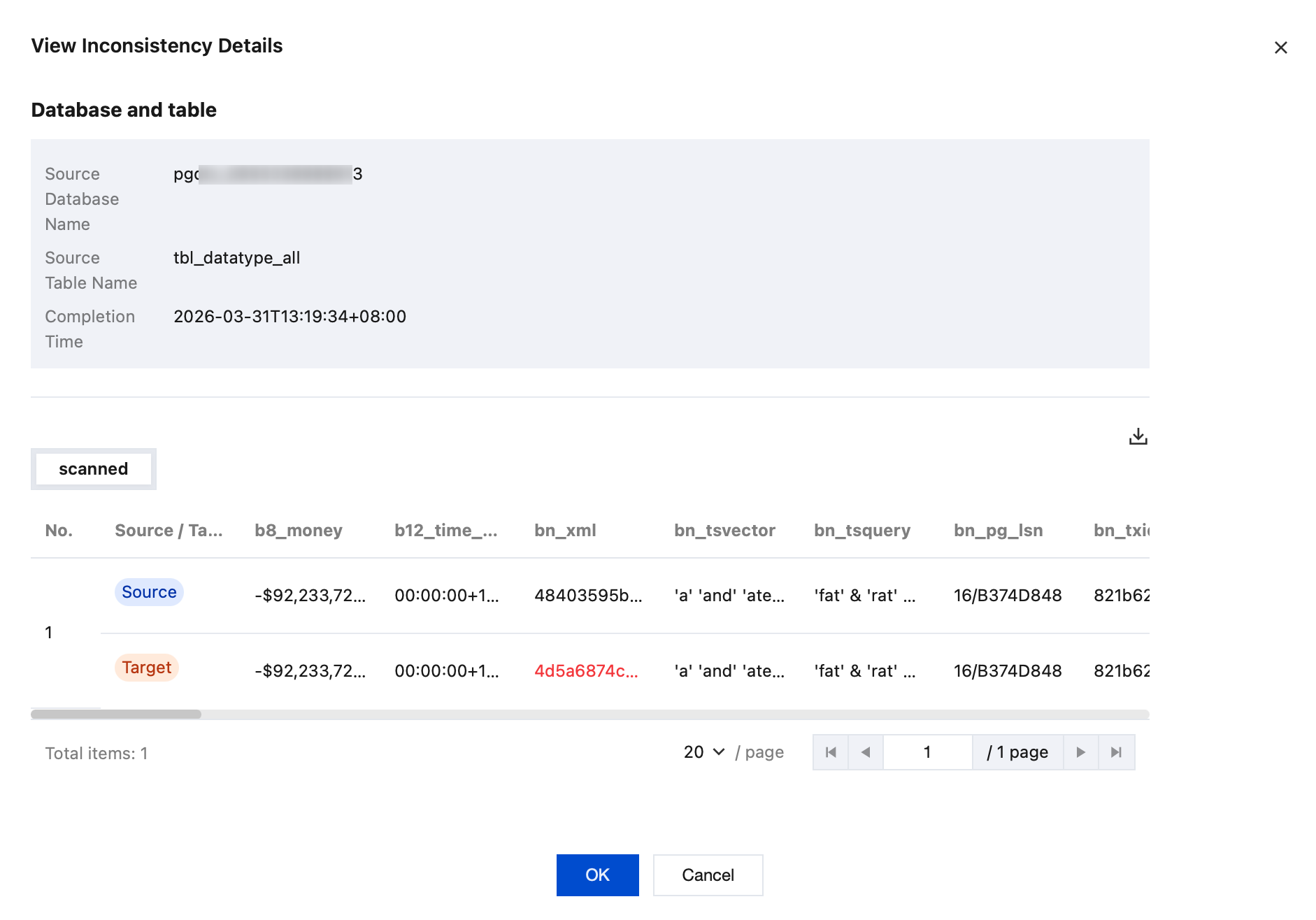
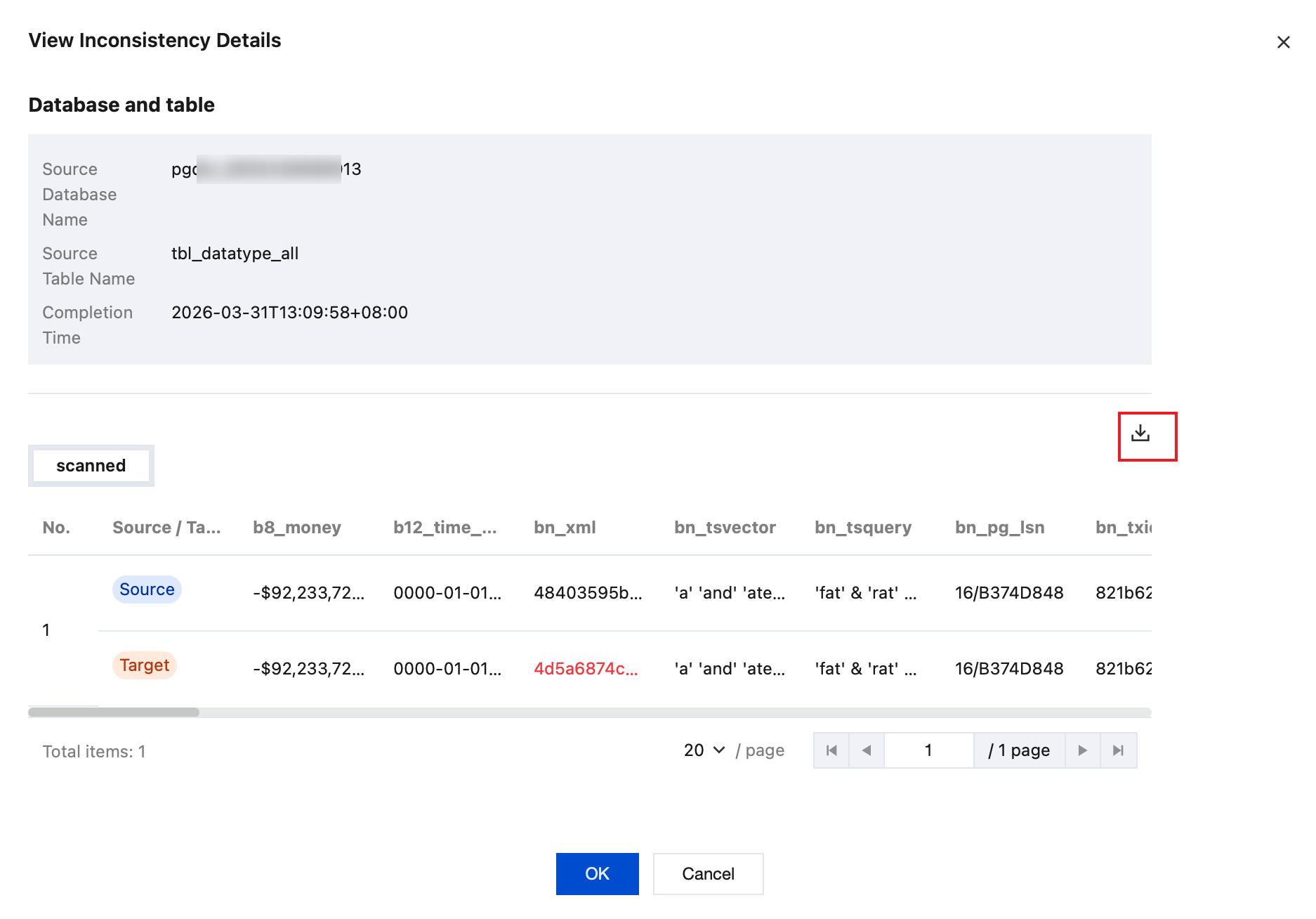
3.1.2 View inconsistency details in the pop-up dialog box.
3.1.3 On the right side of the dialog box, click
to download inconsistency details.
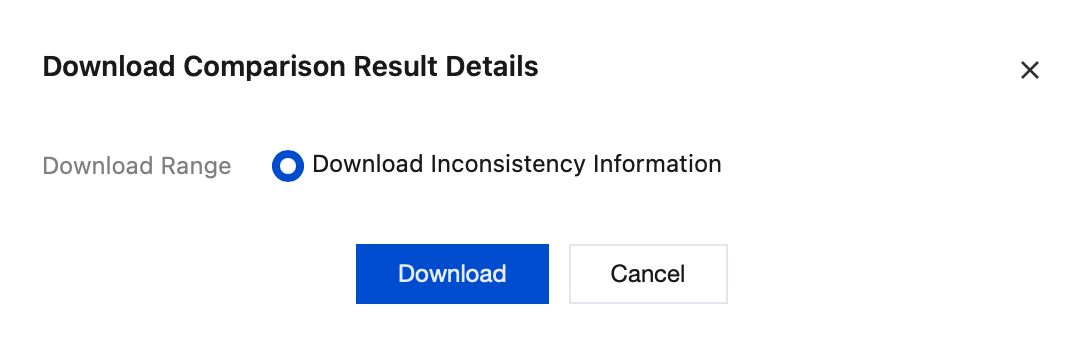
In the pop-up dialog box, click Download to download the inconsistent information.
Continuous incremental verification
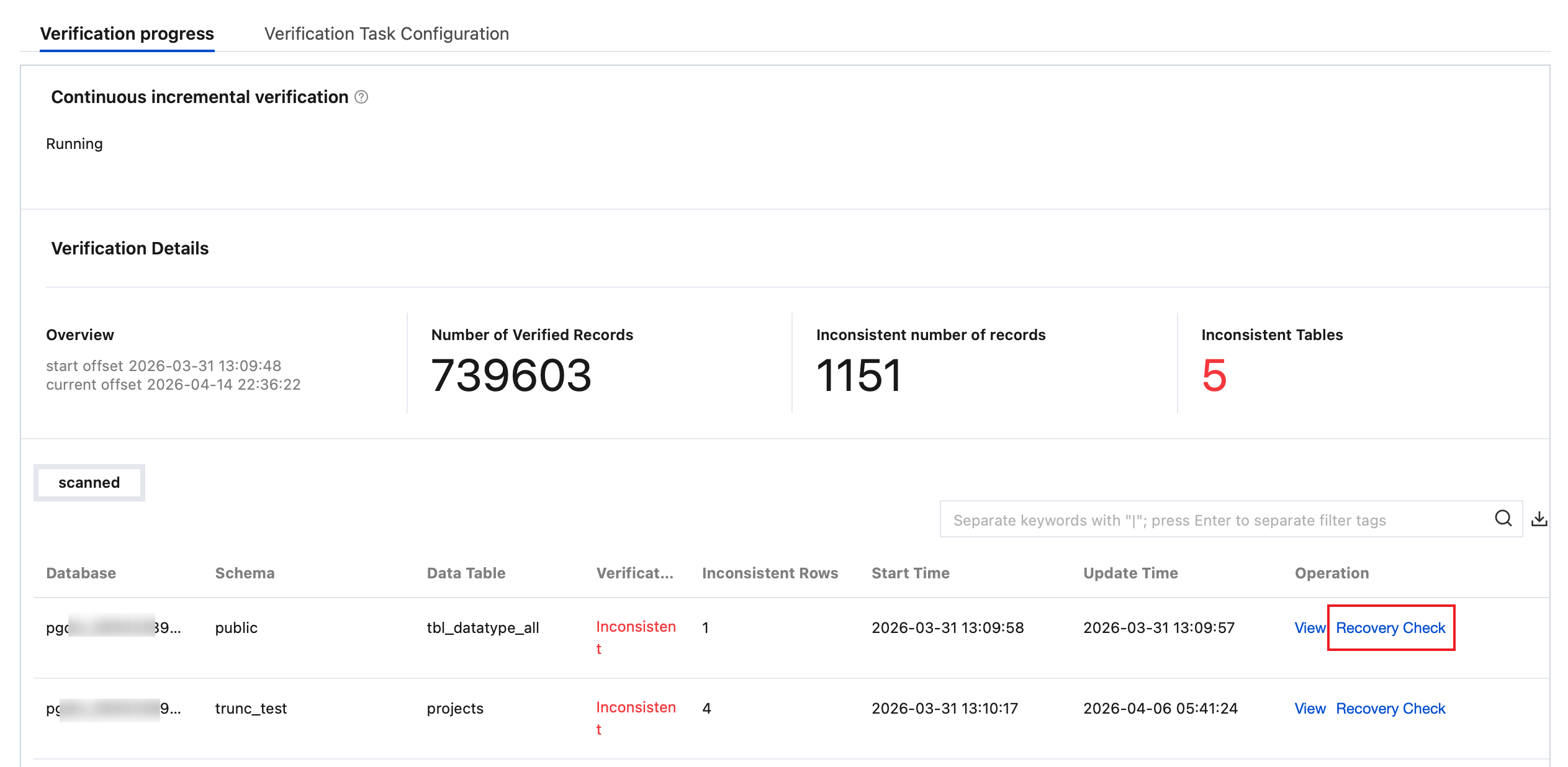
3.1.4 In the Scanned section, click View in the Operation column of the corresponding table to view inconsistent data details.
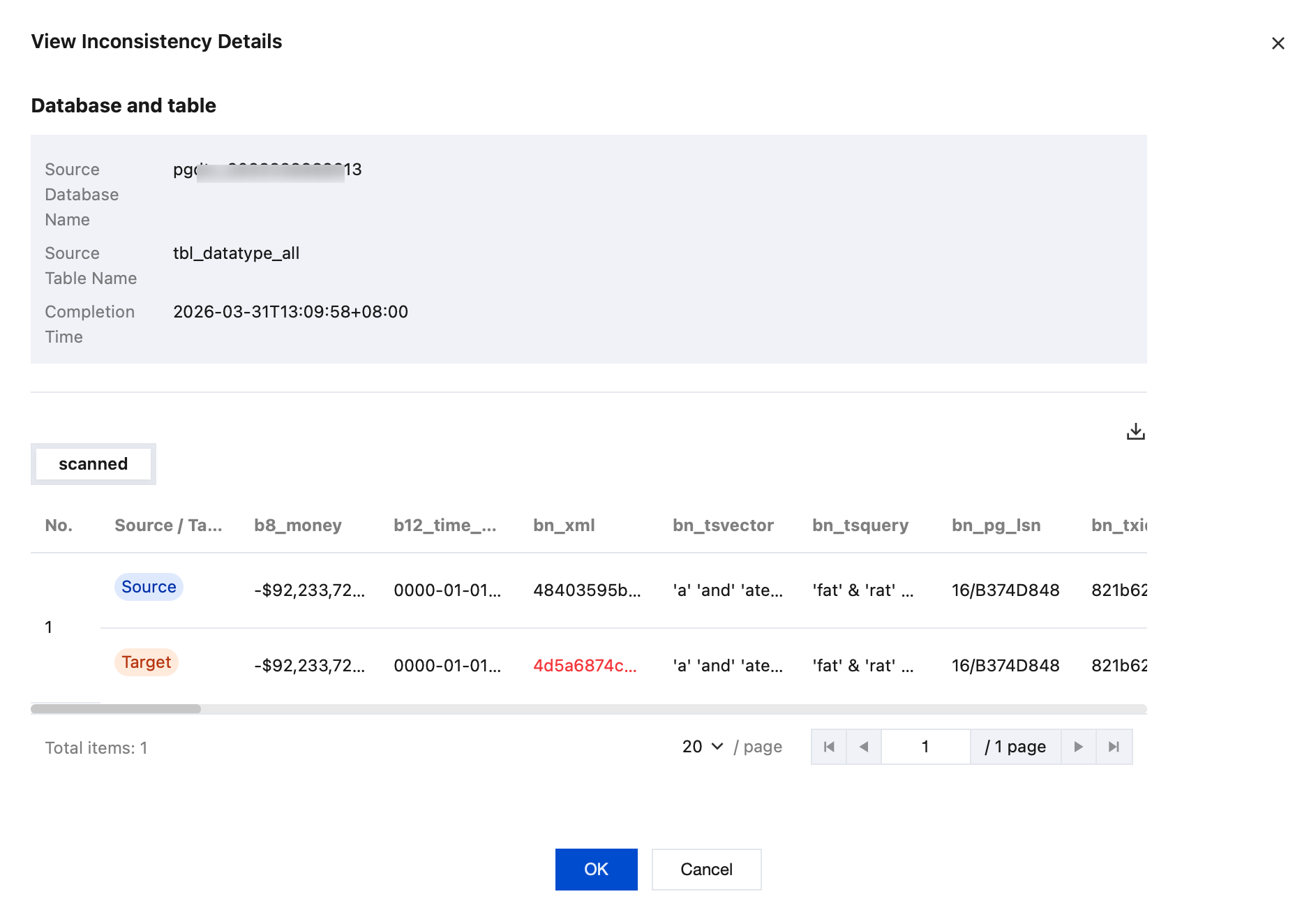
3.1.4.1 View inconsistency details in the pop-up dialog box.
3.1.4.2 On the right side of the dialog box, click
to download inconsistency details.
In the pop-up dialog box, click Download to download the inconsistent information.
3.1.5 In the Scanned section, click Recovery Check in the Operation column of the corresponding table to re-initiate a consistency check for inconsistent data.
In the pop-up dialog box, click Confirm.
4. Download the comparison result details.
4.1 On the Verification Progress page, select Full data verification or Continuous incremental verification, click
on the right to download the comparison result details.