ConversationActions
Download
포커스 모드
폰트 크기
The
ConversationActions component manages actions for individual conversations. By default, it provides options to delete conversations, pin or unpin conversations, and enable or disable Do Not Disturb mode for conversations.Basic Usage
When you use
ConversationActions within a ConversationList, you can configure it directly using the top-level actionsConfig prop on ConversationList. The actionsConfig prop lets you enable or disable default conversation actions, handle action events, add custom action items, and perform basic UI customization.For advanced customization, you can create your own component based on
ConversationActions.Basic Customization with actionsConfig
import { UIKitProvider, ConversationList } from "@tencentcloud/chat-uikit-react";const App = () => {return (<UIKitProvider><ConversationListactionsConfig={{enablePin: false,onConversationDelete: (conversation) => { console.log('Delete conversation success'); },customConversationActions: {'custom-actions-1': {label: 'custom-actions',onClick: (conversation) => { console.log(conversation); },},},}}/></UIKitProvider>);}
Customizing the ConversationActions Component
import { UIKitProvider, ConversationList, ConversationActions } from "@tencentcloud/chat-uikit-react";type ConversationActionsProps = Parameters<typeof ConversationActions>[0];function CustomConversationActions(props: ConversationActionsProps) {return <ConversationActions {...props} enableDelete={false} />;}const App = () => {return (<UIKitProvider><ConversationListstyle={{ maxWidth: '300px', height: '600px' }}ConversationActions={CustomConversationActions}/></UIKitProvider>);}
Props
The
ConversationActionsProps interface extends ConversationActionsConfig, and defines the props for the ConversationActions component.Parameter | Type | Default | Description |
conversation (Required) | ConversationInfo | - | Specifies the conversation for which actions are rendered. |
className | String | - | Custom class name for the root element. |
style | React.CSSProperties | - | Custom style for the root element. |
ConversationActionsConfig
Parameter | Type | Default | Description |
enablePin | Boolean | true | Whether to display the Pin Conversation button. |
enableMute | Boolean | true | Whether to display the Do Not Disturb button. |
enableDelete | Boolean | true | Whether to display the Delete Conversation button. |
onConversationPin | (conversation: ConversationInfo, e?: React.MouseEvent) => void | - | Custom handler for pinning or unpinning a conversation. |
onConversationMute | (conversation: ConversationInfo, e?: React.MouseEvent) => void | - | Custom handler for enabling or disabling Do Not Disturb for a conversation. |
onConversationDelete | (conversation: ConversationInfo, e?: React.MouseEvent) => void | - | Custom handler for deleting a conversation. |
customConversationActions | Record | - | Custom action items for conversations. |
onClick | (e: React.MouseEvent, key?: string, conversation?: ConversationInfo) => void | - | Callback triggered when an action item is clicked. |
Custom Components
Basic Feature Toggles
Use the
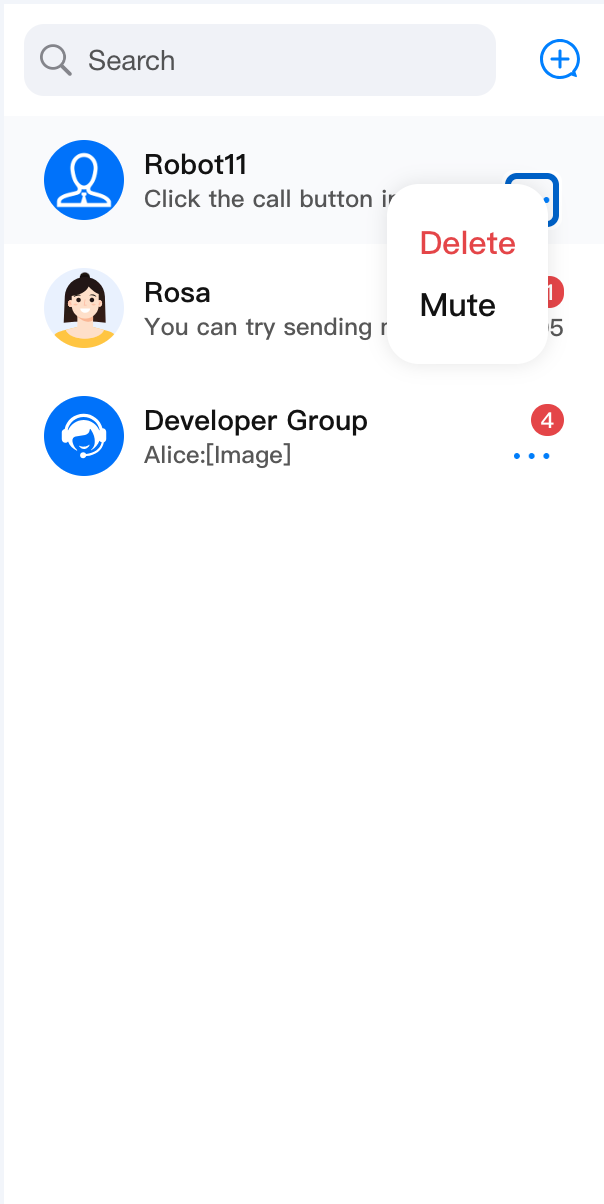
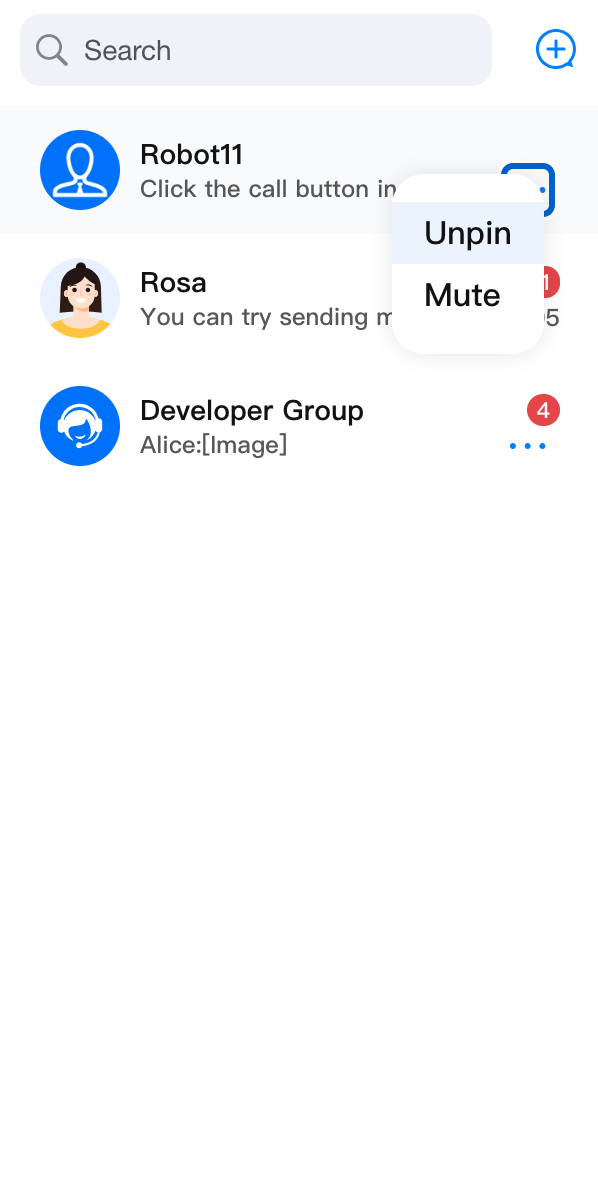
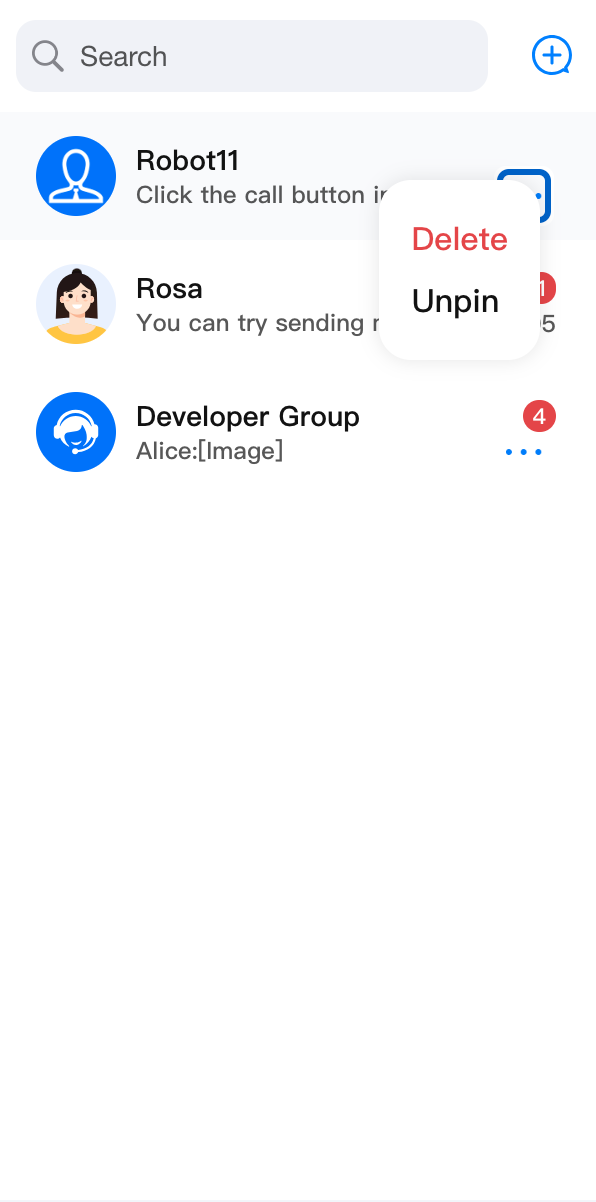
enablePin, enableDelete, and enableMute props to control the visibility of Pin Conversation, Do Not Disturb, and Delete Conversation actions in ConversationActions.<ConversationActions enablePin={false} />
<ConversationActions enableDelete={false} />
<ConversationActions enableMute={false} />
enablePin={false} | enableDelete={false} | enableMute={false} |
 |  |  |
Event Handling
ConversationActions provides built-in support for deleting conversations, pinning or unpinning conversations, and enabling or disabling Do Not Disturb. If you need to override the default event handlers, provide your own handler functions. You can also use the onClick prop to handle generic click events.import { ConversationList, ConversationActions, useChatContext } from '@tencentcloud/chat-uikit-react';import { Toast } from 'third-party-lib';type ConversationActionsProps = Parameters<typeof ConversationActions>[0];const CustomConversationActions = (props: ConversationActionsProps) => {const {deleteConversation} = useChatContext();return (<ConversationActions{...props}onConversationDelete={(conversation) => {deleteConversation(conversation.conversationID).then(() => {Toast({ text: 'delete conversation successfully!', type: 'info' });}).catch(() => {Toast({ text: 'delete conversation failed!', type: 'error' });});}}/>);};<ConversationList ConversationActions={CustomConversationActions} />
customConversationActions
The
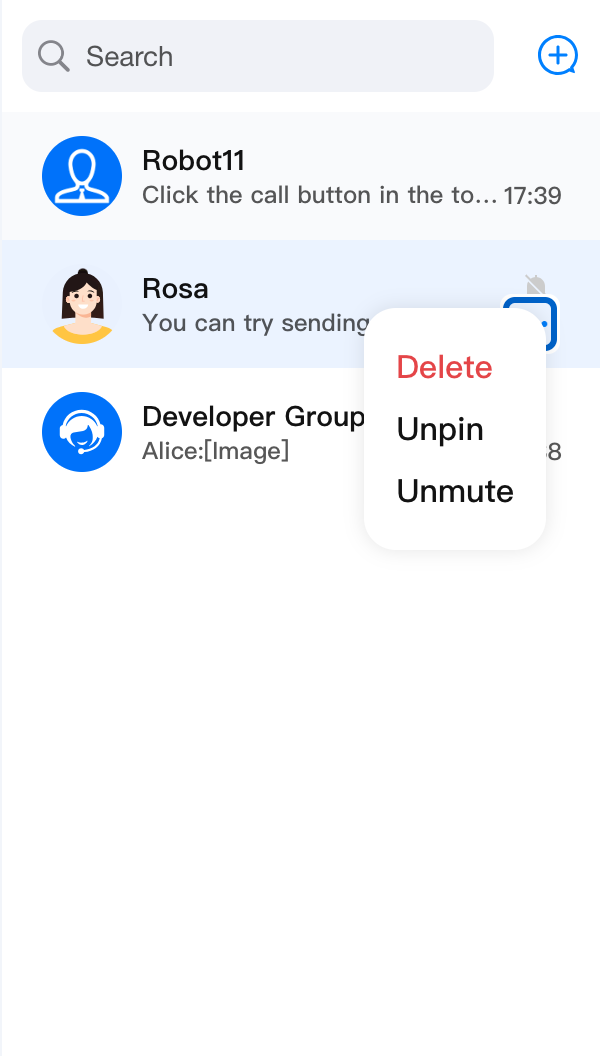
customConversationActions prop lets you add custom action items to ConversationActions.Parameter | Type | Default | Description |
enable | Boolean | true | Whether the custom action item is enabled. |
label | String | - | Display label for the custom action item. |
onClick | (conversation: ConversationInfo, e?: React.MouseEvent) => void | - | Callback triggered when the custom action item is clicked. |
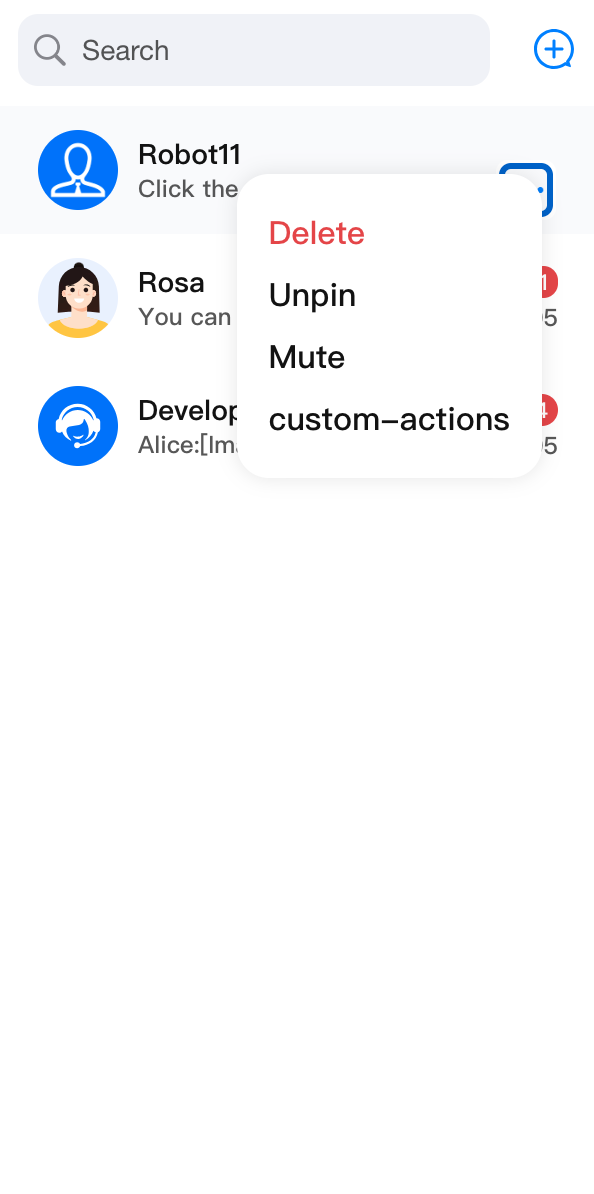
Below is an example showing how to add custom action items with
customConversationActions:import { ConversationList, ConversationActions } from '@tencentcloud/chat-uikit-react';import type { ConversationInfo } from '@tencentcloud/chat-uikit-react';type ConversationActionsProps = Parameters<typeof ConversationActions>[0];const CustomConversationActions = (props: ConversationActionsProps) => {return (<ConversationActions{...props}customConversationActions={{'custom-actions-1': {label: 'custom-actions',onClick: (conversation: ConversationInfo) => { console.log(conversation); },},}}/>);};<ConversationList ConversationActions={CustomConversationActions} />
Before | After |
 |  |
UI Customization
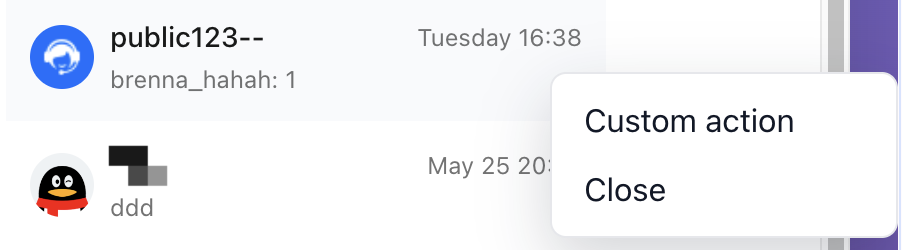
You can fully customize the conversation action menu using third-party UI elements.
import { ConversationList, ConversationActions } from '@tencentcloud/chat-uikit-react';type ConversationActionsProps = Parameters<typeof ConversationActions>[0];function CustomConversationActions(props: ConversationActionsProps) {const [menuPosition, setMenuPosition] = useState<MenuPosition | null>(null);const handleContextMenu = (event: MouseEvent<HTMLDivElement>) => {event.preventDefault();setMenuPosition({x: event.clientX,y: event.clientY,});};const handleActionClick = () => {console.log('Custom conversation action:', props.conversation);setMenuPosition(null);};return (<divclassName="conversation-actions-basic-demo__trigger"onContextMenu={handleContextMenu}>{props.children}{menuPosition && (<divclassName="conversation-actions-basic-demo__menu"style={{ left: menuPosition.x, top: menuPosition.y }}><button onClick={handleActionClick} type="button">Custom action</button><button onClick={() => setMenuPosition(null)} type="button">Close</button></div>)}</div>);}<ConversationList ConversationActions={CustomConversationActions} />
Before | After |
 |  |
피드백