문서Chat시나리오 솔루션WhatsApp Channel-style Official Account Integration Solution
WhatsApp Channel-style Official Account Integration Solution
다운로드
포커스 모드
폰트 크기
마지막 업데이트 시간: 2026-05-14 15:06:01
AI 번역
Overview
To meet the growing demand for diverse content creation, efficient subscriber management, and ongoing interaction—and to address the limitations of traditional instant messaging in content management and business service expansion—the Official Account feature has been introduced.
Official Account delivers core capabilities modeled after WeChat Official Accounts, empowering businesses to create and manage dedicated accounts, publish rich media posts, and communicate directly with their subscribers at scale.
Feature Overview
Account owners can publish posts to subscribers and browse previously published posts. Users who subscribe to an Official Account automatically receive new updates and can interact with the account via direct messaging.
Applicable Scenarios
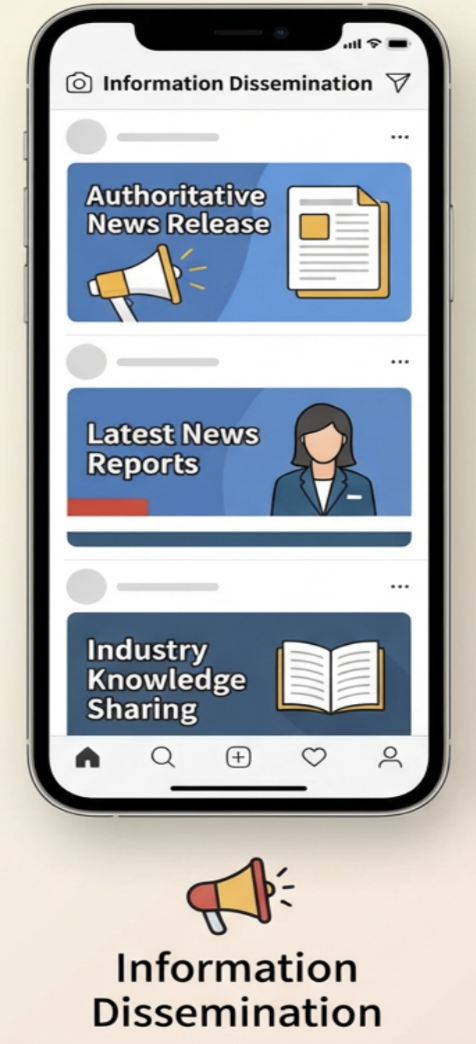
Real-time Information Broadcast
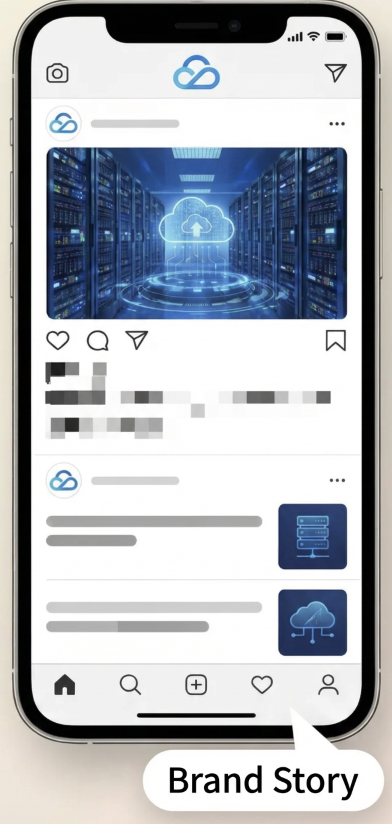
Brand Promotion
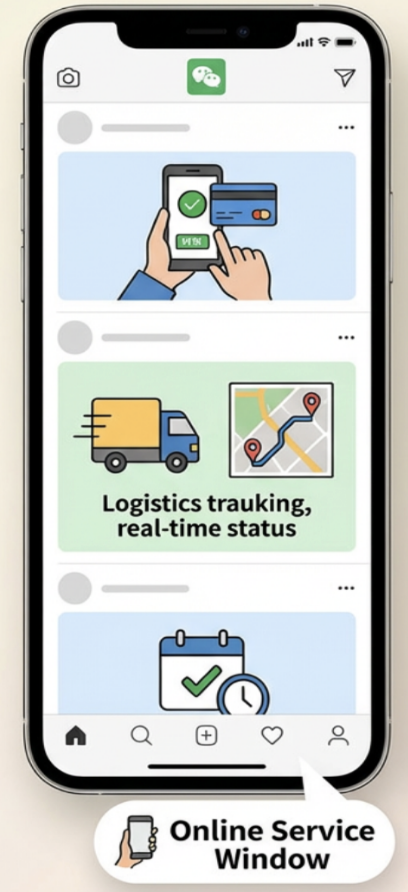
Providing Convenient Services
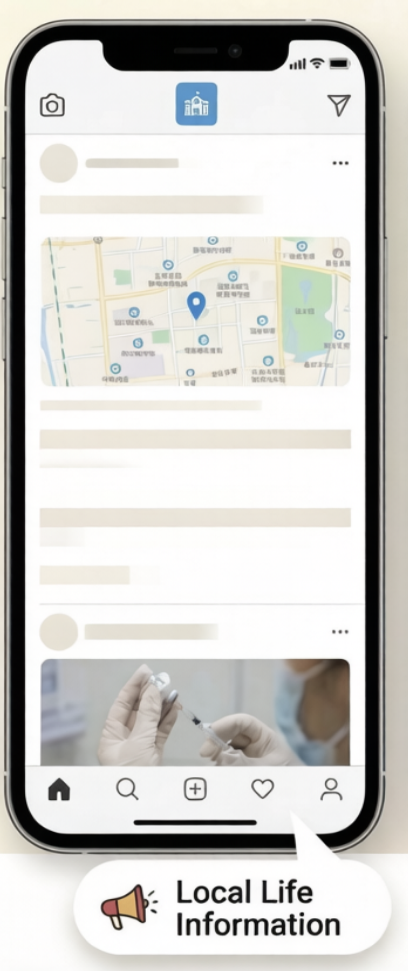
Local Guides
Official Accounts provide a trusted platform for broadcasting information, enabling organizations to quickly share news, updates, and knowledge with a broad audience using rich media formats.
Businesses leverage Official Accounts to deliver brand stories, product announcements, and targeted content directly to users, strengthening brand recognition and influence.
Official Accounts support high-frequency service features, such as online transactions (including transfers and appointment bookings) and information lookups (such as logistics tracking and grade inquiries), offering convenient self-service capabilities for subscribers.
Official Accounts serve as practical guides for local communities by aggregating relevant information—such as locations of community vaccination sites—through rich media, enhancing day-to-day convenience for subscribers.
Users cannot access both merchant and user roles within the same app or web interface; separate merchant portal and user portal are required.
Designed for external merchants
Users can switch between merchant and user roles within a single app or web interface.
Used exclusively for the platform's own official public account, not accessible to external merchants
Management Features (Create/Delete/Edit Public Account)
Developers must build a merchant management backend
Developers must build a merchant management backend
Managed directly in the console
Client Features (Subscribe/Unsubscribe/Get Public Account List/Send & Receive Messages)
Build independently
Build independently
Build independently
Implementation Approach
Based on Chat native public account capabilities
Based on Chat Community
Based on Chat native public account capabilities
Message Interaction
Broadcast Message (one-to-many posts)
C2C Messages (one-to-one private interaction)
Group Chat Messages (one-to-many posts)
Emoji Reactions (emoji interaction on posts)
Broadcast Message (one-to-many posts)
C2C Messages (one-to-one private interaction)
Business Mode: WeChat-Style
If you need to integrate with multiple external vendors—such as KFC, McDonald's, and others—refer to the interaction examples and technical implementation solutions below. For specific interactions, you must design the UI on top of core IM capabilities.
1. Sample Flows
In a WeChat Official Account-style architecture, business accounts and user accounts are managed separately. Businesses can create and administer Official Accounts from within their business account; however, business accounts cannot function as user accounts. This model is ideal for scenarios where the business and user sides are implemented as two distinct apps, or for clients who want to support switching between business and user modes within a single app. You can use the following interaction examples as a reference when designing your own web or app interfaces.
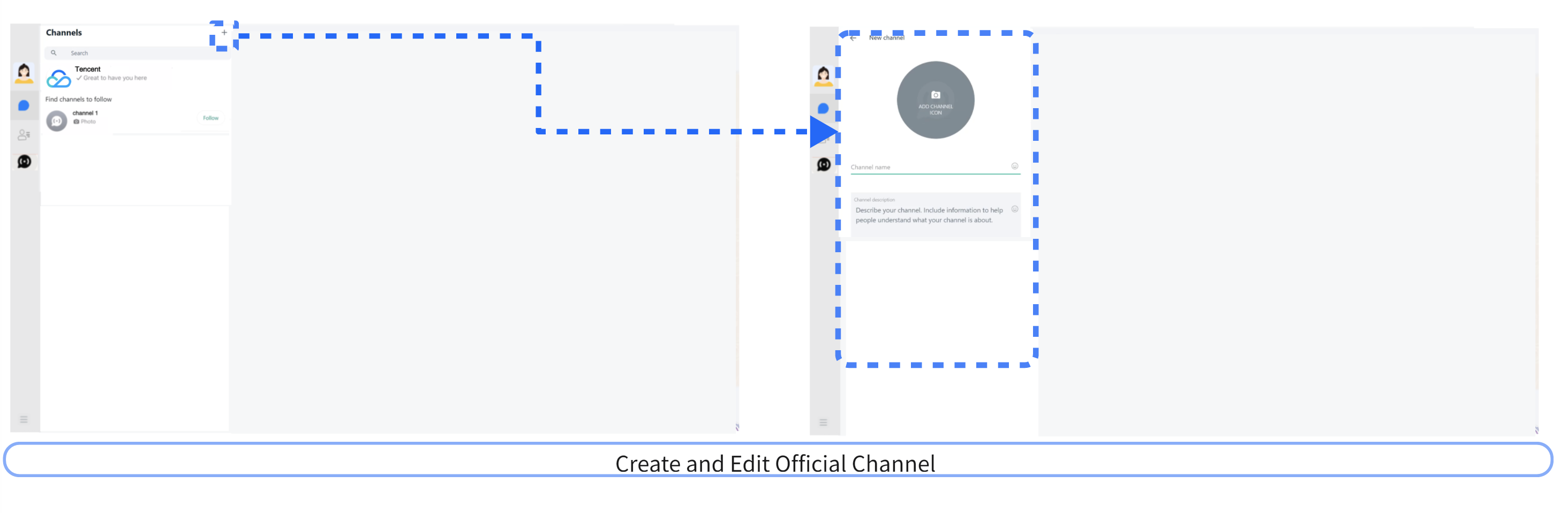
1.1 Business Web Interaction Example
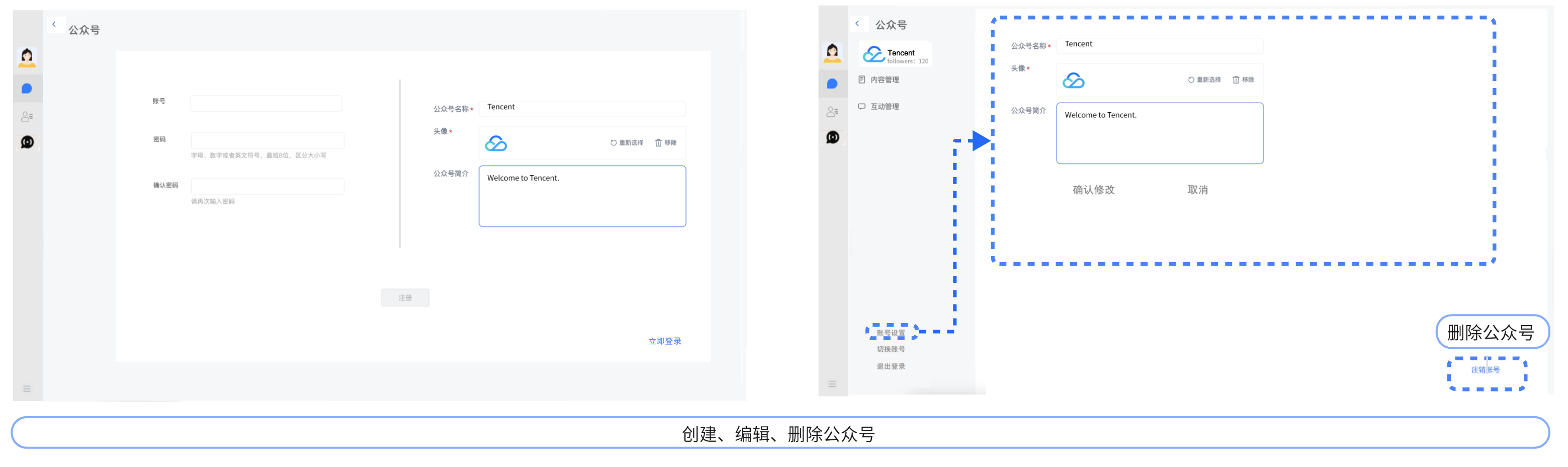
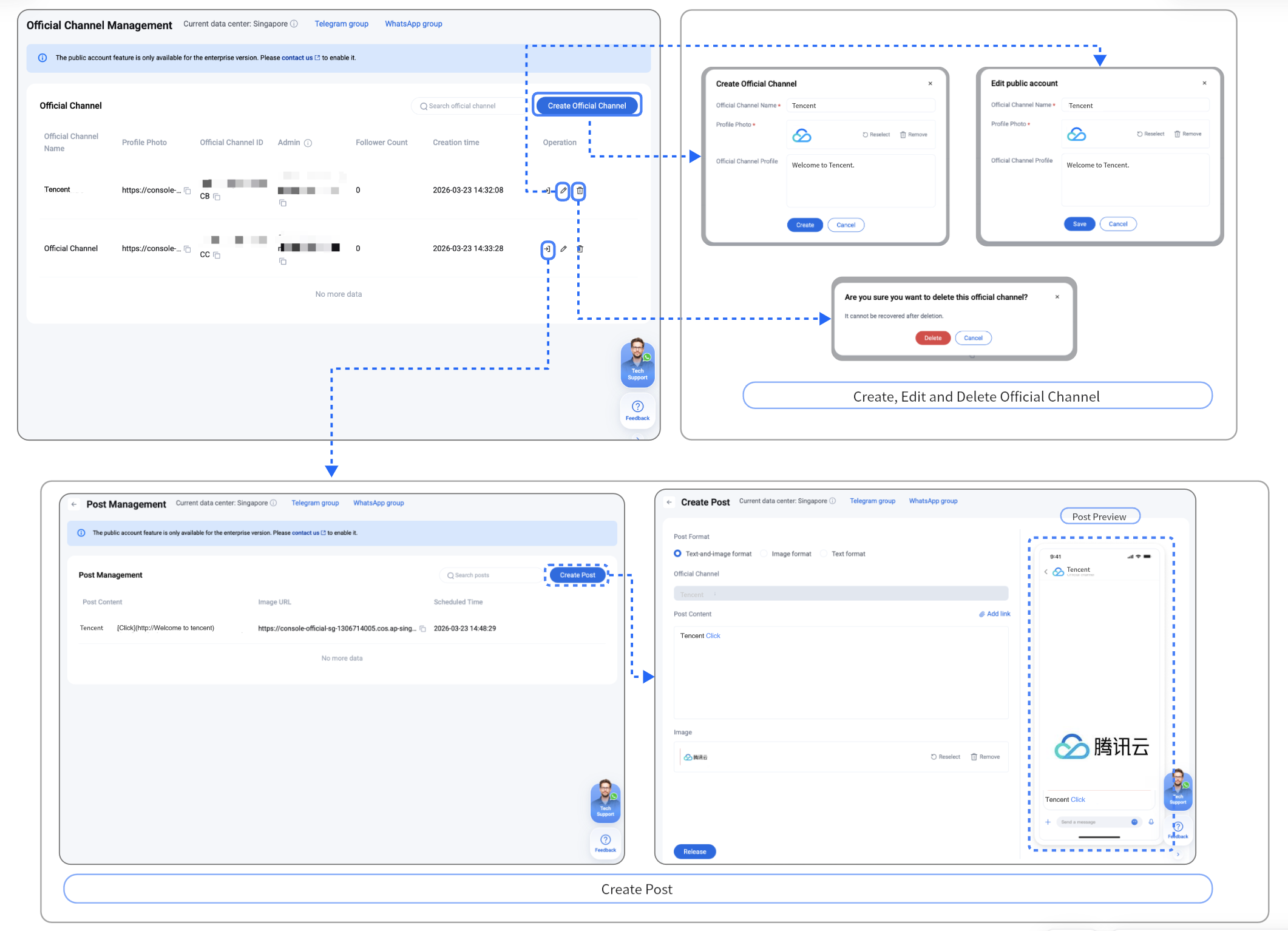
Create, Edit and Delete Official Channel.
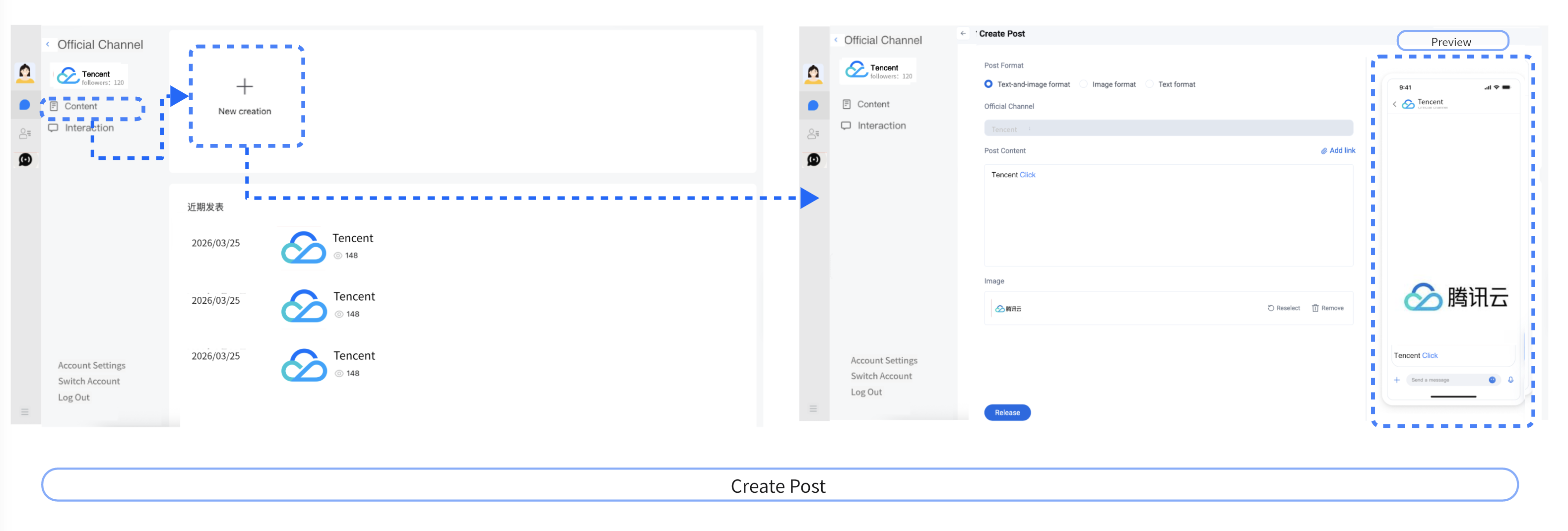
Create Post.
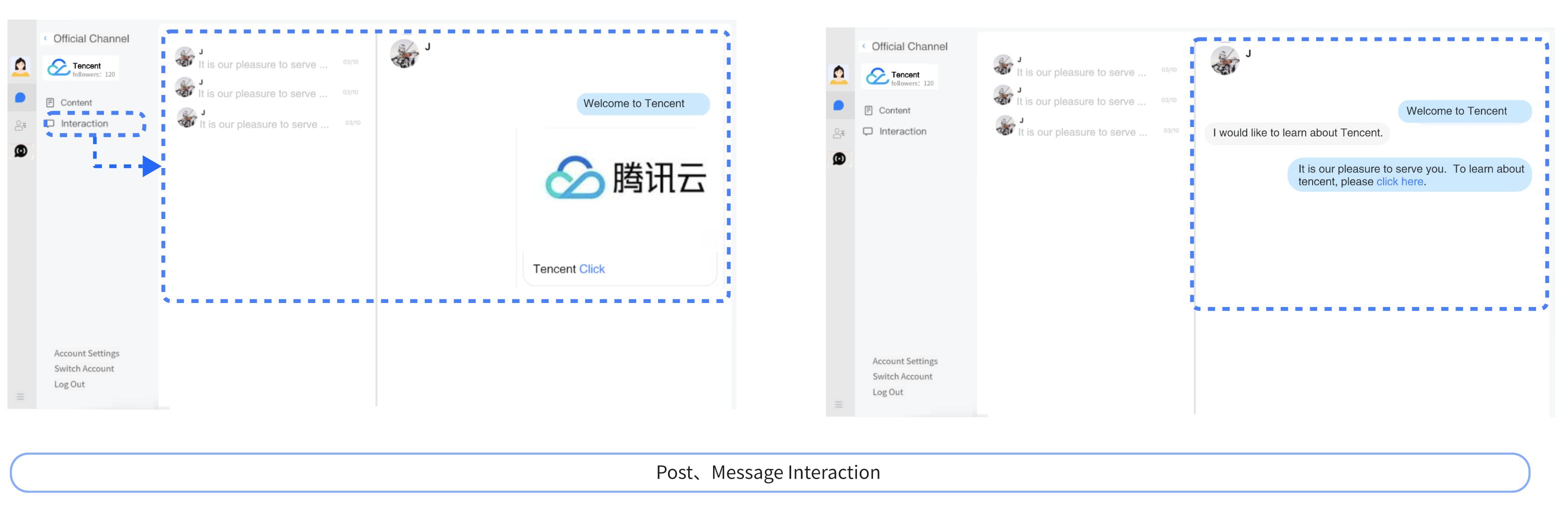
Post, Message Interaction.
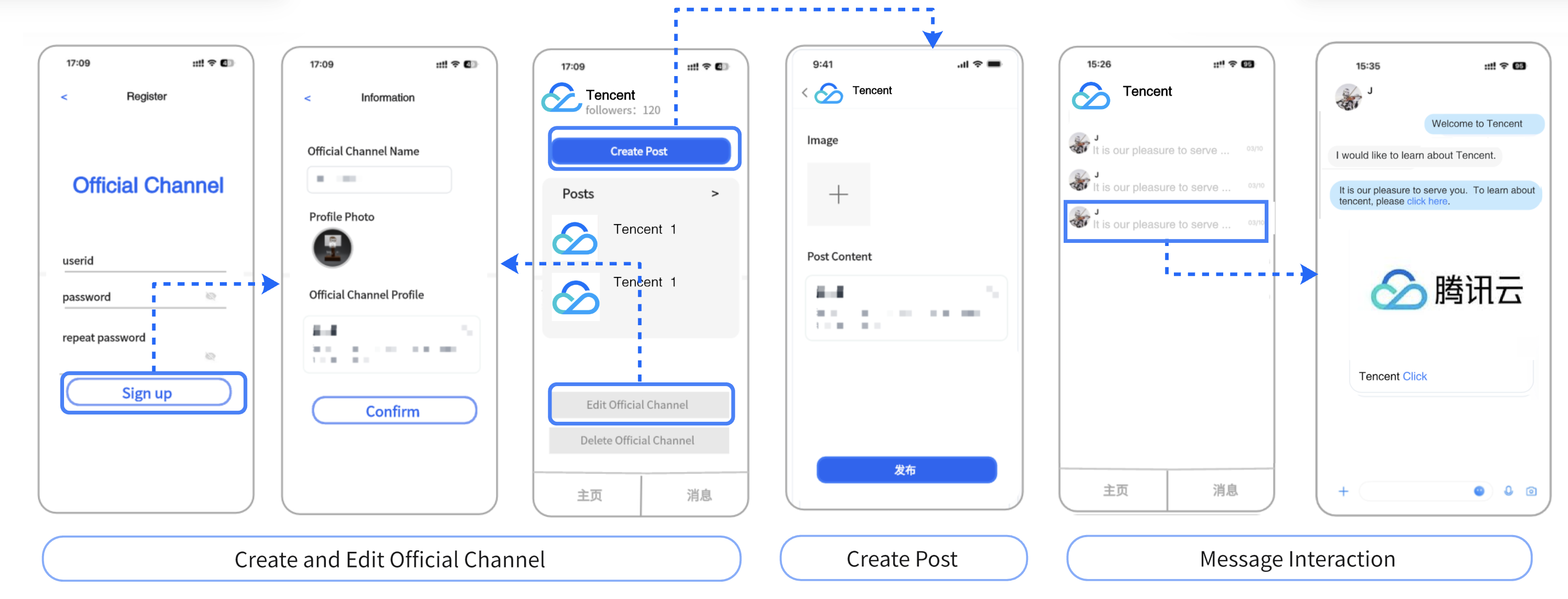
1.2 Business App Interaction Example
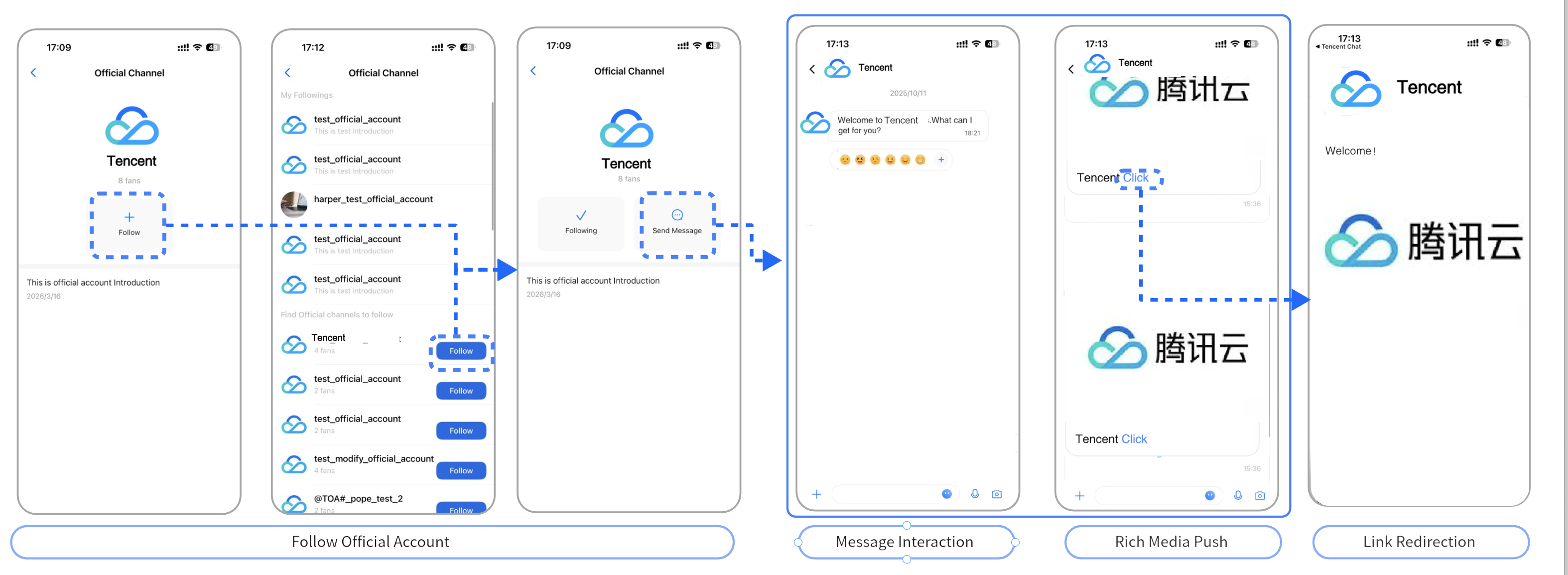
1.3 User Interaction Example
Subscribers can follow public accounts directly within the app, receive updates from those accounts, and engage through C2C Messages.
The official channel ID must be prefixed with @TOA#_, can be customized, and has a maximum length of 48 bytes.
officialAccountName
official channel name
Maximum Length: 150 bytes (UTF-8 encoded, where 1 Chinese character occupies 3 bytes)
faceUrl
Profile photo of the official channel
Maximum Length: 500 bytes
organization
organization name
Maximum Length: 500 bytes (UTF-8 encoded, where 1 Chinese character occupies 3 bytes)
introduction
Introduction of the official channel
Maximum Length: 400 bytes (UTF-8 encoded, where 1 Chinese character occupies 3 bytes)
customData
custom data
Maximum Length: 3000 bytes
createTime
Creation time of the official channel
Unit: Seconds
subscriberCount
The number of subscribed users
The number of active subscribers to the official channel
subscribeTime
The time when the logged-in user subscribed
Unit: Seconds
2.3 Subscribe to an Official channel
To subscribe to an official channel, call the subscribeOfficialAccount method (Java / Swift / Objective-C / C++) and pass the officialAccountID as the parameter.
1. Upon successful subscription, subscribers will receive the onOfficialAccountSubscribed callback notification (Java / Swift / Objective-C / C++) .
2. When the subscribed official channel's profile is modified via server API, subscribers will receive the onOfficialAccountInfoChanged callback notification (Java / Swift / Objective-C / C++) .
3. When the subscribed official channel is deleted via server API, subscribers will receive the onOfficialAccountDeleted callback notification (Java / Swift / Objective-C / C++).
To unsubscribe from an official channel, call the unsubscribeOfficialAccount method (Java / Swift / Objective-C / C++) and pass the officialAccountID as the parameter.
After successful unsubscription, the user will receive an onOfficialAccountUnsubscribed callback notification(Java / Swift / Objective-C / C++).
An official channel can send broadcast messages to subscribed users and also engage in one-on-one chats with them. When messages are exchanged, a one-on-one conversation is generated, with the conversationID structured as c2c_officialAccountID.
From_Account: Official channel's officialAccountID.
To_Account: Subscriber's userID.
2.6.3 Receive Messages
Both message types can be received via the IM SDK's message listener.
Business Mode: WhatsApp-Style
If you need to integrate with multiple external vendors—such as KFC, McDonald's, and others—refer to the interaction examples and technical implementation solutions below. For specific interactions, you must design the UI on top of core IM capabilities.
1. Sample Flows
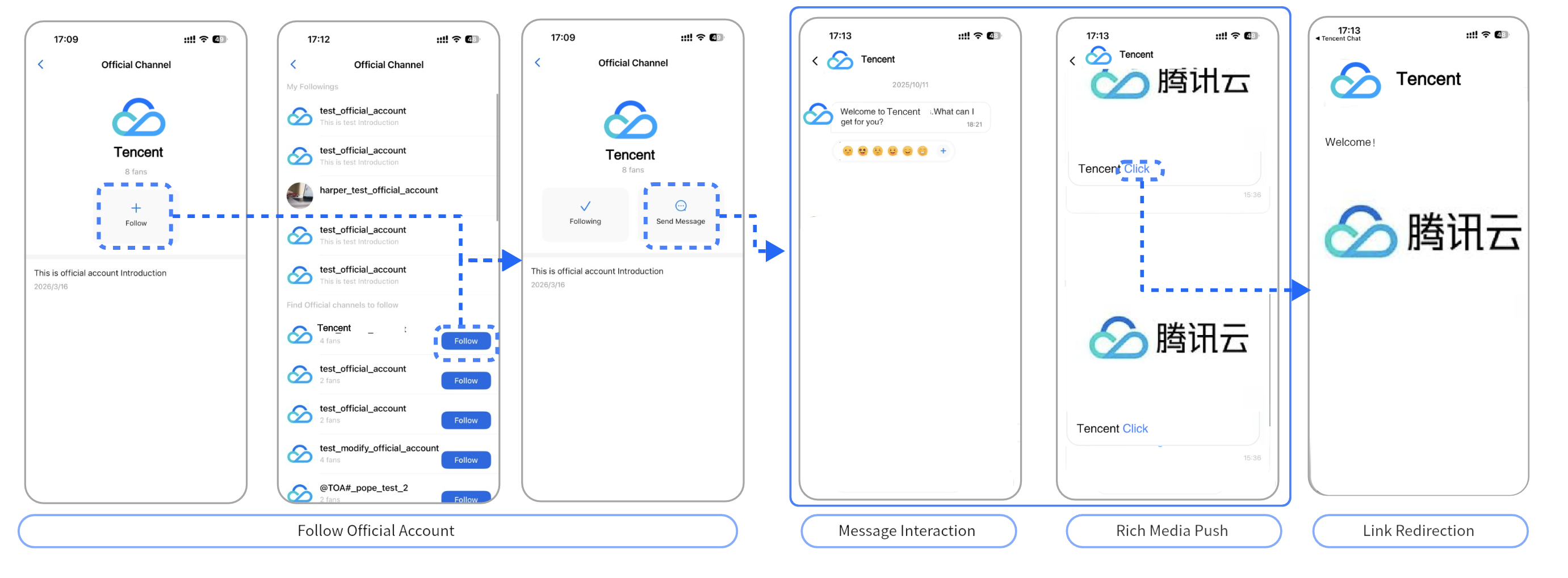
The WhatsApp-style channel implements Official Account messaging on top of group chat. Users join a group to subscribe to an Official Account, and each account supports up to 1 million subscribers. Account owners and administrators can send messages to all subscribers, while regular users can only receive messages and respond with emoji reactions.
You can use conversation groups to separate Official Account conversations from regular C2C and group chats in your app. The default limit is 1,000 Official Accounts per app (bounded by the Conversation Group limit). To increase this limit, contact us.
This mode is well-suited for applications where both business and consumer interfaces are available in the same app or web platform. Use the following interaction examples as a reference when designing your interfaces.
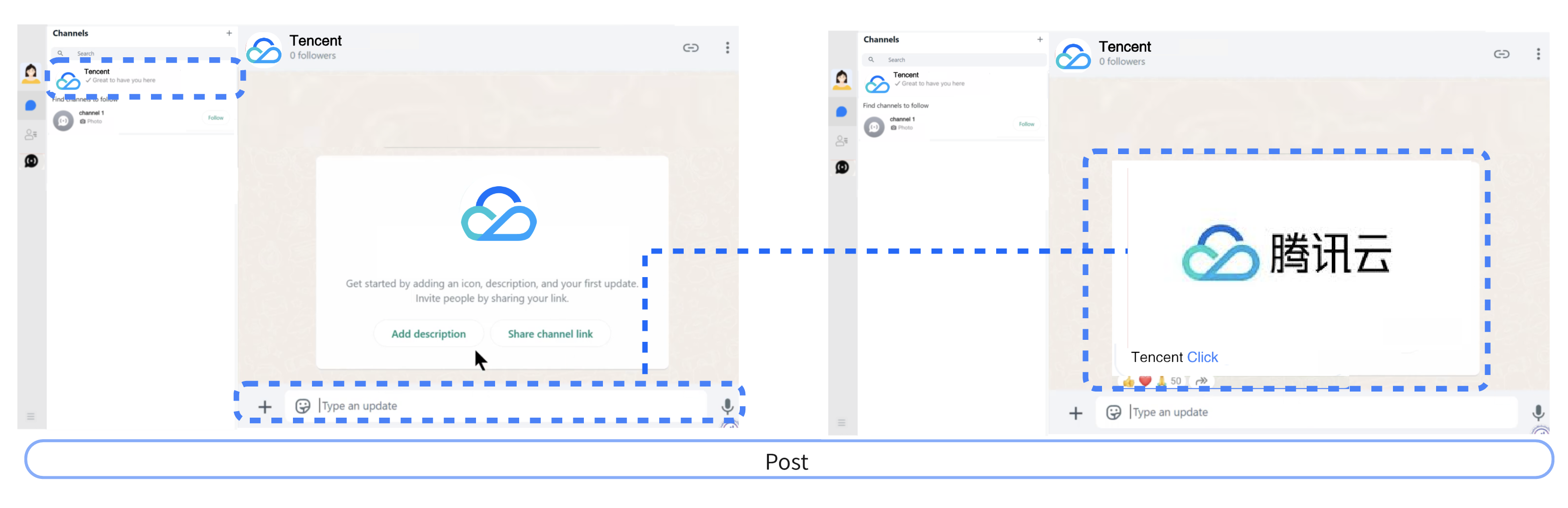
1.1 Business Web Interaction Example
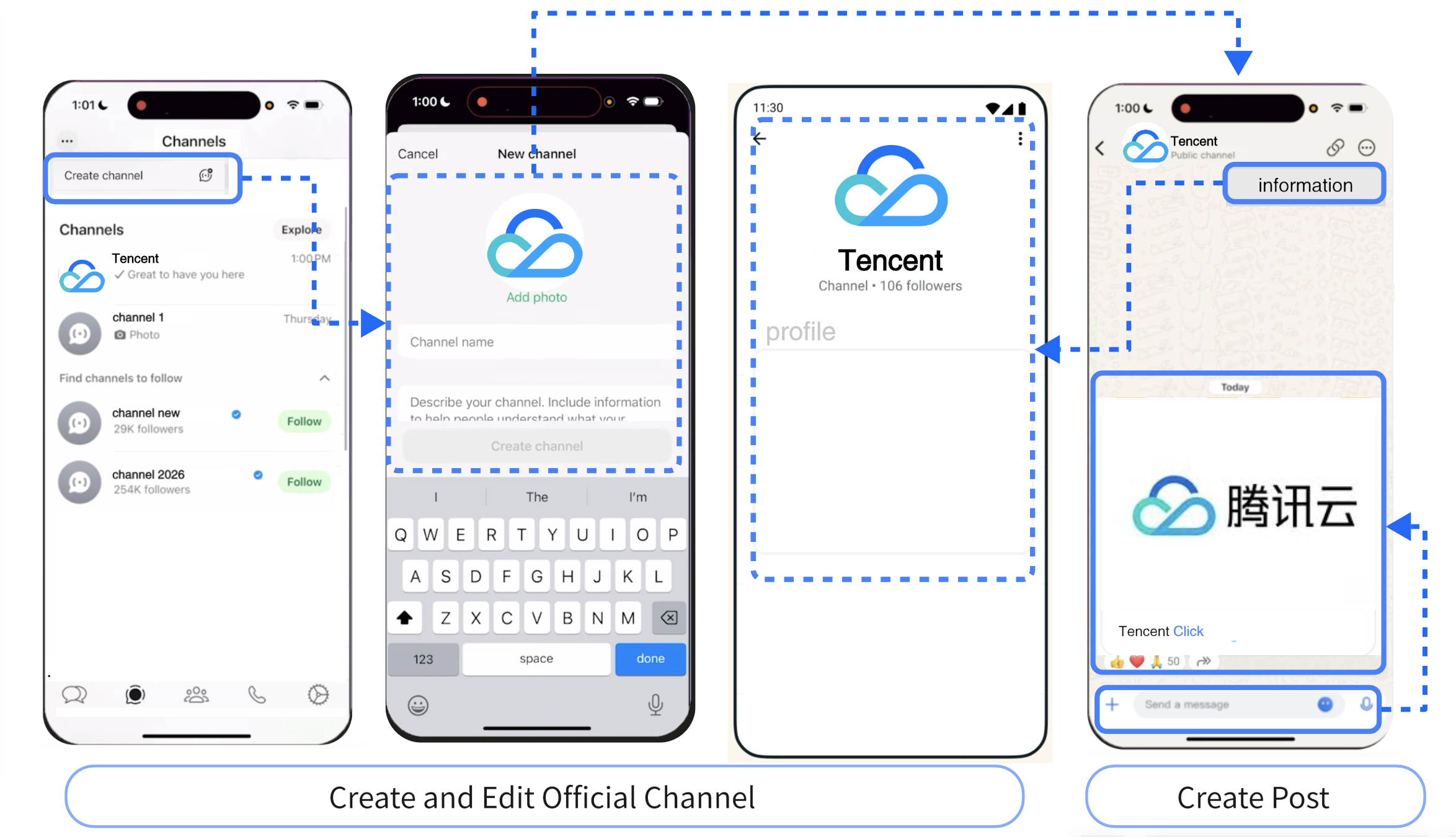
Create and Edit Official Channel.
Post.
1.2 Business App Interaction Example
1.3 User Interaction Example
Subscribers can follow public accounts directly within the app, receive posts from those accounts, and interact by responding with emoji reactions.
2. Implementation Solution
2.1 Create an Official Account
Creating an official account is equivalent to Creating a Group. Set the groupType to Community, which supports 100,000 to 1 million members per group. After creation, Setting a Custom Group Field to mark the Community as an official account and distinguish it from other regular Community group chats.
2.2 Subscribe to an Official Account
Subscribing to an official account is equivalent to Joining a Group.
After joining, if you need to display unread counts for official accounts (specific Communities) separately from regular C2C chat and group chats, use the createConversationGroup API (createConversationGroup), and add official account conversations (specific Communities) to the official account group using addConversationsToGroup.
2.3 Unsubscribe from an Official Account
Unsubscribing from an official account is equivalent to Leaving a Group.
2.4 Retrieve the Official Account List
Call getJoinedGroupList to retrieve the official account list. After obtaining all joined Communities, call getGroupsInfo to check if the custom group field contains the official account marker, allowing you to identify the list of official accounts (Communities) the user has joined.
2.5 Send Messages as the Official Account Owner
The official account owner uses the group chat message sending capability to send text, rich media, custom, and other types of messages.
If your platform operates its own Official Account and does not need to expose it to external businesses, you can enable this feature directly through the console. The console is accessible to account owners only and supports creating, editing, and managing Official Accounts, as well as viewing and publishing posts.
For client-side integration, follow the WeChat-style Official Account approach described in this document. For step-by-step instructions, see the Implementation Solution under Business Mode: WeChat-Style.
1. Console Interaction
2. Console Operation Guide
2.1 Create an Official Account
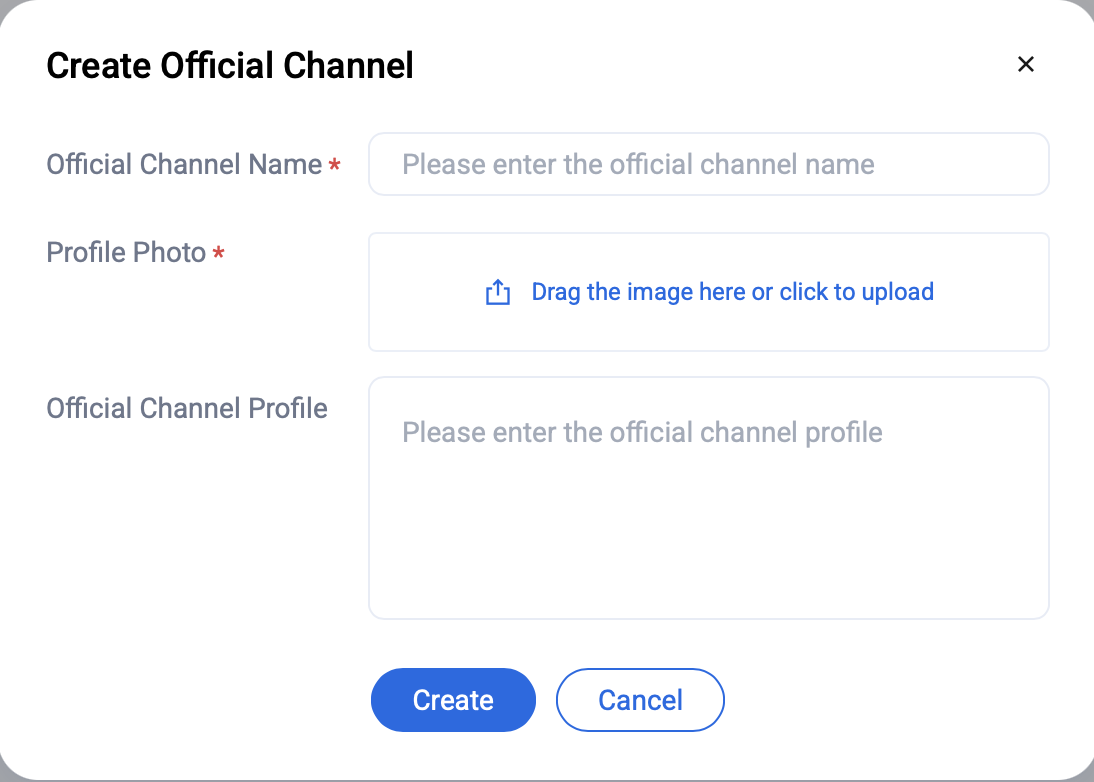
On the Public Account Management page, click the Create Official Channel button. This will open a dialog where you can enter the account name, description, and upload an avatar. Once all fields are completed, click Create to save the new public account.
2.2 Edit an Official Account
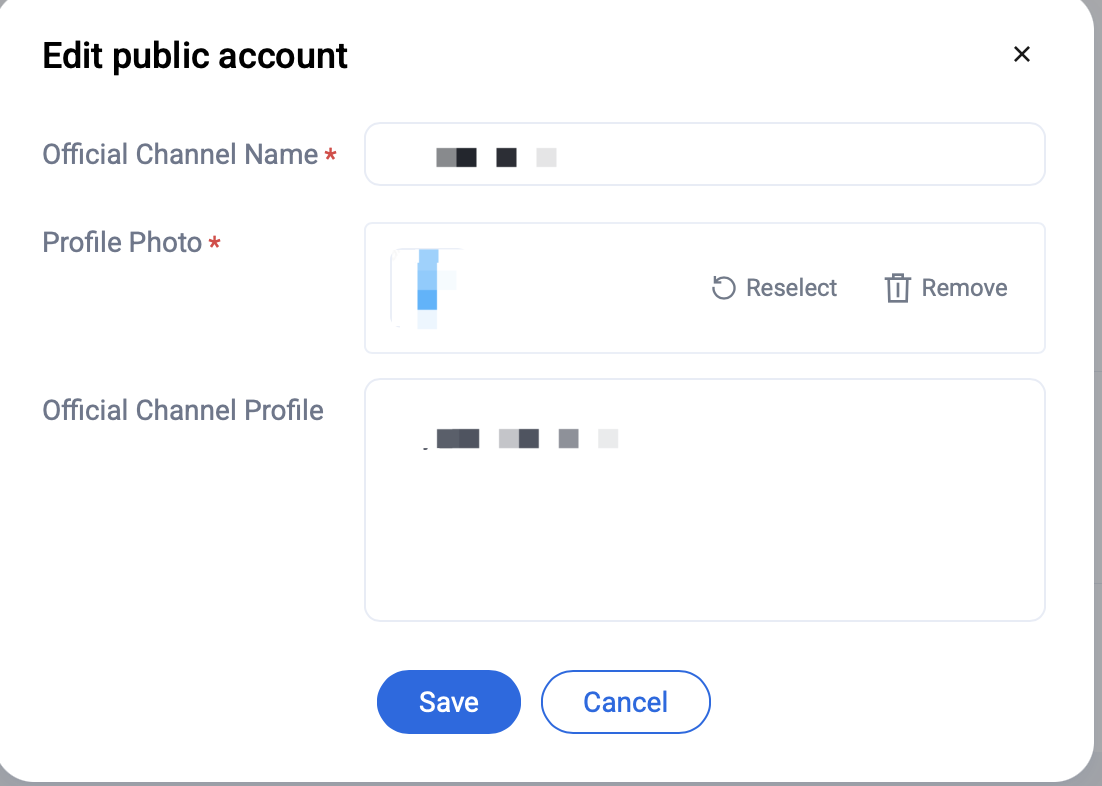
On the public account management page, click the Edit button to modify a public account. You can update the account's name, description, and avatar.
2.3 Delete an Official Account
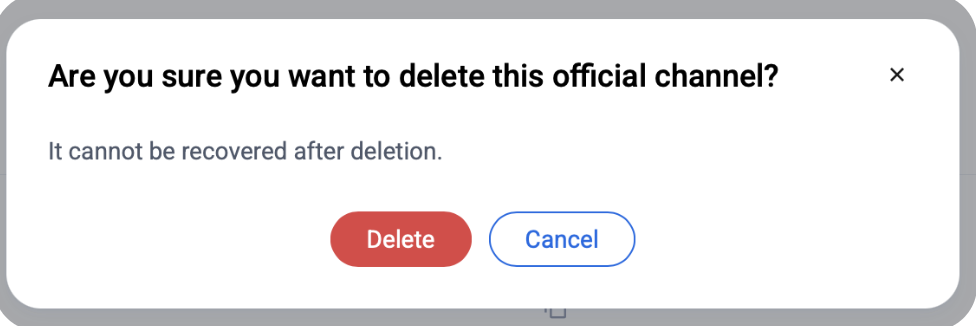
On the public account management page, click the Delete button to remove the public account.
2.4 Send Broadcast Messages
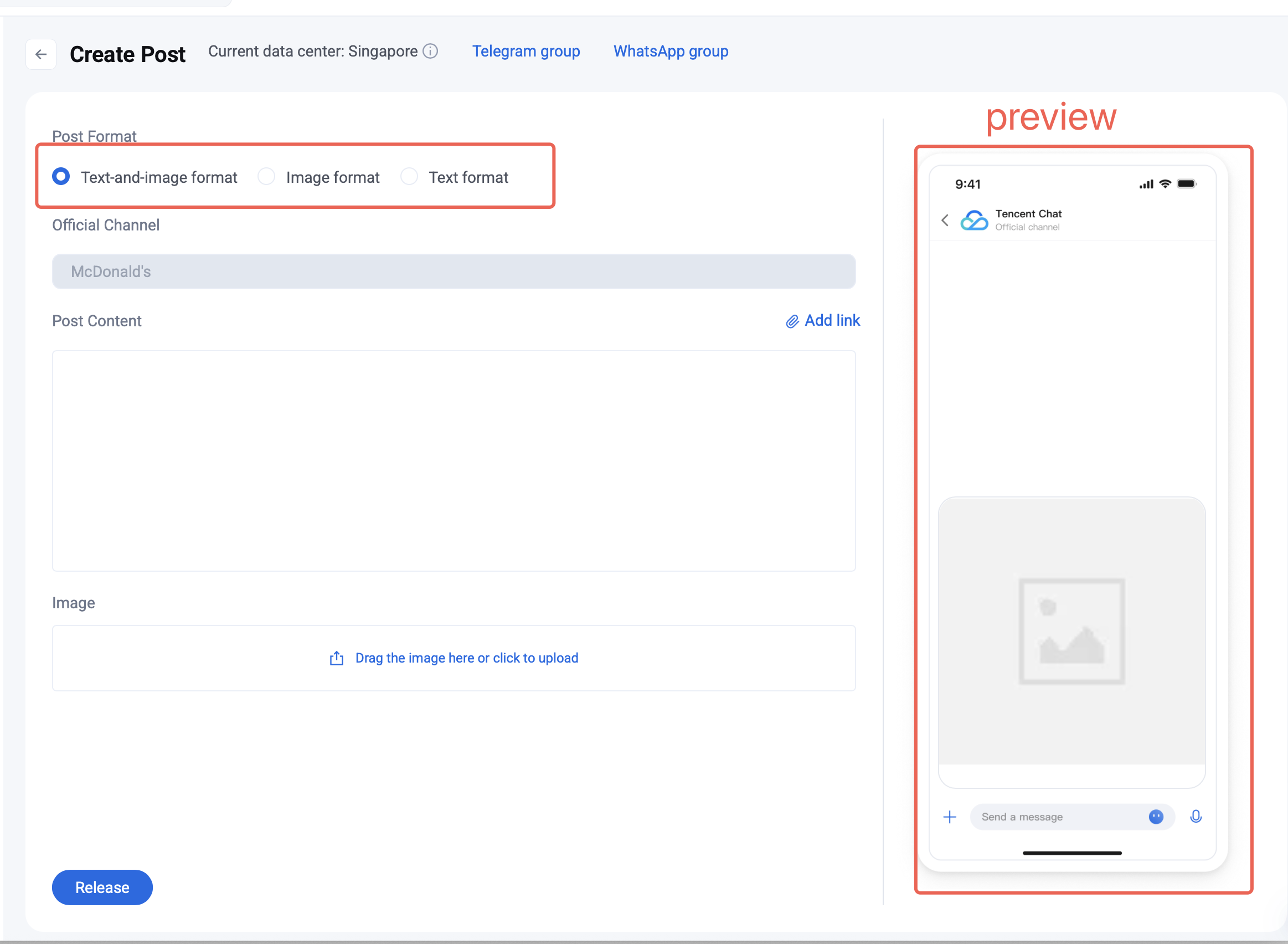
You can create a post by following these steps.
1. Choose the format for your post. The system supports the following three types:
Text-and-image: Includes post content and image assets
Image: Includes image assets only
Text: Includes post content only
2. Enter your post content in the input field and upload local images in the image upload area.
3. Click Add Link next to the Post Content title to insert hyperlinks in your post for secondary navigation.
4. Content preview is supported. The information you enter will be displayed in real time in the preview area on the right.
5. Publish the post. Once all information is completed on the post creation page, click the Release button to send your post. After successful publication, the post will appear in the post list.