Viewing Instance Details
다운로드
포커스 모드
폰트 크기
Overview
After creating a Lighthouse instance, you can view its details in the console.
Directions
Viewing instance list information
Log in to the Lighthouse console, and you can view instances in different regions and status on the instance list page as shown below:
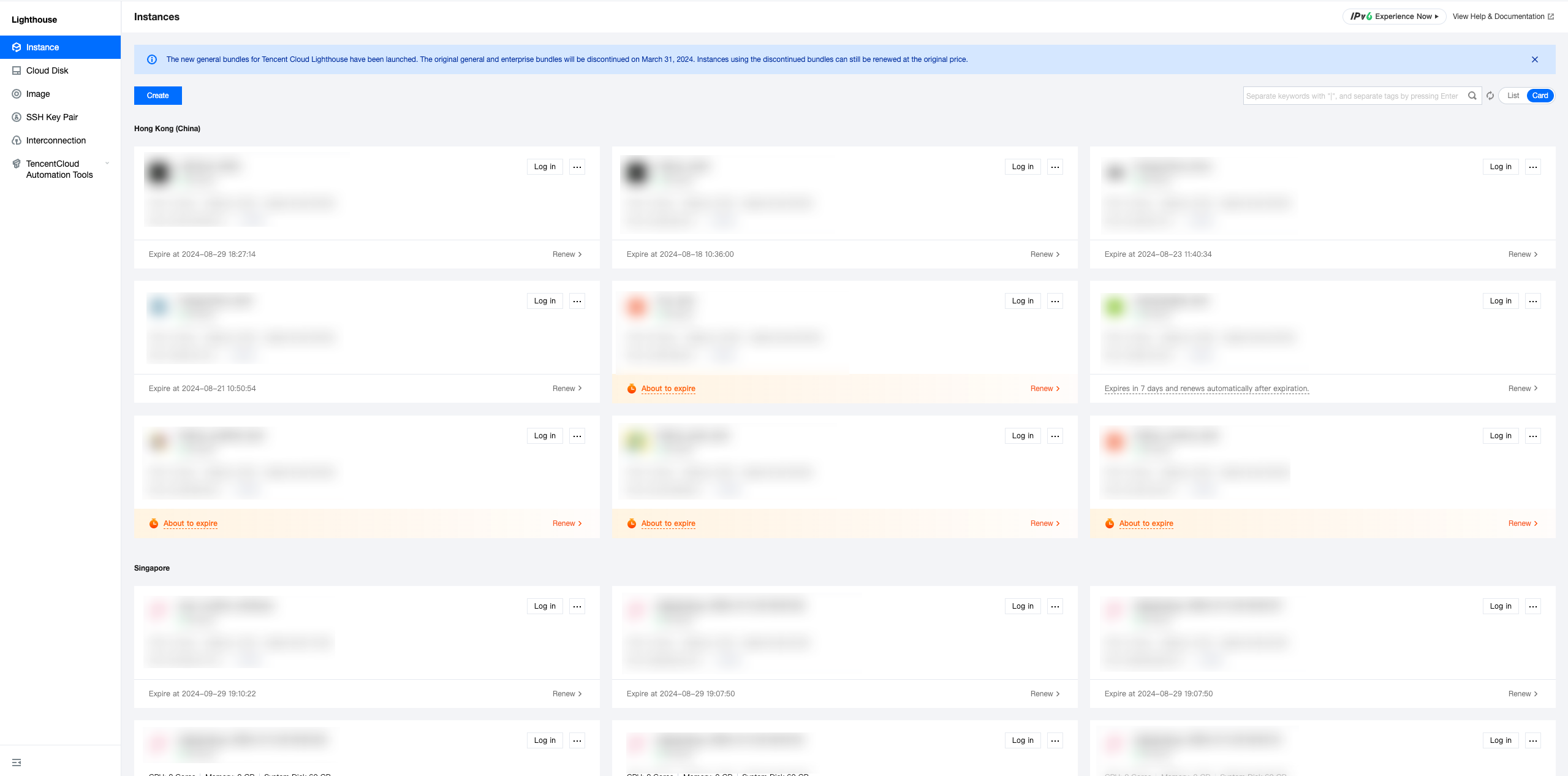
Viewing instance details
In the instance list, find the target instance and enter its details page to view its information.
View "overview" details
On this tab, you can view the basic, monitoring, network, image, application, image, and TencentCloud Automation Tools information of the instance as detailed below:
Information Category | Description |
Instance information | You can view the following basic instance information: Name/ID: The instance name can be modified. Region and availability zone: Instance region and AZ. Package type: Type of the package used by the instance. Instance specification: CPU and memory specification. System disk: Storage space of the system disk. Traffic package: Bandwidth and traffic package. Key pair: You can bind/unbind a Linux instance to/from a key. Tag: You can bind/unbind the instance to/from tags. |
Instance monitoring information | You can view the following basic monitoring data of the instance: CPU utilization (%). Memory usage (MB). Public network (Mbps). System disk IO (KB/s). |
Remote login | You can select an instance login method as needed. |
Resources | You can directly view the instance traffic package and system disk usage. |
Network information | You can view the following instance network information: IP: Public IP address (for instance access over the public network) and private IP address (for inter-instance communication). Firewall: You can configure instance firewall rules. DDoS attack protection: You can view and manage DDoS attack protection in the Anti-DDoS console. |
Image details | You can view the following basic instance image information: Image name: Specific image name. You can reset the application or create a custom image. Image type: Specific image type. Operating system: Image operating system version. |
Application information | You can view the instance application information: For an instance created by using an application image, you can view the pre-installed software information and manage applications on the application management page. |
Billing information | You can view the following instance billing information and terminate the instance: Creation time: Instance creation time. Expiration time: Instance expiration time. To renew the instance, click Renew. Auto-renewal status: Whether auto-renewal is enabled for the instance. To set auto-renewal, click Enable. Upgrade package: You can click Upgrade package to upgrade the instance package. Terminate instance: You can select Terminate/Return to terminate the instance if you no longer need it. |
TencentCloud Automation Tools | You can view the TencentCloud Automation Tools status information and perform relevant operations on the Run Commands tab. |
On this tab, you can perform operations including instance shutdown, restart, password resetting, remote login, application resetting, and image creation.
View "pre-installed application" details
On this tab, you can view the basic application information, such as the application name, version number, and instance status. You can also reset the application and shut down, restart, or log in to the instance.
In addition, the Pre-installed Application tab also displays the details of the pre-installed software in the application, such as configuration file directory, admin account and password, and application software installation path.
Note:
As custom images don't have a unified template and are created based on your own data, the instances created by using them don't have the Pre-installed application tab.
View "cloud disk" details
On this tab, you can view and manage instance data disks.
View "firewall" details
On this tab, you can view and manage instance firewall rules.
View "key pair" details
On this tab, you can view and manage key pairs bound to the instance.
View "snapshot" details
On this tab, you can view, manage, and create instance snapshots.
View "monitoring" details
On this tab, you can view instance CPU, memory, public network bandwidth, and disk usage monitoring data.
View "run commands" details
On this tab, you can view the command execution details of TencentCloud Automation Tools and create and run commands.
피드백