2. In the left sidebar, click Dashboard > Dashboard List to go to the dashboard list page.
3. Both individual deletion and batch deletion are supported, as described below:
Individual deletion
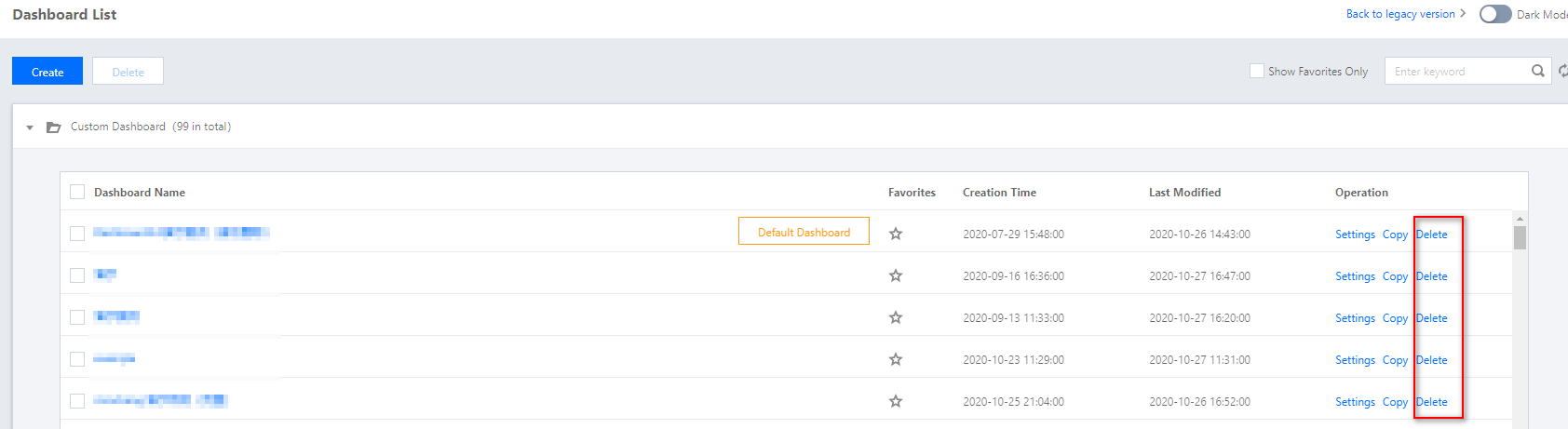
Find the dashboard that you want to delete in the dashboard list, click Delete under the “Operation” column, and then confirm the deletion in the window that appears.
Batch deletion
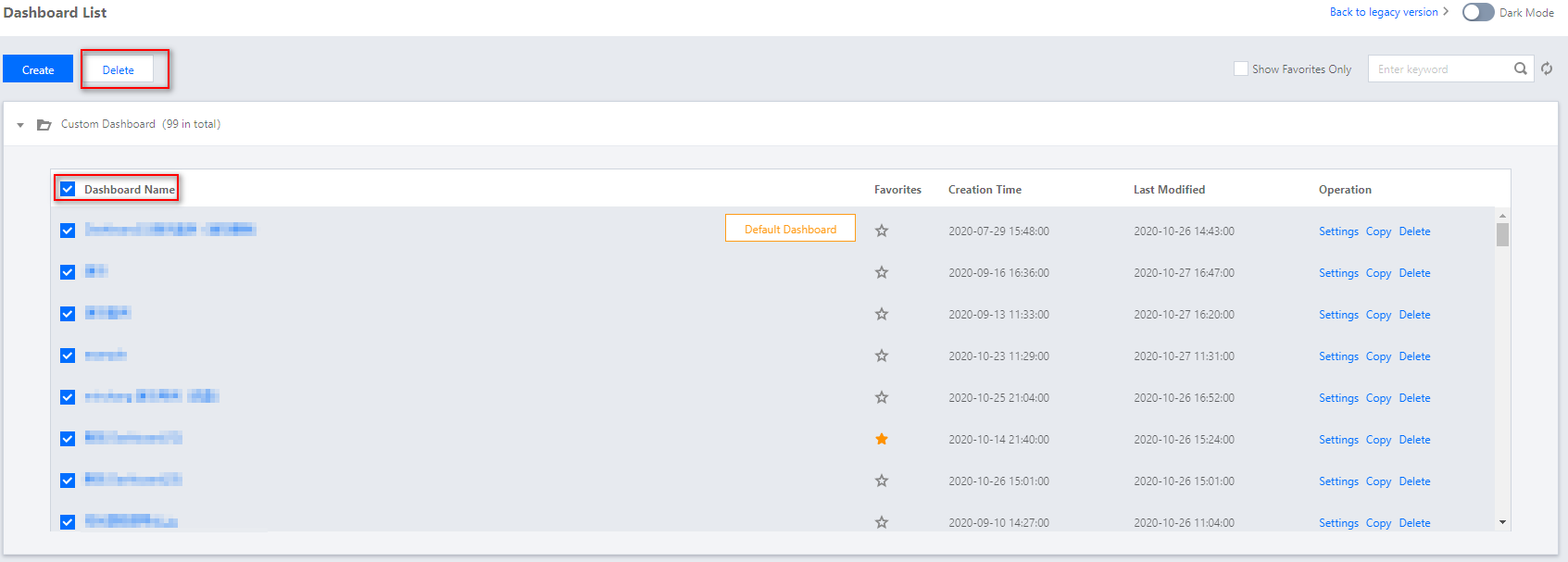
i. Select all or multiple dashboards that you want to delete in the dashboard list, and click Delete above the list.
ii. Click Delete in the window that appears.