tencent cloud

Tencent Cloud Observability Platform

Adding Dashboard to Favorites

PDF
포커스 모드
폰트 크기
마지막 업데이트 시간: 2024-01-27 17:45:42
This document describes how to add a dashboard to Favorites.

Directions

After adding dashboards to Favorites, you can quickly switch between the dashboards in Favorites by following the directions under “Switching Dashboards” in Viewing Dashboards and perform troubleshooting. You can quickly filter the dashboards in Favorites by following the directions in Viewing Dashboards.
2. In the left sidebar, click Dashboard > Dashboard List to go to the dashboard list page.
3. In the dashboard list, find the dashboard that you want to add to Favorites, and click the dashboard name to go to the dashboard management page.
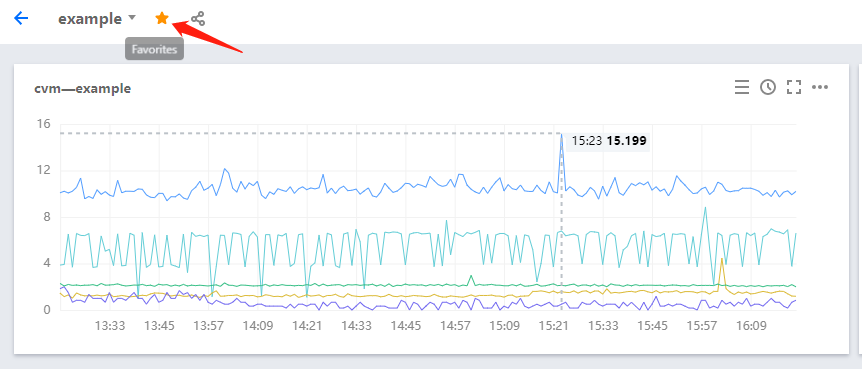
4. Click

, as shown in the figure below. If the "Added to Favorites successfully" message appears, the dashboard has been successfully added to Favorites.


도움말 및 지원

문제 해결에 도움이 되었나요?

피드백