Mobile Performance Monitoring (MPM) aggregates key characteristics of individual Application Not Response (ANR) cases, facilitating root cause analysis of ANR issues for your app.
2. In the left sidebar menu, select Mobile App Performance Monitoring > Anr.
3. Select the business system, app, and time range to analyze ANR issues.
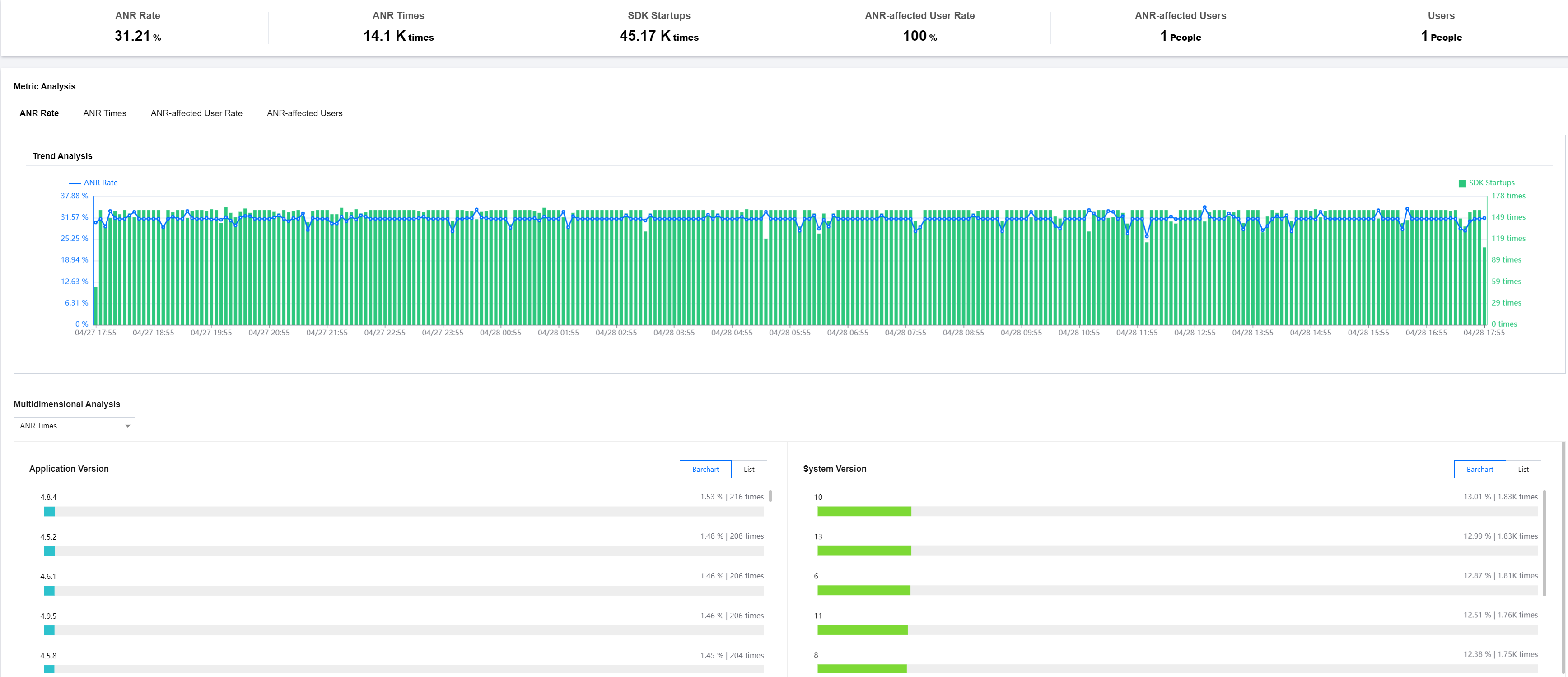
Multidimensional Analysis
The Multidimensional analysis page shows the analysis of key metrics from multiple dimensions such as ANR count, number of launches, and ANR rate. It facilitates targeted root cause analysis of specific ANR issues.
ANR Issue List
The ANR issue list allows you to view, search, sort, and manage clustering issues. You can enter the issue details page by clicking the View Details button.
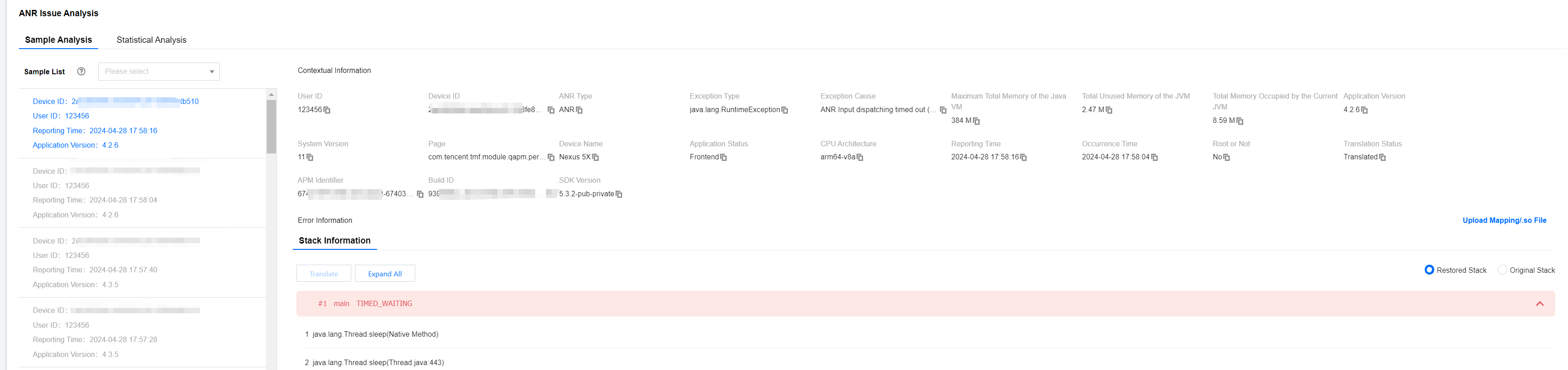
ANR Issue Details
The details page provides multi-dimensional statistics for a category of issues and analysis of individual cases. You can check the details of an issue by clicking the corresponding issue description.
Metrics Description
ANR-related Metrics are described as follows:
Metric Name
Metrics Description
ANR Rate
Number of devices experiencing ANR/Total number of devices within a specified time range
ANR Times
Number of ANRs occurring in the app within a specified time range
SDK Startups
Number of app launches
ANR-affected User Rate
Number of users affected by ANR/Total number of users launching the app within a specified time range
ANR-affected Users
Number of users affected by ANR within a specified time range