2. In the left sidebar, select Mobile App Performance Monitoring > Overview.
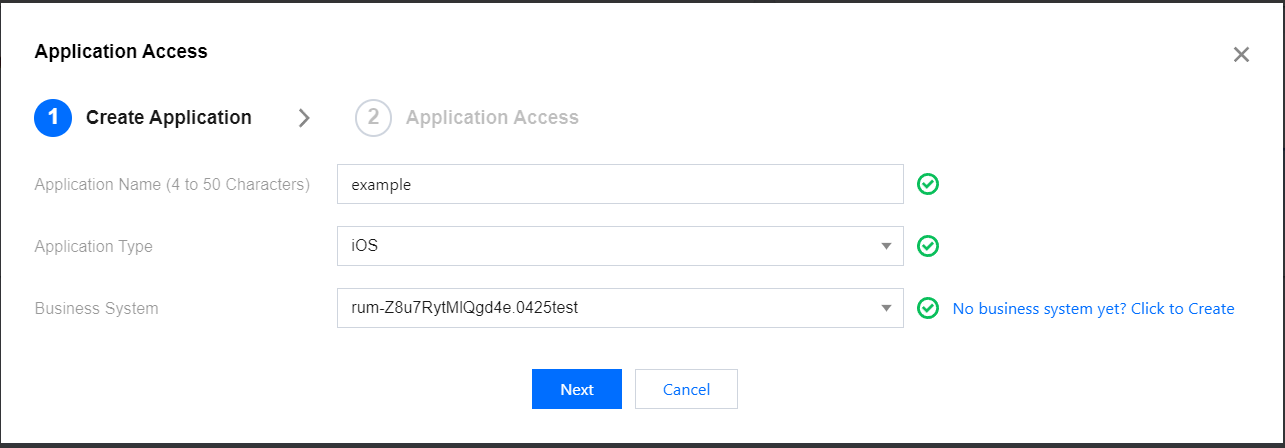
3. click Application Access, fill in the app name, set the app type to Android or iOS, set the business system, and click Next.
Obtaining App ID
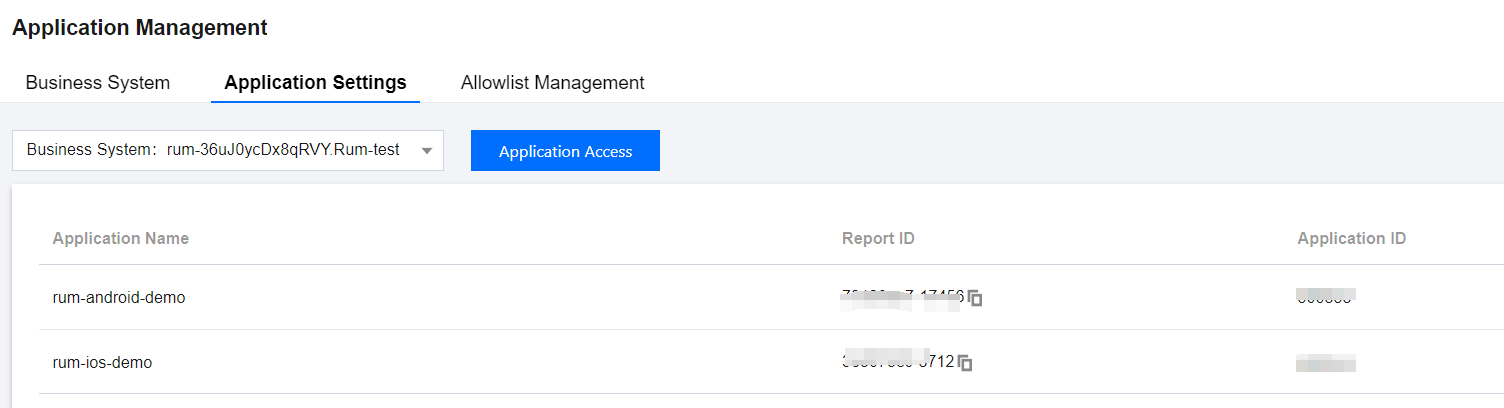
On the Application Management > Application Settings to enter the app settings page and obtain app IDs from the list.
Allowlist Configuration
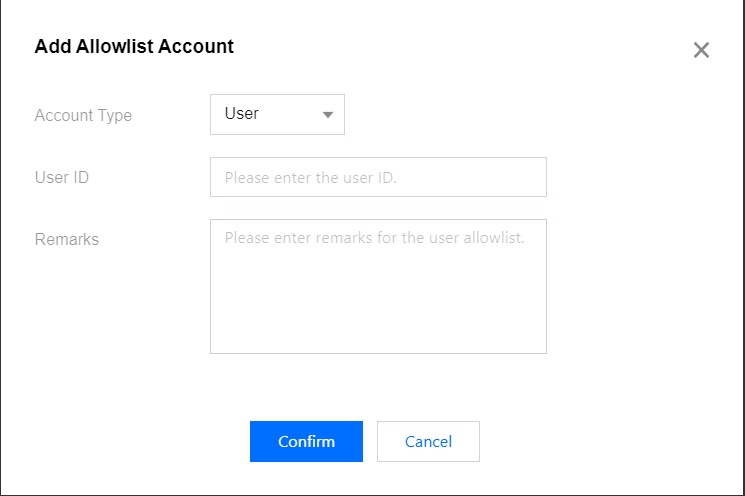
Select Application Management > Allowlist Management to enter the allowlist configuration page. Click Add on the allowlist configuration page. Configure a user ID/device ID allowlist to prevent data reporting from being affected by sampling. That is, users/devices in the allowlist are not affected by the sampling rate and will all be sampled. You can select a user or device type and fill in the relevant ID.