Tencent Cloud Observability Platform
- Release Notes and Announcements
- Product Introduction
- Purchase Guide
- Tencent Cloud Product Monitoring
- Application Performance Management
- Mobile App Performance Monitoring
- Real User Monitoring
- Cloud Automated Testing
- Prometheus Monitoring
- Grafana
- EventBridge
- PTS
- Quick Start
- Cloud Product Monitoring
- Tencent Cloud Service Metrics
- Operation Guide
- CVM Agents
- Cloud Product Monitoring Integration with Grafana
- Troubleshooting
- Practical Tutorial
- Application Performance Management
- Product Introduction
- Access Guide
- Operation Guide
- Practical Tutorial
- Parameter Information
- FAQs
- Mobile App Performance Monitoring
- Overview
- Operation Guide
- Access Guide
- Practical Tutorial
- Tencent Cloud Real User Monitoring
- Product Introduction
- Operation Guide
- Connection Guide
- FAQs
- Cloud Automated Testing
- Product Introduction
- Operation Guide
- FAQs
- Performance Testing Service
- Prometheus Monitoring
- Product Introduction
- Access Guide
- Operation Guide
- Practical Tutorial
- Terraform
- FAQs
- Grafana
- Product Introduction
- Operation Guide
- Guide on Grafana Common Features
- FAQs
- Dashboard
- Overview
- Operation Guide
- Alarm Management
- Console Operation Guide
- Troubleshooting
- FAQs
- EventBridge
- Product Introduction
- Operation Guide
- Practical Tutorial
- FAQs
- Report Management
- FAQs
- Documentation Guide
- Related Agreements
- Application Performance Management Service Level Agreement
- APM Privacy Policy
- APM Data Processing And Security Agreement
- RUM Service Level Agreement
- Mobile Performance Monitoring Service Level Agreement
- Cloud Automated Testing Service Level Agreement
- Prometheus Service Level Agreement
- TCMG Service Level Agreements
- PTS Service Level Agreement
- PTS Use Limits
- Cloud Monitor Service Level Agreement
- API Documentation
- History
- Introduction
- API Category
- Making API Requests
- Monitoring Data Query APIs
- Alarm APIs
- Legacy Alert APIs
- Notification Template APIs
- TMP APIs
- Grafana Service APIs
- Event Center APIs
- TencentCloud Managed Service for Prometheus APIs
- Monitoring APIs
- Data Types
- Error Codes
- Glossary
Logging in to Grafana
마지막 업데이트 시간: 2024-11-01 21:28:37
This document describes how to log in to Grafana.
Directions
1. Log in to the TCMG console.
2. In the instance list, find the target instance and click the Grafana icon 
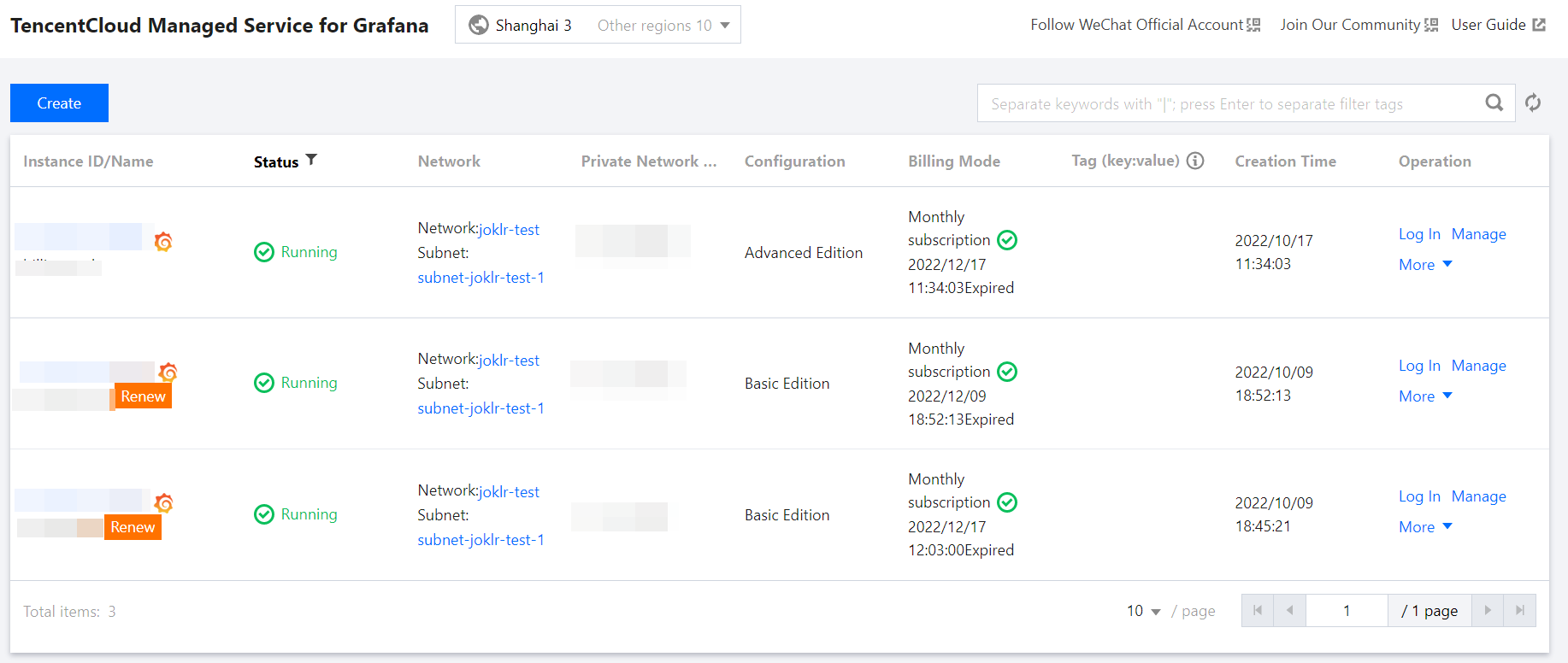
3. On the Grafana login page, enter your account and password or log in with SSO.
피드백