You need to enter COS and CFS paths for execution logs (StdOut and StdErr) and remote storage mappings in BatchCompute, which is slightly different from access to COS buckets or files in HTTP mode.
COS Path Description
Only endpoints in COS XML API format
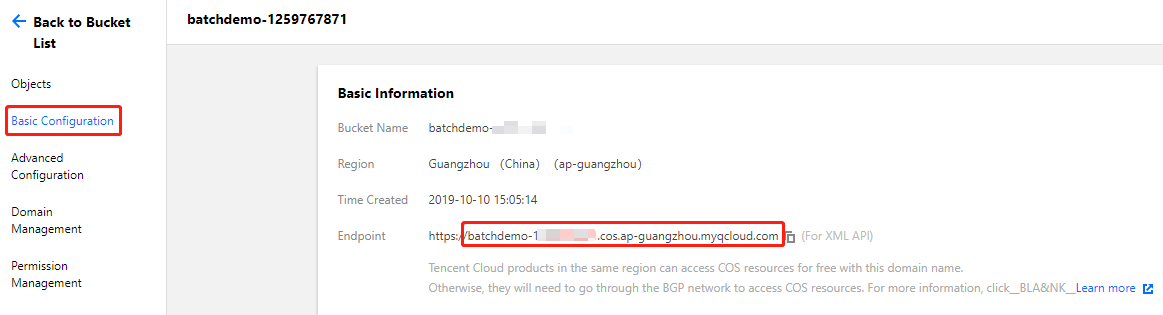
For BatchCompute paths, only endpoints in the XML API format are supported as shown below:
Prefixed with cos://
The obtained COS endpoint is as shown below:
Prefix BatchCompute paths with cos:// and suffix them with /.
COS has regional attributes. Data transfer between the storage server and Cloud Virtual Machine (CVM) is efficient only when your BatchCompute job and COS bucket are in the same region.
CFS Path Description
In remote storage mappings, you can configure CFS/NAS paths to automatically mount to a local path as shown below:
Prefixed with cfs:// or nfs://
An example of an obtained CFS path is 10.66.xxx.xxx. Prefix a BatchCompute path with cfs:// or nfs://.
Note:
Suffix the path with / and ensure that your CFS/NAS and BatchCompute job are on the same network.