CLS allows you to use LogListener to collect CVM and Lighthouse logs. Before log collection, you need to install and deploy LogListener in CVM or Lighthouse. To quickly install and deploy LogListener in a number of CVM and Lighthouse instances, you can select CVM or Lighthouse instances in the console and batch distribute LogListener deployment tasks through an API to automatically complete LogListener installation and deployment (including
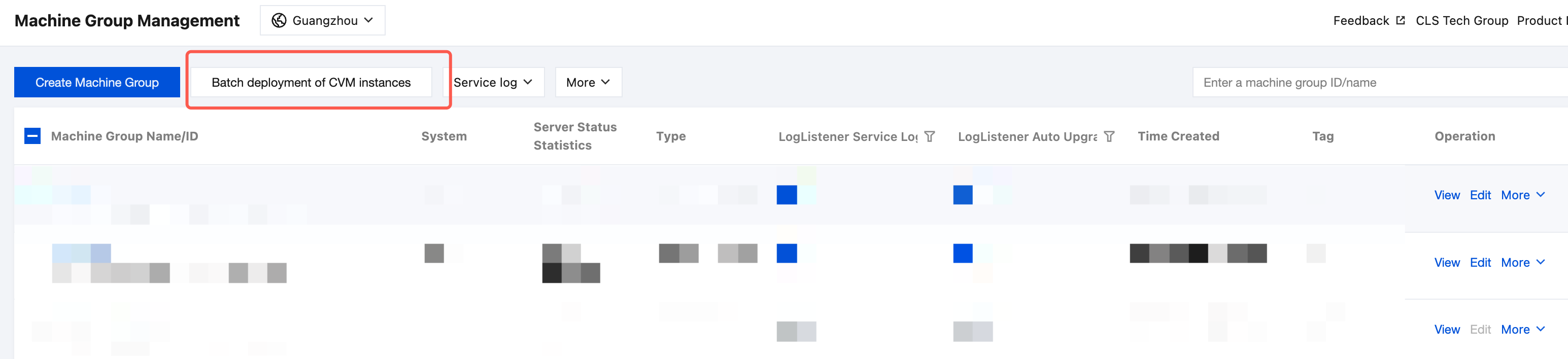
2. In the left sidebar, click Machine Group Management to go to the Server Group Management page.
3. Click Batch deployment for CVM Instances at the top of the page.
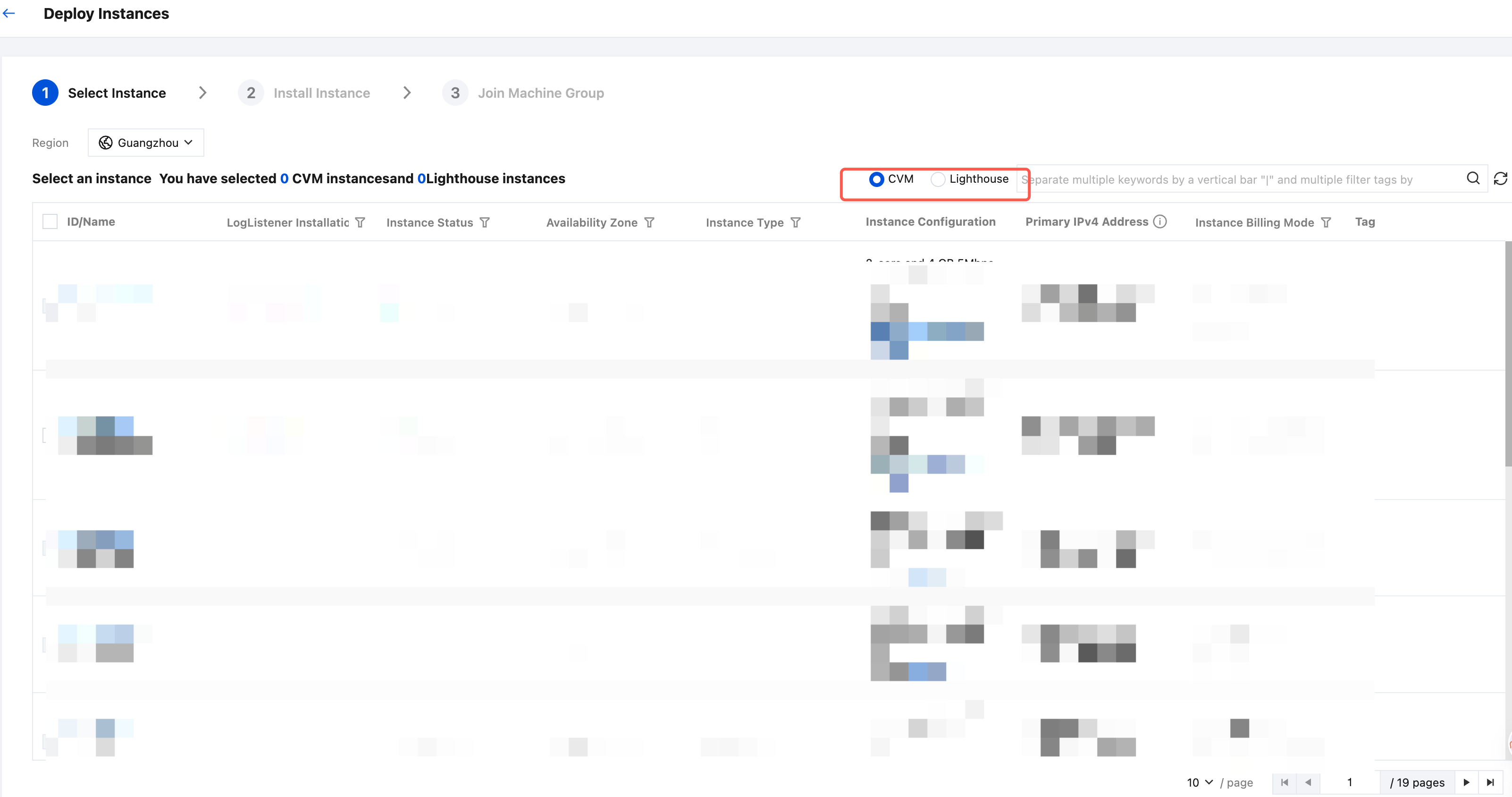
4. On the batch deployment page for instances, select the server type: CVM or Lighthouse.(Batch deployment of LogListener is supported for both CVM and Lighthouse servers simultaneously.)
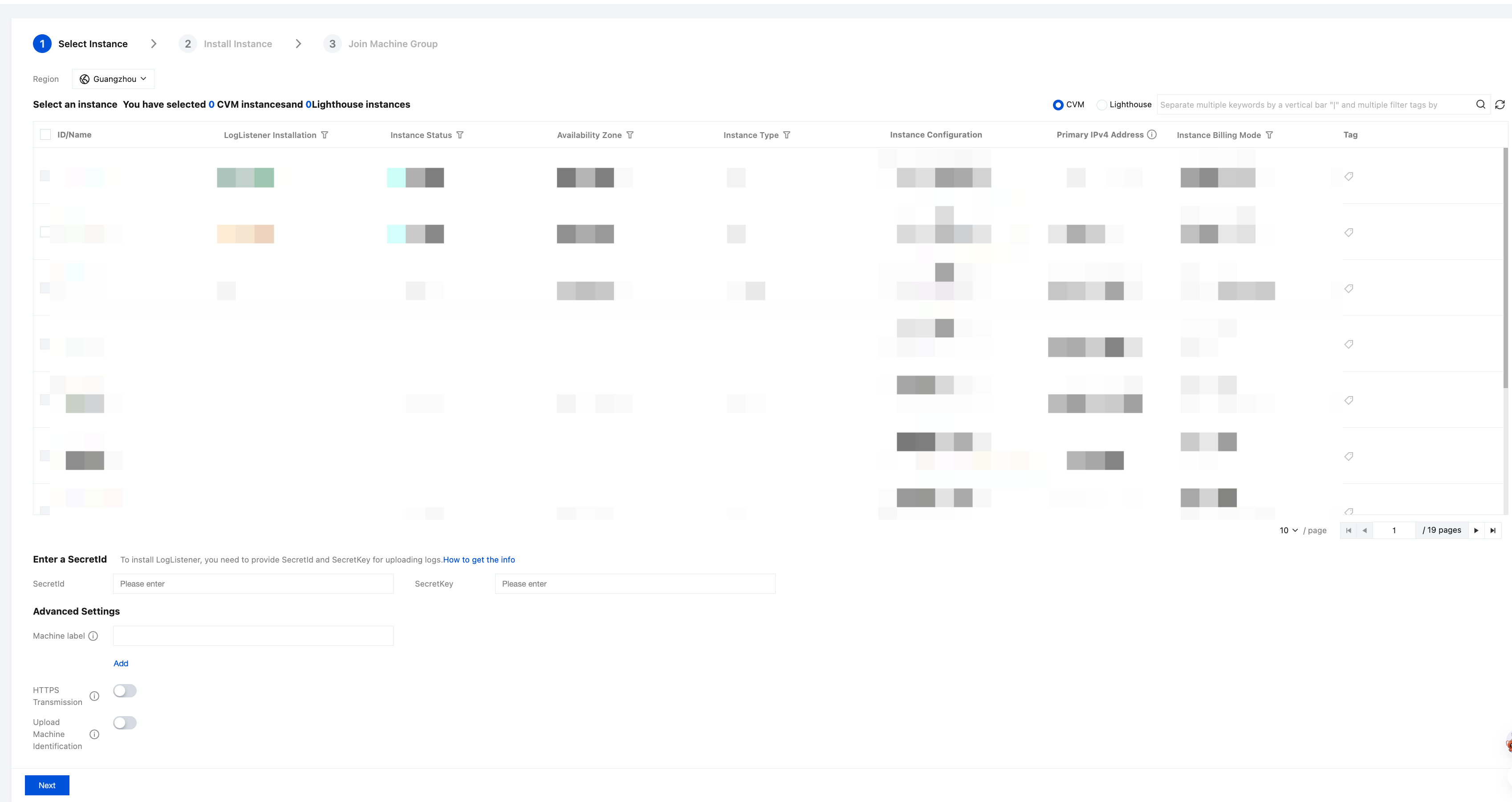
5. Select the target CVM or Lighthouse instances, enter the SecretId information (SecretId and SecretKey), and set Machine label in Advanced Settings as needed.
Note:
Installing LogListener requires you to provide SecretId and SecretKey. The credential information is used for uploading logs. See how to obtain them.
Ensure that the account corresponding to the key information you fill in has the permission to upload logs. For how to configure the permission, see Account Authorization.
If your machine IP changes frequently, we recommend that you configure the machine label as instructed in Machine Group Management.
Machines with LogListener already installed cannot be selected.
6. Click Next.
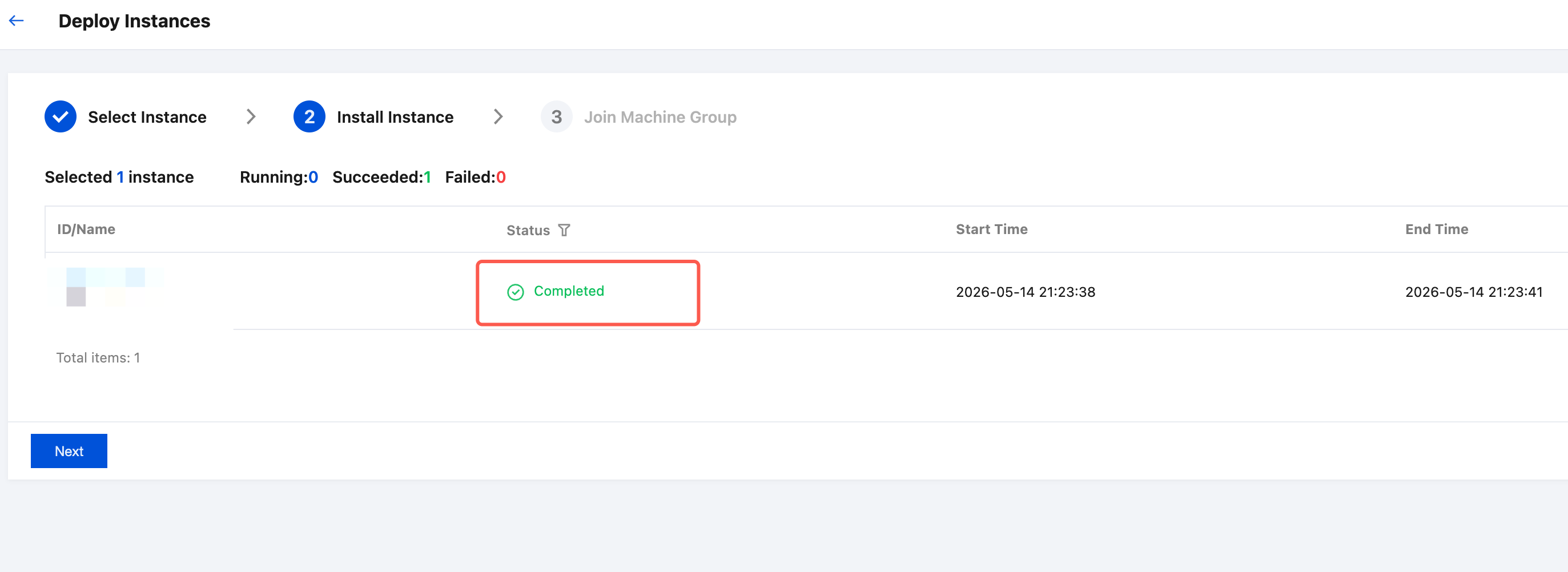
7. On the instance installation page, click Next when the installation Status changes to Completed, which indicates that the installation is completed.
Note:
If the installation fails, move the cursor over to the Status of the instance installation to view the failure causes.
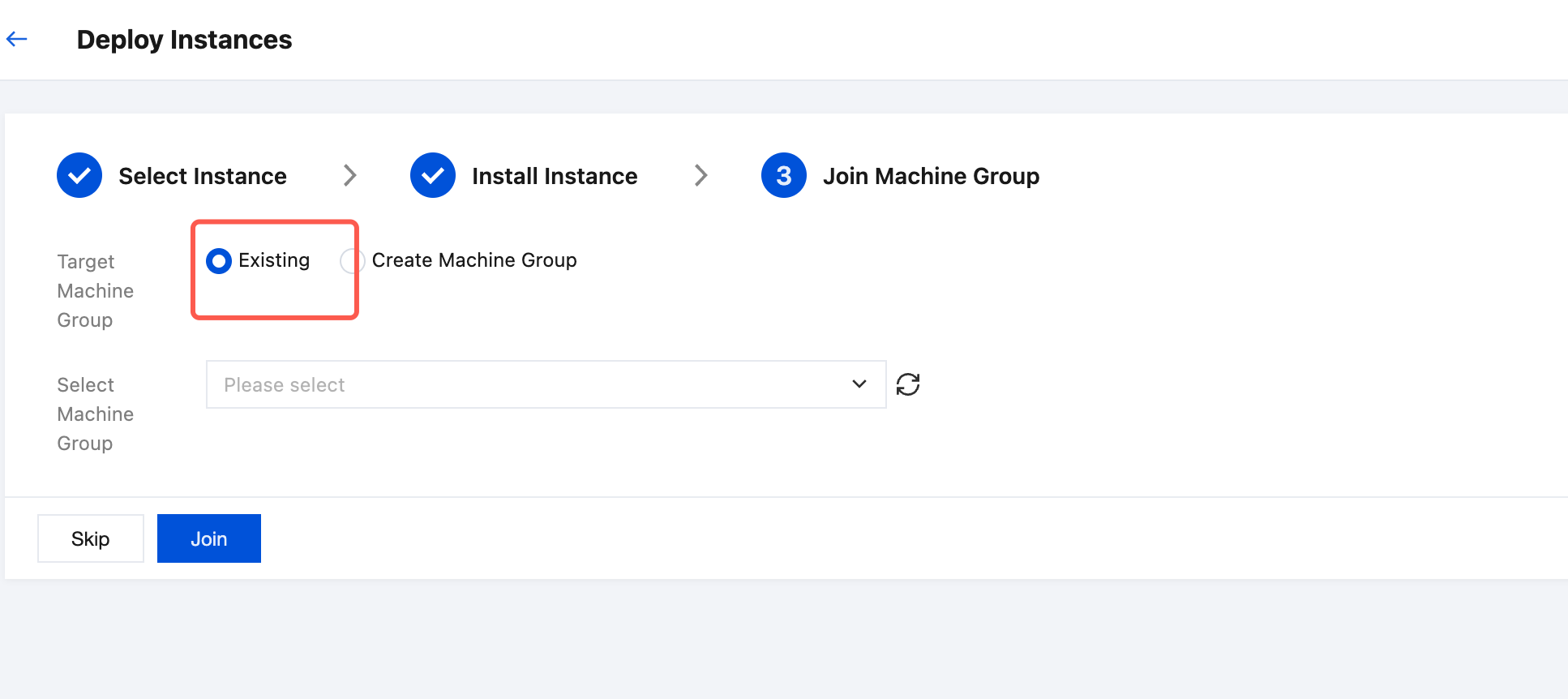
8. On the Import Machine Group page, select an existing machine group or create a new one based on your actual needs. Click Join to complete the batch installation and deployment.
Note:
The version of the LogListener deployed via batch deployment is 2.6.0 or later.