Host Live Streaming(iOS)
다운로드
포커스 모드
폰트 크기
UILiveKit Voice Chat Room is a ready-to-use interface providing all the core functionalities for starting a live stream. It enables you to integrate a host broadcasting flow into your app with simple steps.Feature Overview
Pre-Live Preview: Allows hosts to configure personalized settings such as room name and cover image before going live.
Seat Management: Supports seat management operations including taking a seat, leaving a seat, muting, and locking seats.
Audience Interaction: Enables interactive features such as live chat (bullet comments), virtual gifts, and likes.
Live Room Management: Displays the online user list and provides moderation controls such as muting or removing users from the live room.
Pre-Live Preview | Seat Management | Audience Interaction | Live Room Management |
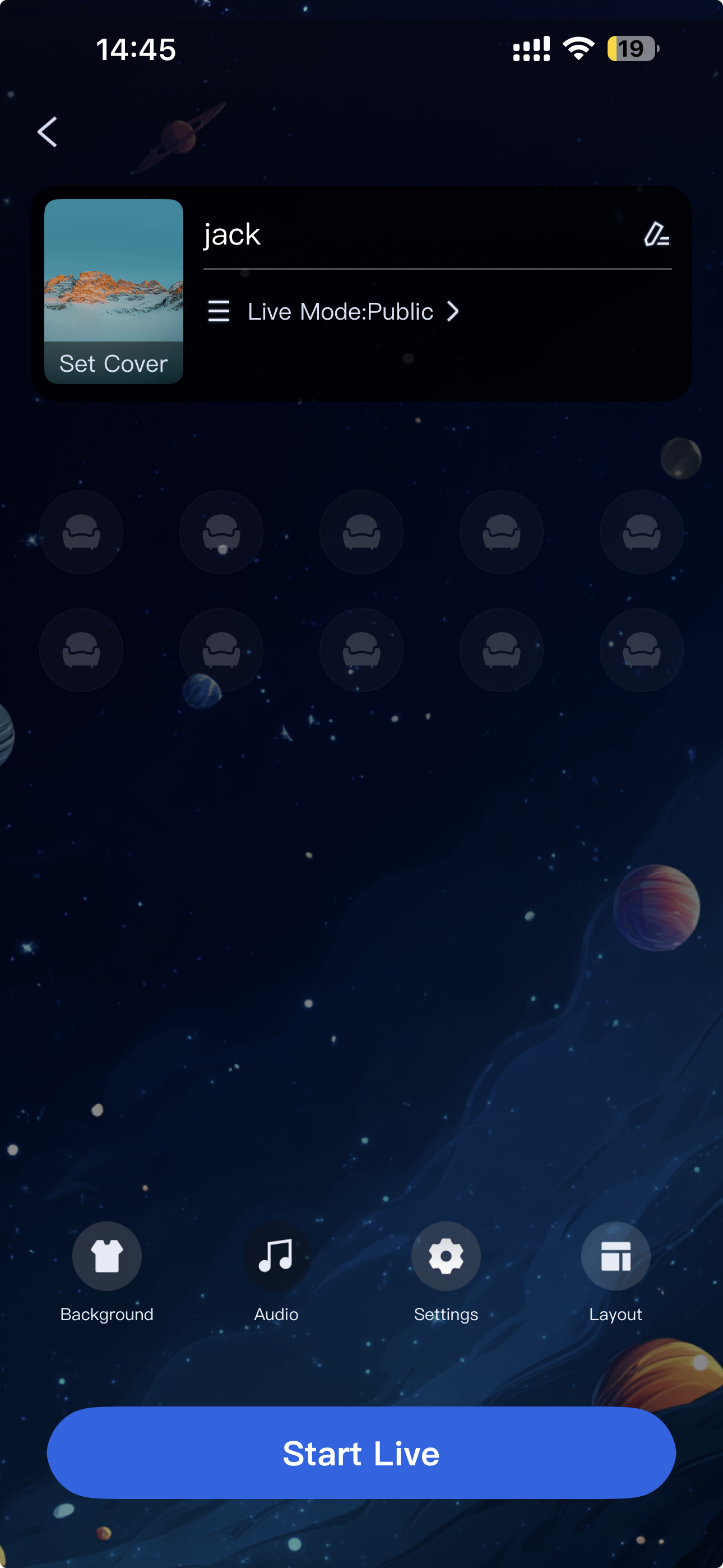 | 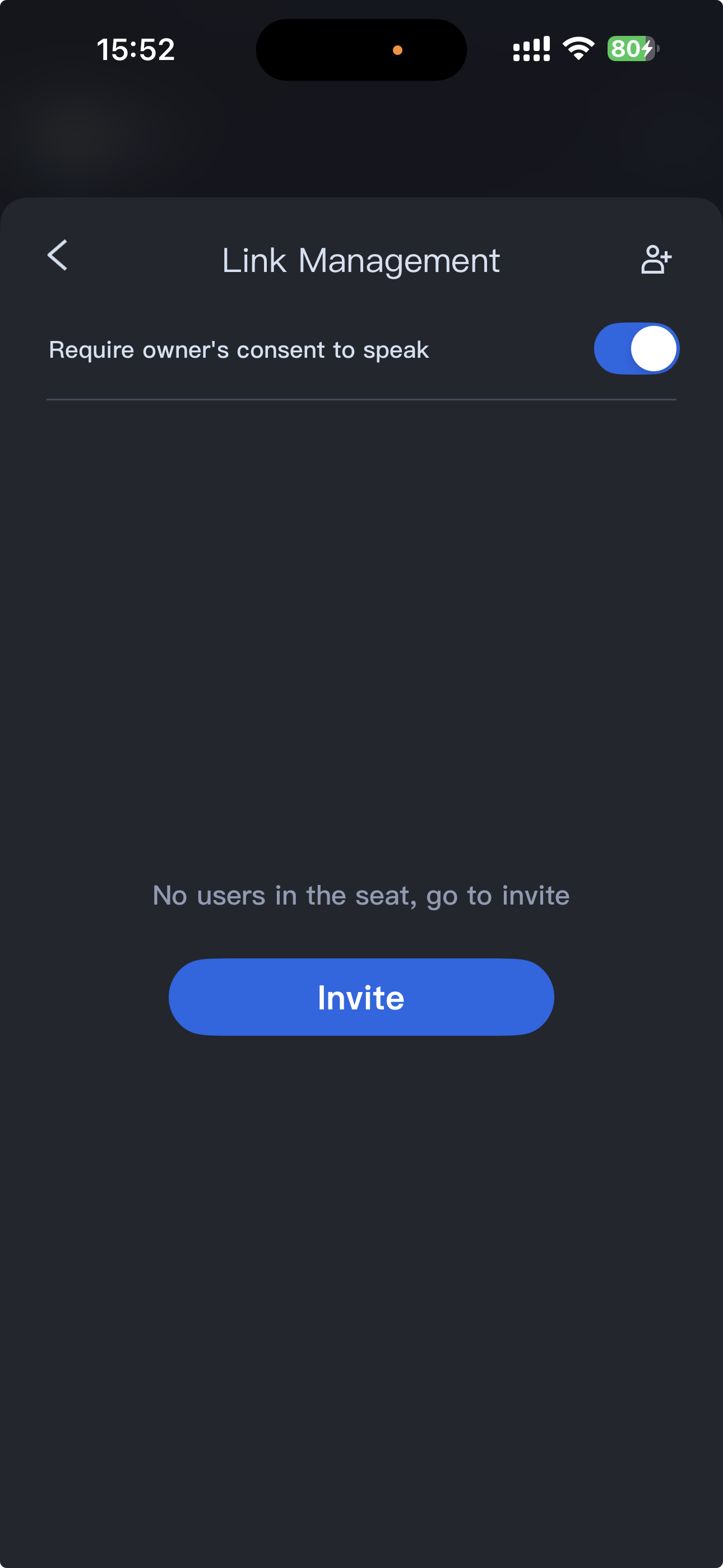 | 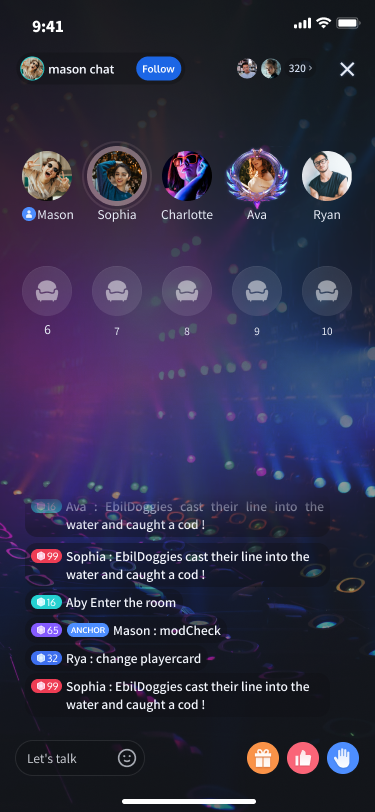 | 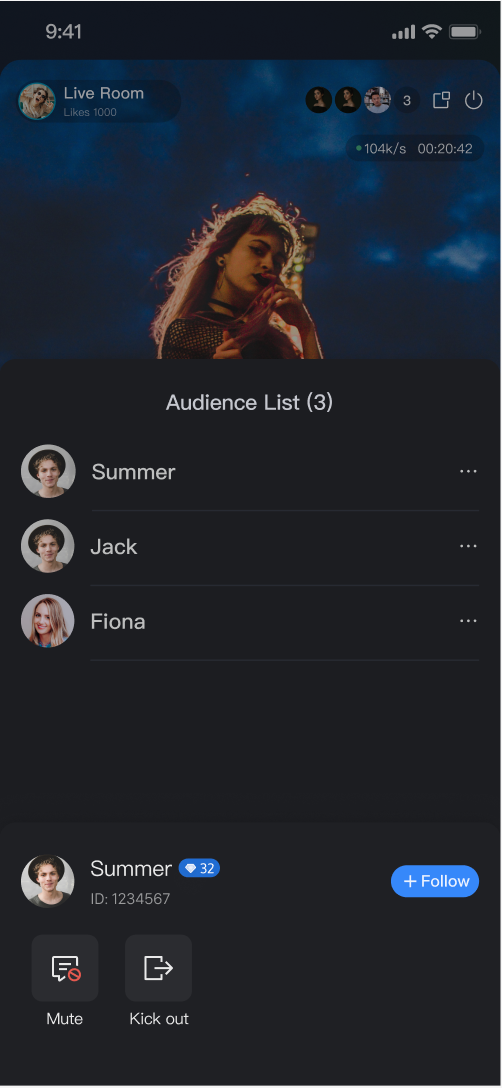 |
Quick Integration
Integrate the Component
Create and Present the Voice Room View Controller
The
TUIVoiceRoomViewController component provides a complete host-side UI and business logic for the voice room scenario. To enable hosts to start a live session, simply create and present this view controller. We recommend triggering the following logic in your app’s "Start Live" button click handler:import TUILiveKitimport UIKit// YourViewController represents the view controller from which you start the live sessionclass YourViewController: UIViewController {// Handle the "Start Live" button click event@objc func onStartVoiceRoomClicked() {// 1. Configure room parameters (RoomParams)var params = RoomParams()params.maxSeatCount = 10 // Maximum number of seatsparams.seatMode = .applyToTake // Seat mode// 2. Instantiate the voice room controllerlet roomId = "test_voice_room_id"let voiceRoomVC = TUIVoiceRoomViewController(roomId: roomId, behavior: .prepareCreate, roomParams: params)voiceRoomVC.modalPresentationStyle = .fullScreen// 3. Present the voice room pagepresent(voiceRoomVC, animated: true)}}
TUIVoiceRoomViewController Parameter Reference:
Parameter | Type | Description |
roomId | string | Globally unique ID for the live room. |
behavior | RoomBehavior | Room entry behavior: - autoCreate: Automatically create and enter the live room. - prepareCreate: Enter the pre-live preview page first, then create and enter the live room after the user clicks "Start Live". - join: Audience joins the room. |
roomParams | RoomParams? | Parameters for the host to start the live session. See the table below for details. |
RoomParams Parameter Reference:
Parameter | Type | Description |
maxSeatCount | Int | Maximum number of seats in the live room. |
seatMode | TUISeatMode | Audience seat mode: - applyToTake: Audience must apply and be approved by the host to take a seat.- freeToTake: Audience can take a seat freely without host approval. |
Customize UI
TUILiveKit provides flexible UI customization to meet a variety of business requirements. You can select different layout templates and easily update UI text and icons.Live Layout Template Selection
TUILiveKit Voice Room offers two layout styles. Select your preferred style using the "Layout" option on the host's pre-live preview page:
Layout Overview:
| Chat Room | KTV |
Description | Default layout; displays only the seat grid. | Displays a KTV song player above the seat grid. |
Preview | 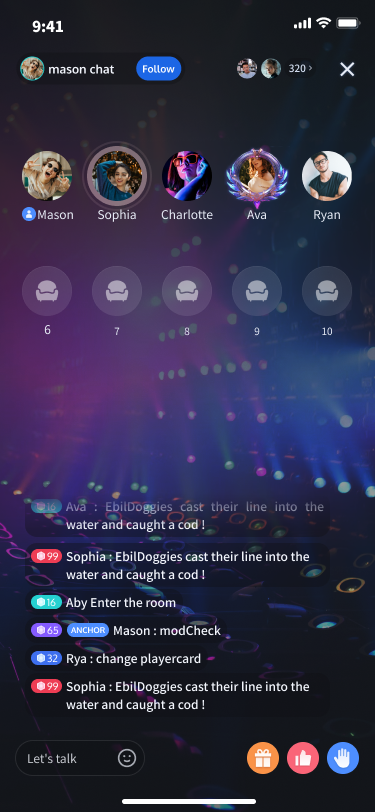 |  |
Text Customization (Localization)
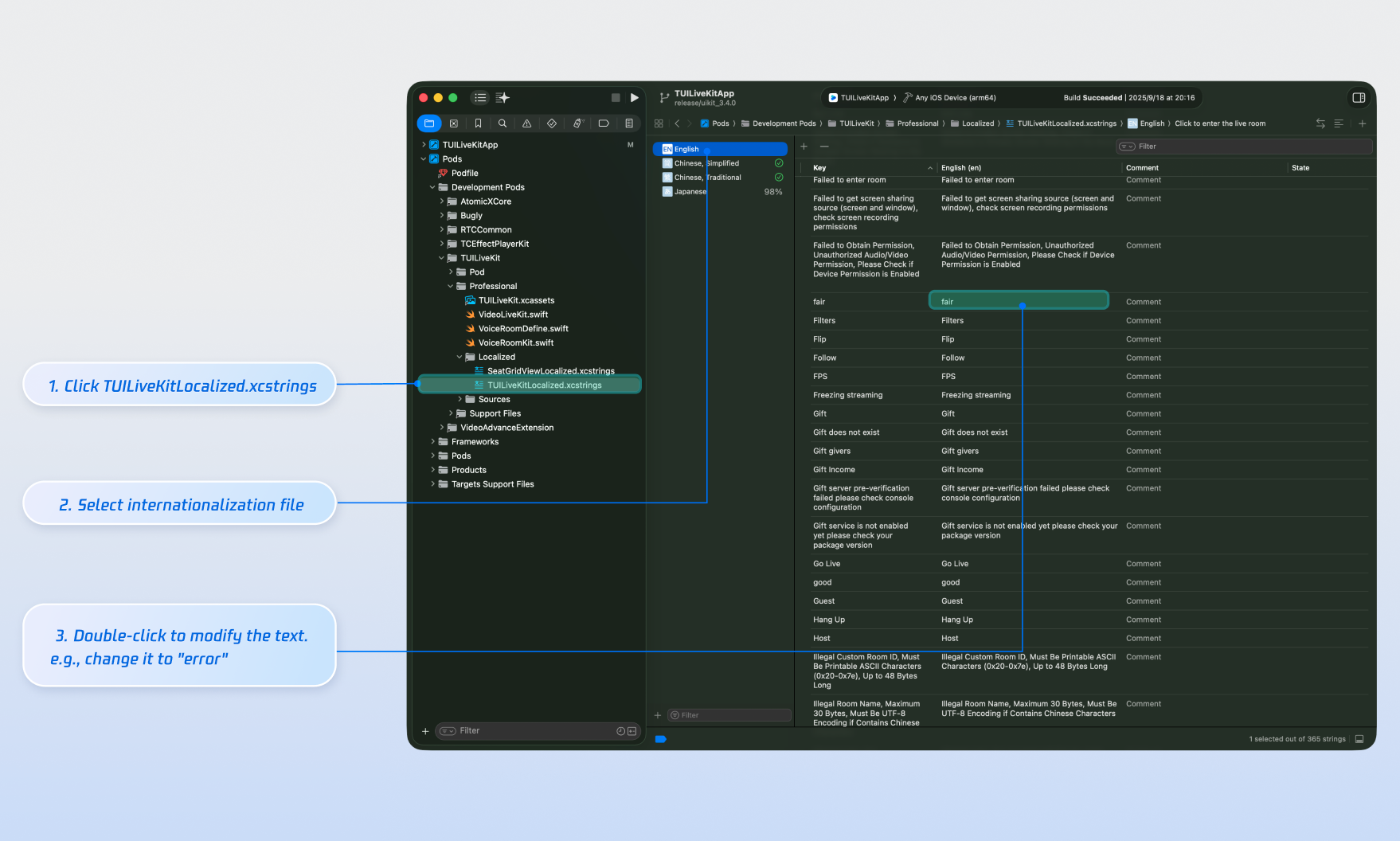
TUILiveKit uses the Apple Strings Catalog(.xcstrings) format, introduced in Xcode 15, to manage the text displayed in the UI. You can modify the string resources using Xcode's graphical interface:Note:
Apple Strings Catalog (.xcstrings) is a localization format introduced in Xcode 15. It enhances how developers manage localized strings, supporting a structured format to handle plurals, device-specific variants, etc. This format is becoming the recommended way to manage localization for iOS and macOS applications.
Icon Customization (Image Assets)
TUILiveKit uses
TUILiveKit.xcassets to manage the image resources for the UI. You can quickly modify the custom icons using Xcode's graphical tools.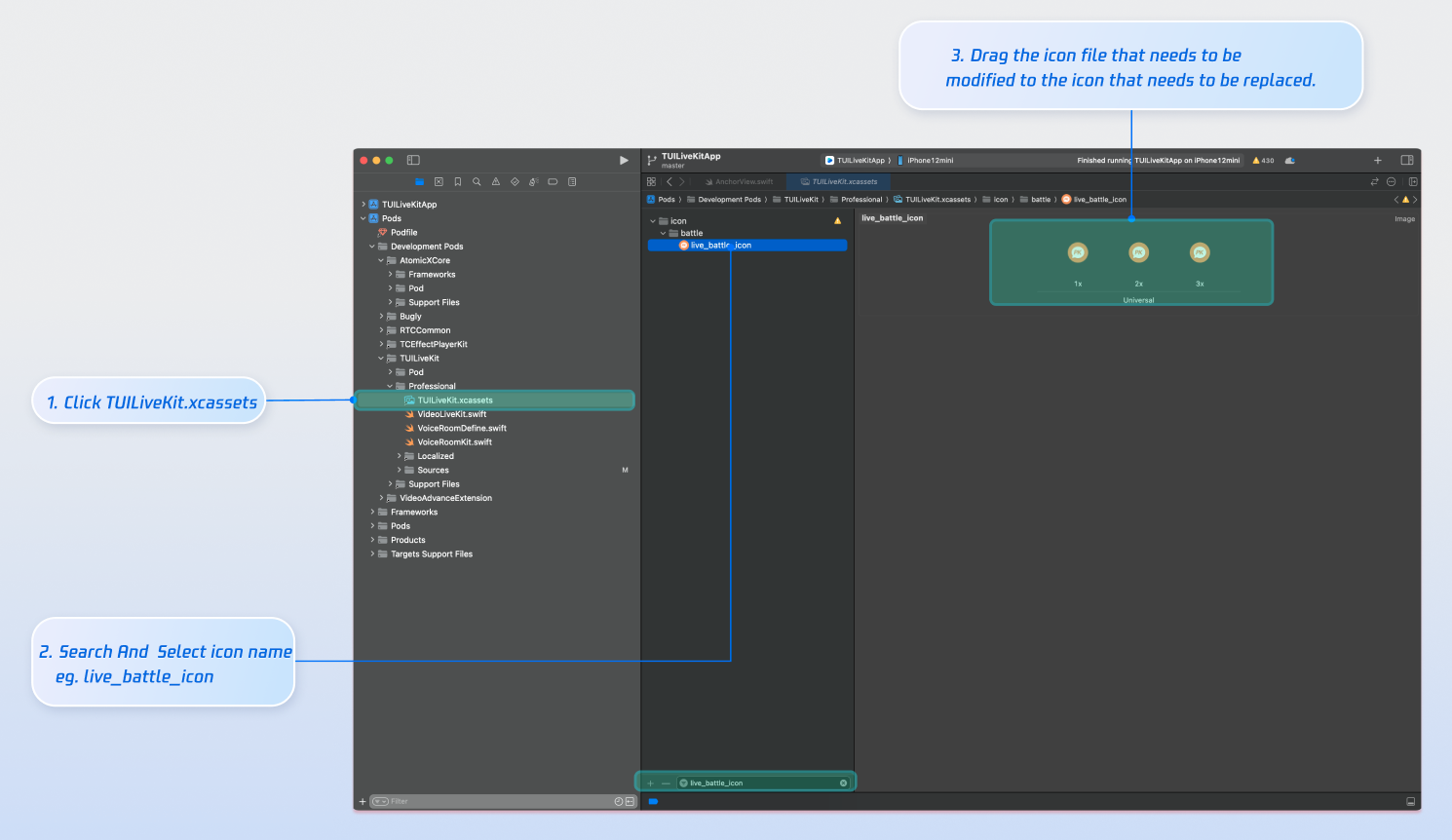
Next Steps
You have now successfully integrated host live streaming. Next, implement features such as audience listening, live stream list and gift system. See the table below for details:
Feature | Description | Integration Guide |
Audience Listening | Enables users to join as audience members, listen to the host, take seats, and view live chat (bullet comments). | |
Live Stream List | Displays a list of live rooms and their details. | |
Gift System | Support custom gift asset configuration, billing system integration, and gift-sending in PK scenarios. |
FAQs
No sound after going live?
Go to your device's
Settings > App > Microphone and ensure that microphone permissions are enabled.
Unable to go live when clicking the start button, with a "Not Logged In" prompt?
피드백