tencent cloud

OpenClaw

Download
Modo Foco
Tamanho da Fonte
Última atualização: 2026-07-23 15:08:39
OpenClaw is an open-source, local AI agent framework that enables AI to evolve from "answering questions" to "executing tasks hands-on." It supports autonomous operation on Windows, macOS, and Linux, automatically performing operations such as file organization, email processing, and code writing through built-in tools and an extensible plugin system.
Tencent Cloud Token Plan Enterprise Edition is supported for use in OpenClaw. You can configure and use it by referring to this document.

Prerequisites

Before you start the configuration, ensure that you have completed the following preparations:

Installing OpenClaw

Execute the corresponding command to install OpenClaw based on your actual environment type.
macOS/Linux
Windows
curl -fsSL https://openclaw.ai/install.sh | bash
Run the following command in PowerShell.
iwr -useb https://openclaw.ai/install.ps1 | iex
Complete the OpenClaw configuration based on the prompt information. Refer to the following configuration.
Wizard Configuration Item
Configuration Content
I understand this is powerful and inherently risky. Continue?
Select Yes.
Onboarding mode
Select QuickStart.
Model/auth provider
Select Skip for now. It can be configured later.
Filter models by provider
Select All providers.
Default model
Use the default configuration.
Select channel (QuickStart)
Select Skip for now. It can be configured later.
Search provider
Select Skip for now. It can be configured later.
Configure skills now? (recommended)
Select No. It can be configured later.
Enable hooks?
Press the Spacebar to select the option, and press the Enter key to go to the next step.
How do you want to hatch your bot?
Select Hatch in TUI.

Configuring Token Plan Enterprise Edition

Attention:
If you encounter issues such as 404 or 401 errors despite correct configuration, it is likely caused by OpenClaw's caching. You can directly modify the local configuration file and restart the OpenClaw gateway. The configuration file path is as follows:
Windows: C:\\Users\\<username>\\.openclaw\\openclaw.json
macOS/Linux:~/.openclaw/openclaw.json
1. Run the following command to open the OpenClaw WebUI. Then, choose Config > Raw from the left-side menu bar in the WebUI.
openclaw dashboard
2. Add the models.providers configuration to the openclaw.json configuration file.
baseUrl: Configure it using the Token Plan's OpenAI API-compatible endpoint, based on your purchased plan and region. Refer to the following examples: Guangzhou https://tokenhub.tencentcloudmaas.com/plan/v3 and Singapore https://tokenhub-intl.tencentcloudmaas.com/plan/v3.
<USER_API_KEY>: Replace it with your own API Key.
Pro Plan (Guangzhou)
Pro Plan (Singapore)
Lite Plan (Guangzhou)
Lite Plan (Singapore)

"mode": "merge",
"providers": {
"tencent-token-plan": {
"baseUrl": "https://tokenhub.tencentcloudmaas.com/plan/v3",
"apiKey": "<USER_API_KEY>",
"api": "openai-completions",
"models": [
{
"id": "auto",
"name": "Auto",
"reasoning": false,
"input": ["text"],
"cost": { "input": 0, "output": 0, "cacheRead": 0, "cacheWrite": 0 },
"contextWindow": 196608,
"maxTokens": 32768
},
{
"id": "glm-5.2",
"name": "GLM-5.2",
"reasoning": false,
"input": ["text"],
"cost": { "input": 0, "output": 0, "cacheRead": 0, "cacheWrite": 0 },
"contextWindow": 1048576,
"maxTokens": 131072
},
{
"id": "minimax-m3",
"name": "MiniMax-M3",
"reasoning": false,
"input": ["text"],
"cost": { "input": 0, "output": 0, "cacheRead": 0, "cacheWrite": 0 },
"contextWindow": 1048576,
"maxTokens": 32768
},
{
"id": "kimi-k2.7-code",
"name": "Kimi K2.7 Code",
"reasoning": false,
"input": ["text"],
"cost": { "input": 0, "output": 0, "cacheRead": 0, "cacheWrite": 0 },
"contextWindow": 262144,
"maxTokens": 262144
},
{
"id": "kimi-k2.7-code-highspeed",
"name": "Kimi K2.7 Code HighSpeed",
"reasoning": false,
"input": ["text"],
"cost": { "input": 0, "output": 0, "cacheRead": 0, "cacheWrite": 0 },
"contextWindow": 262144,
"maxTokens": 262144
},
{
"id": "deepseek-v4-flash",
"name": "DeepSeek-V4-Flash",
"reasoning": false,
"input": ["text"],
"cost": { "input": 0, "output": 0, "cacheRead": 0, "cacheWrite": 0 },
"contextWindow": 1048576,
"maxTokens": 393216
},
{
"id": "deepseek-v4-pro",
"name": "DeepSeek-V4-Pro",
"reasoning": false,
"input": ["text"],
"cost": { "input": 0, "output": 0, "cacheRead": 0, "cacheWrite": 0 },
"contextWindow": 1048576,
"maxTokens": 393216
},
{
"id": "deepseek-v4-flash-202605",
"name": "DeepSeek-V4-Flash Direct from Manufacturer",
"reasoning": false,
"input": ["text"],
"cost": { "input": 0, "output": 0, "cacheRead": 0, "cacheWrite": 0 },
"contextWindow": 1048576,
"maxTokens": 393216
},
{
"id": "deepseek-v4-pro-202606",
"name": "DeepSeek-V4-Pro Direct from Manufacturer",
"reasoning": false,
"input": ["text"],
"cost": { "input": 0, "output": 0, "cacheRead": 0, "cacheWrite": 0 },
"contextWindow": 1048576,
"maxTokens": 393216
}
]
}
}
}

"mode": "merge",
"providers": {
"tencent-token-plan": {
"baseUrl": "https://tokenhub-intl.tencentcloudmaas.com/plan/v3",
"apiKey": "<USER_API_KEY>",
"api": "openai-completions",
"models": [
{
"id": "auto",
"name": "Auto",
"reasoning": false,
"input": ["text"],
"cost": { "input": 0, "output": 0, "cacheRead": 0, "cacheWrite": 0 },
"contextWindow": 196608,
"maxTokens": 32768
},
{
"id": "glm-5.2",
"name": "GLM-5.2",
"reasoning": false,
"input": ["text"],
"cost": { "input": 0, "output": 0, "cacheRead": 0, "cacheWrite": 0 },
"contextWindow": 1048576,
"maxTokens": 131072
},
{
"id": "minimax-m3",
"name": "MiniMax-M3",
"reasoning": false,
"input": ["text"],
"cost": { "input": 0, "output": 0, "cacheRead": 0, "cacheWrite": 0 },
"contextWindow": 1048576,
"maxTokens": 32768
},
{
"id": "kimi-k2.7-code",
"name": "Kimi K2.7 Code",
"reasoning": false,
"input": ["text"],
"cost": { "input": 0, "output": 0, "cacheRead": 0, "cacheWrite": 0 },
"contextWindow": 262144,
"maxTokens": 262144
},
{
"id": "kimi-k2.7-code-highspeed",
"name": "Kimi K2.7 Code HighSpeed",
"reasoning": false,
"input": ["text"],
"cost": { "input": 0, "output": 0, "cacheRead": 0, "cacheWrite": 0 },
"contextWindow": 262144,
"maxTokens": 262144
},
{
"id": "deepseek-v4-flash",
"name": "DeepSeek-V4-Flash",
"reasoning": false,
"input": ["text"],
"cost": { "input": 0, "output": 0, "cacheRead": 0, "cacheWrite": 0 },
"contextWindow": 1048576,
"maxTokens": 393216
},
{
"id": "deepseek-v4-pro",
"name": "DeepSeek-V4-Pro",
"reasoning": false,
"input": ["text"],
"cost": { "input": 0, "output": 0, "cacheRead": 0, "cacheWrite": 0 },
"contextWindow": 1048576,
"maxTokens": 393216
},
{
"id": "deepseek-v4-flash-202605",
"name": "DeepSeek-V4-Flash Direct from Manufacturer",
"reasoning": false,
"input": ["text"],
"cost": { "input": 0, "output": 0, "cacheRead": 0, "cacheWrite": 0 },
"contextWindow": 1048576,
"maxTokens": 393216
},
{
"id": "deepseek-v4-pro-202606",
"name": "DeepSeek-V4-Pro Direct from Manufacturer",
"reasoning": false,
"input": ["text"],
"cost": { "input": 0, "output": 0, "cacheRead": 0, "cacheWrite": 0 },
"contextWindow": 1048576,
"maxTokens": 393216
}
]
}
}
}
ite"models": {
"mode": "merge",
"providers": {
"tencent-token-plan": {
"baseUrl": "https://tokenhub.tencentcloudmaas.com/plan/v3",
"apiKey": "<USER_API_KEY>",
"api": "openai-completions",
"models": [
{
"id": "auto",
"name": "Auto",
"reasoning": false,
"input": ["text"],
"cost": { "input": 0, "output": 0, "cacheRead": 0, "cacheWrite": 0 },
"contextWindow": 196608,
"maxTokens": 32768
}
]
}
}
}
te"models": {
"mode": "merge",
"providers": {
"tencent-token-plan": {
"baseUrl": "https://tokenhub-intl.tencentcloudmaas.com/plan/v3",
"apiKey": "<USER_API_KEY>",
"api": "openai-completions",
"models": [
{
"id": "auto",
"name": "Auto",
"reasoning": false,
"input": ["text"],
"cost": { "input": 0, "output": 0, "cacheRead": 0, "cacheWrite": 0 },
"contextWindow": 196608,
"maxTokens": 32768
}
]
}
}
}
3. Modify agents.default in the openclaw.json configuration file to add model list information. The model specified by the primary field can be configured according to your preference.
Pro Plan
Lite Plan

"agents": {
"defaults": {
"model": {
"primary": "tencent-token-plan/auto"
},
"models": {
"tencent-token-plan/auto": {},
"tencent-token-plan/glm-5.2": {},
"tencent-token-plan/minimax-m3": {},
"tencent-token-plan/kimi-k2.7-code": {},
"tencent-token-plan/kimi-k2.7-code-highspeed": {},
"tencent-token-plan/deepseek-v4-flash": {},
"tencent-token-plan/deepseek-v4-pro": {},
"tencent-token-plan/deepseek-v4-flash-202605": {},
"tencent-token-plan/deepseek-v4-pro-202606": {}
}
}
}

"agents": {
"defaults": {
"model": {
"primary": "tencent-token-plan/auto"
},
"models": {
"tencent-token-plan/auto": {}
}
}
}
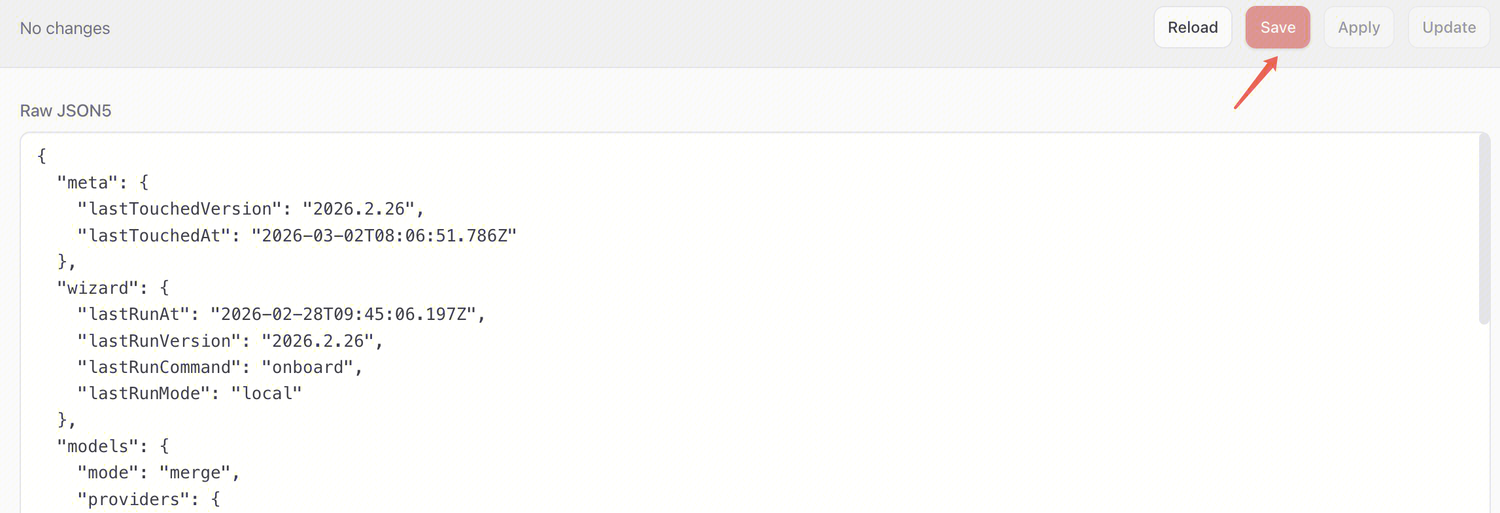
4. On the page, click Save to save the configuration. After saving, click Update to apply the configuration.


Using OpenClaw

OpenClaw supports interactive use through both WebUI and TUI interfaces.
WebUI
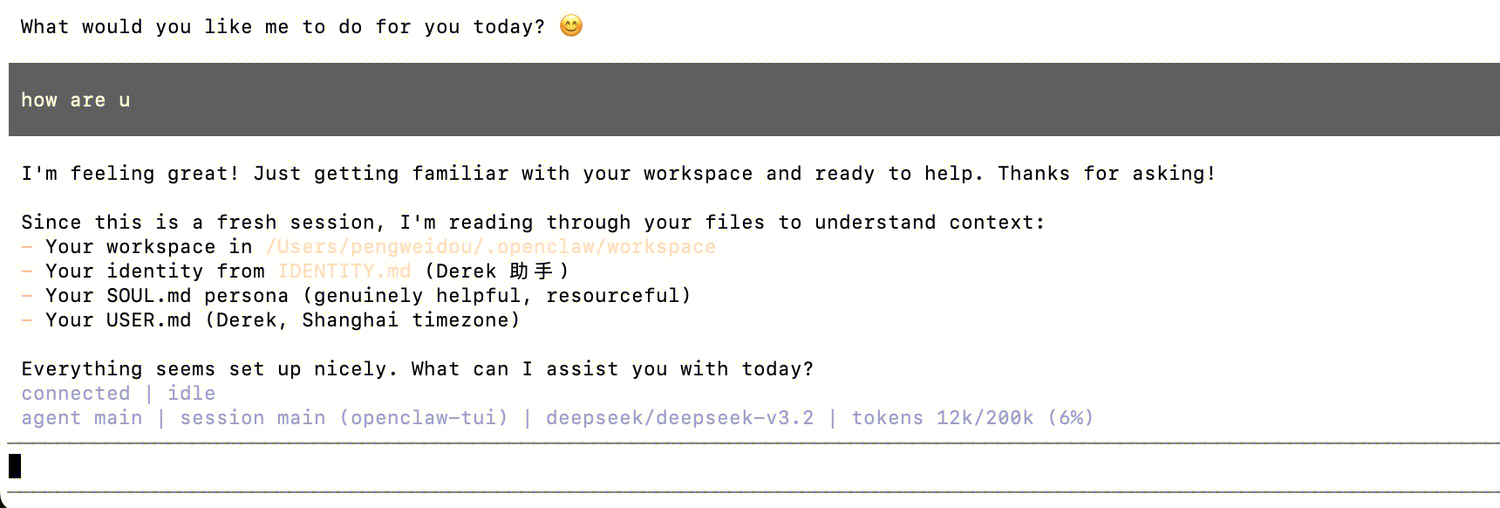
You can open the WebUI via the openclaw dashboard command, then click Chat on the left side of the WebUI to interact.

TUI
You can open the TUI to interact via the openclaw tui command.


Ajuda e Suporte

Esta página foi útil?

comentários