Enabling Instance Termination Protection
Download
Modo Foco
Tamanho da Fonte
Feature Description
TencentDB for MongoDB instance termination protection is a security feature designed to prevent users from accidentally terminating important database instances during operations. Once enabled, this feature prevents users from terminating instances via the console or API, providing reliable security for MongoDB databases that host critical business data. When the business confirms the need to clean up an instance, the user must first actively disable the termination protection feature before performing the instance deletion operation.
Scenarios
In a multi-user development and Ops environment, especially for production instances that host critical business data, enabling instance termination protection creates a deletion barrier for instances. This effectively prevents data loss and service interruption caused by misoperations within authorized permissions. Furthermore, this feature ensures that the high-risk operation of instance termination complies with the enterprise's data governance and compliance review requirements. Any operation to terminate an instance must be explicitly confirmed by the business before it can be executed, thereby ensuring the stability and security of core data.
Enabling Instance Termination Protection
1. Log in to the TencentDB for MongoDB console.
2. In the left sidebar, choose MongoDB > Replica Set Instance or Shard Instance. The operations for replica set instances and sharded cluster instances are similar.
3. Select a region at the top of the instance list page on the right.
4. Select the target instance and enable termination protection.
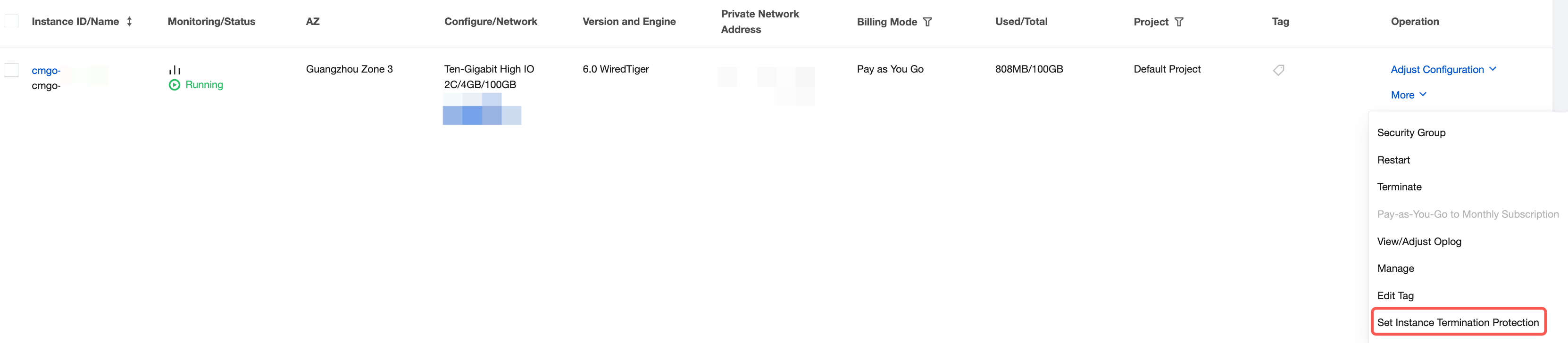
Enable for a Single Instance: In the instance list, locate the target instance. In its Operation column, choose More > Set Instance Termination Protection, as shown in the following figure.
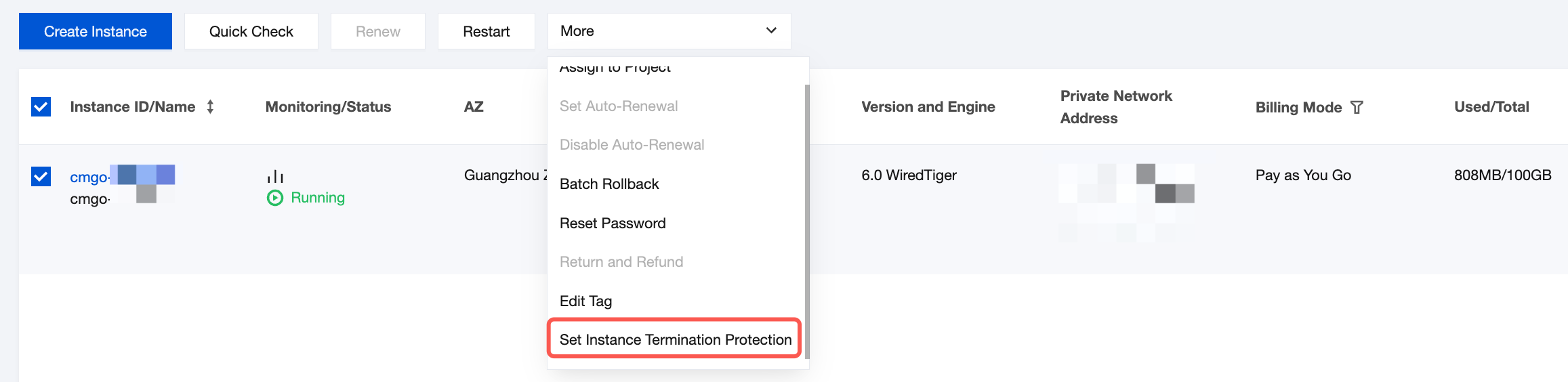
Enable in Batches: In the instance list, select the instances for which you want to enable termination protection. Above the instance list, choose More > Set Instance Termination Protection, as shown in the following figure.
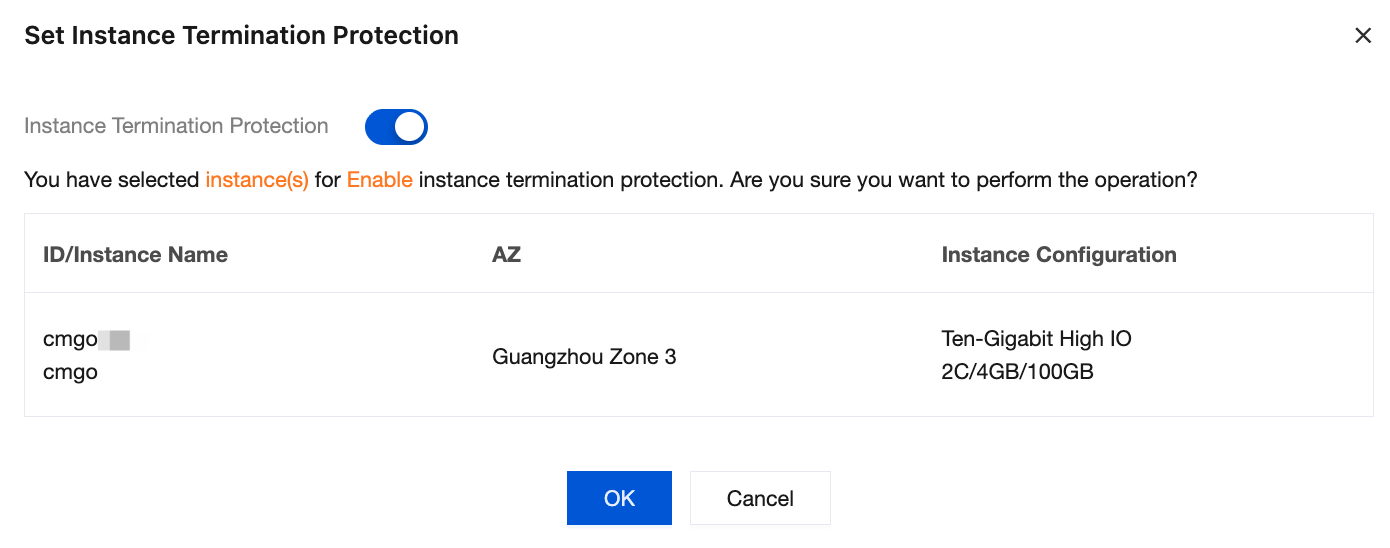
5. In the Set Instance Termination Protection dialog box, confirm the information of the instance for which termination protection is enabled, and then click OK.
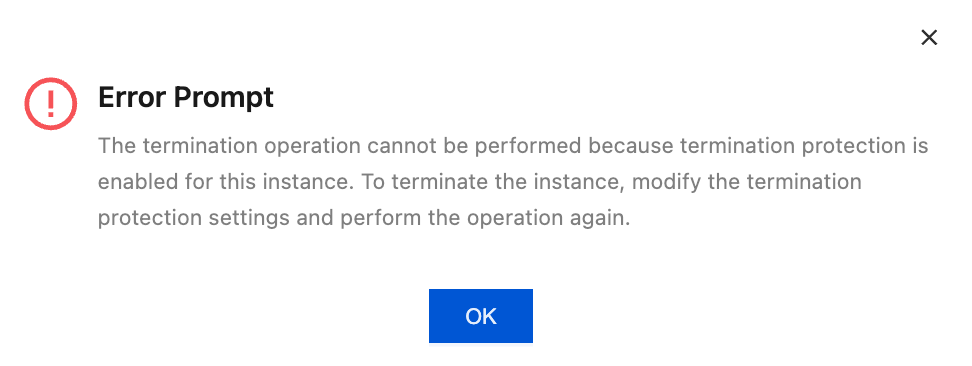
6. After termination protection is enabled, the following error message appears when you attempt to terminate an instance. If you confirm that you want to terminate from the instance, you must first disable the instance termination protection feature before performing the instance return or termination operation.
Related APIs
API | Feature Description |
Setting instance termination protection |
Ajuda e Suporte
Esta página foi útil?
Você também pode entrar em contato com a Equipe de vendas ou Enviar um tíquete em caso de ajuda.
comentários