Disable CreatedBy
Baixar
Modo Foco
Tamanho da Fonte
Overview
If users do not need the system to automatically bind the createdBy when they create new resources, consider disabling this feature.
Directions
1. Log in to the Tag console.
2. In the left sidebar, click CreatedBy to enter the createdBy page.
3. In the upper right corner, click Disable CreatedBy.
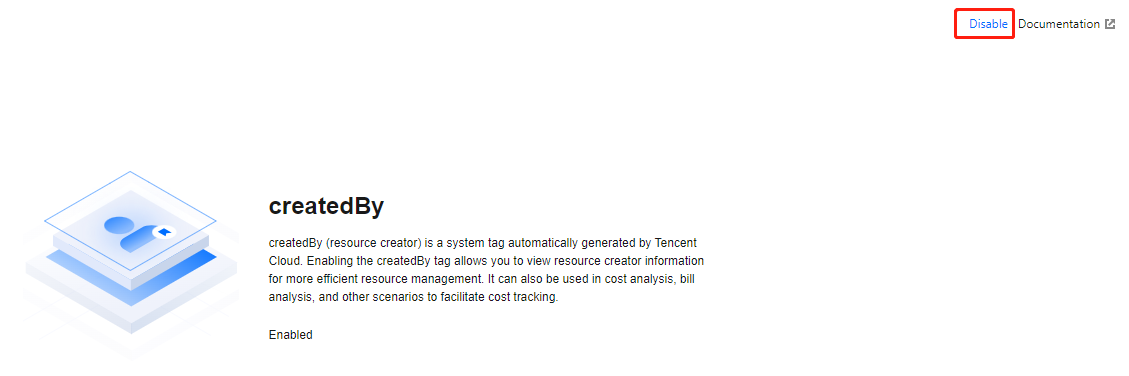
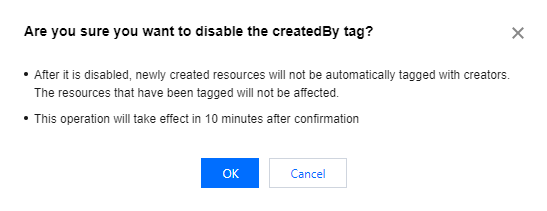
4. In the pop-up, click OK.
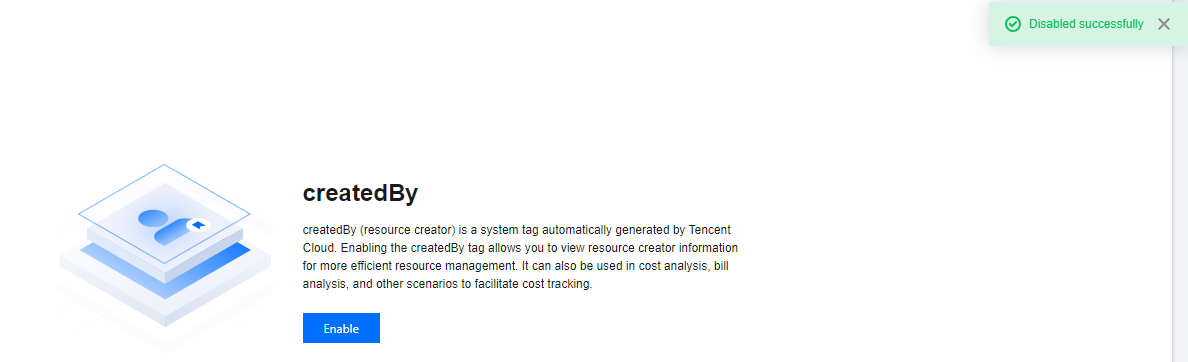
5. The page indicates Disabled Successfully, and the status is recovered to before enabling. This indicates the createdBy has been disabled. Subsequent new resources will no longer be associated with this tag.
Ajuda e Suporte
Esta página foi útil?
Você também pode entrar em contato com a Equipe de vendas ou Enviar um tíquete em caso de ajuda.
comentários