Purchase Methods
Download
Focus Mode
Font Size
Cloud Dedicated Zone (CDZ) uses a prepaid committed use purchase mode. You sign a contract directly with Tencent Cloud and purchase a resource pack with a committed use period of 3 to 5 years based on your actual resource requirements.
Resource pack specifications are customized based on business requirements and may include computing, storage, and network products. Specific fees are confirmed based on the overall capacity of the resource pack.
Purchasing a Resource Pack
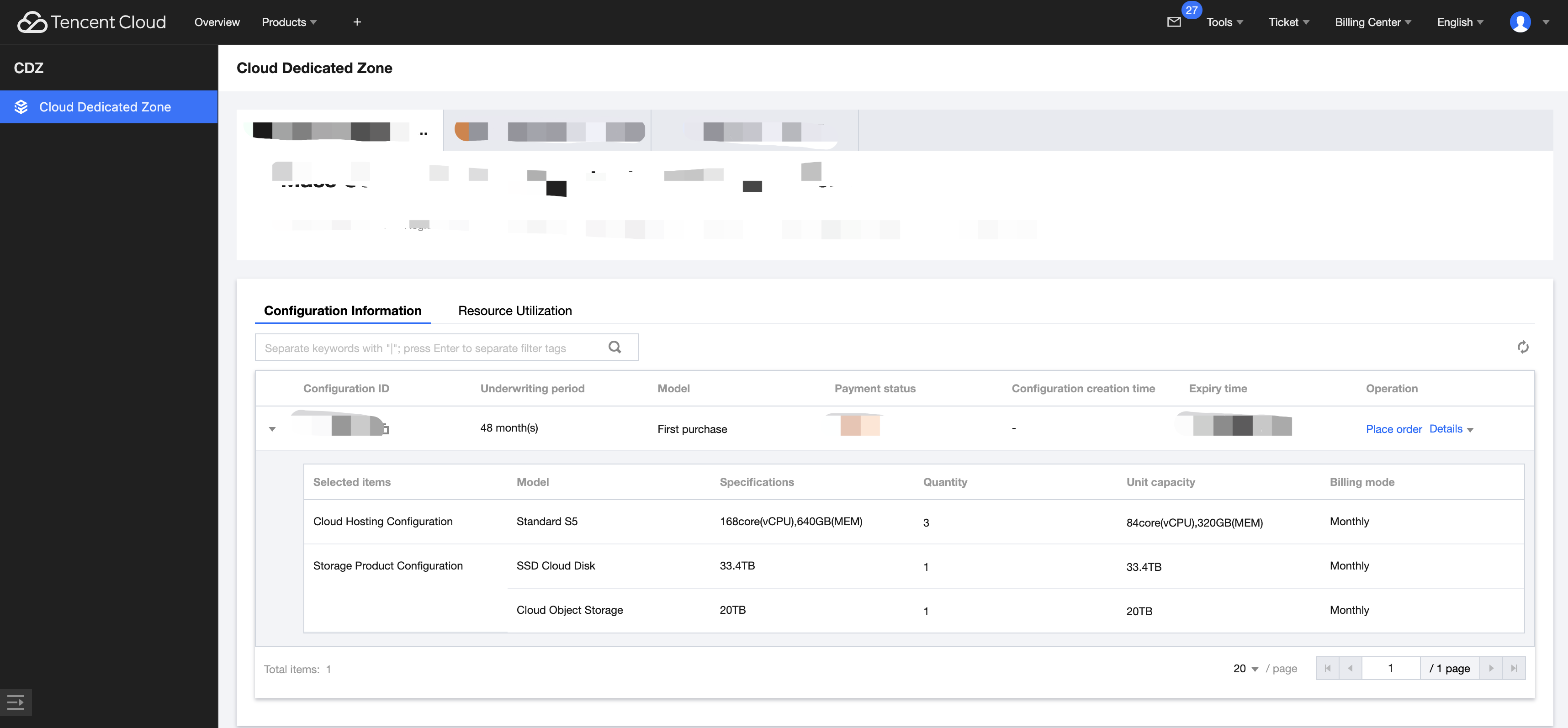
After CDZ is delivered, we will configure your order information and contact you promptly. At that time, you can log in to the Tencent Cloud CDZ console to purchase CDZ resource packs:
1. Click Place Order.
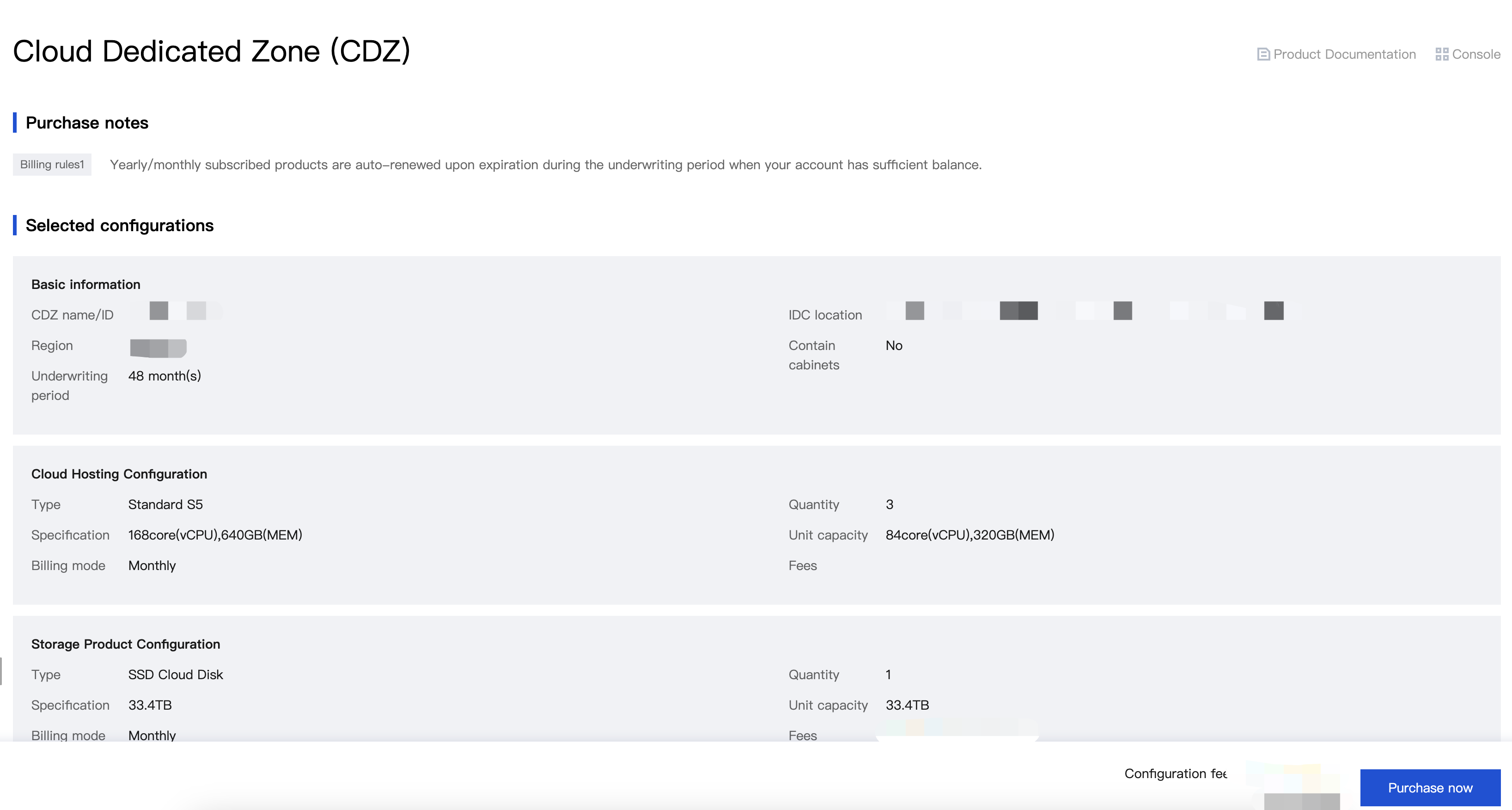
2. You will be automatically redirected to the configuration confirmation page to check whether the resources match those agreed upon in the contract.
Resource Pack Deduction Mechanism
After a resource pack is purchased, the generated costs of cloud resources created within CDZ, such as the resources of Cloud Virtual Machine (CVM), Cloud Block Storage (CBS), and Cloud Native Database TDSQL-C (TDSQL-C), will be deducted to USD 0.
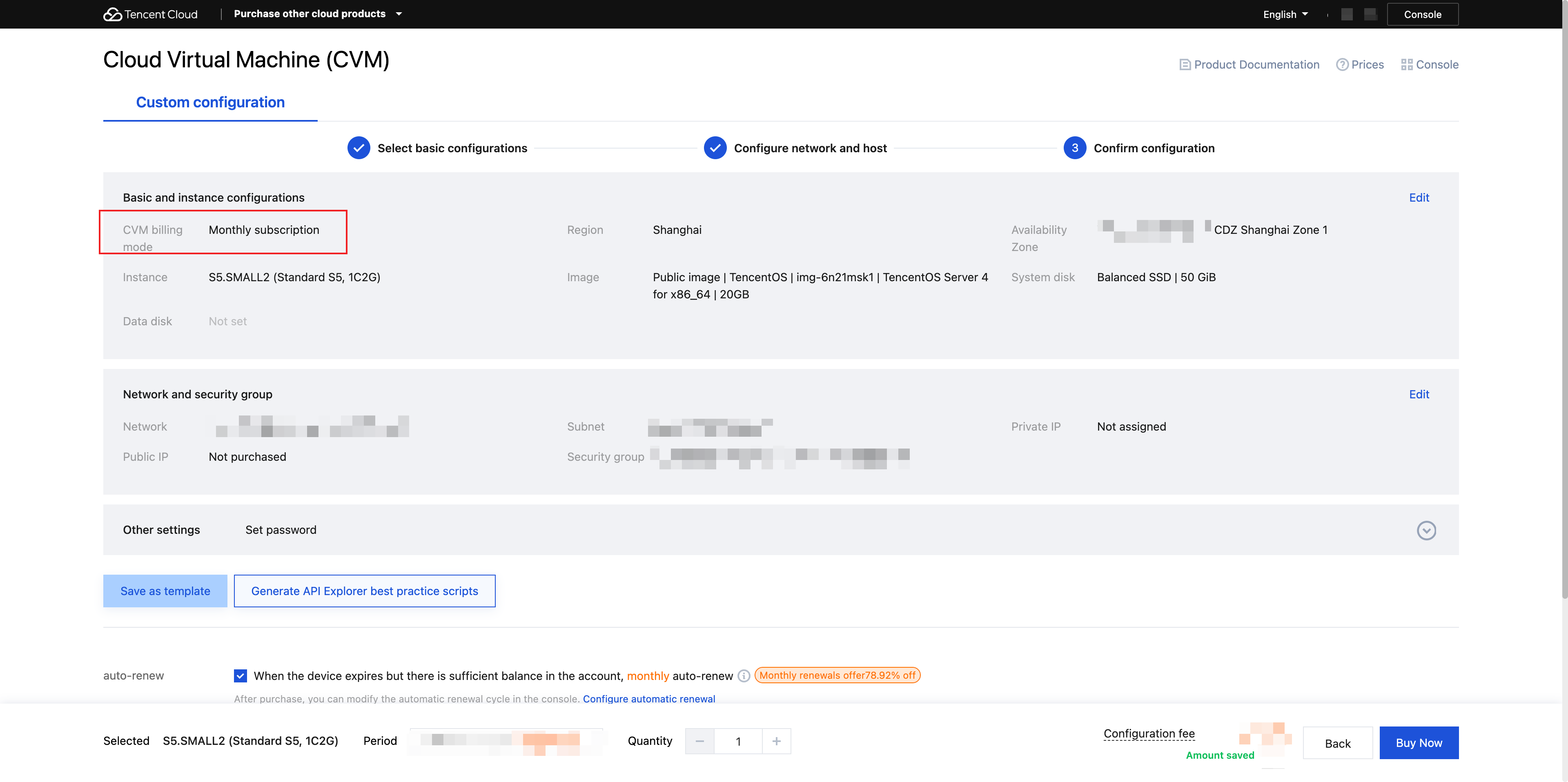
Taking the purchase of a CVM instance as an example: Log in to the Tencent Cloud CVM console, click Create Instance, and enter the page for custom configuration. You can freely select a billing mode to purchase an instance.
Yearly/Monthly Subscription: When a CVM instance is purchased in CDZ, the configuration fee will be USD 0.
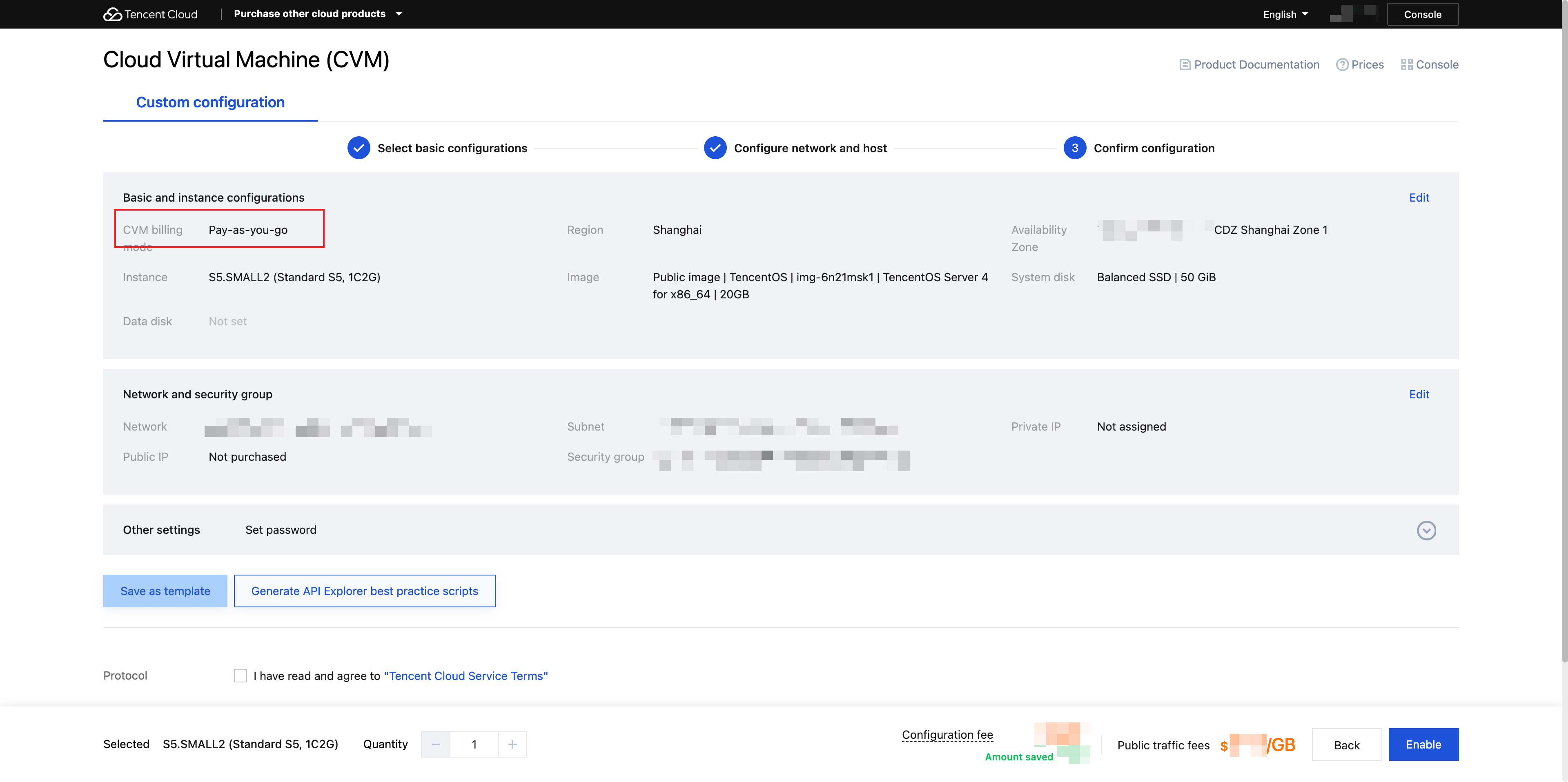
Pay-as-You-Go: The configuration fee displayed on the console page is not USD 0, but it will be deducted to USD 0 during actual settlement (such as when the bill is issued).
Note:
In the pay-as-you-go billing mode, the customer's funds will still be frozen. The frozen funds will be returned 3 hours after the instance is terminated. For the freezing rules, see Frozen Funds.
Help and Support
Was this page helpful?
You can also Contact sales or Submit a Ticket for help.
Help us improve! Rate your documentation experience in 5 mins.
Feedback