tencent cloud

Tencent Cloud AI Digital Human

Product Overview
Overview
Product Features
Product Advantage
Purchase Guide
Pricing Guide
Purchase Guide
Process for Purchasing with Vouchers
Refund Instructions
Introduction of Avatar
Introduction to Image Categories
Basic Image Library
Guide on Avatar and Voice Clone
Digital Human Platform Operation Guide
Accessing Platform
Avatar Production and Asset Management
Digital Human Conversation Interaction Application and Management
Broadcast Digital Human Video Generation and Management
Operations Management and Analysis
Server API Integration
Digital Human API Access Mode Overview
Avatar aPaas API Calling Methods
Avatar Image Customization and Voice Clone API Documentation
Video Generation Service API Documentation
Interactive Digital Human Service API Documentation
Personal Asset Management API Documentation
Client SDK Integration
Overall Introduction
3D Client-Side Rendering SDK Integration
2D Client-Side Rendering SDK Integration
Digital Human SSML Markup Language Specification
Related Agreement
Privacy Policy
DSA (Data Sharing Agreement)
FAQs

Voice Clone Recording Tool - Basic Edition

PDF
Focus Mode
Font Size
Last updated: 2024-09-18 20:43:05
We support WeChat QR code scanning for recording training data on mobile devices, making it easy to create a voice clone task. The customization process is divided into the following three steps:


Use this material on the Digital Human Platform to create a custom task

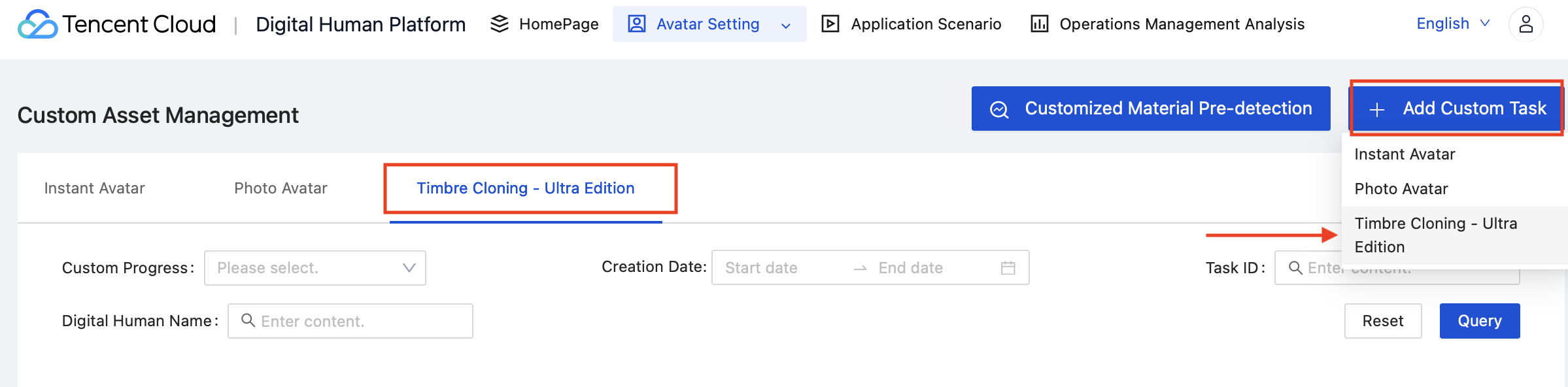
1. Log in to the Digital Human platform and create a voice clone customization task. The entry point is located at Digital Human Platform → Image Settings → Custom Asset Management → Add 2D Small Sample Customization, as shown in the figure below:


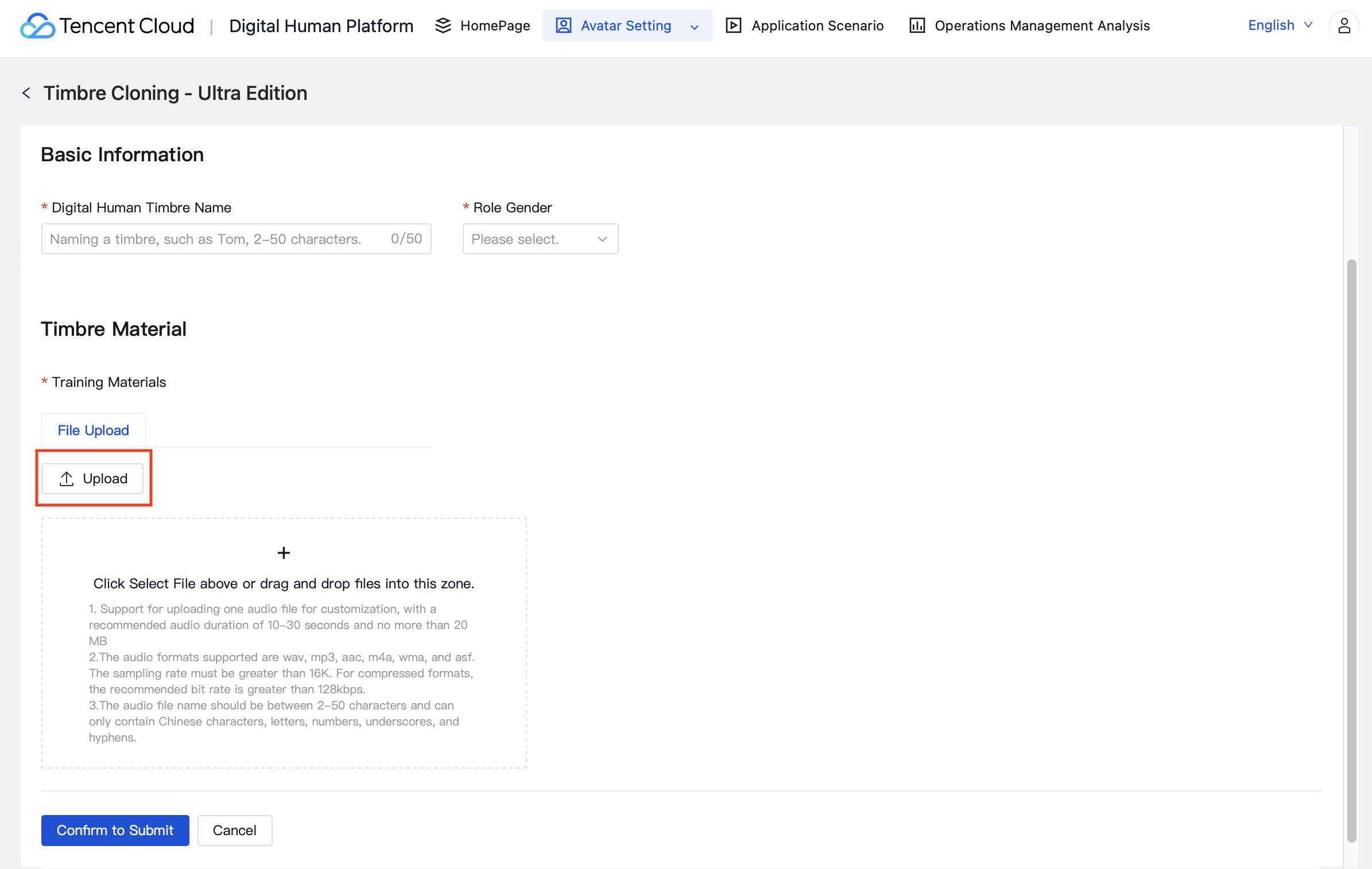
2. When the training material is uploaded, select participants submitted materials through the Recording Tool. As shown in the figure below:


Help and Support

Was this page helpful?

Help us improve! Rate your documentation experience in 5 mins.

Feedback