Process for Purchasing with Vouchers
Baixar
Modo Foco
Tamanho da Fonte
Note:
Provide your UIN to the sales personnel who will apply for a voucher for you.
After the voucher is applied for, you can view and use it on the Digital Human Platform.
The specific operation process is as follows:
1. Log in to Tencent Cloud and click >My Account > Account Information in the upper right corner.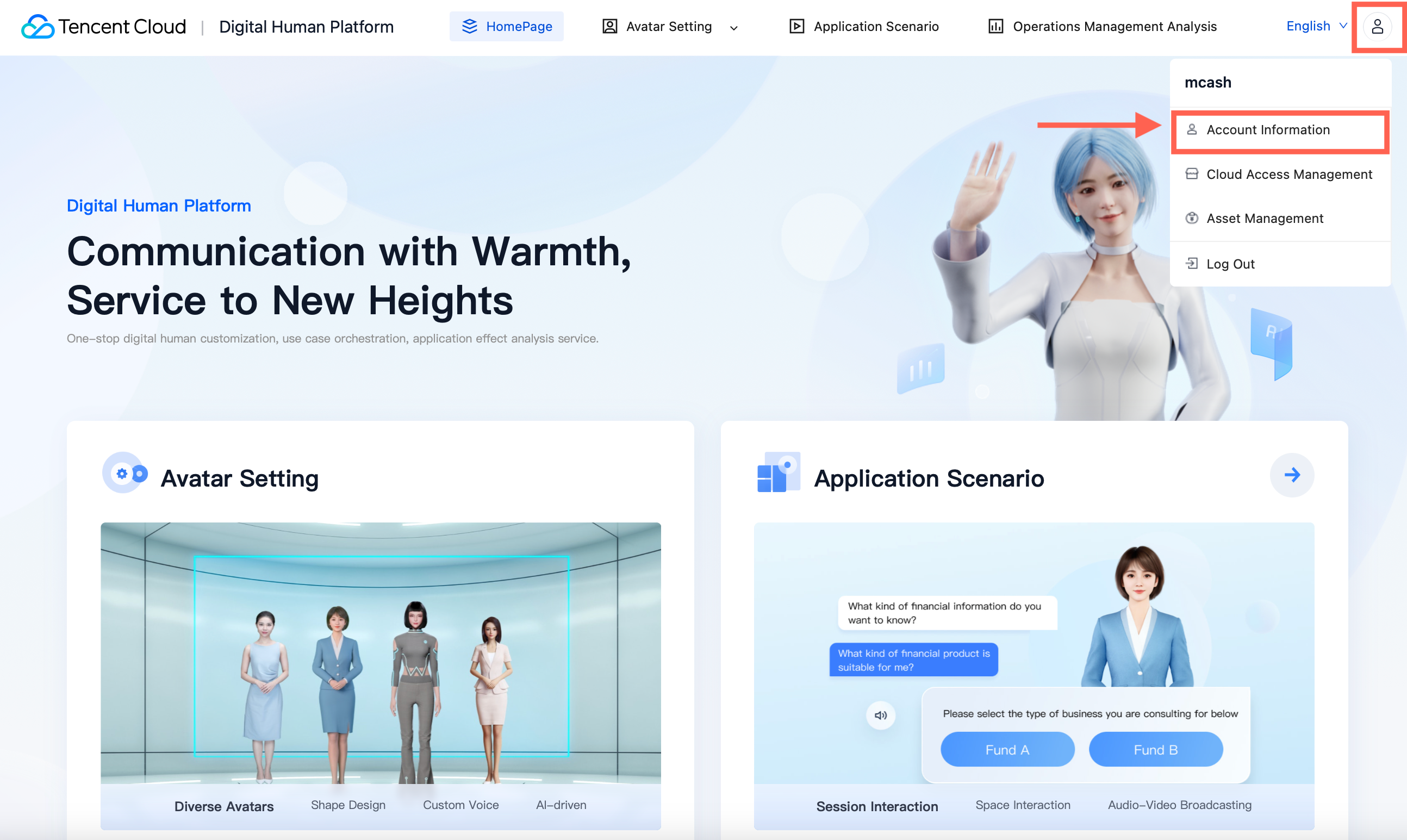
2. In the left sidebar, choose Project Management and click "View consumption details" on the right side of the interface.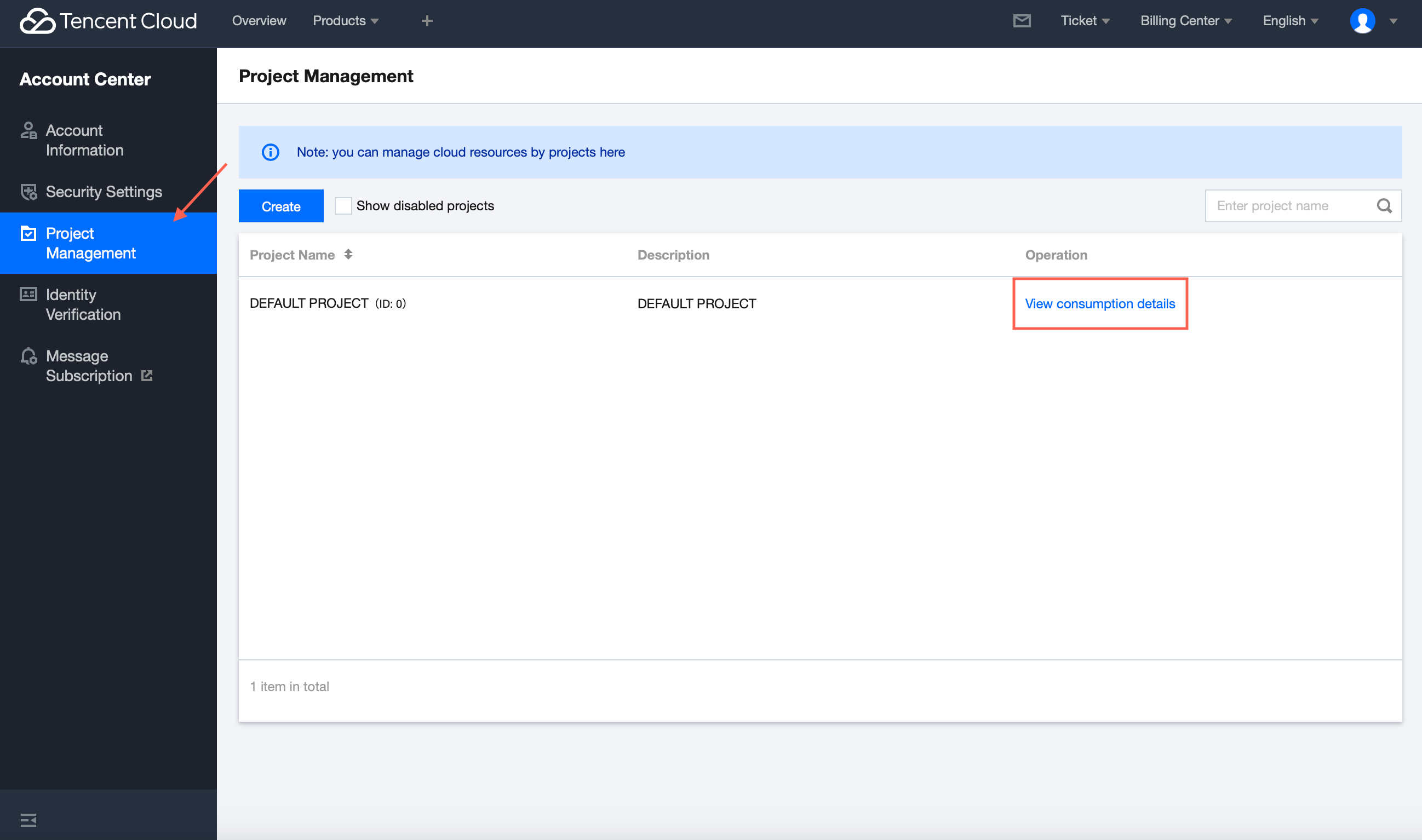
3. In the left sidebar, choose Vouchers to view voucher details.
If there are unused vouchers in your account, you can click Unused here.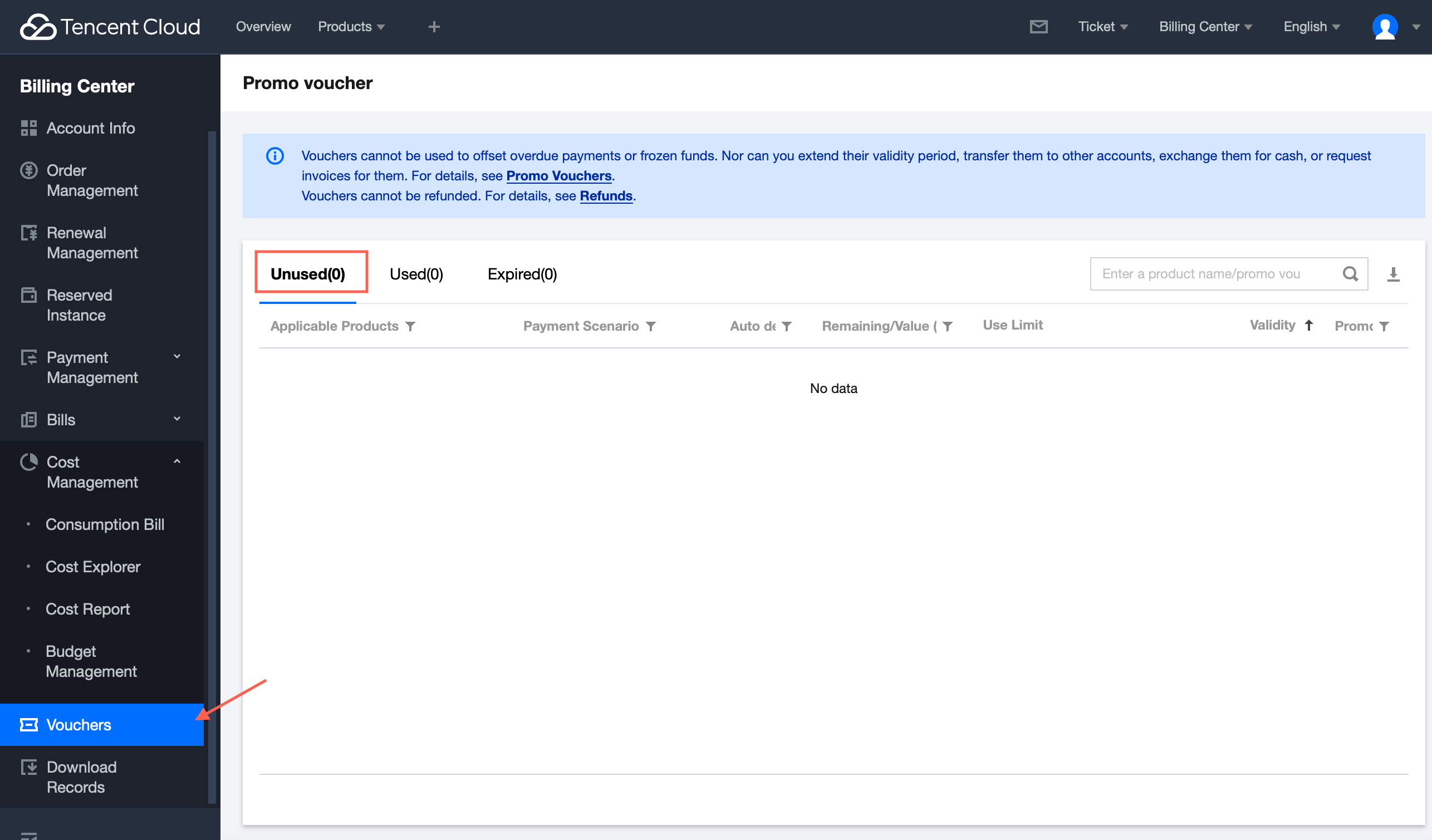
Ajuda e Suporte
Esta página foi útil?
Você também pode entrar em contato com a Equipe de vendas ou Enviar um tíquete em caso de ajuda.
comentários