JSON Configuration
다운로드
포커스 모드
폰트 크기
JSON is a data format, not a programming language. For mini programs, JSON plays the role of static configuration.
Example
Let's start by looking at an example. Please find the app.json file in the root directory and open it in the code editor. And the app.json file code for this document is as follows:
{"pages":["pages/index/index","pages/logs/logs"],"window":{"backgroundTextStyle":"light","navigationBarBackgroundColor": "#fff","navigationBarTitleText": "WeChat","navigationBarTextStyle":"black"}}
Change the value of "navigationBarTitleText" in line 9 from WeChat to MiniProgram.
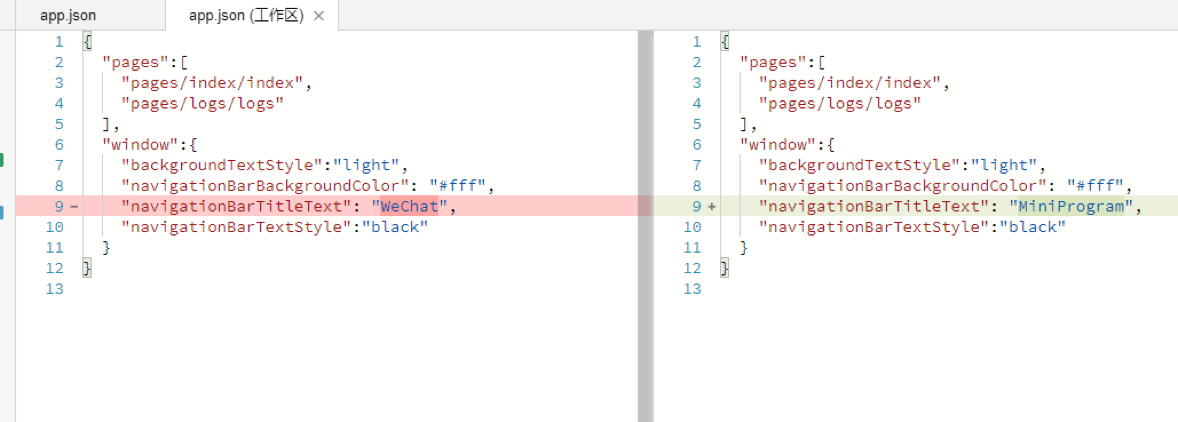
Save the file and upon automatic IDE refresh, you can see that the title at the top of emulator has changed from WeChat to MiniProgram.
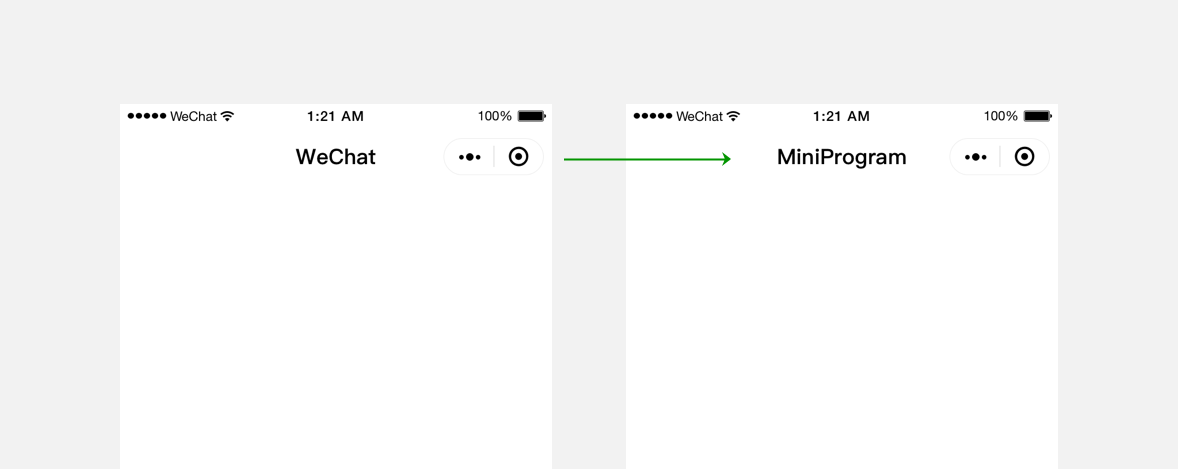
JSON files are used for static configuration in mini program development and determine some mini program performance before it runs. Please note that the mini program cannot dynamically update the JSON configuration file during the running process in order to make corresponding changes.
JSON syntax
Compared with XML file, JSON file is a lightweight data exchange format, as it usually doesn't require specialized tools for reading or modifying.
JSON file code is wrapped in curly brackets {} and the data is in a key-value format.
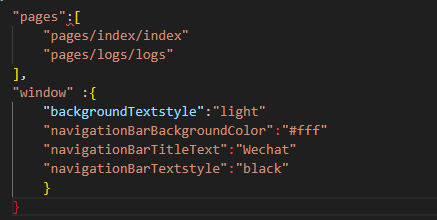
It looks like JavaScript's object expression, but it's different.
The keys in JSON file must be double-quoted strings. Common mistakes include forgetting to enclose the keys in double quotes or mistakenly enclose them in single quotes.
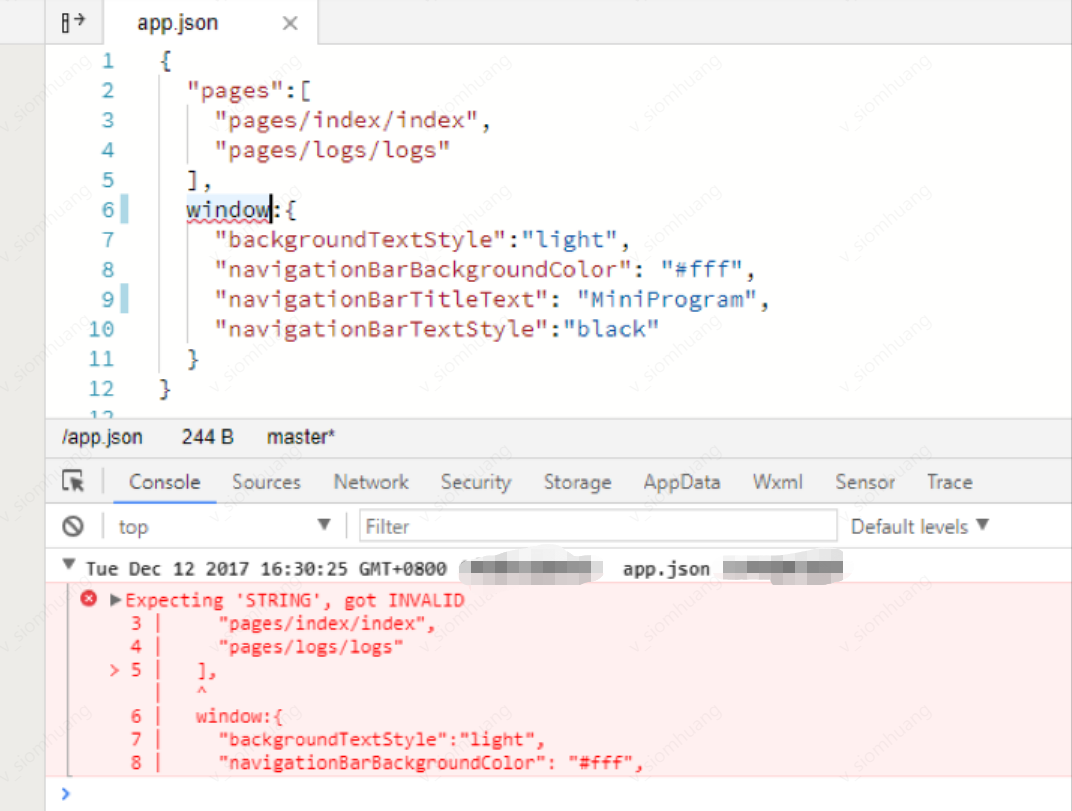
The value of the key-value pairs in JSON file can be any of the following types:
1. Number, including floating-point numbers and integers.
2. String that enclosed in double quotes.
3. Boolean, true or false.
4. Array that enclosed in square brackets [].
5. Object that enclosed in curly brackets {}.
6. Null.
Other value types will trigger an error, for example, in JavaScript.
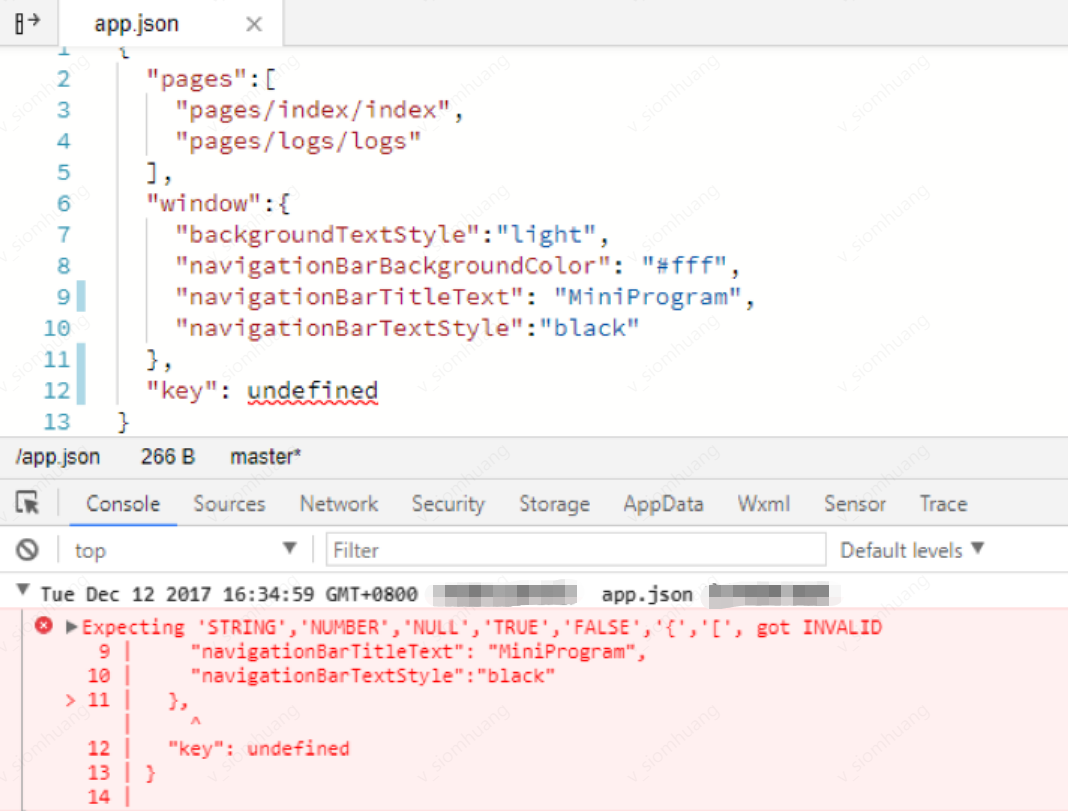
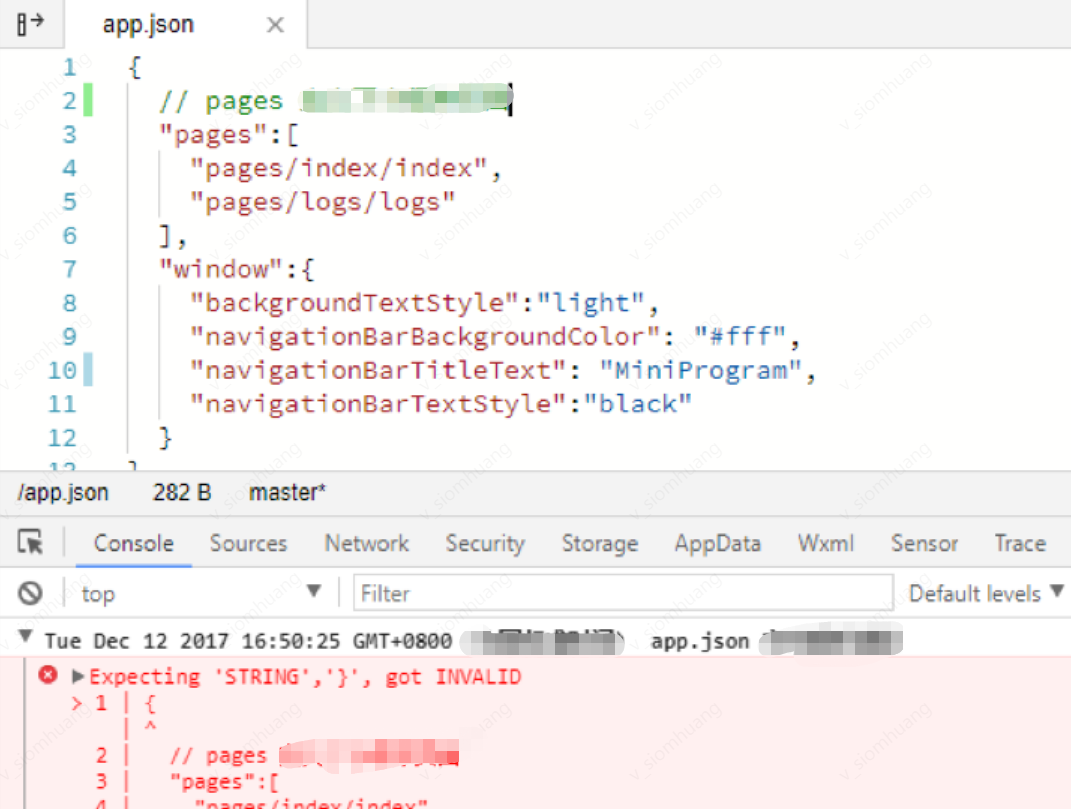
Note that no comments are allowed in JSON data, otherwise, an error will occur.
피드백