Introduction
For TCSAS 2.0.8 and later versions, after purchasing a TCSAS plan, you need to activate the COS (Cloud Object Storage) service and complete the authorization before you can use the TCSAS capabilities.
Overview
TCSAS does not provide storage services nor does it directly access your data. Therefore, you need to activate Tencent Cloud’s COS service. Data generated during the use of TCSAS will be stored directly in a COS bucket under your own Tencent Cloud account. You must authorize TCSAS to have limited access to this data to ensure data isolation and security. By storing data in your COS bucket, even if you stop using TCSAS in the future, your data remains fully under your control.
Directions
Entry point
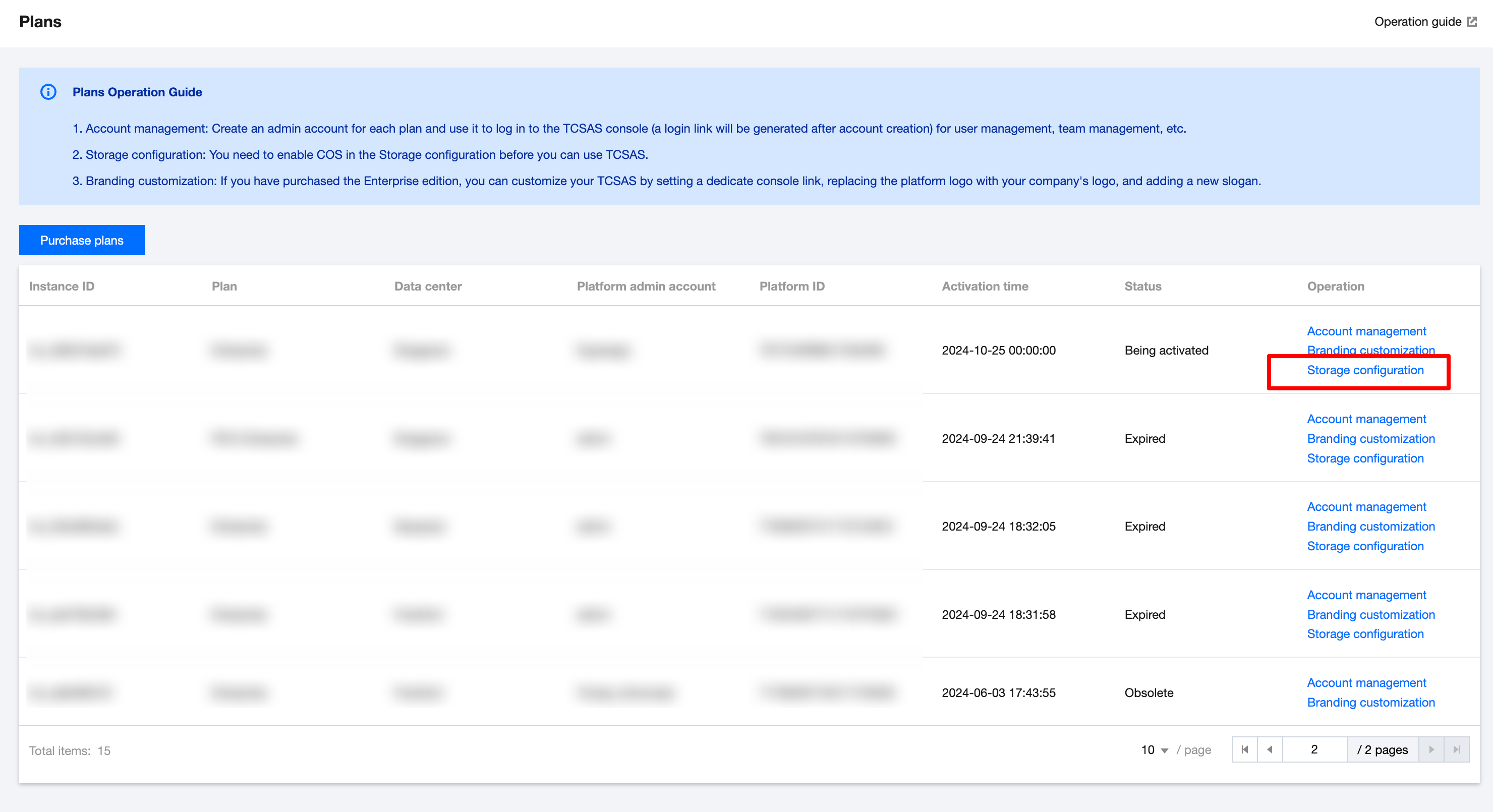
Log in to the TCSAS console. On the Plans page, click Storage configuration in the Operation column.
Configuration process
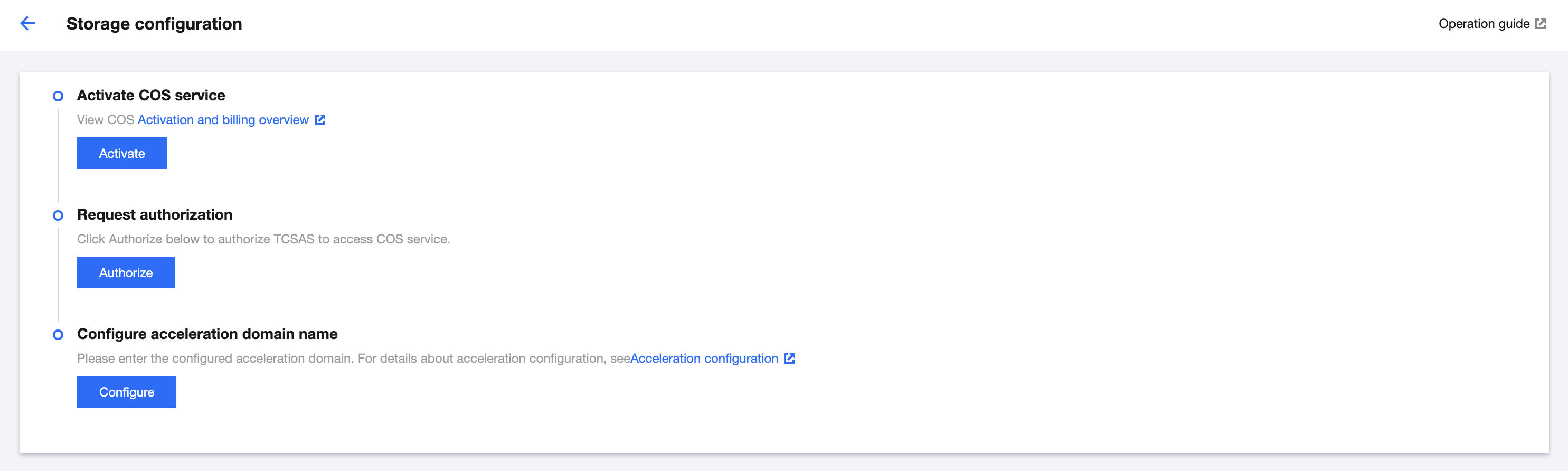
1. Activate COS service
Click Activate to go to the Tencent Cloud COS console. Read and agree to the agreement and activate the COS service.
2. Service authorization
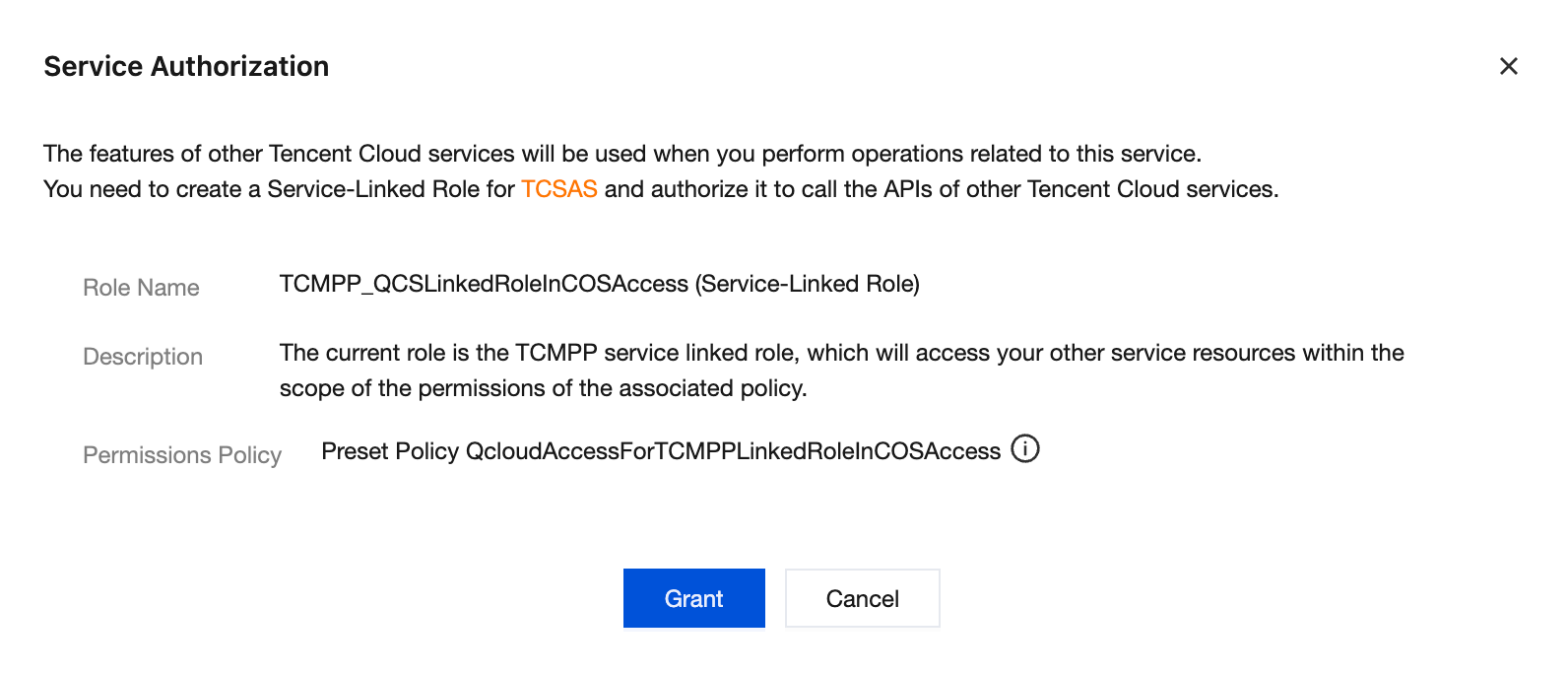
After COS service is activated, return to the TCSAS console and refresh the Storage configuration page. Click Authorize, and in the pop-up window, click Grant to complete the storage configuration.
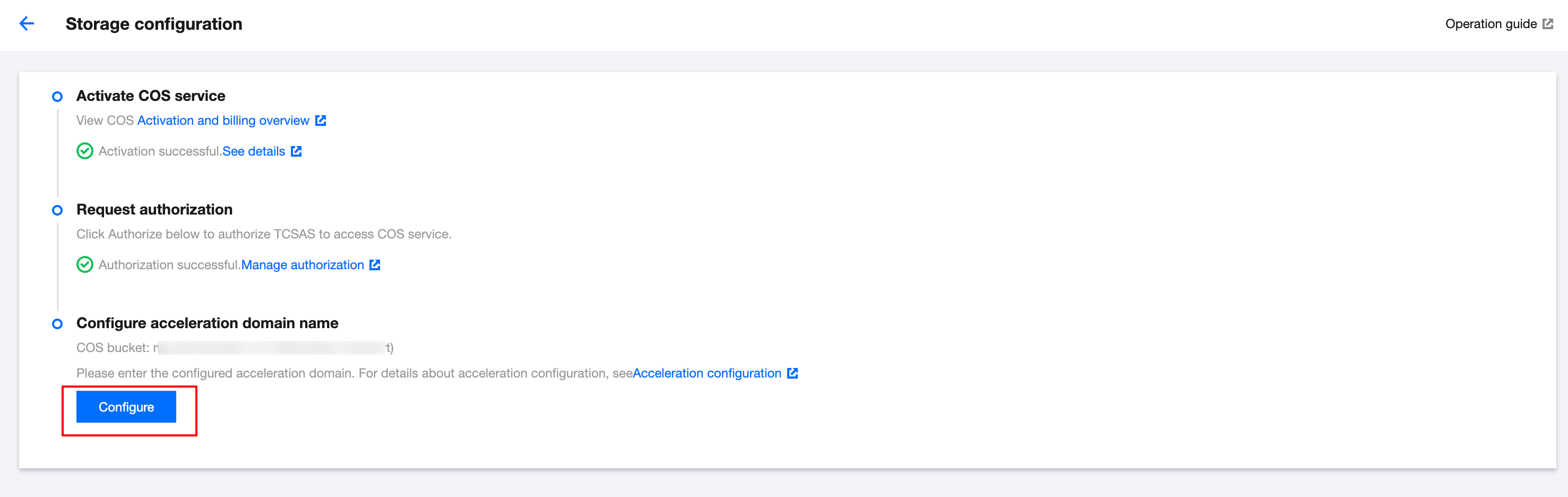
3. Acceleration configuration
After you activate the COS service and grant authorization, TCSAS capabilities are available for use. However, if used in production environments, especially for public internet-facing scenarios, your users may experience issues such as slow access speeds and high latency. Additionally, direct access to the COS origin may introduce certain security risks. To ensure that your users can quickly access files stored in COS (similar to picking up a package from a nearby pickup point rather than traveling to a distant central warehouse), we recommend configuring an acceleration service. This will enable faster, more stable, and more secure access to resources for users.
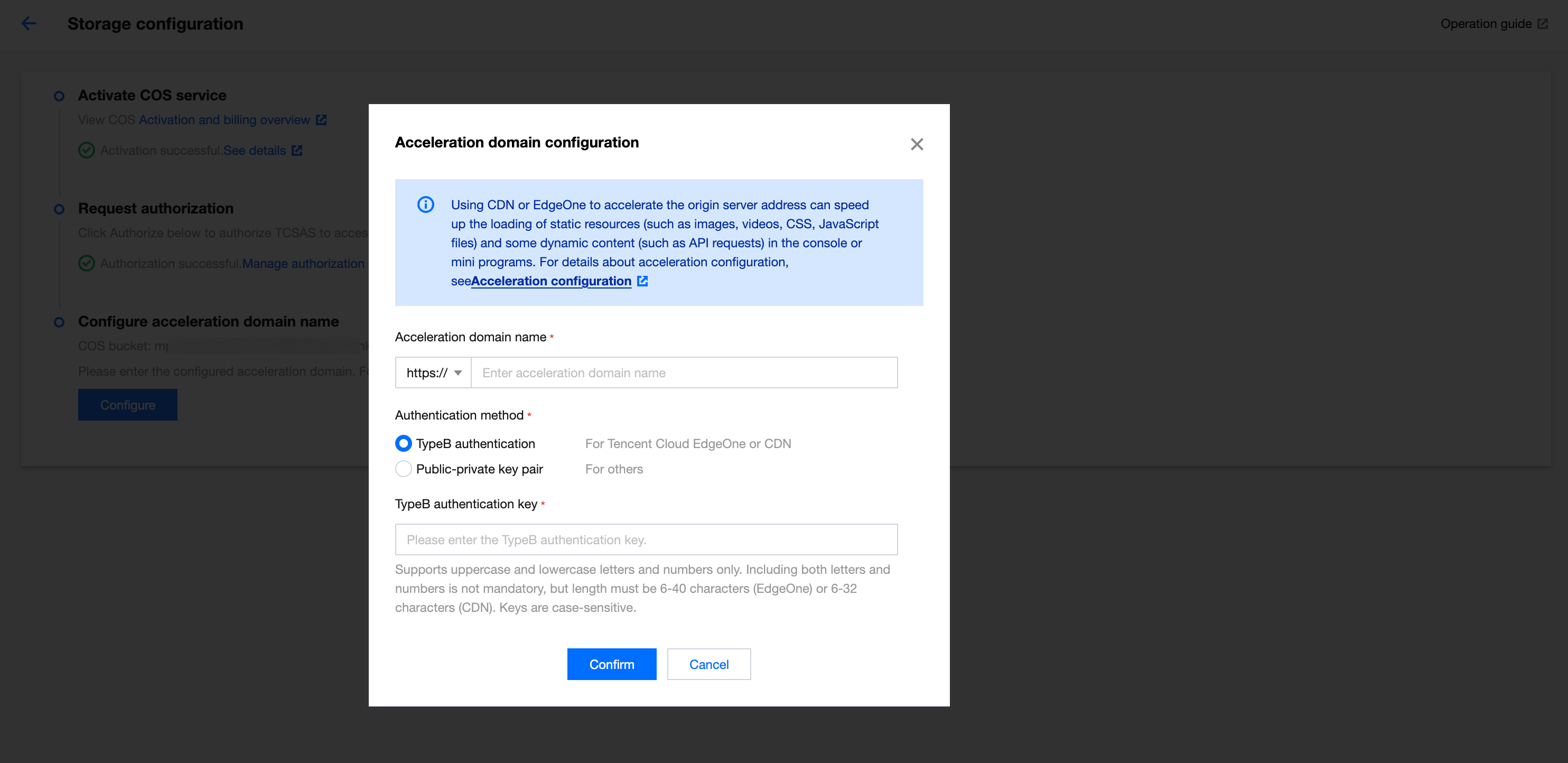
Click Configure to configure the acceleration service.
We recommend that you use Tencent Cloud EdgeOne for acceleration. For details on how to configure Tencent Cloud EdgeOne, see:Acceleration configuration. After completing the EdgeOne configuration, enter the acceleration domain and authentication key configured in the EdgeOne console, and click Confirm to complete the acceleration configuration.