Hermes Agent
Download
Focus Mode
Font Size
Hermes Agent is an autonomous AI agent framework open-sourced by Nous Research. You can deploy it on a local server and connect it to various large language models. It can remember across sessions, automatically create skills, and continuously self-evolve to complete complex automated tasks. This article demonstrates how to integrate a model, using DeepSeek V4 Pro as an example, for use with Hermes Agent.
Installing Hermes Agent
Install Hermes Agent according to your actual environment type. For details, see Hermes Agent Installation. If Hermes Agent is already installed, you can skip this step.
Obtaining an API Key
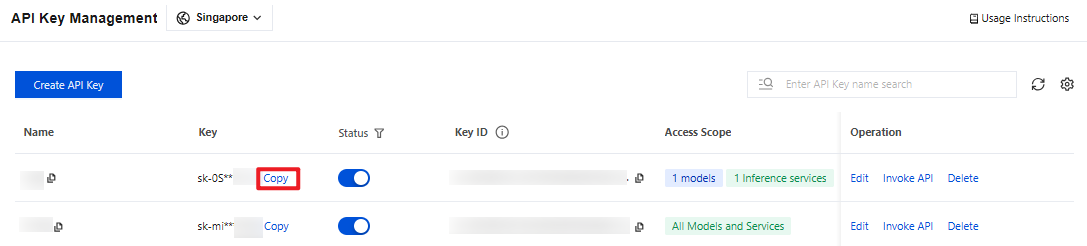
1. Go to the API Key Management page and click Create API Key. For operational details, see Create API Key.
Note:
When setting the Access Scope, if you select "Range", ensure that DeepSeek V4 Pro is selected.
2. After creation, be sure to copy and securely store the API Key. This information will be used in the subsequent process of configuring the tool.
Configuring Hermes Agent
Note:
Configuration steps may be adjusted depending on the Agent version. Please refer to the version you are using.
1. Open a terminal and run the following command:
hermes setup
2. If this is your first launch after installation, the terminal will display the following message: select
Quick setup — provider, model & messaging (recommended).
Note:
If you have previously configured Hermes Agent, after you run `hermes setup`, the terminal output may appear as shown in the following figure. In this case, select Model & Provider to proceed to model configuration.
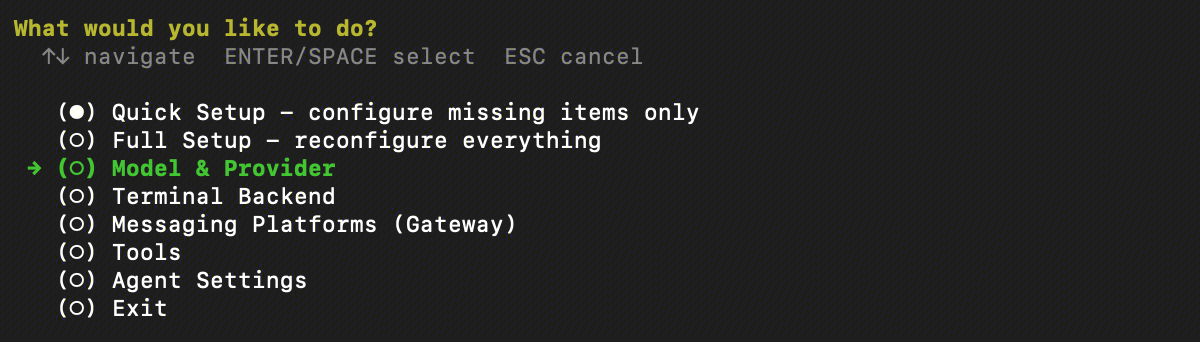
3. After you make your selection, the terminal will display the available model providers. Scroll to the bottom, select
Custom endpoint, and press Enter to confirm.
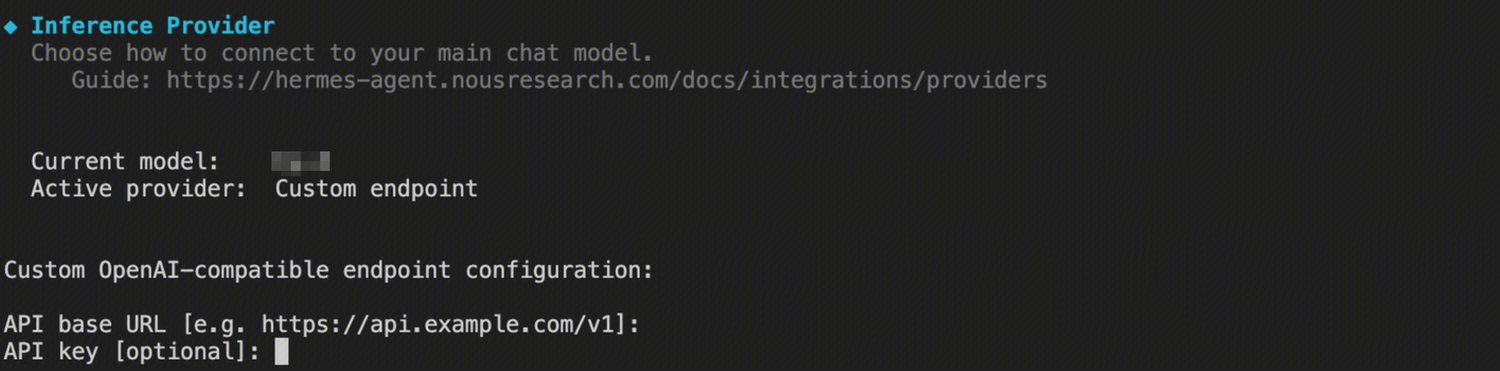
4. Configure model information: Fill in the relevant configurations step by step according to the terminal prompts.
Terminal Prompt Message | Configuration Details |
API base URL [e.g. https://api.example.com/v1]: | https://tokenhub-intl.tencentcloudmaas.com/v1 |
API key [optional]: | Enter the corresponding API Key. |
API compatibility mode | Select Chat Completions. |
Model name (e.g. gpt-4, llama-3-70b): | Enter deepseek-v4-pro |
Context length in tokens [leave blank for auto-detect]: | Enter 256000 |
Display name | Enter deepseek-v4-pro |
Terminal backend | Fill in based on the actual situation. Select Local if it is installed locally. |
Gateway working directory | Configure based on actual requirements. The default value can be used. |
Enable sudo support | Whether to allow sudo. Fill in based on your requirements. Selecting sudo requires entering a password. |
Using Hermes Agent
After completing the configuration, execute the
hermes command in the terminal to start Hermes and begin a conversation using DeepSeek V4 Pro.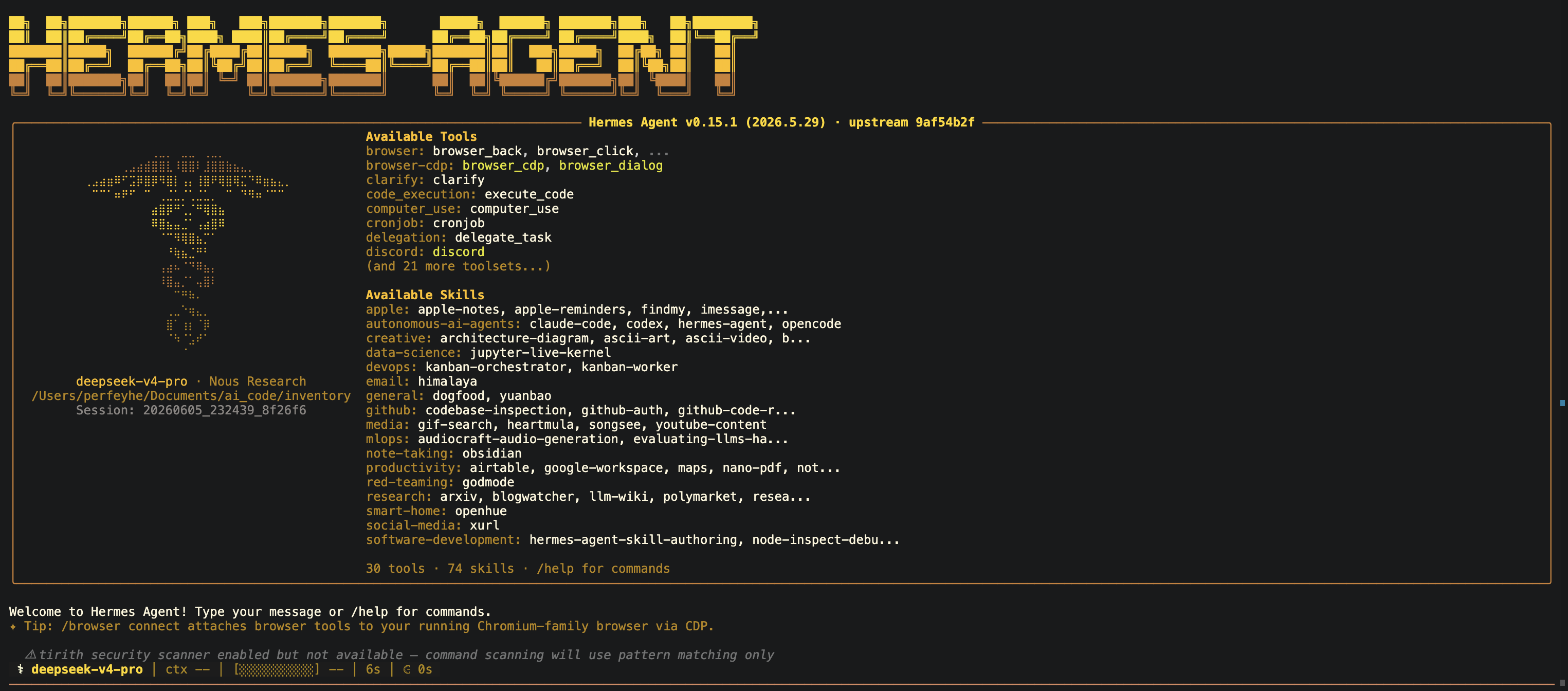
Help and Support
Was this page helpful?
You can also Contact sales or Submit a Ticket for help.
Help us improve! Rate your documentation experience in 5 mins.
Feedback