OpenClaw
下载
聚焦模式
字号
OpenClaw 是一款开源的本地 AI 代理框架,能让 AI 从“回答问题”进化为“动手执行任务”。它支持在 Windows、macOS 和 Linux 上自主运行,通过内置工具和可扩展的插件体系,自动完成文件整理、邮件处理、代码编写等操作。本文以 DeepSeek V4 Pro 模型为例演示如何将模型接入到 OpenClaw 中使用。
安装方式
获取 API Key
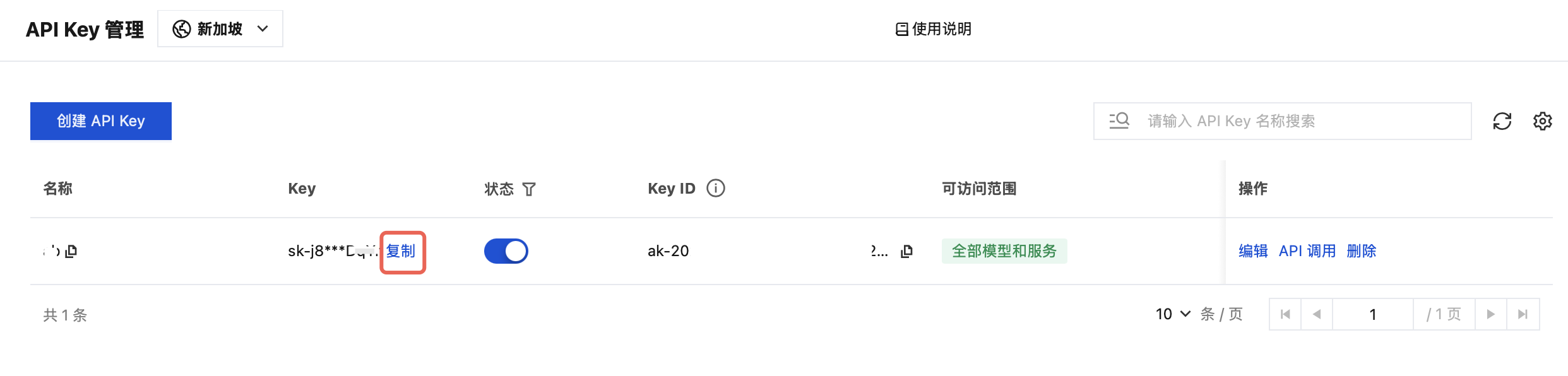
1. 进入 API Key 管理 页面,单击创建 API Key。操作详情请参见 创建 API Key。
注意:
在设置可访问范围时,如果选择“限定范围”,则需要确保勾选 DeepSeek V4 Pro。
2. 创建完成后,请您务必复制并妥善保管 API Key,在后续配置到工具的流程中将会使用该信息。
配置 OpenClaw
打开终端,运行以下命令。
openclaw onboard --auth-choice tokenhub-api-key
根据终端显示的提示信息,依次完成相关配置,配置信息参考如下。
基础配置
终端提示信息 | 配置内容 |
I understand this is personal-by-default and shared/multi-user use requires lock-down. Continue? | 选择 Yes |
Setup mode | 选择 QuickStart注意: 若您之前已配置过 OpenClaw,选择 QuickStart 后,可能会触发如下图的 “Existing config detected”,此时终端会输出 Config handling 选项清单,直接选择 Use existing values 继续即可。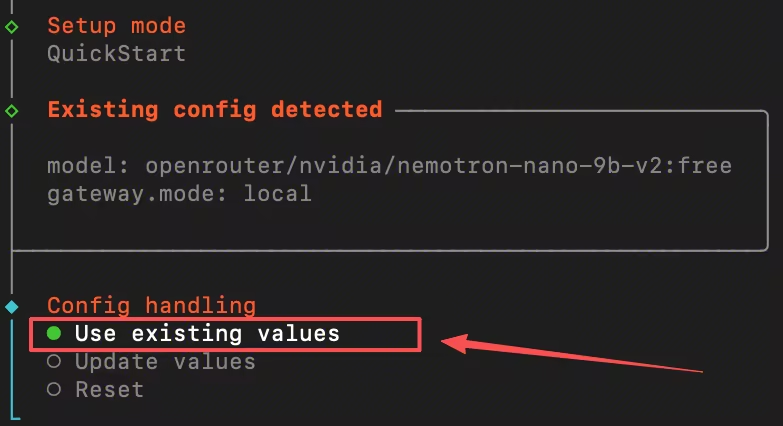 |
模型配置
终端提示信息 | 配置内容 |
Enter Tencent TokenHub API key | 填写获取的 API Key |
Default model | 设置为 tencent-tokenhub/deepseek-v4-pro |
功能配置
终端提示信息 | 配置内容 |
Select channel (QuickStart) | 选择 Skip for now,可以后续再进行配置。 |
Configure skills now? (recommended) | 选择 No,可以后续再进行配置。 |
Enable hooks? | 按空格键选中选项,按回车键进入下一步。 |
How do you want to hatch your bot? | 选择 Hatch in TUI。 |
验证模型是否可用
完成配置后,可在终端运行以下命令,验证模型是否可用:
openclaw models list --provider tencent-tokenhub
终端输出如下图信息,即配置成功,您即可以在 OpenClaw 中使用 DeepSeek V4 Pro 模型。

文档反馈