Model Management
Unduh
Mode fokus
Ukuran font
CodeBuddy enables enterprise administrators to deploy and manage large models in the enterprise management console. Super administrators can configure different types of models for different members, achieving flexible model management and control to enhance team efficiency. The following section describes how to perform deployment and management.
Model Deployment
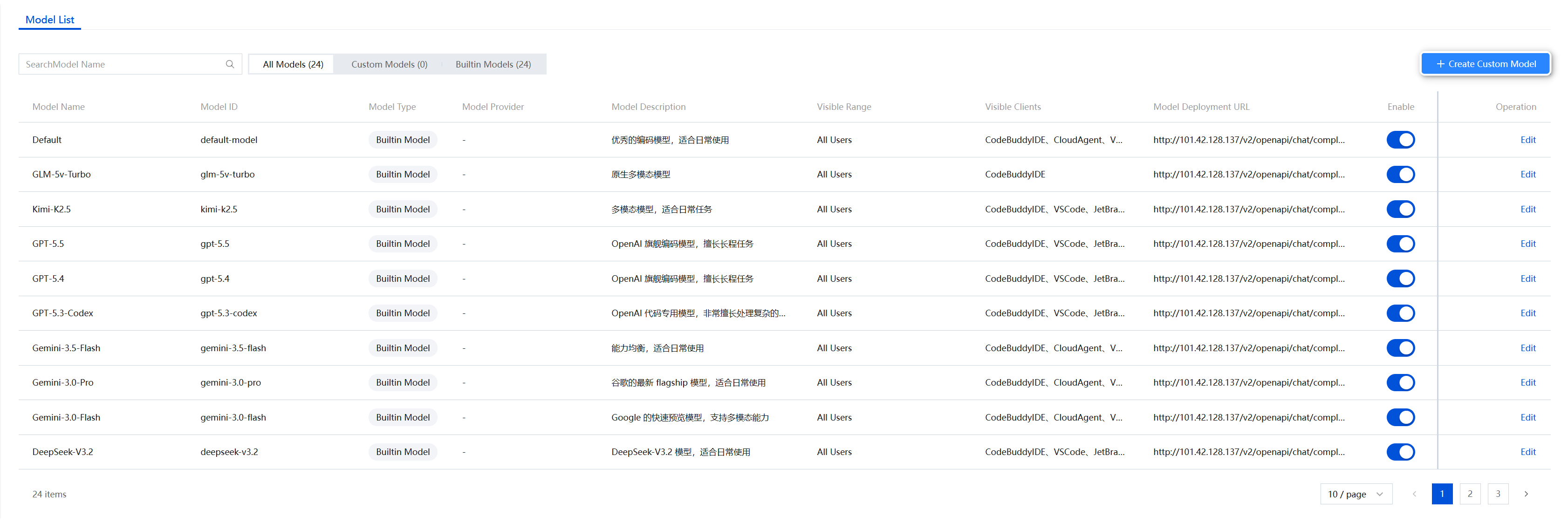
1. Log in to the management console, and select Model Settings under AI Resource Management in the left sidebar. All models under the enterprise, including the official models built into CodeBuddy and those added by the enterprise itself, are displayed in the list.
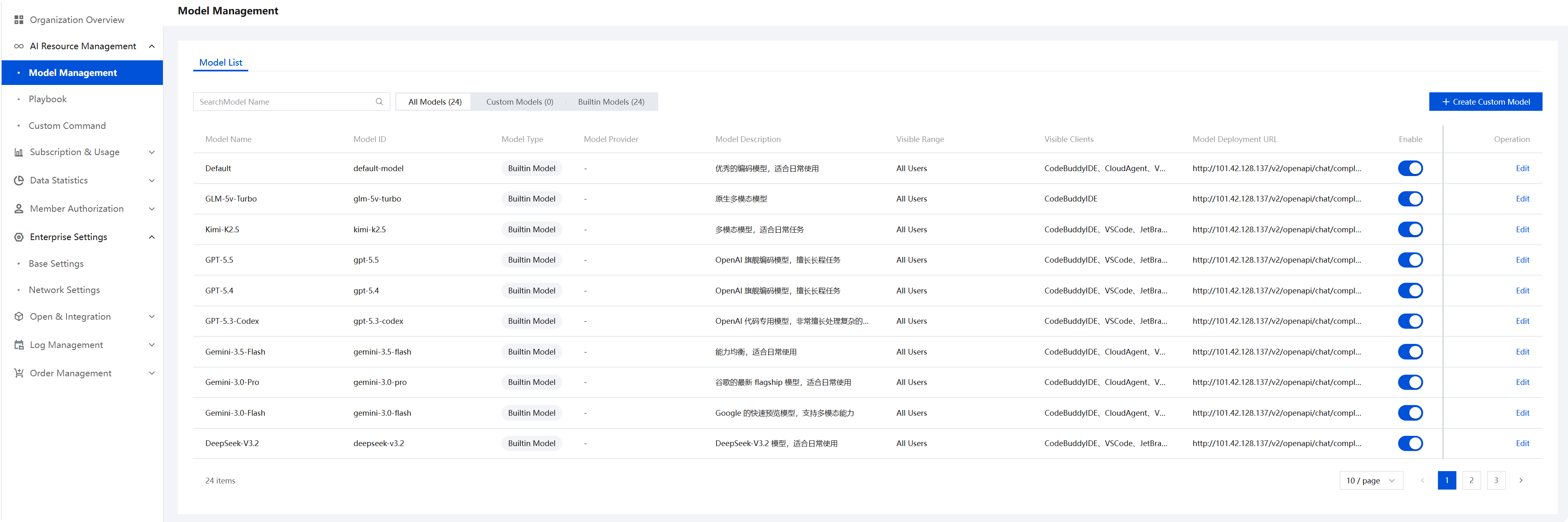
2. Click Add Custom Model.
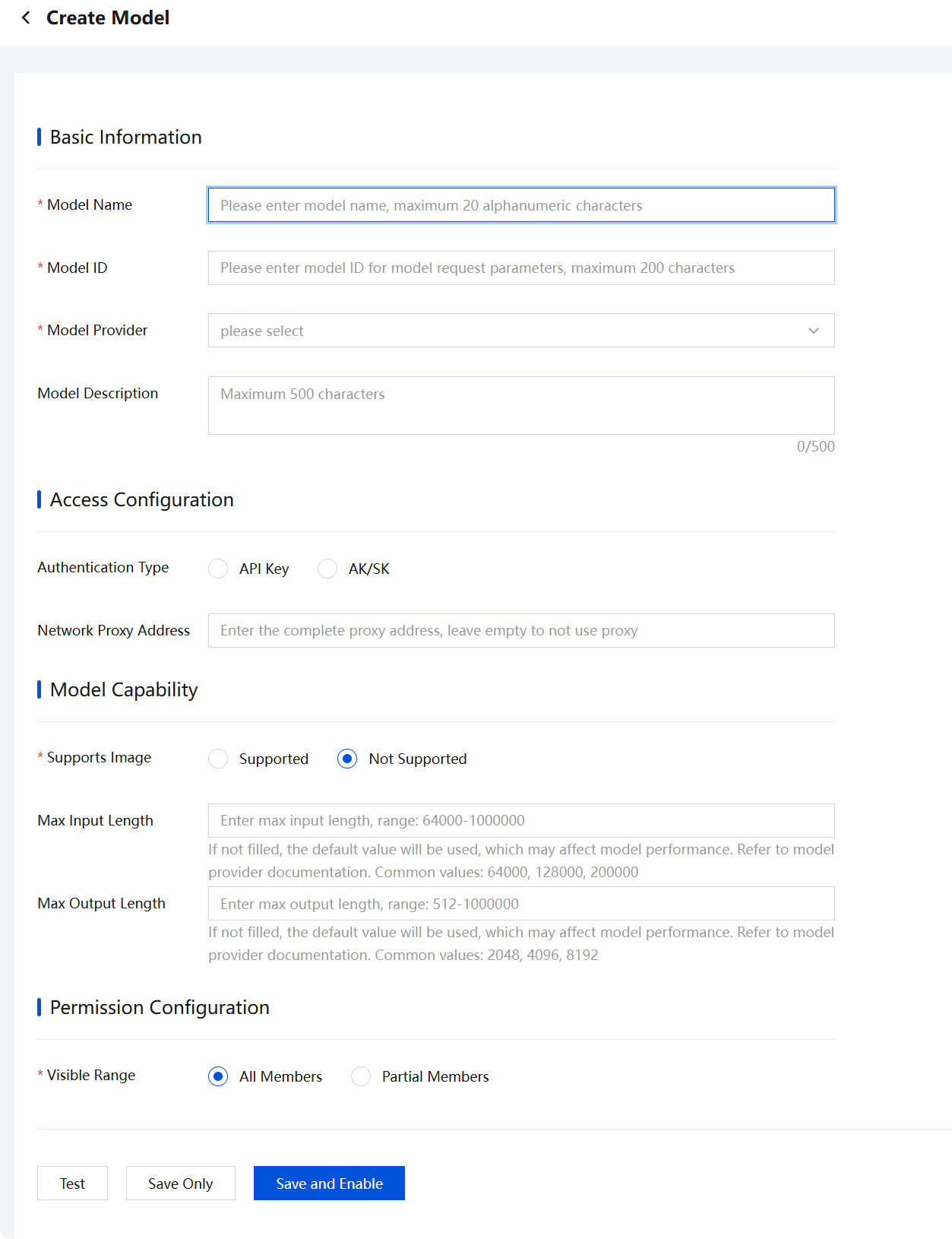
3. Fill in the model information:
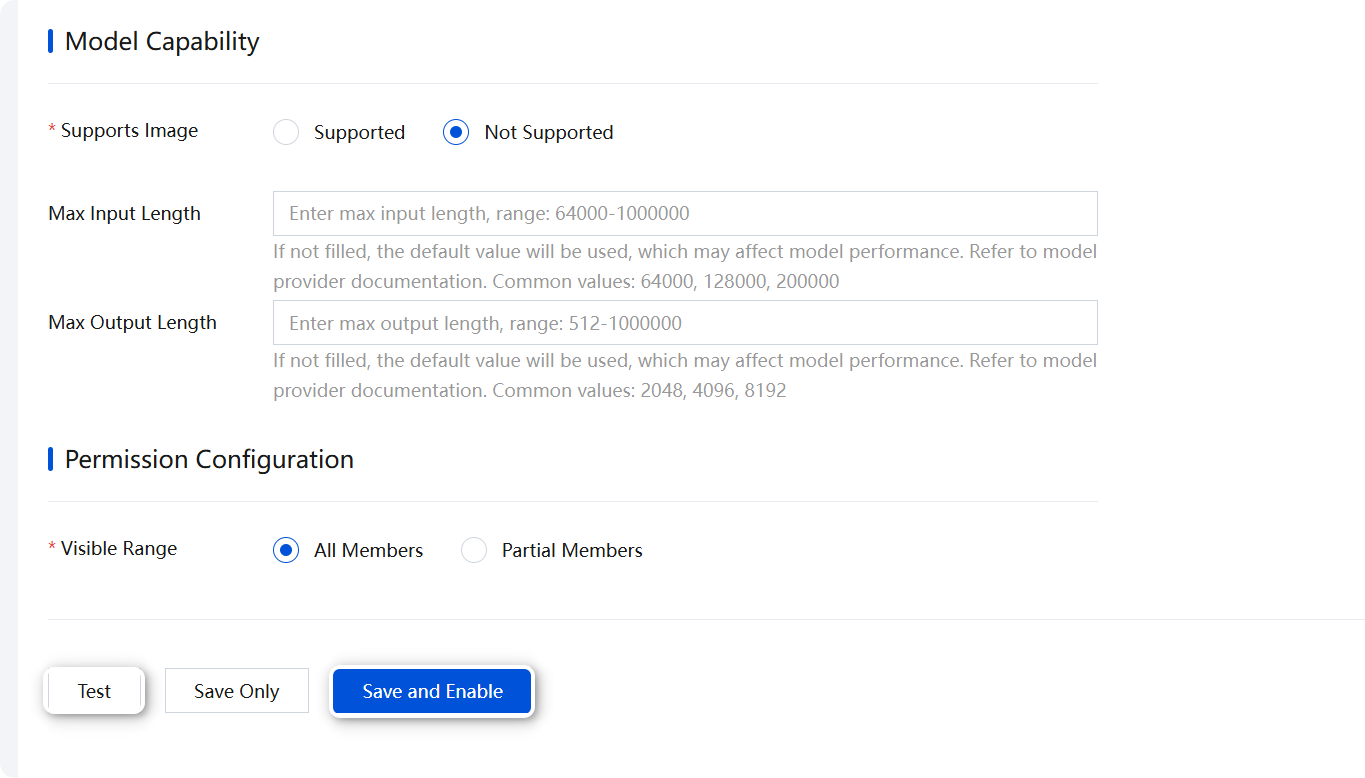
4. After completing the information, you can first test whether the model configuration passes, and then click Save and Enable to complete the configuration.
5. After the model is enabled, wait a moment, and you will see the deployed model in the IDE.
Model Management
1. In the Enterprise Management Console, models can be enabled/disabled, edited, or deleted.
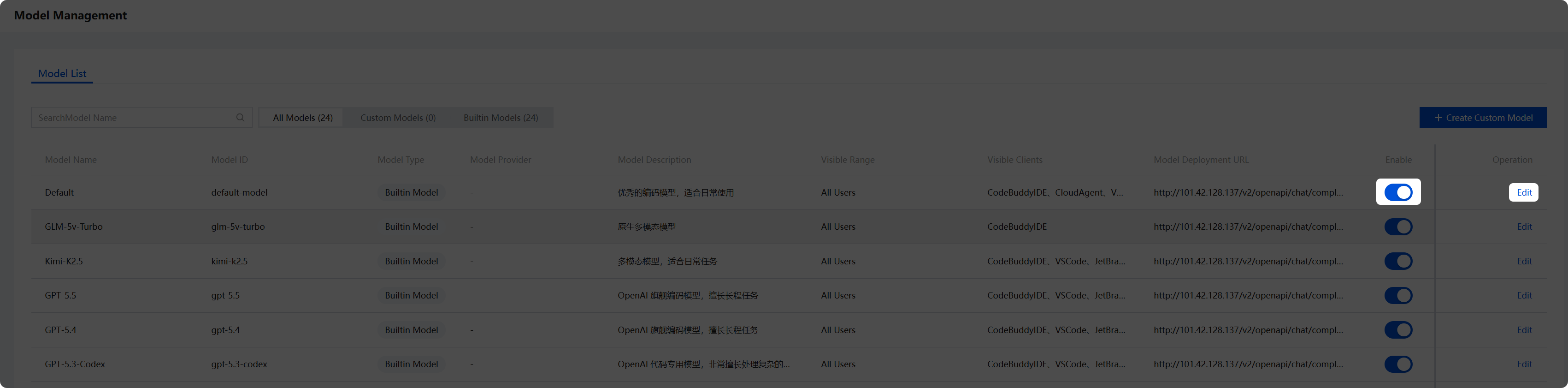
Note:
Only custom-deployed models can be deleted. Built-in models cannot be deleted. The delete operation is irreversible, so proceed with caution.
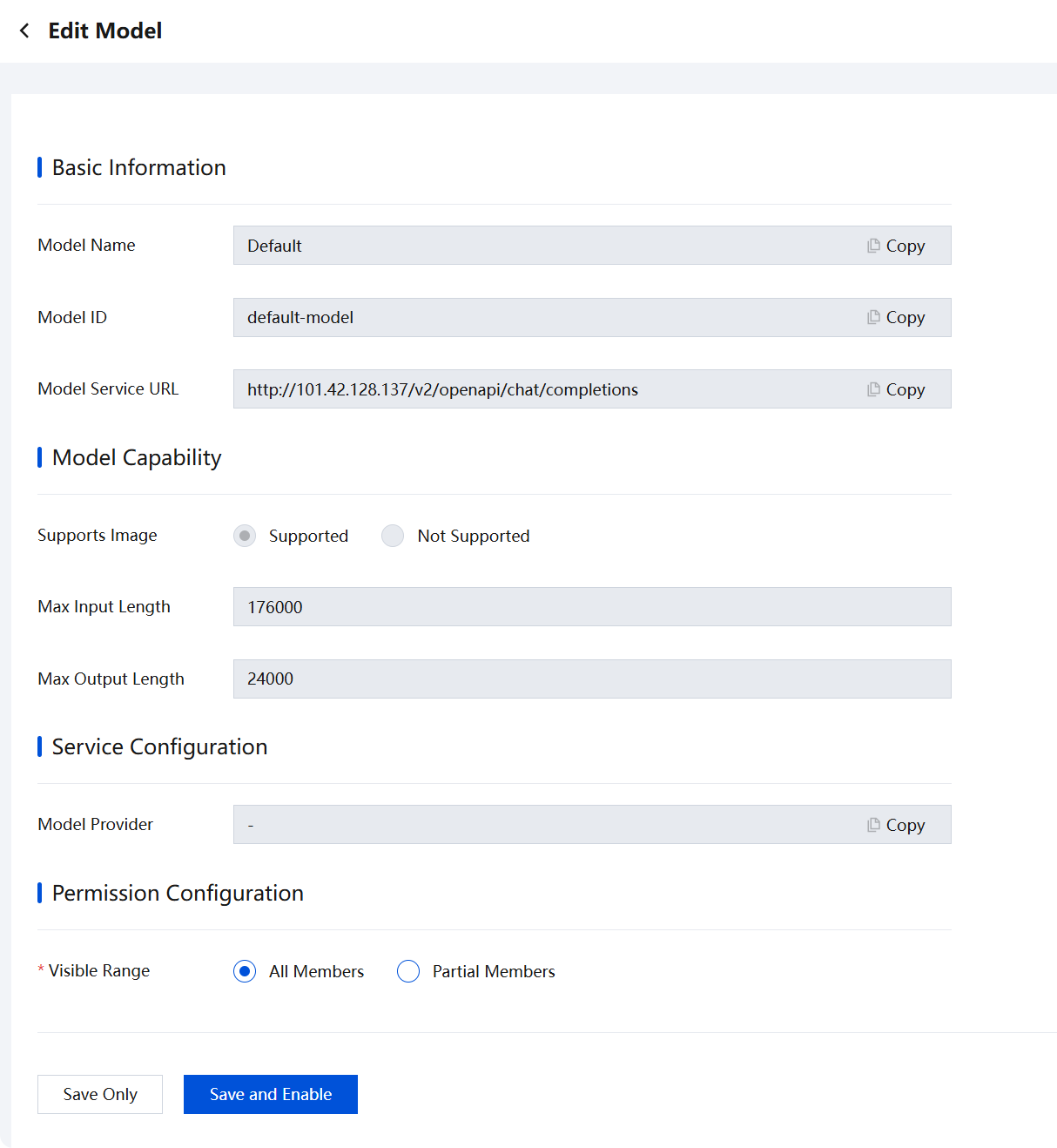
2. In Edit Model, you can edit the model, including configuring settings such as the member visibility scope.
Bantuan dan Dukungan
Apakah halaman ini membantu?
Anda juga dapat Menghubungi Penjualan atau Mengirimkan Tiket untuk meminta bantuan.
masukan