Custom Command
Unduh
Mode fokus
Ukuran font
CodeBuddy has introduced a feature that allows the management console to create and manage prompts, known as custom command.
Note:
Custom commands are currently available only to Team Edition accounts.
Custom Commands
Overview
Purpose: Supports custom commands to meet the need for custom extension commands in coding scenarios.
Benefits of using custom commands:
Improves work efficiency: By setting custom commands, developers can quickly call commonly used code snippets or functions, avoiding repeated input and searching. This not only saves time but also allows developers to focus more on implementing logic and creativity.
Personalized programming experience: Each developer has their own programming style and habits. The custom command feature allows users to adjust the AI's response mode according to their needs, making it better suited to their individual workflows and ways of thinking.
Enhances team collaboration: In team development, using unified custom commands helps team members maintain a consistent coding style and specifications. This contributes to improving the readability and maintainability of the code and reduces communication overhead.
Creating a Custom Command
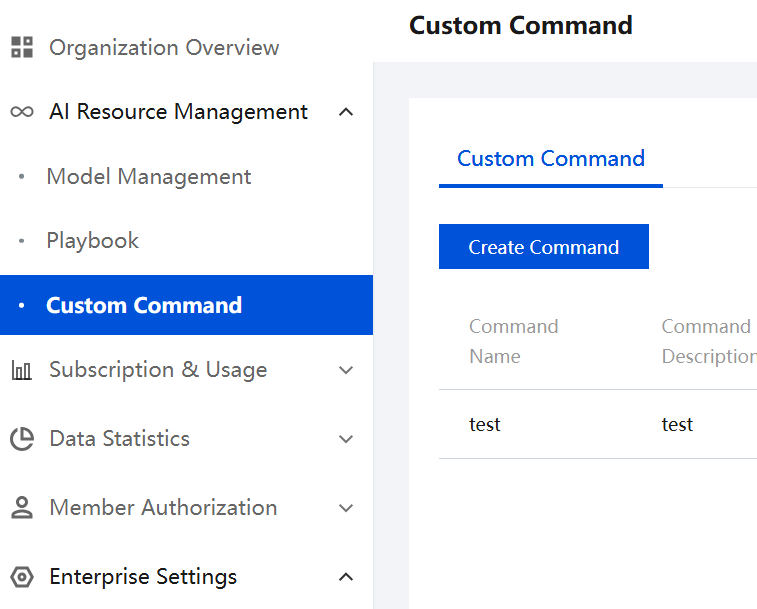
1. Log in to the Management Console, select Custom Commands in the left sidebar, and then click Create Command under Custom Commands.
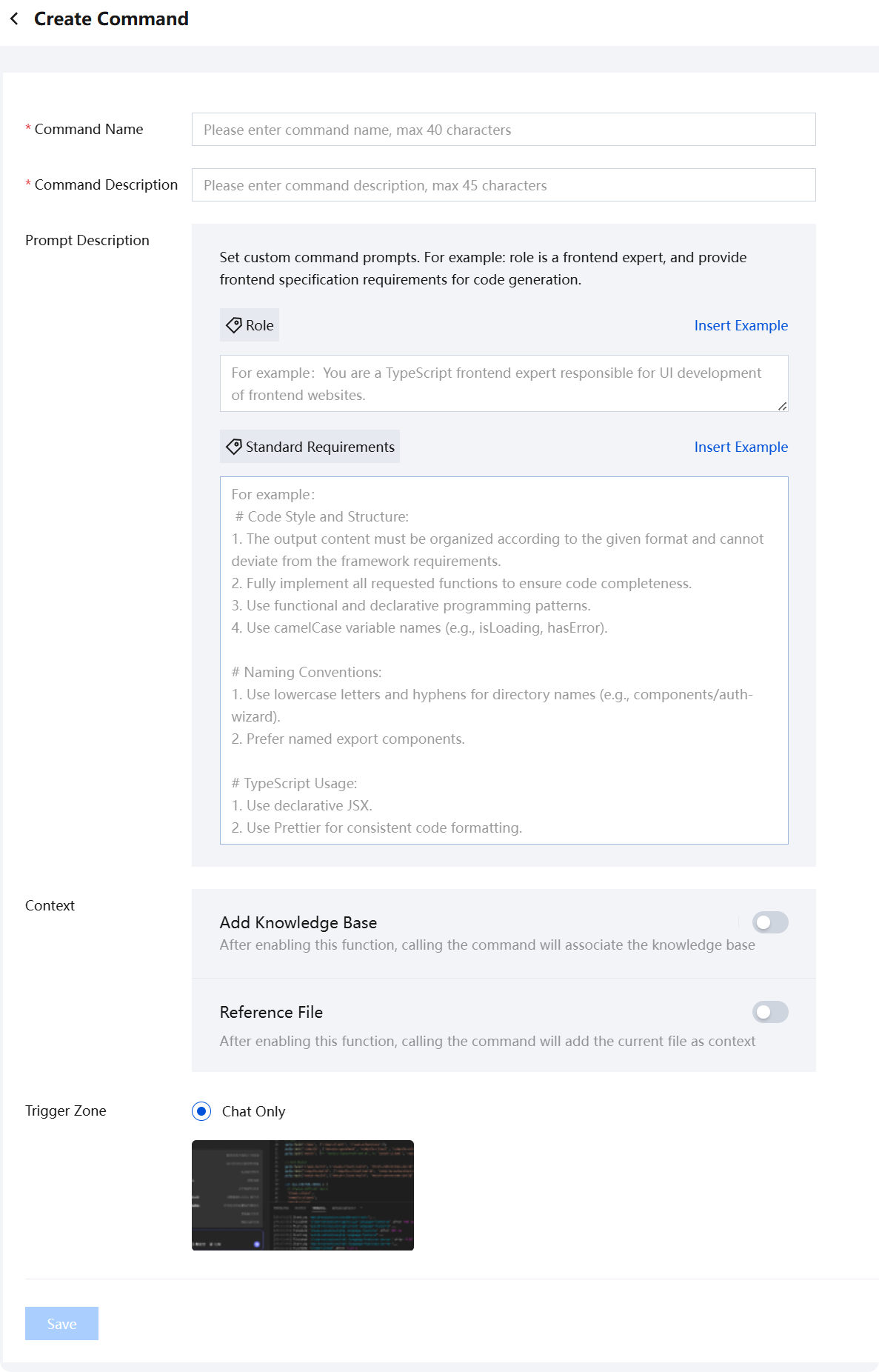
2. On the Create Custom Command page, enter the Command Name, Command Description, and Prompt Description as prompted, and select the Context.
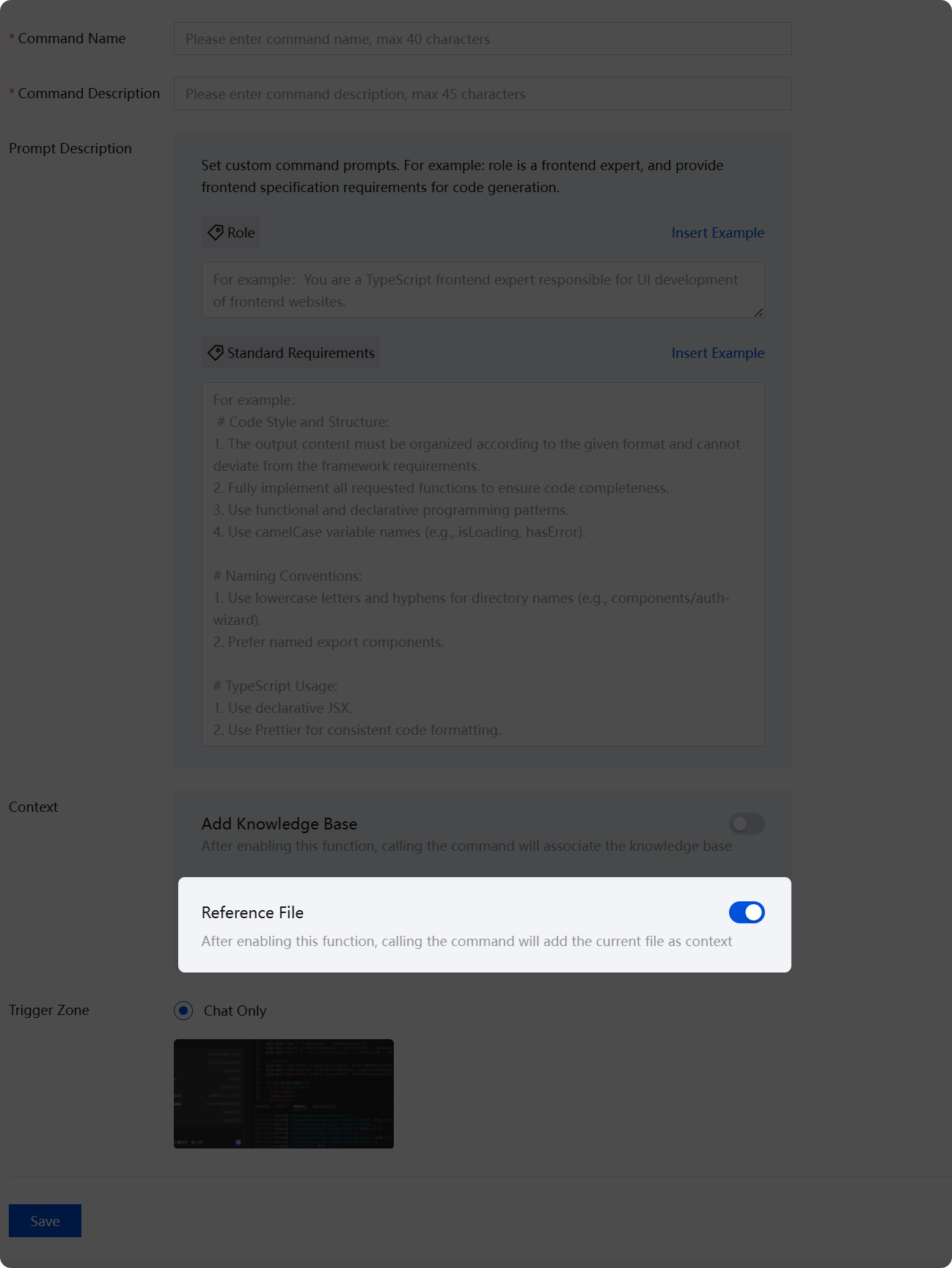
The referenced files in the context.
If you enable the Reference Files feature, invoking that custom command will associate the current project files.
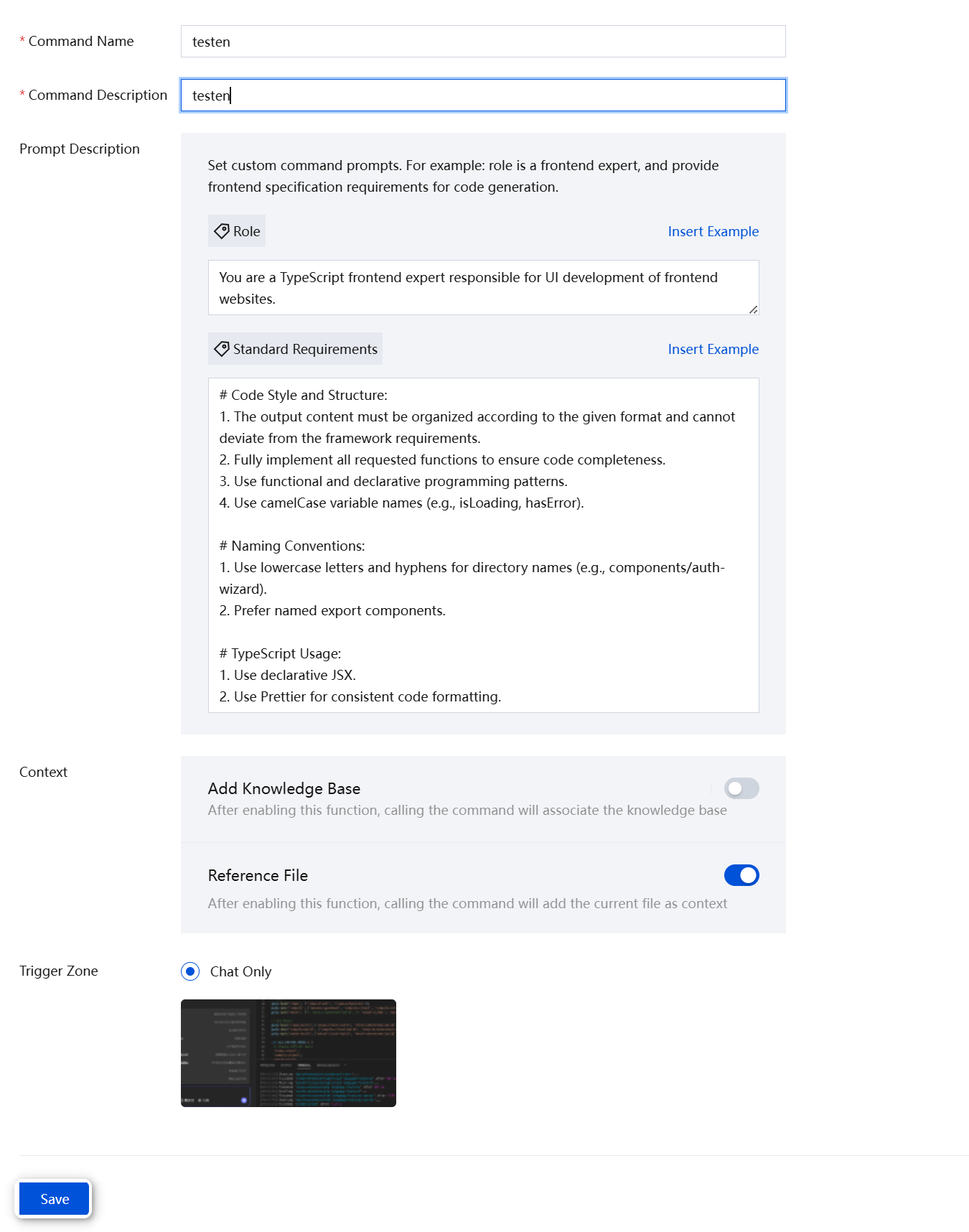
3. After entering the information, click Save.
4. Return to the previous custom commands panel, confirm that the custom commands are enabled. They are enabled by default.
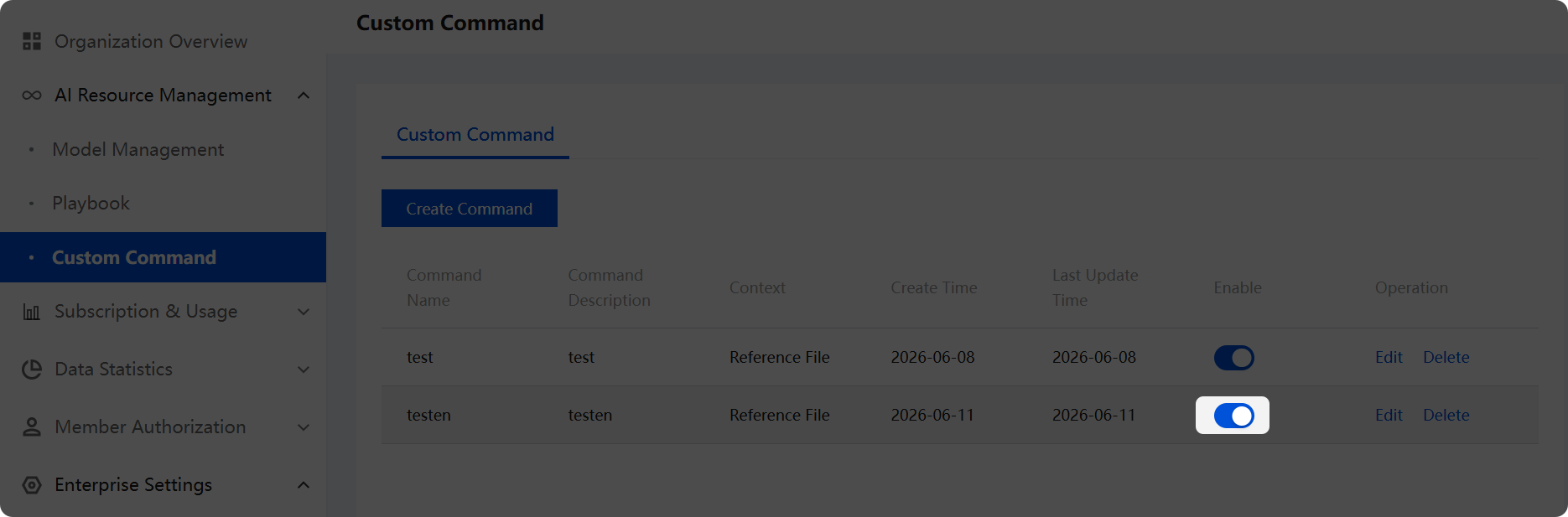
Example of Invoking a Command
1. In the dialog box, directly enter
/ to invoke the command.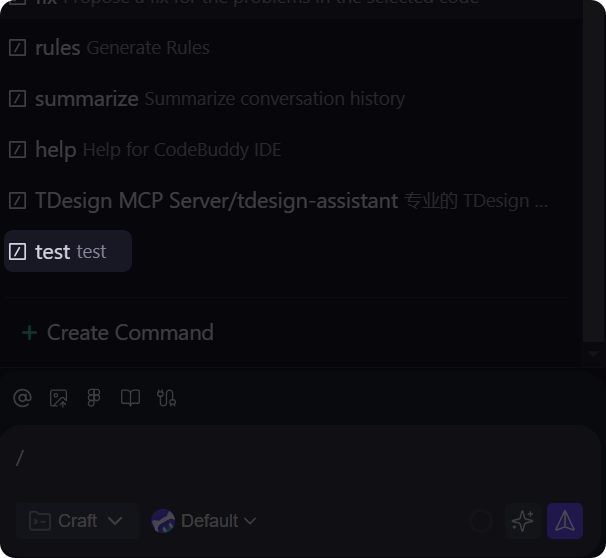
Note:
If the custom command you created is not available when invoked, you can try restarting the IDE software or ensure you are under a team organization.
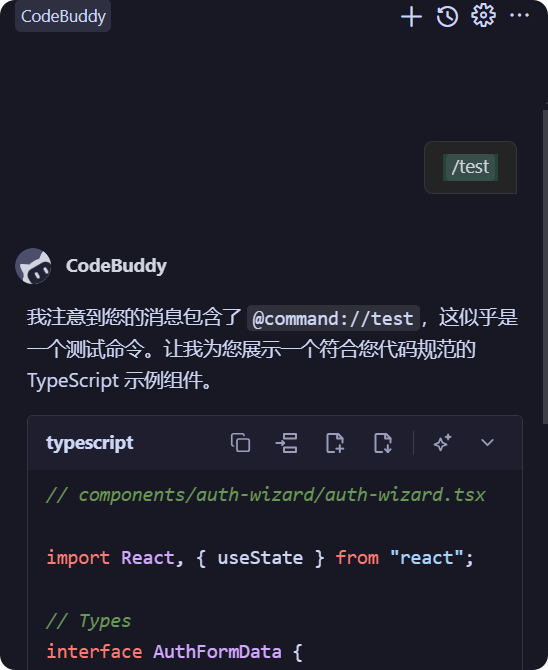
2. Output the result.
Bantuan dan Dukungan
Apakah halaman ini membantu?
Anda juga dapat Menghubungi Penjualan atau Mengirimkan Tiket untuk meminta bantuan.
masukan